
Our Verdict
When Buffalo announced their new LinkStation and TeraStation platforms a few months back, I quickly got in touch to get samples sent to the lab for testing. We came away really happy with the LinkStation SoHo just a month back, a fantastic low-cost two drive platform with 2.5Gbe out of the box. TeraStation adds to this with a higher level of build quality, four drive bays, and a better hardware platform underneath.
At the heart of the TeraStation 3420, we have the Annapurna Labs AL214, quad-core SOC that operates at 1.4GHz and is paired with 1GB of DDR3 and a four-drive SATA backplane. Connectivity includes USB 3.2 Gen 1 on the rear panel along with 2.5Gbe and 1Gbe LAN.
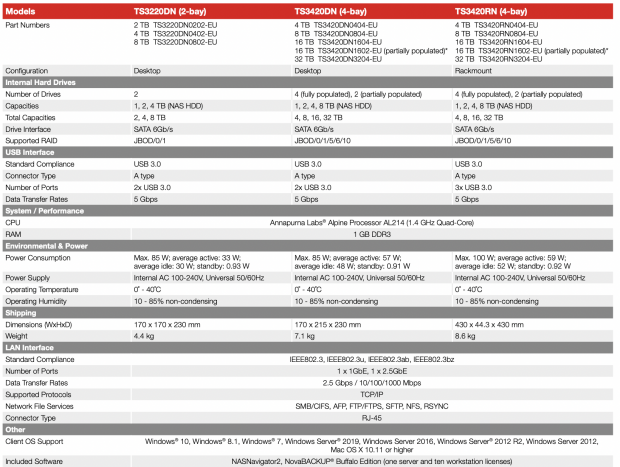
MSRP of the Buffalo TeraStation 3420DN with 4x 2TB drives comes in at $649.99 with a one-year warranty.
Packaging
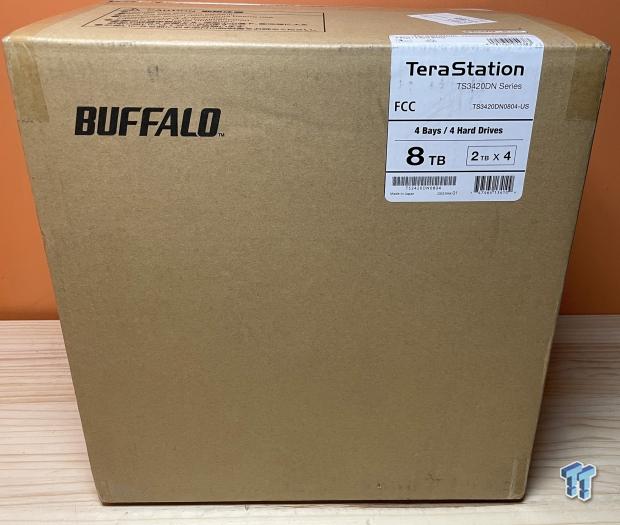
Packaging is pretty basic; a sticker gives capacity information and the number of drives.
Best Deals: Buffalo Terastation 3420DN
Price Trend:
Prices last scanned 4 hours and 7 minutes ago


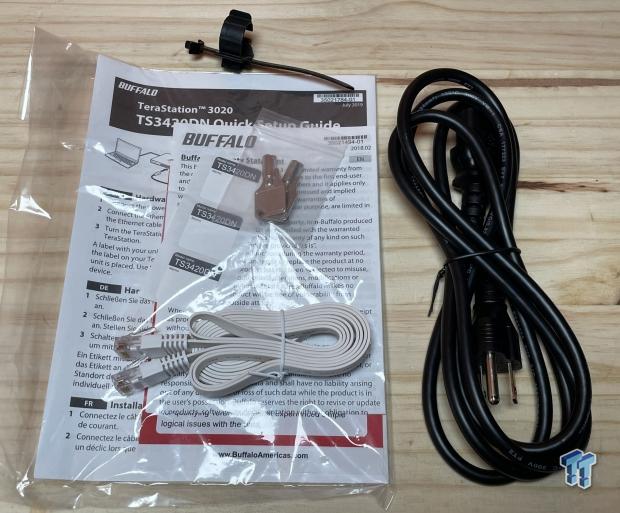
Included with the TeraStation, we have the power cord, keys, and ethernet cable.
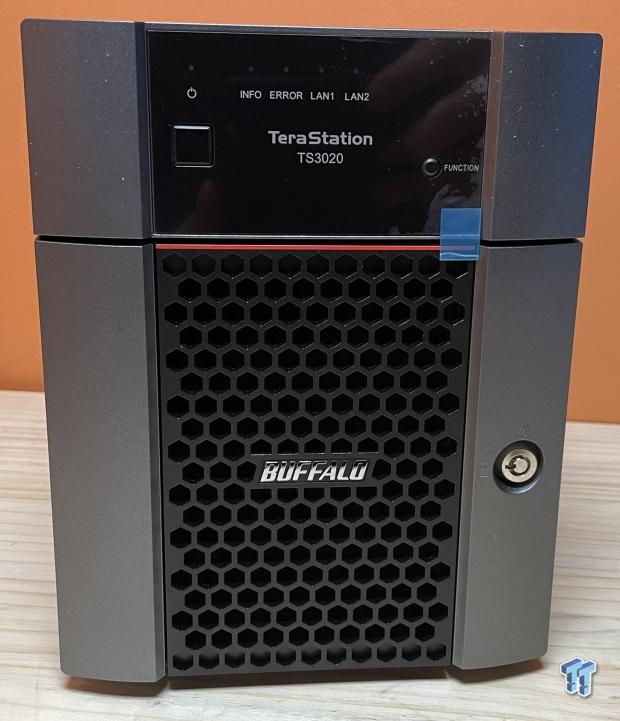
The TeraStation keeps the same aesthetic as the past few years. Still an industrial look to it with a front mesh panel with Buffalo logo in the center. To the right, we have the barrel lock and up above the power button and LEDs.
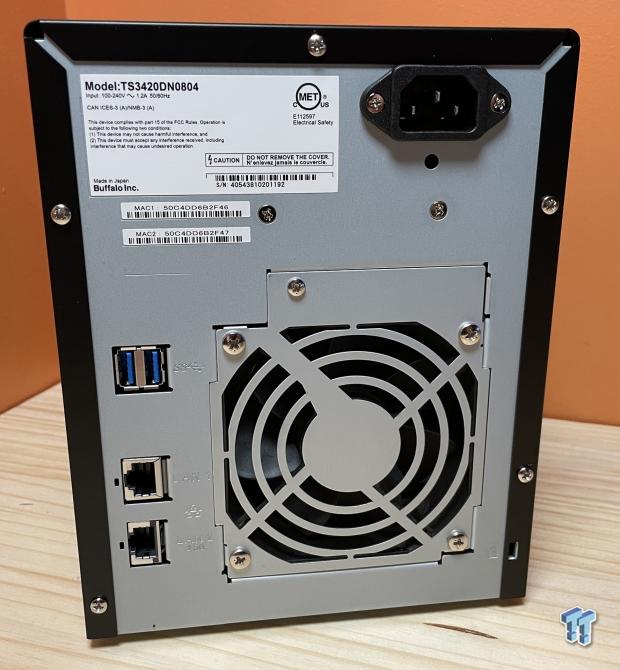
On the back, we have the power input at the top, down below a single large fan for cooling and USB 3.2 and RJ45 ports.
Our Latest SOHO NAS/DAS Review Coverage
- UGREEN NASync DXP4800 GT Review: powerful 4-bay NAS with AMD Ryzen and dual 10GbE ports
- ASUSTOR Lockerstor 2 Gen2+ AS6702T v2 NAS Review - Fast Performance
- TERRAMASTER D4 SSD 4-Bay NVMe DAS Enclosure Review - Superior Portable DAS
- ASUSTOR AS5402T 2-Bay NAS Review - Fast 2-bay NAS performance
- UGREEN NASync DH2300 Review - Simple NAS at a low price
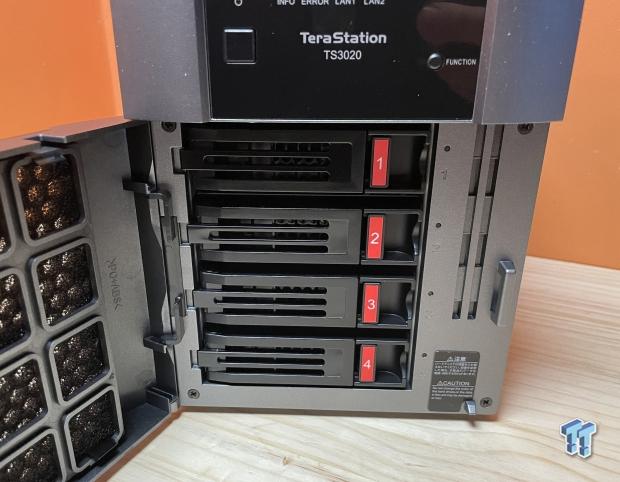
Opening the door, we have four drive bays, all numbered.
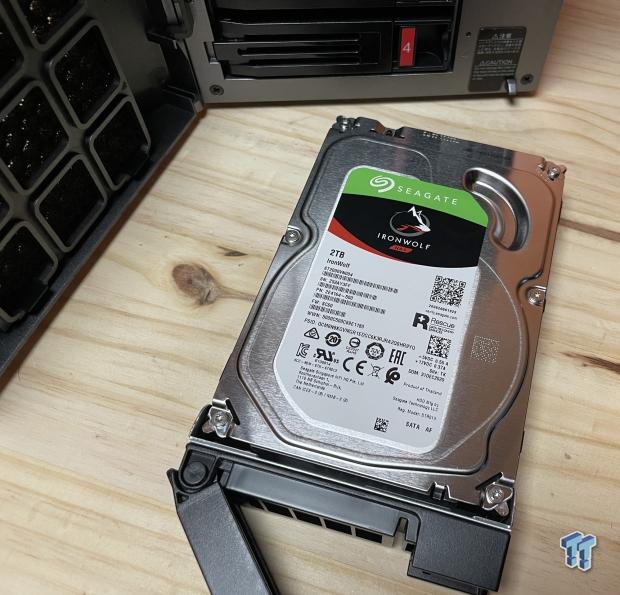
Drives in the TeraStation are IronWolf over the Barracuda drives offered in LinkStation appliances.
TeraStation 3420DN Set-Up
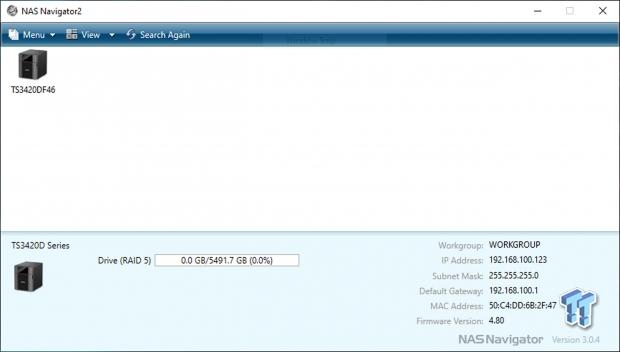
NAS Navigator allows you to search and set up the TeraStation.
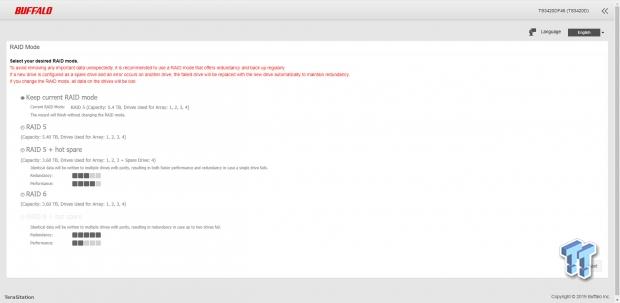
Setup takes only a few moments and allows you to choose what RAID mode you want to use.
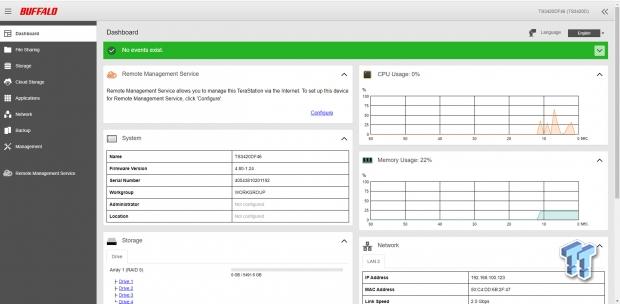
Once you are in, the Buffalo interface is simply offering an overview of the system on the dashboard. To the left, we have a menu system that provides navigation between each setup menu.
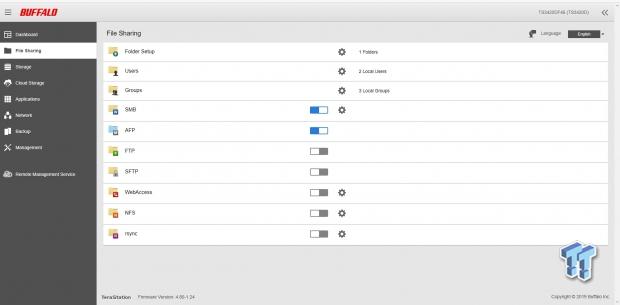
File Sharing offers a full menu to create folders along with managing users and groups. Down below, you can enable or disable services.
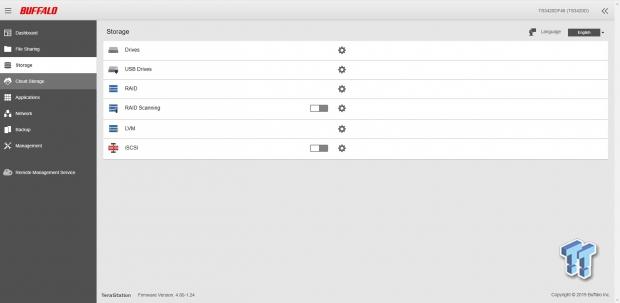
The storage menu allows you to access drives, both internal and USB. You can set up RAID modes and the logical volume manager, including iSCSI.
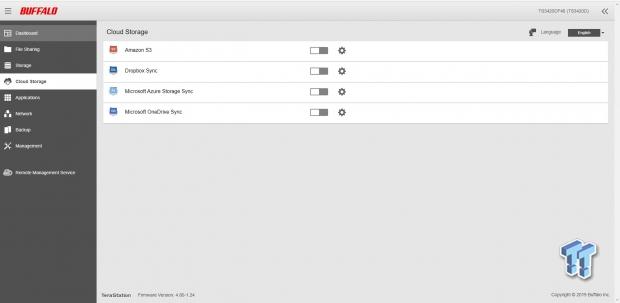
Cloud Storage has expanded and includes Amazon, Dropbox, and Azure. OneDrive is a new addition to this menu.
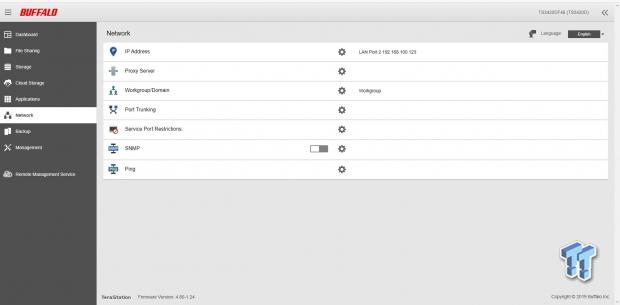
The networking menu allows you to set up each port, including proxy, domains, and port trunking.
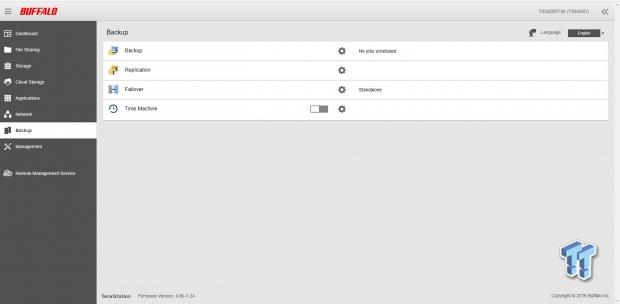
Backup offers replication NAS to NAS and USB along with Time Machine support for macOS.
Testing - Benchmarks
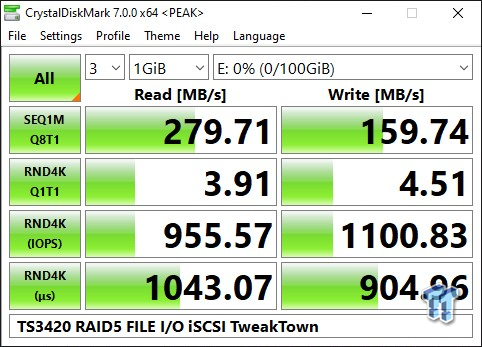
Starting testing, I set up the TeraStation in RAID 5 and tapped into iSCSI. In this setup, I reached 279 MB/s reads and 159 Mb/s write.
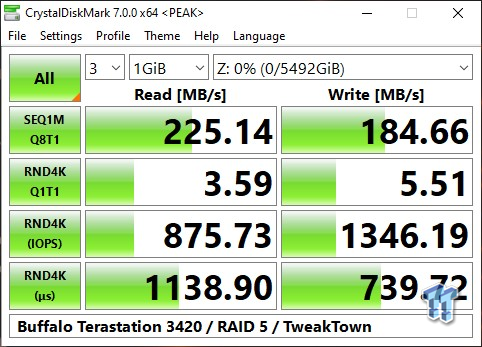
RAID 5 over SMB showed 225 MB/s reads and 184 MB/s write.
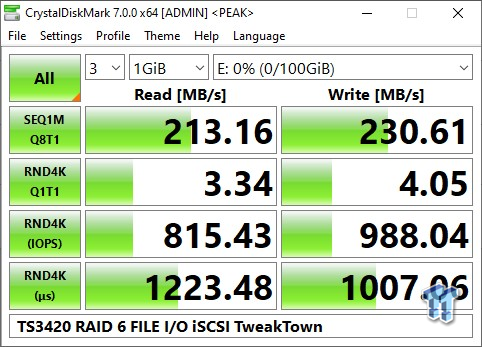
Moving the NAS over to RAID 6 with iSCSI, we dropped a few MB/s, read now at 213 MB/s and write as 230 MB/s.
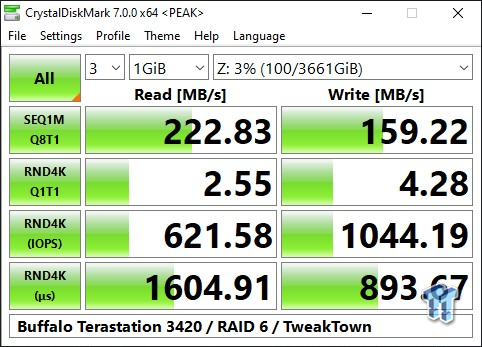
SMB with RAID 6 showed 222 MB/s reads and 159 MB/s write.
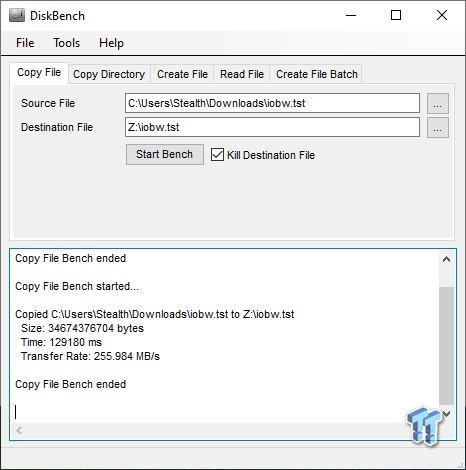
Our next test was running a backup scenario to the NAS with RAID 5, where we saw 255 MB/s on average.
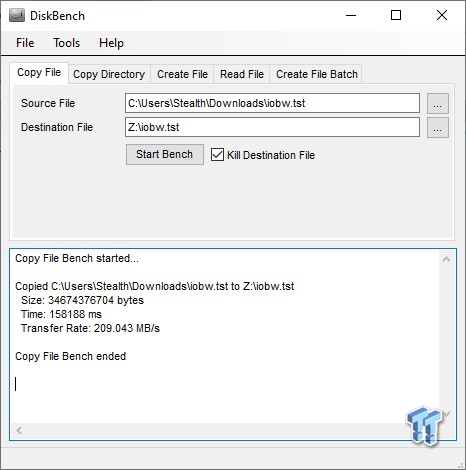
Switching the backup scenario to RAID 6, we got 209 MB/s for the workload.
Final Thoughts
Wrapping up this review, the TeraStation 3420DN is a solid upgrade to the platform that takes advantage of proven/reliable hardware used in the past with the Annapurna Labs AL214. The AL214 is a powerful quad-core SoC that I've seen in many entries and mid-level platforms from several vendors and has proven itself quite good in appliances that take advantage of 2.5Gbe, like the 3420DN.
The software platform on the TeraStation is essential but pure storage driven, offering features like R-Sync, Active Directory, and iSCSI. Additionally, Buffalo has tapped the cloud adding Dropbox, Azure, and OneDrive as options for cloud connectivity, while externally, a 2.5Gbe connection allows for increased performance and productivity.
Turn-Key is one of the best features of Buffalo platforms, and the TeraStation 3420DN offers several models that include 8TB, 16TB, and 32TB SKUs; they also provide partially populated 4TB with 2x2TB drives. This gives consumers a solid amount of options to start with and room to upgrade if ever needed.
TweakTown Storage Test System
- CPU: Intel Core i7 11700K
- Motherboard: ASRock Z590 Taichi
- GPU: ASUS TUF RTX 3080 10GB
- RAM: Team Xtreem 2x8G DDR4 4500 (buy from Amazon)
- Cooler: MSI CoreLiquid K360
- OS Storage: Sabrent Rocket 4 Plus 1TB (buy from Amazon)
- Power Supply: Corsair RM1000X (buy from Amazon)
- OS: Microsoft Windows 10 (buy from Amazon)