Our Verdict
Pros
- Solid aluminum build
- Minimal and stylish look
- Responsive switches and great-feeling keycaps
- Creamy acoustics
- VIA compatible
Cons
- Can't adjust the height
- No physical controls for switching connectivity modes
- Keycaps don't shine through, so lighting is mostly subtle
- Premium carry case, but no wrist rest
Should you buy it?
Introduction & Specification Details and Close-up
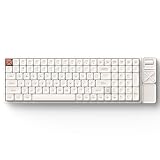
First impressions can always make an impact, or at the very least set the tone for what to expect. This is true of many things, including PC hardware and peripherals like the IQUNIX Magi96 Pro Aluminum Low Profile Mechanical Keyboard reviewed here. Although it's a custom keyboard from one of the several new brands that have popped up in recent years, it's a notable addition to the many low-profile keyboard options out there because the Pro in the naming refers to its premium build quality, features, and relatively unique design that includes a scroll wheel and a funky four-way configurable button.
The first impression here is strong because the IQUNIX doesn't ship the Magi96 pro in a standard cardboard box; instead, it arrives in a premium hardshell case similar to the one you get with the Valve Steam Deck. Now, packaging isn't something that factors into our keyboard evaluations. Still, when you pair the robust carry case with the premium, sturdy CNC-machined aluminum shell, low-profile PBT keycaps, and the creamy, satisfying thocky sound each keypress makes, it sets the scene for a tri-mode wired-and-wireless keyboard to take note of.
Popular Now: Xbox users can use last-gen Xbox One consoles to verify Xbox Series discs for disc-to-digital conversionIQUNIX offers its Magi series in several configurations and layouts, in either Black or White. The Pro variants, like the one you see here, include all the extra stuff on the right side of the keyboard, including the scroll wheel, the four-way button, and a magnetic housing for the USB dongle. This review covers the IQUNIX Magi96 Pro, which features a NumPad in a 95% layout that's compact and packed with all the keys you need.
Specifications & Close Up

| Item | Details |
|---|---|
| Product Name | IQUNIX Magi75/96 Aluminum Low Profile Mechanical Keyboard |
| Product Type | Wireless Mechanical Keyboard |
| Compatibility | Windows, macOS, iOS, and Android |
| Interface | Wired (USB Type-C to Type-A), 2.4 GHz Wireless, Bluetooth 5.1 |
| Size | 96% form factor |
| Polling Rate | Up to 1,000 Hz |
| Switch | Kailh Gold Red Switch |
| Keycaps | PBT with Anti-Oil Coating |
| Lighting | RGB |
| Battery | 4000 mAh |
| Dimensions | 412.85 x 126.16 x 11.31mm |
| Weight | 1296 grams |
| What's in the Box | Keyboard, USB Adapter, User Manual, Type-C Cable, 2.4G USB Receiver, IQUNIX Logo Sticker, Keycap & Switch Puller, Premium Carrying Case, Extra Keycaps |


Best Deals: IQUNIX Magi96 Pro Aluminum Low Profile Mechanical Keyboard
Price Trend:
Prices last scanned 5 hours and 29 minutes ago

7 days ago: $167.99 USD30 days ago: $167.99 USD
7 days ago: $296.62 CAD30 days ago: $296.62 CAD


Kosta's Test System
| Item | Details |
|---|---|
| Motherboard | MSI MPG X870E Carbon WiFi (Buy at Amazon) |
| CPU | AMD Ryzen 7 9800X3D (Buy at Amazon) |
| GPU | NVIDIA GeForce RTX 5080 Founders Edition (default) (Buy at Amazon) |
| Display | MSI MAG 321UPX QD-OLED 4K 240Hz (Buy at Amazon) |
| Cooler | Corsair iCUE LINK TITAN 360 RX LCD Liquid CPU Cooler (Buy at Amazon) |
| RAM | Corsair VENGEANCE RGB 32GB (2x16GB) DDR5-6000 (Buy at Amazon) |
| SSD | Sandisk WD_BLACK SN8100 2TB PCIe Gen5 (Buy at Amazon) |
| Secondary SSD | Patriot Viper VP4300 Lite 4TB PCIe Gen4 (x2) (Buy at Amazon) |
| Power Supply | MSI MEG Ai1300P PCIE5 (Buy at Amazon) |
| Case | Corsair FRAME 4000D Modular Mid-Tower PC Case (Buy at Amazon) |
| Case Fans | Corsair iCUE LINK RX120 MAX RGB 120mm PWM Starter Kit (Buy at Amazon) |
| OS | Microsoft Windows 11 Pro (Buy at Amazon) |
Design & Software
Design
Weighing in at almost 1.3 kilograms, the IQUNIX Magi96 Pro is one of the sturdiest low-profile keyboards you're likely to find. With small rubberized pads on the underside, it stays put and doesn't move even with the heaviest of keystrokes. As mentioned in the introduction, the CNC-machined aluminum chassis has a premium feel thanks to its anodized finish (in the Black version), which pairs well with premium-feeling keycaps and a minimal yet stylish physical design. Low-profile keyboards are, of course, an acquired taste or a style that some prefer over full-sized keycaps. Often, people mistake low-profile keyboards as being ideal for productivity first and foremost, but that's not always the case. With responsive switches and a premium design like what you get with the IQUNIX Magi96 Pro, it's the sort of keyboard that you could game with in addition to using for productivity or other creative tasks.

The relatively minimal design extends to the connectivity, at least from the physical side. Although the IQUNIX Magi96 Pro supports wired USB and wireless over low-latency 2.4 GHz or Bluetooth, you need to use keyboard shortcuts to switch between these modes or to pair three devices for Bluetooth functionality. Thankfully, it ships with a keyboard shortcut card in the packaging that details all the shortcuts; otherwise, those first few real moments with the IQUNIX Magi96 Pro would have been confusing. As a 96% form-factor keyboard with 100 keys, the NumPad and Function keys are all condensed with the arrow keys, so it's a little cramped at first, with the Magi75 Pro offering you more of a standard TKL option.
The switches here are hot-swappable, with the IQUNIX Magi96 Pro shipping with Kailh Gold Red Switches, which offer a shorter total travel distance of 3.2mm, common for low-profile keyboards. This adds to the sense of faster typing you can get with a low-profile keyboard, especially one with linear mechanical switches. The type-feel here is excellent and responsive. One of the more impressive aspects, and one that is pleasing, is the creamy sound of the IQUNIX Magi96 Pro when typing, which is due to the switches and the underlying construction.

In addition to an FR4 plate, which you can see that when you remove a keycap, there are multiple layers of Poron and IXPE foam, switch padding, a customer PCB, and a mounting system that blends tray and Gasket damping. IQUNIX calls it a 'Le-tray Mount' system. The only real noticeable downside, or small issue we noticed after several days of use, was that the spacebar can be a little clicky-sounding compared to the creamy acoustics of the rest of the keyboard. A small but notable bit of feedback for what's otherwise a solidly built keyboard. Rounding out the physical design, you've got the additional controls found on the Pro versions. This includes a scroll wheel that, by default, controls volume, and a four-way button/key that is programmable but, by default, supports all other audio controls, such as muting. Plus, a compartment for the USB dongle beneath a magnetic aluminum cover.
Our Latest Keyboards Review Coverage
- Corsair CLIPPER PRO MINI 60 Hall Effect Gaming Keyboard Review - Small and Mighty
- Logitech G316 X 98 Wired Gaming Keyboard Review - Retro-Inspired Board that Falls a Little Short
- Logitech G512 X 98 Analog Mechanical Gaming Keyboard Review - An Innovative Two-in-One
- Razer Pro Type Ergo Wireless Split Ergonomic Keyboard Review - Built for Comfort and Support
- ASUS ROG Strix Morph 96 Wireless Gaming Keyboard Review - Great Performance, More Affordable
Software
Like many third-party keyboards, the IQUNIX Magi96 Pro Aluminum Low Profile Mechanical Keyboard is VIA compatible. VIA is a free, open-source, web-based tool for customizing keyboards, where keyboard makers can create profiles for their bespoke hardware, which you can then upload to the website for customization. That's the process here, but before the VIA worked, we also had to update the IQUNIX Magi96 Pro's firmware using a custom firmware tool from the product page. However, once that was all done, we just needed to head to the VIA site to start configuring.


As far as configuration software goes, VIA's functionality is right up there, as you can remap any key with seemingly any function, while also getting access to special keys and buttons like the IQUNIX Magi96 Pro's scroll wheel and four-way button. You can also switch freely between the different function layers and even import and export settings and profiles for sharing. VIA is powerful, to be sure, but it's an interface that can take some time getting used to, as there's very little on-screen explanation of what each new setting or remapped key does.


The VIA interface also includes a detailed Macro recording feature that you can also assign to different key presses. As VIA/QMK is not vendor-specific, you miss out on features exclusive to the IQUNIX Magi96 Pro, such as the ability to check battery life or a true like-for-like visual representation of the keyboard. The good news is that VIA also supports lighting controls, allowing you to adjust these settings via the web-based interface. That said, in addition to the VIA interface, there are on-board controls for adjusting lighting, switching between connectivity modes, and other features, such as audio controls.
Gaming and Productivity Performance
Gaming Performance
Linear mechanical switches are the go-to style for many gamers, as their smooth, snappy response is well-suited to a wide range of genres, not just competitive shooters like Marvel Rivals or Overwatch, two titles we tested with the IQUNIX Magi96 Pro. Now, this is not to say that this is a keyboard built for PC gaming, as it lacks modern gaming features like SOCD or FlashTap support, and the low-latency wireless is limited to a 1,000 Hz polling rate. For most gamers, these aren't deal breakers, and the IQUNIX Magi96 Pro performed flawlessly throughout testing.

After playing a range of games, including the usual shooters and Diablo 4, and a few indie strategy titles like Farthest Frontier, aside from performance, one of the most remarkable features of the IQUNIX Magi96 Pro is just how great the keycaps feel. By that same token, one of the more notable downsides is that there are several hours of use (which also applies to the IQUNIX Magi96 Pro's productivity chops); there's no ability to adjust the height, so it's basically always flat in a way that's reminiscent of low-profile keyboards on a laptop.
Productivity Performance
With detailed customization options, a NumPad, a scroll wheel, and four-way buttons that can be configured for editing apps or to control music, the IQUNIX Magi96 Pro is a fantastic low-profile option for those looking for something a little more premium. From the weight and sturdy build to the acoustics and the ability to switch between wired and wireless modes, there's a lot to like. Battery life is also decent, with up to 500 hours when RGB lighting is turned off and around 65-70 hours with minimal lighting. As a desk companion for a laptop, which was one of the main ways we used the IQUNIX Magi96 Pro, it's impressive; there's simply no comparison between a laptop's keyboard and a well-built low-profile mechanical keyboard.
Keyboard Click Sound Level
To test a keyboard's overall sound level, we use the Ozito Digital Sound Level Meter, capturing the sentence "the quick brown fox jumps over the lazy dog" multiple times and recording the maximum dB level. This indicates how "loud" the switches used are for everyday usage. The following chart showcases where the IQUNIX Magi96 Pro Aluminum Low Profile Mechanical Keyboard sits.

Final Thoughts
After using the IQUNIX Magi96 Pro Aluminum Low Profile Mechanical Keyboard for a while, it's safe to say that IQUNIX is a brand to take note of, especially when it comes to its premium keyboards like the Magi series. From the creamy acoustics to the solid aluminum construction to the finish on the keycaps, it's a series of outstanding design touches, backed up by the sort of performance you expect from something that costs up to $179 USD. For low-profile fans, it's well worth considering, with the low points being a handful of minor issues that are exactly that. Things like the inability to adjust the height and the lack of physical controls for switching between wired and wireless modes.

Ultimately, it's great to see more viable low-profile options out there, as this keyboard style feels more relevant than ever. And it's viable for gaming too, as long as you're not playing at a pro level. Whether you're looking for something for productivity, creative tasks, gaming, or a mix of everything, the IQUNIX Magi96 Pro comes highly recommended.