Our Verdict
Pros
- Rich, detailed sound
- GameHub lets you connect up to four devices
- Versatile tri-mode connectivity
- Fantastic software and app support
- ANC that's good enough for air travel and on-the-go listening
Cons
- Only two USB cables are included
- GameHub is prone to fingerprints
- No optional portable 2.4 GHz dongle
Should you buy it?
Introduction & Specification Details and Close-up
SteelSeries has been releasing premium, pro, and even audiophile-grade headsets for a while now, so it's worth adding a bit of context on where the new SteelSeries Arctis Nova Pro Omni fits into the picture. But first, let's get to the naming. The Omni refers to the OmniPlay design that includes the dedicated GameHub interface that lets you connect up to four sources, three via USB-C, and one via traditional line-in. There's even a line-out to connect to speakers. Throw in Bluetooth with LC3+ high-resolution audio, impressive ANC for both listening and chat, and a wired 3.5mm input on the headset, and the SteelSeries Arctis Nova Pro Omni is every bit the all-in-one, everything wireless gaming and lifestyle headset it aspires to be.

And with the more advanced Omni GameHub interface, the SteelSeries Arctis Nova Pro Omni feels like a successor to the Arctis Nova Pro that debuted back in 2022. As one of the company's most impressive, versatile, and ambitious gaming headset releases, the SteelSeries Arctis Nova Pro Omni is a natural evolution that brings enough to the table to make it feel like a modern update worth the investment. And that's investment, because the $399.99 USD price tag certainly puts it into that class of gaming headsets where you'll only find premium, high-end gear. In addition to being a successor to the Arctis Nova Pro, the SteelSeries Arctis Nova Pro Omni also sits below, price-wise, the Arctis Nova Elite. There you've got a $600 headset where SteelSeries went all out to deliver a true audiophile-grade gaming headset that you could spend hours listening to lossless music with as you could jump into, say, the latest Diablo 4 expansion.
Now, having a hub that you can connect a PlayStation 5, Xbox Series X, and PC to, and then seamlessly switch between devices while connected to your smartphone via Bluetooth for calls and sound adjustments, is impressive. And it's a key feature of the Arctis Nova Pro Omni to be sure. However, with that fantastic warm and neutral SteelSeries tuning on its custom 40mm drivers, 24-bit 96 kHz support, access to hundreds of curated presets, comfortable, durable, and luxurious lightweight build, it's also the sort of headset you can use with a single gaming device in addition to something you can travel with thanks to its ANC capabilities. Not everyone has consoles and PCs all sitting together, after all. But if you do, well, you're in for a treat. And in terms of functionality and performance, it's, in a way, a more wallet-friendly Arctis Nova Elite.
Specifications & Close Up

| Item | Details |
|---|---|
| Product Name | SteelSeries Arctis Nova Pro Omni |
| Product Type | Wireless Gaming Headset |
| Interface | Wireless 2.4GHz, Bluetooth (Simultaneous) |
| Compatibility | Xbox Series X|S, Xbox One, PlayStation 4 & 5, PC (Windows 10 and above), Mac, Nintendo Switch, Switch 2, iPhone, Android, Meta Quest 2 & 3 |
| Drivers | Custom 40 mm Neodymium Magnetic (Hi-Res) |
| Headphones Frequency Response | 10 - 40,000 Hz |
| Microphone | ClearCast Pro - Retractable Boom Microphone with onboard AI Noise Rejection, Omnidirectional |
| Microphone Frequency Response | 50 - 16,000 Hz |
| ANC | 4-Mic Hybrid active noise cancellation Transparency Mode |
| Battery | Up to 60 Hours gaming (2 x hot-swappable batteries, ANC Off), Up to 50 hours Bluetooth (ANC off), Up to 19 hours per battery for 2.4G, BT, and ANC on |
| Spatial Audio | Yes |
| Weight | 339g (Headset), 169g (GameHub) |
| What's In The Box | Arctis Nova Pro Omni Headset, Arctis Nova Pro Omni GameHub, USB-C to USB-C Charging Cable (1.5m x2), Microphone Pop Filter, Carrying Bag |


Best Deals: SteelSeries Arctis Nova Pro Omni Wireless Gaming Headset
Price Trend:
Prices last scanned 6 hours and 9 minutes ago


Kosta's Test System Specifications
| Item | Details |
|---|---|
| Motherboard | MSI MPG X870E Carbon WiFi (Buy at Amazon) |
| CPU | AMD Ryzen 7 9800X3D (Buy at Amazon) |
| GPU | NVIDIA GeForce RTX 5080 Founders Edition (default) (Buy at Amazon) |
| Display | MSI MAG 321UPX QD-OLED 4K 240Hz (Buy at Amazon) |
| Cooler | Corsair iCUE LINK TITAN 360 RX LCD Liquid CPU Cooler (Buy at Amazon) |
| RAM | Corsair VENGEANCE RGB 32GB (2x16GB) DDR5-6000 (Buy at Amazon) |
| SSD | Sandisk WD_BLACK SN8100 2TB PCIe Gen5 (Buy at Amazon) |
| Secondary SSD | Patriot Viper VP4300 Lite 4TB PCIe Gen4 (x2) (Buy at Amazon) |
| Power Supply | MSI MEG Ai1300P PCIE5 (Buy at Amazon) |
| Case | Corsair FRAME 4000D Modular Mid-Tower PC Case (Buy at Amazon) |
| Case Fans | Corsair iCUE LINK RX120 MAX RGB 120mm PWM Starter Kit (Buy at Amazon) |
| OS | Microsoft Windows 11 Pro (Buy at Amazon) |
Design & Software Support
Design
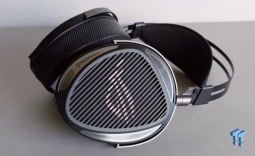
The SteelSeries Arctis Nova Pro Omni builds on the already impressive Arctis Nova Pro, with changes to the physical design, expanded GameHub capabilities, upgraded ANC, and new custom 40mm Neodymium Magnetic (Hi-Res) drivers. Even the ClearCast Pro microphone has been improved, with an expanded frequency range, bandwidth, and ANC. Compared to the more expensive Arctis Nova Elite, the key differences are its drivers: the Elite sports Carbon Fiber Drivers with a brass ring, while here you've got a more plastic frame design. That said, at 339 grams, the first thing you notice when putting on the Arctis Nova Pro Omni Wireless headset is its luxurious comfort. This is the result of impeccable weight distribution, minimal pressure, faux-leather ear cups (also known as Vegan Leather), and ultra-soft cushions. The overall look is minimal in that lifestyle sort of way, which makes sense when the Arctis Nova Pro Omni can be taken on the go and even on a plane thanks to its competitive ANC.

Like pretty much every SteelSeries headset, it adopts a ski-band-style headband, and as the Arctis Nova Pro Omni builds on multiple generations of this design, it's hard to fault. The only real gripe we have, if you can call it that, is that adjusting the headband isn't as smooth as on the Elite, which used metal rather than plastic. Naturally, a sizable chunk of the $400 price tag covers the Omni GameHub, which looks to be the same or similar to the improved model found on the Elite, so there are some concessions to make even to hit this price point. In addition to offering access to equalizer presets, volume control, and the ability to switch between sources, it also serves as the low-latency 2.4GHz wireless interface for the Arctis Nova Pro Omni Wireless headset. This makes getting up and running on a PC, PlayStation, Xbox, Switch, Mac, or any device with USB audio capabilities a breeze.
Plug it in, turn it on, choose the source (if you've got more than one device connected), and you're good to go. The Arctis Nova Pro Omni also supports simultaneous Bluetooth connectivity, which you can use for dual audio streaming or simply keeping your phone handy to customize the sound. You can even mix the sound from multiple USB sources, and remarkably, this doesn't affect the sound quality, even when tapping into the Arctis Nova Pro Omni's high-resolution capabilities.

The 24-bit 96 kHz audio of the Arctis Nova Pro Omni, which it can handle with ease over low-latency wireless, is certified by the Japan Audio Society. Now, certifications are always great to see, but not always indicative of quality. That's not the case here, as this certification means that no matter the audio source, there's no distortion, even when you turn the volume dial all the way up - which is never recommended. Ultimately, it's a nice little stamp of approval for the custom 40mm Neodymium Magnetic drivers, which feature a warm, balanced, and rich neutral sound that, out of the box, can pick up the nuance and detail (and quality) of the recording or piece of audio it's paired with. From deep bass to detailed mid-range and crisp but not overly sharp highs, it's a fantastic foundation to build on (which the excellent Sonar app on PC most certainly unlocks), and a sound that feels like a small but notable step up from the previous Arctis Nova Pro from 2022.
Our Latest Headsets Review Coverage
- Corsair HS35 v3 Wireless Gaming Headset Review - An Affordable Winner
- SteelSeries Arctis Nova 7 Wireless Gen 2 Headset Review - New and Improved, But Is It Enough?
- Turtle Beach Stealth Pro II Wireless Gaming Headset Review - Premium Sound, Fantastic Features
- ASUS ROG Kithara Gaming Headset Review - Audiophile Sound for PC Gamers
- Logitech G325 LIGHTSPEED Wireless Gaming Headset Review - A Lightweight, Affordable, Winner
Going back to the physical design, the controls are split across each earcup, with the majority of them on the left side - this being your main volume dial, mute button for the retractable microphone, and power button that doubles as a way to turn ANC on or off. The right earcup has the Bluetooth button for syncing and connecting to an existing paired device. Like the previous Nova Pro and the recent Elite variant, the Arctis Nova Pro Omni ships with two detachable batteries as part of its 'Infinite Power System.' With the GameHub storing and charging one, you'll never really run out of juice. You've got around 30 hours per battery or around 20 when using both the 2.4 GHz wireless and Bluetooth. Take the Arctis Nova Pro Omni on the road, and with two batteries, you've got around 100 hours of Bluetooth action.

Frequently Asked Questions
Open a question for an answer from TweakTown's coverage of this review, or ask your own below.
Which devices can I connect simultaneously to the Arctis Nova Pro Omni GameHub, and how are the ports allocated?
What battery life should I expect using 2.4 GHz wireless, Bluetooth, and ANC, and how does the hot‑swappable battery system work?
Does the Arctis Nova Pro Omni support low-latency wireless for consoles and handhelds, and can I use Bluetooth-only devices like the Steam Deck?
What ANC and transparency controls are available, and do they affect audio quality or latency?
Have a question about this content not listed here? Ask below and TweakBot will answer it.

Software Support
As a SteelSeries peripheral, the main hub for accessing the Arctis Nova Pro Omni's settings on PC, updating firmware, and customizing the sound and other aspects is SteelSeries GG. This is where you can access ANC features, adjust the brightness of the GameHub's black-and-white OLED display, and make a few other settings. When it comes to the actual sound customization, you've got the company's industry-leading Sonar application. And we say it's industry-leading because we think it's the best tool for tweaking and fine-tuning the sound, with Sonar offering three parametric equalizers covering the main audio, chat, and microphone.


Sonar is one of the most modular sound customization apps, allowing you to create profiles that function as separate sound devices within Windows. By default, the Sonar Game profile represents the Arctis Nova Pro Omni as a sound output device. Here you can change presets, create new ones, adjust spatial audio, and so on, but you can keep things separate in Sonar and create options for Music and Movies, each with its own favorite presets and settings. Essentially, it's clean and intuitive, but it's what you have access to that makes it excel. In addition to the parametric equalizer, which offers a level of sound customization you don't really find on other headsets, you've got access to hundreds of game-specific presets fine-tuned by SteelSeries, game developers, and the community. Although Sonar is compatible with any headset, these presets were created specifically for the warm neutral tuning found on all SteelSeries headsets, including the Arctis Nova Pro Omni.


With simultaneous low-latency wireless and Bluetooth connectivity, you can also connect to and customize the Arctis Nova Pro Omni via the Arctis App, available for Android and iOS. Here, you've got quick access to all the headset's features, from ANC and transparency to microphone settings and even hundreds of curated Sonar presets. Thanks to the app's intuitive interface, it's the easiest way to make changes and adjust the audio, especially when connected to a console or device that isn't a PC. Of course, you can also make changes and adjust settings directly from the GameHub, but this only makes sense when it's on a desk as there's no remote.
Performance & Microphone Quality
Performance
As a fan of the default SteelSeries sound, the first thing we tested when connecting the Arctis Nova Pro Omni headset to a PC was some lossless audio recordings, many of which were mastered in 24-bit. Interestingly, to access the full 24-bit 96 kHz audio, you need to go into Windows settings; otherwise, you're limited to 48 kHz. Whether it was electronic, jazz, or classical, the overall sound quality and tuning here are excellent. Warm, crisp when it needs ot be, with fantastic channel separation that immerses you in the auditory experience. In fact, it's hard to really tell any difference between the Arctis Nova Pro Omni and the more expensive audiophile-grade Arctis Nova Elite. And this extends to gaming.

For this review, we played a range of games, including Forza Horizon 6, 007: First Light, Diablo 4, and Battlefield 6. All of these titles had their own Sonar presets, too, and with or without spatial audio, they definitely added depth and layers to the audio. With excellent stereo presence and channel separation, Sonar's spatial audio does a great job of adding positional cues to various sounds. Ultimately, this is the sort of headset where you begin to notice subtleties in the sound design and the intricacies of soundtracks, with clear, crisp vocals. On that note, several of the action and competitive gaming presets emphasize high-end frequencies in a way that feels more natural than on other headsets. In the end, the sound quality here is good enough where you don't need to make adjustments or find the right preset, and that's the way it should be. Customization as a way to tune for a specific experience or highlight certain things, building on a strong foundation.
Also, it's worth mentioning that while newer Bluetooth technologies and codecs, including high-resolution ones, increase latency compared to 2.4 GHz, it's not a deal-breaker; you can still game on a device like the Steam Deck with Bluetooth. Also, the adjustable ANC, which includes transparency settings, doesn't adversely impact the audio experience. When it comes to cutting out background noise, it's on par with some of the most popular go-to lifestyle headsets for travel. This makes the Arctis Nova Pro Omni the sort of headset you can take on the go; however, we would have liked SteelSeries to have included a more compact USB dongle as an alternative for laptops and gaming handhelds.
Microphone Quality
The SteelSeries Arctis Nova Pro Omni features a retractable ClearCast Pro microphone for chat, and the overall voice quality is clean, clear, and detailed, falling just short of delivering broadcast-quality sound. It's a little disappointing for the price, but the built-in AI noise cancellation is excellent at cutting out background noise, making it perfect for gaming in just about any environment. Also, with Sonar and the Arctis app, you can adjust the microphone profile to fine-tune the sound, which is definitely good enough for content creation. Compared to the previous Arctis Nova Pro from 2022, the microphone is a notable step up, as it supports a wider frequency range.
Final Thoughts
From sound quality to customization, comfort, and versatility, the SteelSeries Arctis Nova Pro Omni Wireless Headset is the latest premium headset from a company that has been consistent and reliable in gaming audio. As a premium option that doubles as a lifestyle on-the-go pair of headphones, the Arctis Nova Pro Omni builds on what has come before. With the GameHub, you can connect up to four devices and seamlessly switch between them all or even mix and combine their audio like a mad scientist. Throw in fantastic customization on PC and via a smartphone app, high-resolution 24-bit 96 kHz audio support, and a hot-swappable battery system to keep you gaming and listening, and it's another winner, and a headset that lives up to its pricey, well, price tag.

The feature list here is long, and when a piece of hardware wears so many hats, there's always the risk it falls short in the key areas that count. Thankfully, that's not the case here, because when you look at the Arctis Nova Pro Omni's sound, chat quality, and comfort, it still feels as premium as a device with its own base station/hub for connectivity. And if you're in the market for a premium headset that can work with every gaming and digital device you own, you're well served here.