












NVIDIA's FrameView is a platform-agnostic application for monitoring and recording in-game performance, with metrics ranging from frame rates and frame times to system latency and even performance per watt. With support for GeForce RTX, Radeon RX, and Intel Arc graphics cards, it's a handy tool for monitoring, capturing, and analyzing PC gaming performance.

This week, NVIDIA released FrameView 1.7, a significant update to the app that adds several welcome features while fixing several bugs. One notable update is the addition of a Customizable Overlay, which lets you display all metrics for real-time monitoring or choose from various presets.
With control over font size and backgrounds to improve readability, the big thing here is having direct access to FrameView's extensive list of recorded statistics and data. NVIDIA also notes that the update improves High Frame Rate Support, with improved accuracy and calculation for game running at 800+ FPS.
Outside of running Counter-Strike 2 at a low resolution on the GeForce RTX 5090, this is something most FrameView users won't ever see - but it's a nice addition nevertheless. In addition to the above, there are several bug fixes, including one we noticed when we tried using FrameView to benchmark Battlefield 6 performance a few months ago. According to the release notes, the FrameView overlay "now properly appears."
FrameView 1.7 Release Notes
Customizable Overlay
- FrameView has new options for adapting the overlay to your liking! For the first time, FrameView will let you customize which metrics are reported in the overlay by selecting between various presets. You can even adjust font size, add a black background to the overlay to improve readability, and toggle on and off mode tags like "Full Screen Status", "Tearing", and "Vsync".
High Frame Rate Support
- Improved accuracy with FPS calculation in situations where games have very high Frame Rates (800+ FPS)
Bug Fixes
- Fixed a memory leak during extended monitoring sessions with NVIDIA Reflex-enabled games
- Fixed a bug related to rare circumstances where VSync, GSync and DLSS Frame Generation could misreport data
- CSV files are now properly saved even if a game closes while FrameView is still recording a benchmark
- Improved reliability of "exclude list"
- General improvements to stability and compatibility
Game-Specific Bug Fixes
- The Finals: Fixed a crash when closing FrameView while the game is running
- Arc Raiders: Added support for this title's anti-cheat, enabling overlays to properly show up
- Starfield: Improved consistency and accuracy of PCL
- Black Myth Wukong: Fixed an issue where Black Myth Wukong could occasionally misreport latency with DLSS Frame Generation
- Battlefield 6: FrameView overlay now properly appears
Known Issues
- When playing Counter-Strike 2 in "Exclusive Full Screen" mode and running FrameView, the Windows User Account Control window (UAC) pop-up can cause the game to minimize and stop functioning
- While running Counter-Strike 2, if you close FrameView and relaunch it, FrameView can become unresponsive until Counter-strike 2 is shut down
- FrameView currently does not support GPU stats when running an external GPU


 NVIDIA App is impacting performance for GeForce gamers, but there's an easy fix
 NVIDIA App has officially launched, an essential tool for GeForce RTX users
 Intel releases new Arc GPU Graphics Driver for Forza Horizon 6, Subnautica 2, and more
 GeForce Game Ready Driver 595.71 released, fixes issues from last week's recalled version
 GeForce Game Ready Driver 576.88 brings DLSS 4 to Mecha BREAK, Diablo 4, and more
 YouTube Premium subscribers in the US will get Peacock Premium bundled for free starting in 2027
 Redditor turns Steam Deck into a spike-covered, taser-equipped fortress to scare off family
 Apple delays its smart glasses to build privacy features rivals don't have
 Xbox console gamers get free copies of Ubisoft titles on PC
 Xbox outage turns ugly as players use Xbox App glitch to download and play titles for free
 Xbox servers go down just days after PlayStation outage, giving us a glimpse into our digital-only future
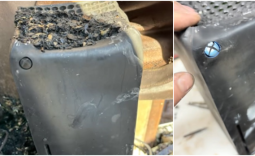 Xbox Series X survives a devastating house fire and still works!
 'PS5 is currently the Call of Duty box,' analyst says after Black Ops II re-release takes over PlayStation
 Colorful and MSI RTX 50 graphics card prices spike in China as GDDR6 and GDDR7 memory costs rise
 SEGA won't abandon its physical culture, but stresses importance of digital for sales growth
 Biwin M560 2TB SSD Review - Best Overall Retail-Ready DRAMless SSD
 Logitech G512 X 98 Analog Mechanical Gaming Keyboard Review - An Innovative Two-in-One
 Thrustmaster T.Flight HOTAS 5 MSFS Edition Review
 SteelSeries Arctis Nova Pro Omni Wireless Headset Review - One Headset to Rule Them All
 SteelSeries Arctis Nova 7 Wireless Gen 2 Headset Review - New and Improved, But Is It Enough?
 AMD Ryzen 7 7700X3D Review - Days of Future Past
 Samsung 990 2TB SSD Review - Ninth Gen QLC at PCIe Gen4 Speeds
 ASUS ExpertBook Ultra (Panther Lake) 14" Business Laptop Review
 ASUS ROG Raikiri II Xbox Wireless Controller Review - Ready to Take Control
 MOZA FMP18 Panel Bundle Review: authentic F/A-18 Hornet cockpit controls for flight sims
 Printer Not Working in Windows? How to fix detection, print queues and drivers
 The Ultimate Guide to Personalizing Your Windows 11 Taskbar
 How to Turn Your Windows Laptop Into a Second Monitor with Miracast and Wireless Display in Minutes
 6 Mistakes to Avoid When Buying a Windows Laptop
 I capped Windows Update's bandwidth with Delivery Optimization, and my downloads stopped choking
 I use this decade-old free tool that finds files faster than Windows Search does
 I install and update most of my apps with this Windows command now, and I stopped downloading sketchy installers
 Hisense U6SF 65-inch MiniLED TV: High Performance Meets Leisurely Convenience
 I stopped digging through Windows menus after I set up this one folder
 Don't sell your Windows laptop until you do these things