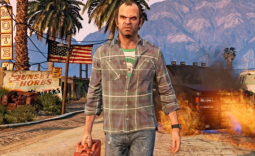
Intel has released a new optional Beta graphics driver for Arc GPUs, but it's a notable one for those jumping into some of the biggest game releases of the year. The latest Intel Arc Graphics driver 32.0.101.8801 adds support for a trio of big new PC game releases: Forza Horizon 6, LEGO Batman: Legacy of the Dark Knight, and Subnautica 2. This covers all Arc graphics, from A-Series to B-Series, as well as integrated Arc GPUs on Core Ultra processors.

The other notable addition comes on the software and performance monitoring side, with Intel finally adding a 'Performance Metrics Overlay' to its Intel Graphics Software. The overlay appears detailed, too, with several customization options, styles, and features to play with. And like similar overlays, it can be accessed via a simple keyboard shortcut. And with Forza Horizon 6 and Subnautica 2, both visually impressive titles, it's a welcome addition for Arc gamers looking to optimize performance with real-time feedback.
Another handy feature added to the Intel Graphics Software package is the ability for users to report issues and bugs directly via the app, which should make it easier for both Intel and the Arc community to stay on top of things. And on that note, the full Intel Arc Graphics driver 32.0.101.8801 still lists several Known Issues across all Arc graphics products.
Intel Game On Driver Version: 32.0.101.8801 Non-WHQL
Highlights
Intel Game On Driver support on Intel Arc B-series, A-series Graphics GPUs and Intel Core Ultra with built-in Intel Arc GPUs for:
- Forza Horizon 6
- LEGO Batman™: Legacy of the Dark Knight
- Subnautica 2
Intel Graphics Software:
- Performance Metrics Overlay: Performance metrics are now available in overlay mode. This new overlay offers many customization options including automatic game/app detection, target GPU and display selection, redefined and custom styles, and appearance settings. Overlay can be enabled using the "Metrics Overlay" button in Performance -> Metrics page or using Alt+Shift+O hotkey.
- Report an Issue/Bug: Issues or bug can now be directly submitted within Intel® Graphics Software. To submit an issue, use "Report an Issue/Bug" button in Settings > Support page to open the bug report form.
Fixed Issues
Intel Core Ultra Series 2 with built-in Intel Arc GPUs:
- Battlefield 6 (DX12) may exhibit intermittent corruptions on certain maps during gameplay.
Intel Core Ultra Series 1 with built-in Intel Arc GPUs:
- Battlefield 6 (DX12) may exhibit intermittent corruptions on certain maps during gameplay.
Known Issues
Intel Core Ultra Series 3 with built-in Intel Arc GPUs:
- Crimson Desert (DX12) may experience a crash during gameplay.
- The Finals (DX12) may experience an intermittent application crash.
- Mafia: The Old Country (DX12) may experience an application crash during gameplay.
- Marathon (DX12) may exhibit intermittent corruption on certain objects during gameplay when using Anisotropic Filtering.
- Apex Legends (DX12) may exhibit flashing corruption on certain maps during gameplay.
- Indiana Jones and the Great Circle (DX12) may experience a crash when path tracing is enabled.
- Borderlands 4 (DX12) may experience an intermittent application crash during gameplay.
Intel Arc B-Series Graphics Products:
- Marathon (DX12) may exhibit intermittent corruption on certain objects during gameplay when using Anisotropic Filtering.
- Apex Legends (DX12) may exhibit flashing corruption on certain maps during gameplay.
- Indiana Jones and the Great Circle (DX12) may experience a crash when path tracing is enabled.
- Borderlands 4 (DX12) may experience an intermittent application crash during gameplay.
- Dune: Awakening (DX12) may exhibit flickering corruptions during gameplay.
- PugetBench for Davinci Resolve Studio may experience an intermittent application crash while running the benchmark. Recommendation is to change the timeout slider to 1500 seconds or higher, to wait for each test to complete, in PugetBench benchmark settings.
Intel Arc A-Series Graphics Products:
- Crimson Desert (DX12) may exhibit corruption when using upscaling during gameplay.
- PugetBench for Davinci Resolve Studio* may experience an intermittent application crash while running the benchmark. Recommendation is to change the timeout slider to 1500 seconds or higher, to wait for each test to complete, in PugetBench benchmark settings.
- Marathon (DX12) may exhibit intermittent corruption on certain objects during gameplay when using Anisotropic Filtering.
- Apex Legends (DX12) may exhibit flashing corruption on certain maps during gameplay.
- Indiana Jones and the Freat Circle (DX12) may experience a crash when path tracing is enabled.
- Borderlands 4 (DX12) may experience an intermittent application crash during gameplay.
Intel Core Ultra Series 1 with built-in Intel Arc GPUs:
- Marathon (DX12) may exhibit intermittent corruption on certain objects during gameplay when using Anisotropic Filtering.
- Apex Legends (DX12) may exhibit flashing corruption on certain maps during gameplay.
- Indiana Jones and the Great Gircle (DX12) may experience a crash when path tracing is enabled.
- Borderlands 4 (DX12) may experience an intermittent application crash during gameplay.
Intel Core Ultra Series 2 with built-in Intel Arc GPUs:
- Marathon (DX12) may exhibit intermittent corruption on certain objects during gameplay when using Anisotropic Filtering.
- Apex Legends (DX12) may exhibit flashing corruption on certain maps during gameplay.
- Indiana Jones and the Great Circle (DX12) may experience a crash when path tracing is enabled.
- Borderlands 4 (DX12) may experience an intermittent application crash during gameplay.