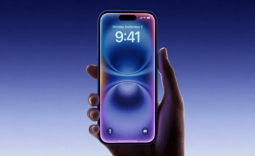
Apple unveiled iOS 26 at the WWDC 2025 keynote earlier this year week and now the new operating system update has been pushed out in a beta form, meaning you can download it right now if you so choose.

However, there are a few things you should first consider before downloading the update, and the first is whether you like the newly announced Liquid Glass design. Apple unveiled Liquid Glass at WWDC 2025, and in a nutshell, it's a complete overhaul of the user interface of iOS, particularly on the visual side.
Liquid Glass implements translucency to almost every UI element on the device, and while the aesthetics at first glance are quite nice, there is a downside that many users who have downloaded the update have pointed out.
Since many UI elements are translucent, elements underneath overlays can shine through other elements, making the elements on top difficult to read. The image above is a perfect example of what has become a common complaint about the design overhaul.
As areas of iOS, such as Notification Center, have become much more difficult to read or even digest visually, as there is now a rainbow mix of colors that appears on screen. Notably, users who download iOS 26 can't simply select iOS 18's UI, as Liquid Glass is a mandatory part of the iOS 26 update.


If you update your device and don't like what you see, your only option is to roll back your iPhone to iOS 18. However, if you don't want to have to go back to iOS 18, there is an option in Settings > Accessibility > Display & Text Size and Reduce Transparency.