












For the longest time, I have been doing periodic backups of a few smartphones used by my family and for the longest time, this required me traveling or having each device available and connected to my PC to download the contents and update any photo and video albums.
Since mid- 2016, I have been using a Synology DS716+ as my primary backup with two 2TB drives as my main storage which is then backed up to several high capacity drives that are cold storage. This has worked great over the years with minimal need to upgrade but I recently had the option to increase storage capacity with new drives and it just so happened Synology had just released the DS718+; the new model over my existing platform. This too comes at a time when Synology had a few new applications they were ready to launch. These applications were Moments, Drive and Office, two of which could help me greatly with the issue above.
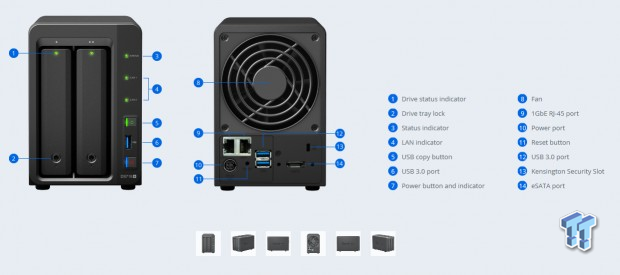
That said, Synology was kind enough to send over a DS718+ for this article. Above we have the front and rear layouts for the NAS and as you may notice the DS718+ uses an identical chassis layout to my now aging DS716+. On the front we have two drive bays, both equipped with locks and activity LEDs. To the right of the bays you will find status LEDs, one-touch backup with its own USB 3.0 port and the power button.
On the backside, the DS718+ offers two-gigabit NICS, power input and two more USB 3.0 ports. There is also an eSATA connection for drive expansion and Kensington lock to secure it to your desk.
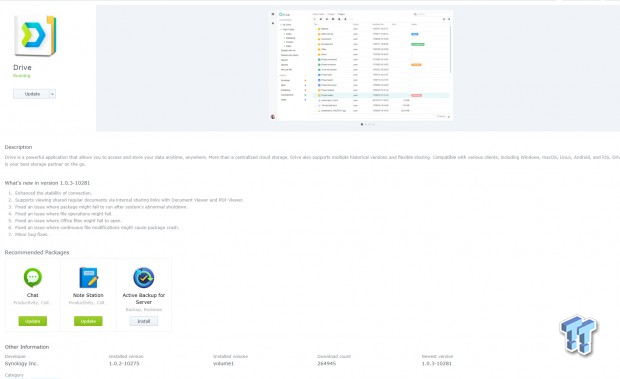
Starting off going over Synology Drive; Drive is your personal cloud on your NAS, it has companion apps for Windows and Mac computers, iPhone and Android smartphones and Linux platforms as well. Drive works similar to OneDrive that's built into Windows 10 PCs, where the app works off a folder of data that is synced to the NAS and all platforms using the account.
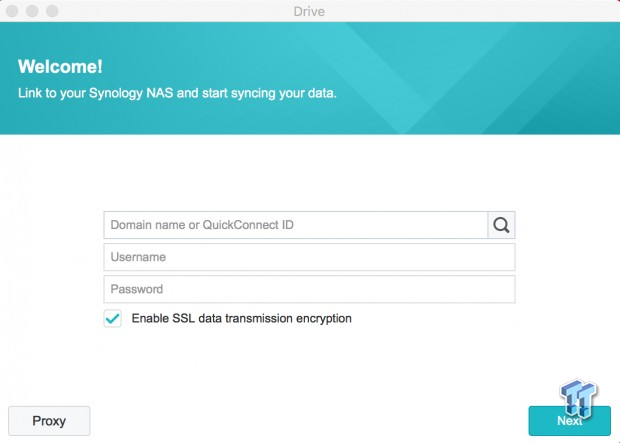
Setup of Drive is rather simple and takes advantage of your QuickConnect ID or domain if you have one setup. QuickConnect can be setup from the Synology control panel in your NAS.
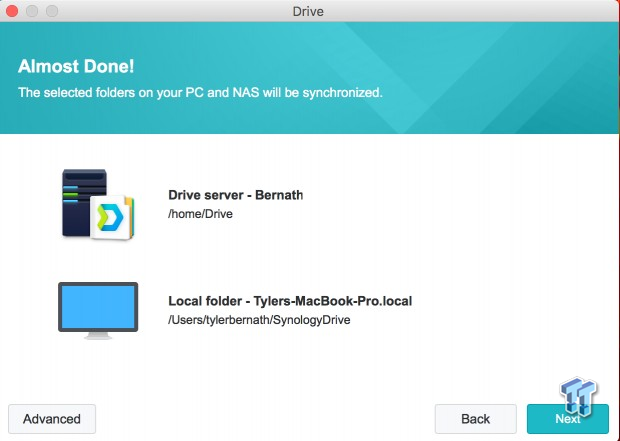
Seen above, I have setup a Drive folder on my MacBook and directed it to the Drive Server on the 718+.
Our Latest SOHO NAS/DAS Guide Coverage
- UGREEN NASync DXP4800 GT Review: powerful 4-bay NAS with AMD Ryzen and dual 10GbE ports
- ASUSTOR Lockerstor 2 Gen2+ AS6702T v2 NAS Review - Fast Performance
- TERRAMASTER D4 SSD 4-Bay NVMe DAS Enclosure Review - Superior Portable DAS
- ASUSTOR AS5402T 2-Bay NAS Review - Fast 2-bay NAS performance
- UGREEN NASync DH2300 Review - Simple NAS at a low price
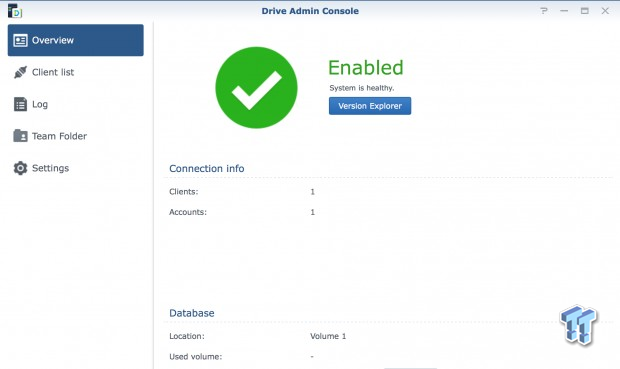
Looking through the DAC, the overview menu gives a glimpse of the number of clients and accounts connected along with the database and volume allocation at the bottom.
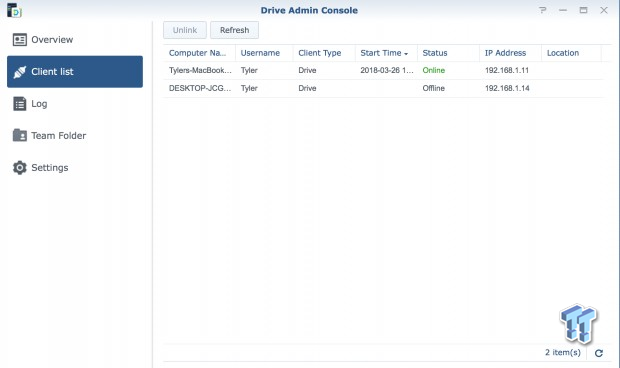
The client list shows the devices connected past and present.
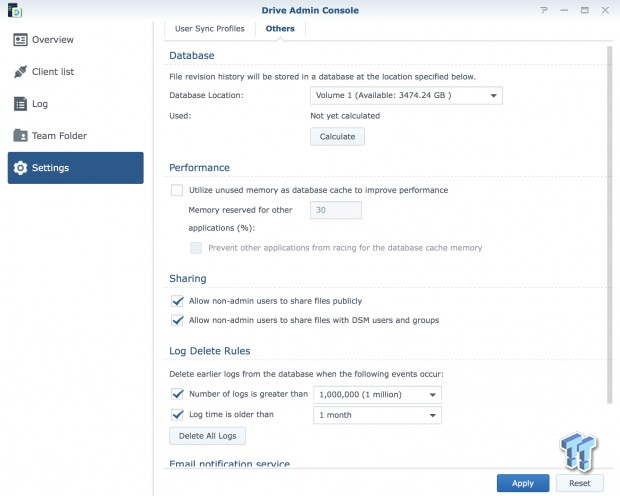
Settings goes through storage volumes along with performance sharing and log options. There is also an email notification you can setup to alert you to changes.
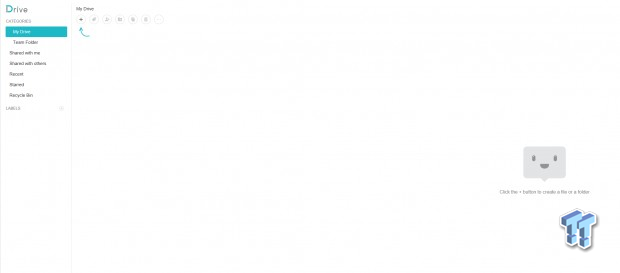
Above, we have the Drive client within the WebGUI of the NAS. As you can see the left panel allows you to see your individual files with My Drive, and folders that are part of a group of people that may be collaborating on a project. You can also control files shared with others and Drive does support Recycle just in case you delete on accident.
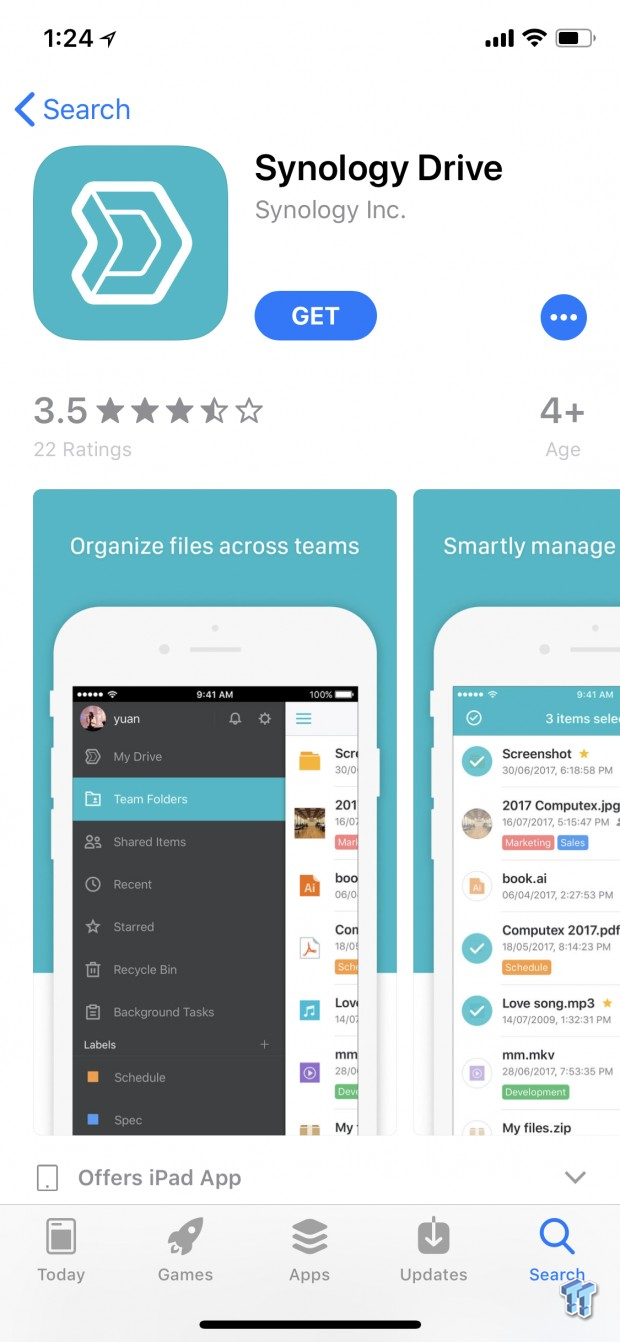
Moving over to iOS, we have a similar application.
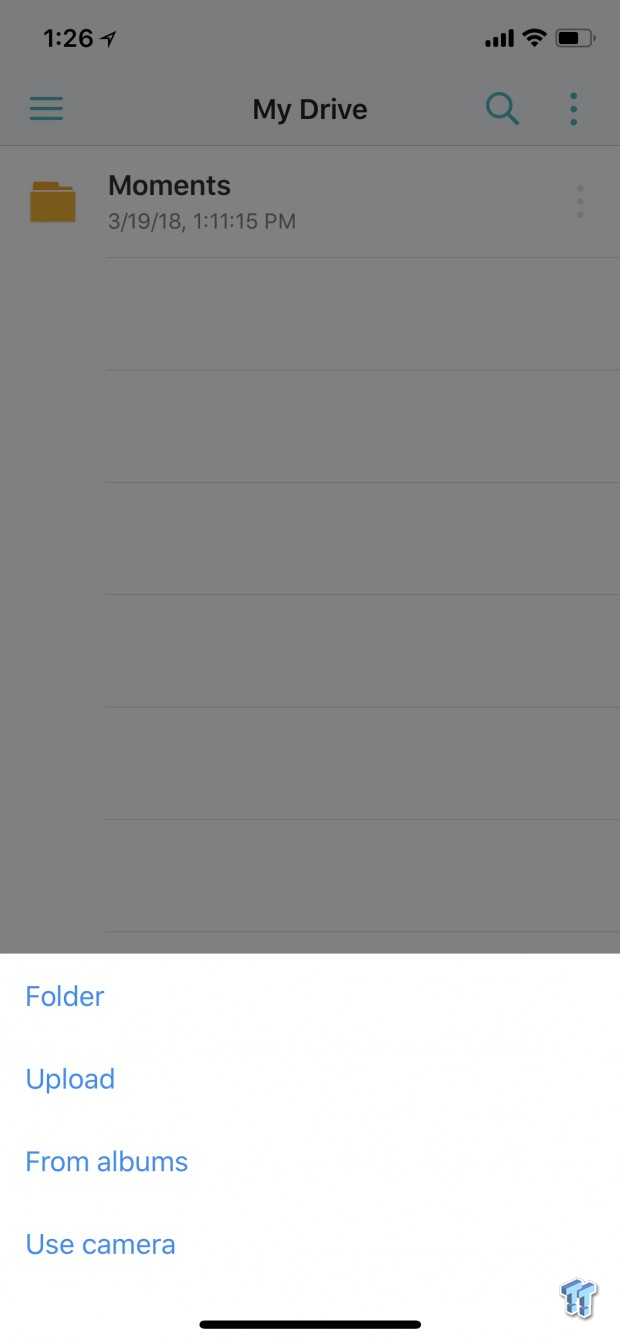
Once you login using your QuickConnect info, you have access to your Drive folders. The menu below allows you to create and upload on the go to your NAS.
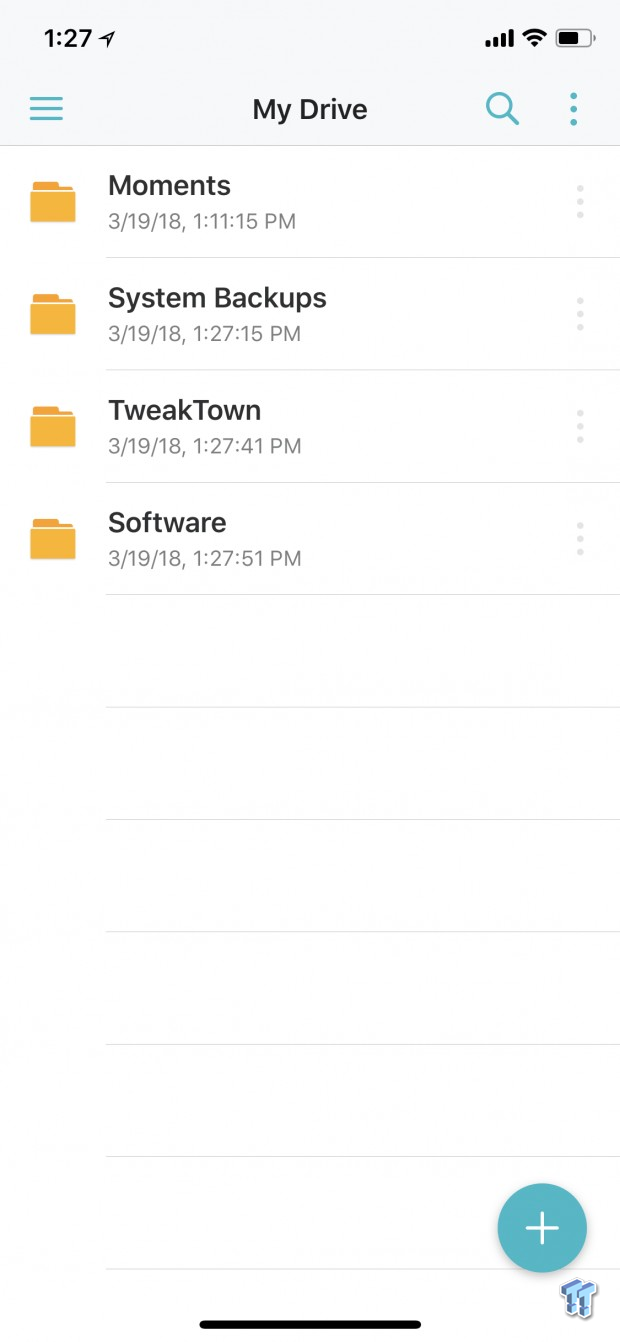
This is where the Drive app ties into my opening statements about this taking care of the issue I was having. By installing the "Drive" application on all the devices I need to manage for my family, I could simply create a folder called "System Backups" with subfolders and then direct the backup software on each machine to incrementally keep files up to date.
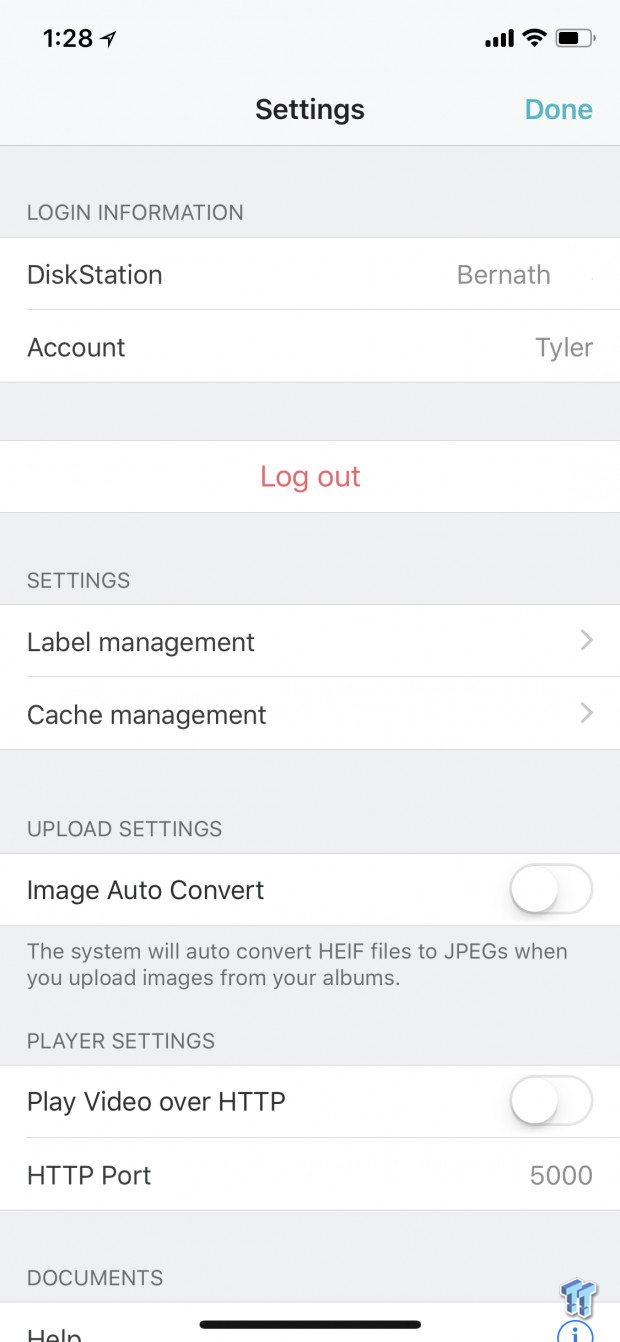
The drive app does offer some configuration on each device. We obviously have the ability to change the account and password if needed, you can change file label's and cache settings and adjust if you want images converted from HEIF to JPEG.
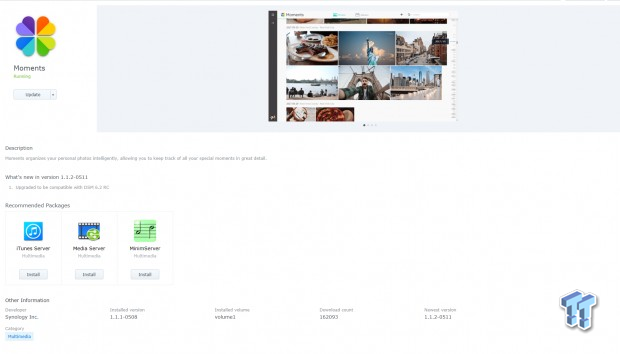
Sliding over to Moments we have the latest app from Synology that aims to take care of all your photos with automated backup. The images can then be automatically sorted using image-recognition techniques that have the ability to identify people and places within the photos. This all happens within the NAS itself keeping your data secure and private.
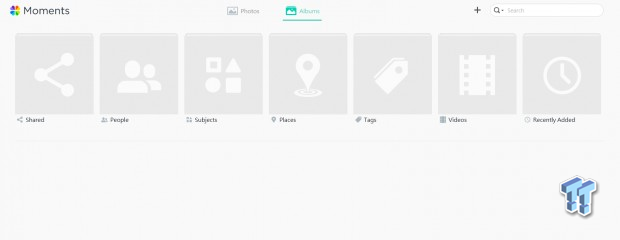
As you can see above, the WebGUI version of Moments offers several folder options for categorizing photos giving you plenty of flexibility. You too have the option of using the top right, to create your own albums.
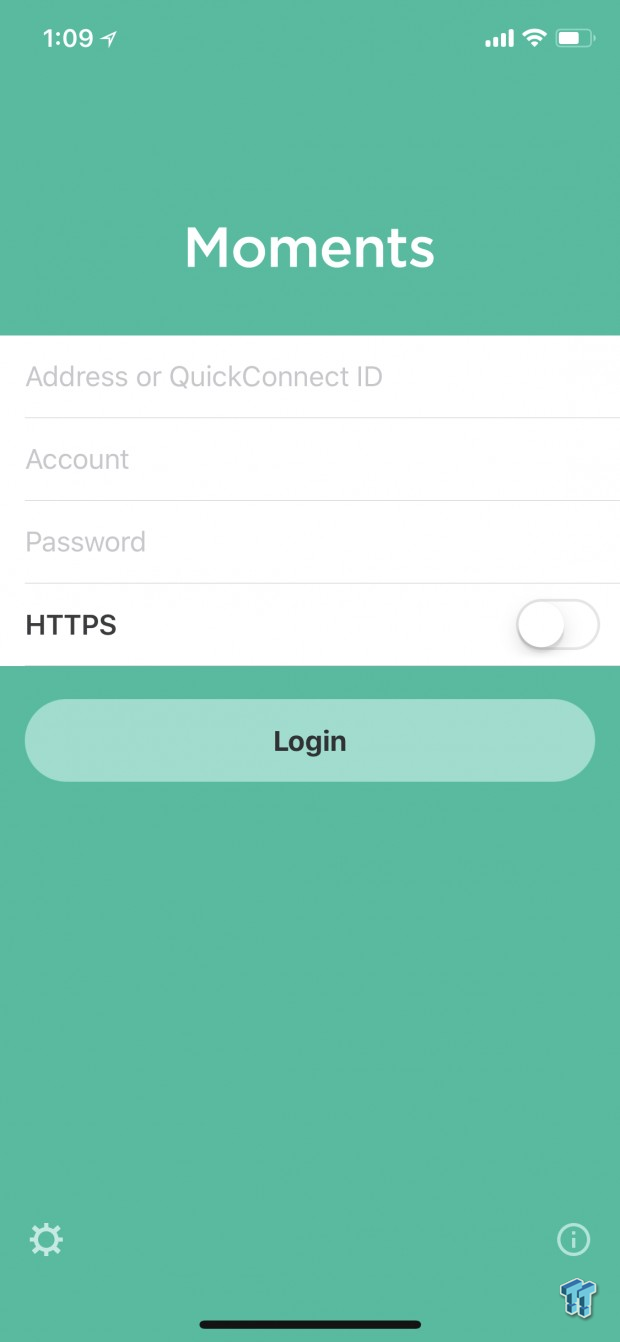
To setup Moments on your smartphone or PC, we again use the QuickConnect ID from your NAS.
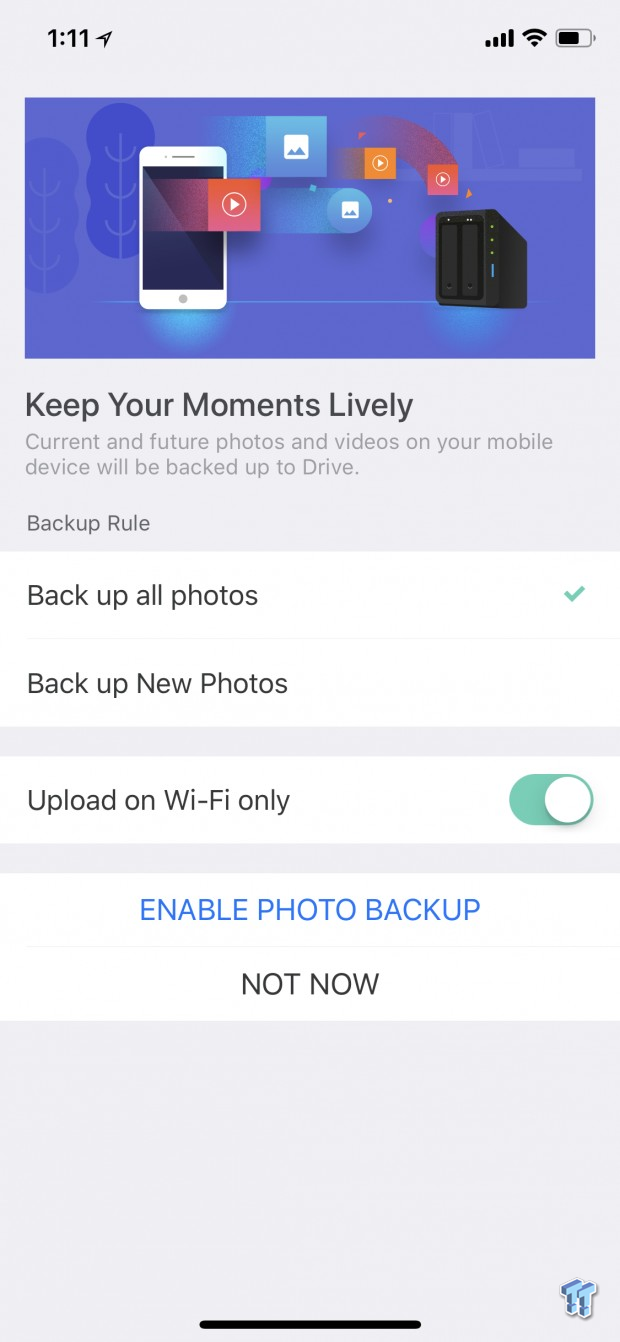
We then move through setup choosing our preferred method of backing up Photos. Synology has included a filter to allow upload only when connected to Wi-Fi.
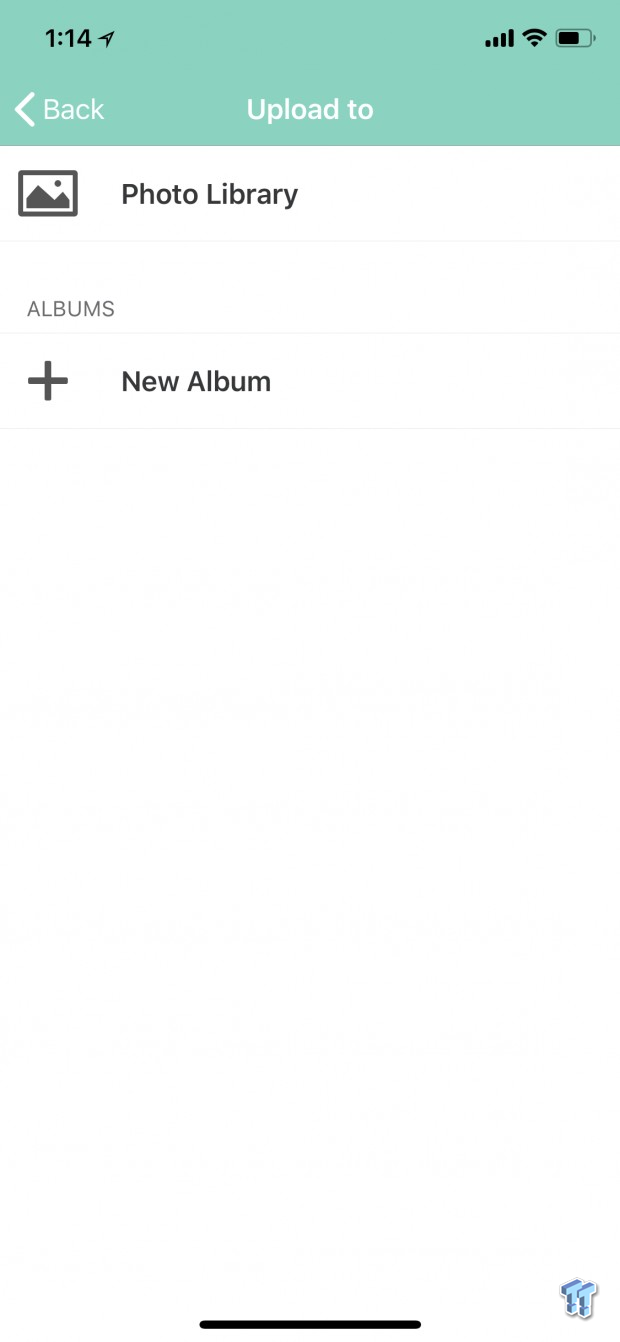
Once we are ready to go, you can choose to upload and create new albums right on the main page. You will also see a list of albums here.
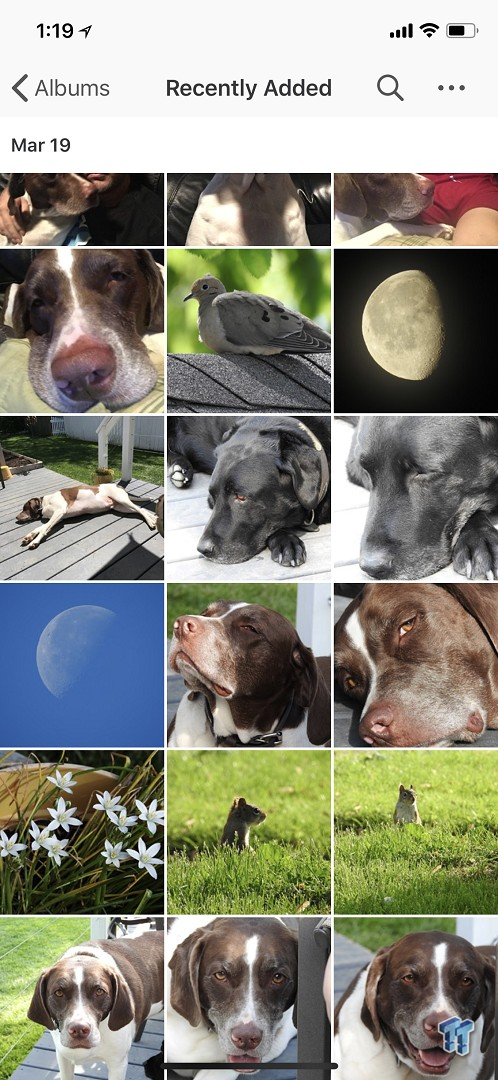
If you had enabled automatic backup, your photos will slowly stream into the recently added folder as they are uploaded to Moments. If you have image recognition enabled, Moment will take over and categorize them from here.

Clicking directly on an image from the Moments app will give you the ability to download, trash or share directly. You can also tap the "I" to get information about the picture.
In a similar fashion to the Drive app taking care of PC and macOS backups, Moments eliminates the second part of my issue with photos. Now with each device that I normally had to manually backup once a month with a cable and my PC having this application, photos will come streaming into the NAS on a regular basis once each device has photos to upload and is connected to a Wi-Fi network. This eliminates a lot of travel and hassle for both party's as you can go about your day knowing Synology is taking care of everything behind the scenes.

 Biwin M560 2TB SSD Review - Best Overall Retail-Ready DRAMless SSD
 Samsung 990 2TB SSD Review - Ninth Gen QLC at PCIe Gen4 Speeds
 HighPoint Rocket 1604L Gen5 x16 NVMe Software RAID AIC Review: half the price with full 59 GB/s speed
 UGREEN NASync DXP4800 GT Review: powerful 4-bay NAS with AMD Ryzen and dual 10GbE ports
 Phison E37T SSD Controller Exclusive Preview - The Fastest DRAMless SSD Platform Yet
 If you launch Call of Duty: Black Ops 2 on PS4 or PS5 to be immediately told you're banned - don't panic, there's an easy fix
 MSI launches its 'DRACO EPIC EDITION' 40th anniversary PC gear
 Lower Xbox and PlayStation sales see AMD's Gaming revenue drop by 31%
 Memory capacity for all of 2027 has reportedly been booked and sold, with no more DRAM or HBM available
 GIGABYTE launches flagship AORUS P1600W power supply that supports up to four graphics cards
 GIGABYTE's GeForce and Radeon GPU prices have reportedly increased by up to 40% in Japan
 Adobe Acrobat Alternative: UPDF AI Workflow for Windows
 Battlefield 6 Season 4 update fixes RTX 50 series crashing without requiring an NVIDIA driver update
 Assassin's Creed Black Flag Resynced's new update will let you hide Edward's blowpipe
 A $10 indie game bundle with 100+ games has raised over $100,000 in three days to support laid-off developers
 Asetek Initium Pedal Modular Upgrades Review
 Thinkware U3000 Pro Review - Smart Dashcam with Wi-Fi quirks
 Montech TG3 Mid-Tower Chassis Review
 ASUS ROG Strix X870E-A Gaming WiFI7 Neo Review - A New Enticing Option
 Noctua NL-LC1-36 Liquid CPU Cooler Review
 Logitech G316 X 98 Wired Gaming Keyboard Review - Retro-Inspired Board that Falls a Little Short
 Logitech G512 X 98 Analog Mechanical Gaming Keyboard Review - An Innovative Two-in-One
 Thrustmaster T.Flight HOTAS 5 MSFS Edition Review
 SteelSeries Arctis Nova Pro Omni Wireless Headset Review - One Headset to Rule Them All
 I swapped File Explorer for this free file manager and finally got the layout I wanted
 How to tell if someone has been using your Windows PC without your permission
 6 Task Manager tips for troubleshooting Windows performance problems
 ASUS ROG's 20th Anniversary Line-up of Premium PC Gaming Gear has Arrived - Here's Everything You Need to Know
 Six File Explorer tips every Windows user should know
 I switched my PC to encrypted DNS in Windows 11, and browsing felt more private
 Printer Not Working in Windows? How to fix detection, print queues and drivers
 The Ultimate Guide to Personalizing Your Windows 11 Taskbar
 How to Turn Your Windows Laptop Into a Second Monitor with Miracast and Wireless Display in Minutes
 6 Mistakes to Avoid When Buying a Windows Laptop