

Our Verdict
Alien has been on my "to do" list since it came out middle of last year; it is Amplifi's first Wi-Fi 6 platform, and if we were to judge the quality based on past experience with Amplifi HD, were going into this review with high expectations. Luckily, a round of thunderstorms took out my somewhat aging Amplifi HD, and so a quick trip to my local BestBuy had the Alien in my hands.
Off the top, Amplifi doesn't divulge detailed information about the hardware platform itself; we simply have mention of a quad-core SoC at 2.2GHz; digging further, I have found out this is a Qualcomm platform using the IPQ8074 SoC, and FCC images suggest 1GB of DDR3 memory and 256MB of NAND flash are onboard as well.
Alien is a tri-band solution with a single 2.4GHz band operating at 1148MBps and a high and low 5GHz band; low operates at 1733Mbps and is disabled in software by default, while the high band offers 4804Mbps. Wired connectivity includes a single gigabit WAN, with four LAN ports; also setup for gigabit.
MSRP for the Amplifi Alien comes in at $379.99 for the router alone. You can pick up the mesh kit for $699. Warranty is listed at one year.
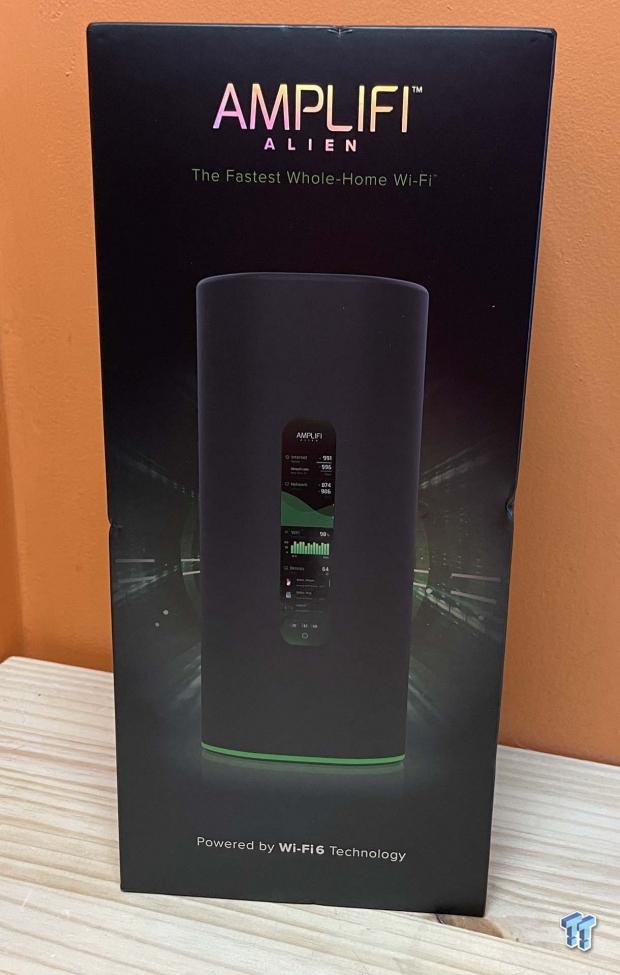
The packaging experience is of higher quality, as anyone would expect from Ubiquiti. You will find an image of the router on the front.
Best Deals: Amplifi Alien Wi-Fi 6 Router
Price Trend:
Prices last scanned 6 hours and 28 minutes ago

7 days ago: $759 USD30 days ago: $759 USD
7 days ago: $1126.68 CAD30 days ago: $1143.52 CAD


The back has more details about the router, including performance specs and package contents.
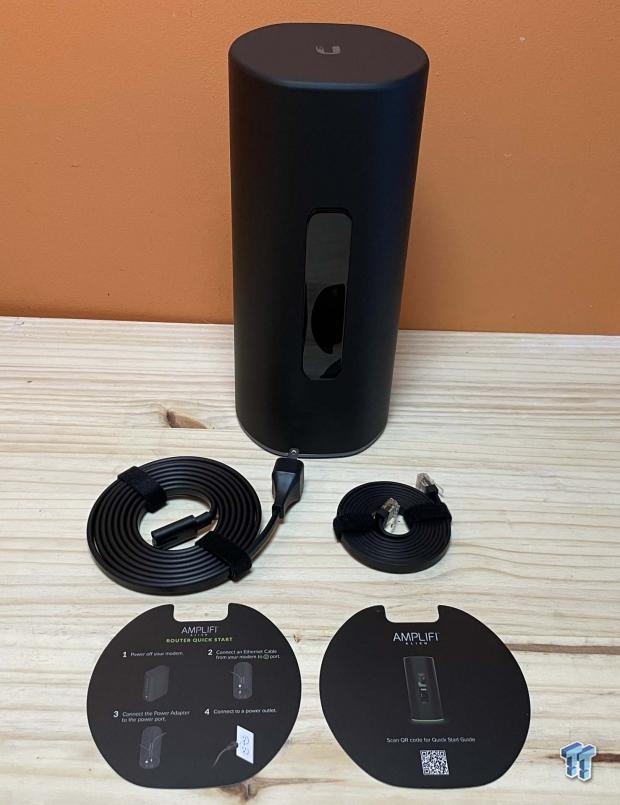
Included with the Alien, we have the power cord and ethernet cable.
Our Latest Routers & Access Points Review Coverage
- MSI Roamii BE Pro Wi-Fi 7 Mesh System Review - Affordable price, good mid-range performance
- ASUS ROG Rapture GT-BE19000AI Gaming Router Review: Shiny and fast (except when it isn't)
- NETGEAR Orbi Wi-Fi 7 370 Dual Band Mesh System Review - Mid-Range Value
- NETGEAR Nighthawk 5G M7 Mobile WiFi 7 Router with eSIM MH7150 Review
- Engenius ECW520 Cloud7 2x2x2 Access Point Review: Serious Management Potential
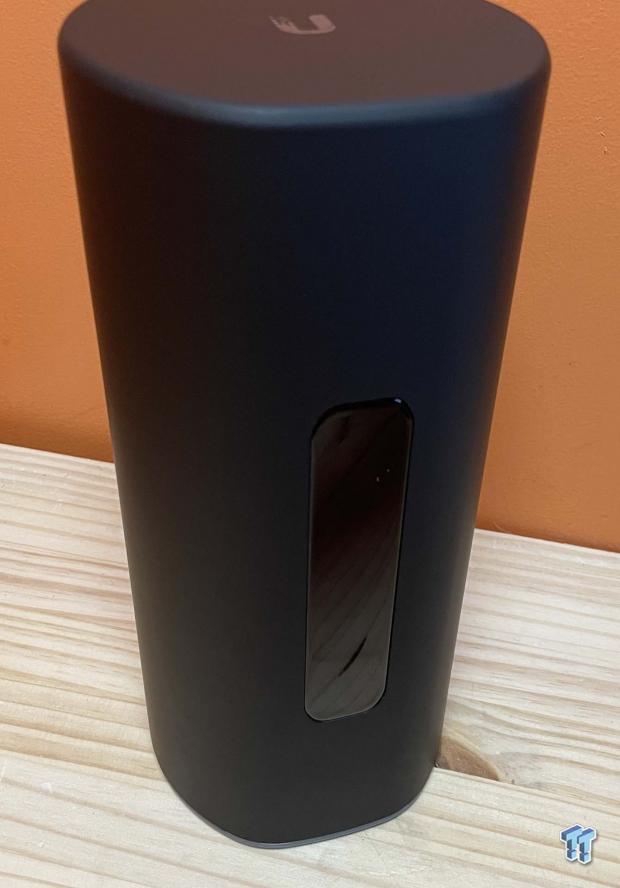
The exterior of the Alien is a silicon material, Ubiquiti logo up top and color screen taking up the front real estate.
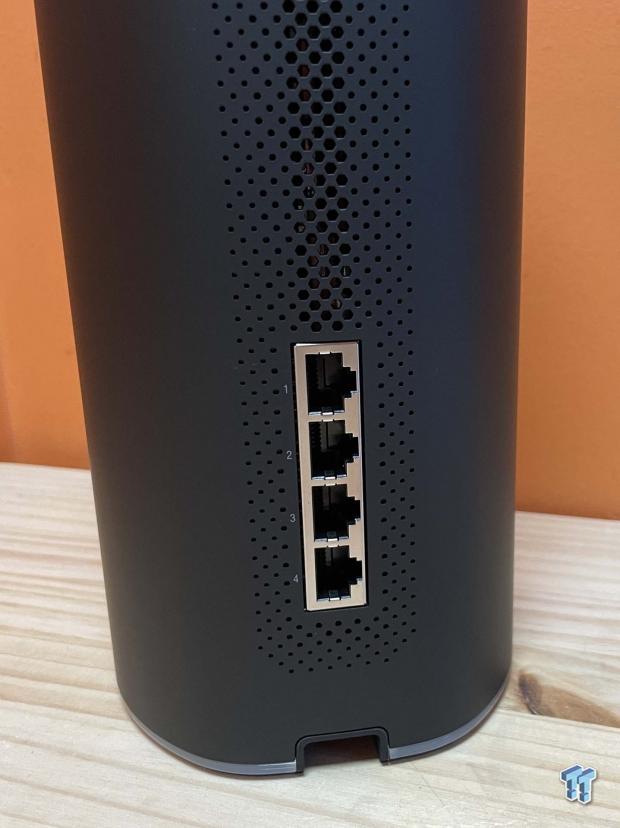
On the back, we have the four gigabit LAN ports and ventilation for the router.
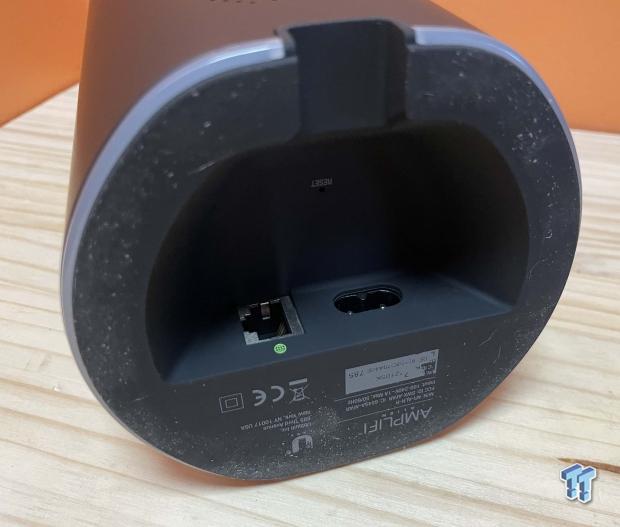
The bottom houses the power input and WAN port. The reset button is tucked up under the router as well.
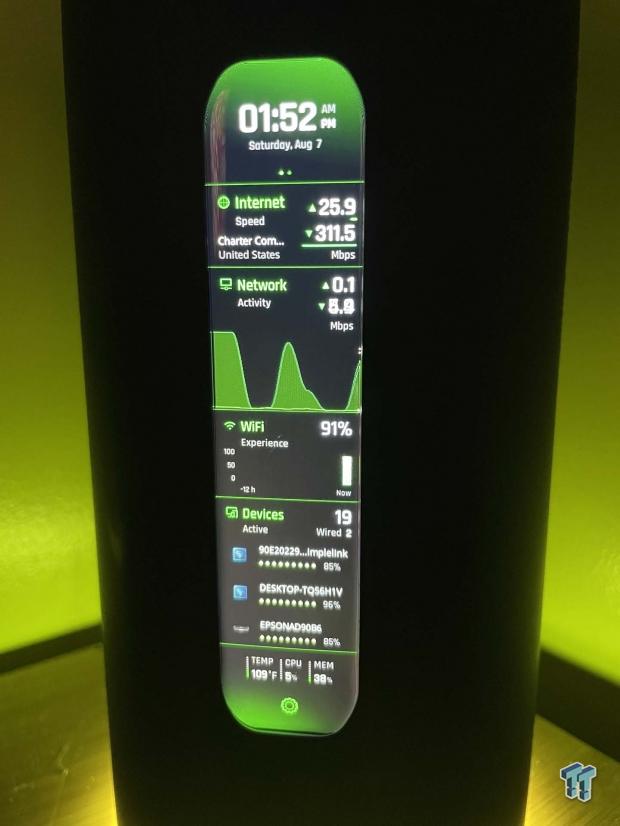
Firing up the router, the screen comes to life, as does the LED ring on the bottom of the router. Both are controllable in software.
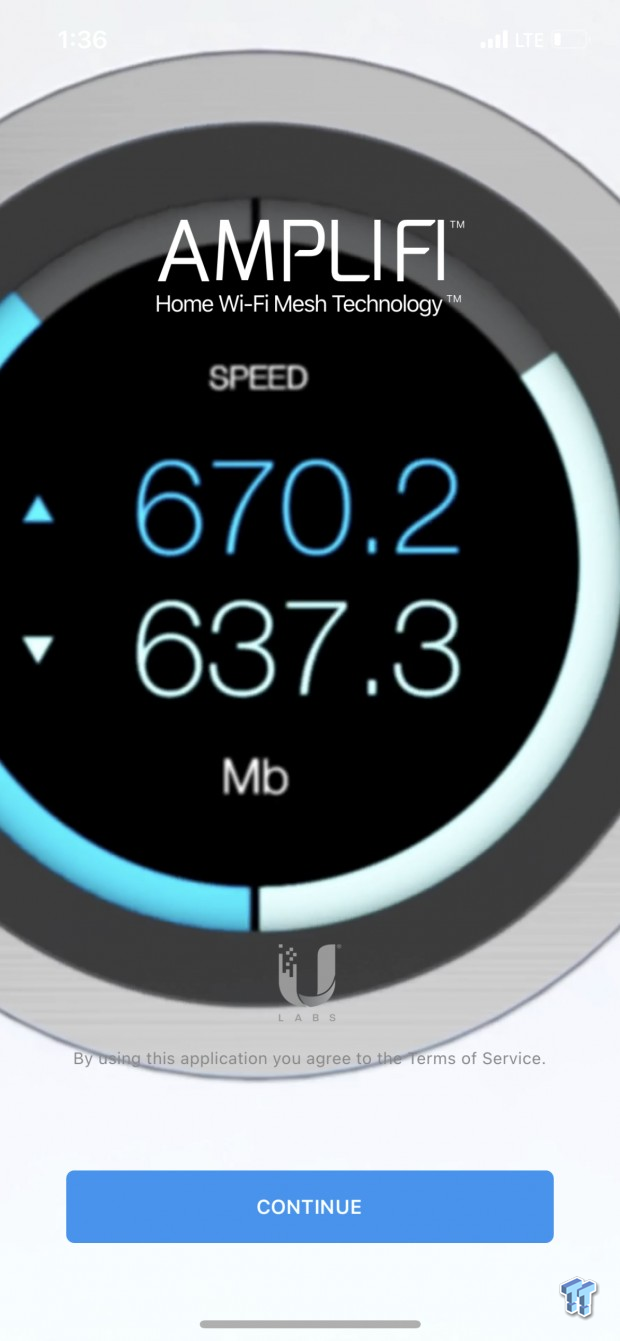
Setup is run through the Amplifi app.
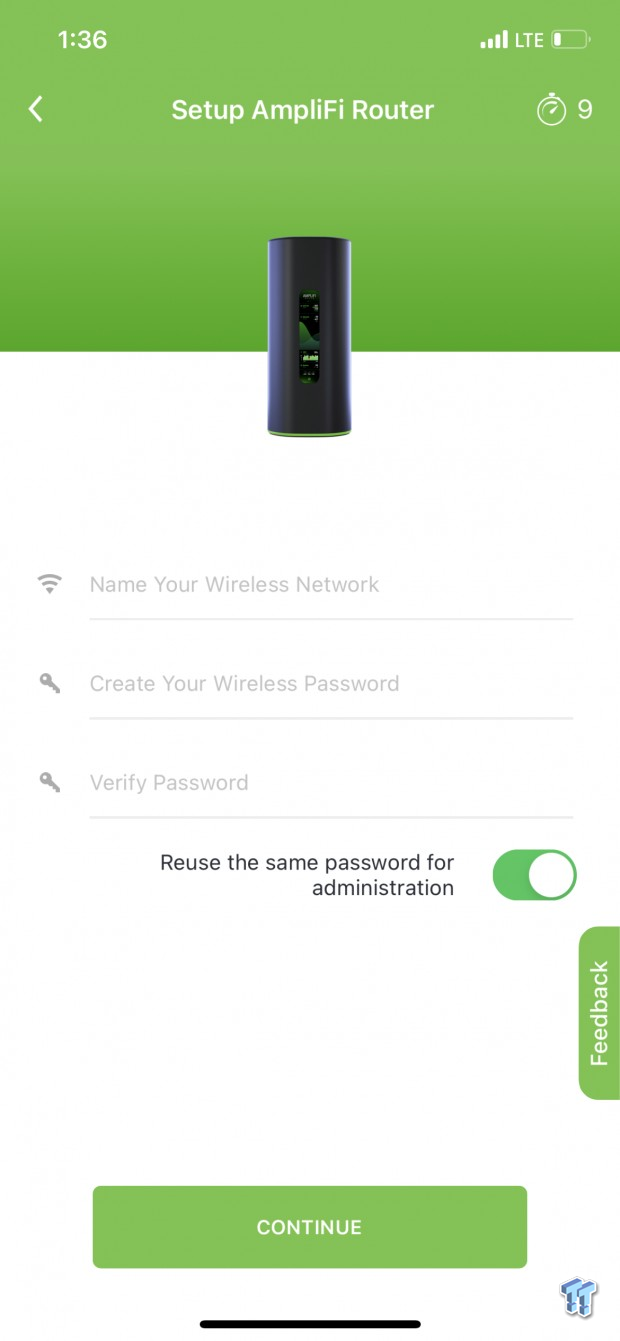
Initial setup asks for your preferred SSID and password.
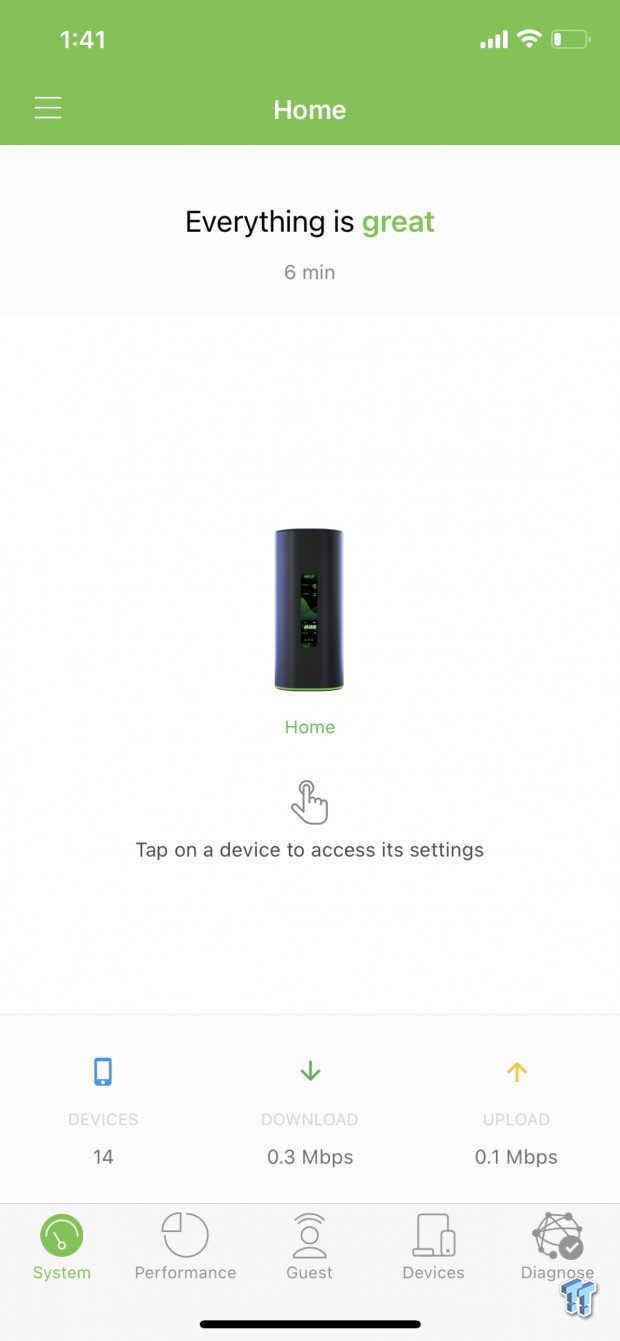
A few moments later, the setup will be complete and leave you on the main menu above. From here, you can run a speed test at the bottom or select the Alien router for more settings.
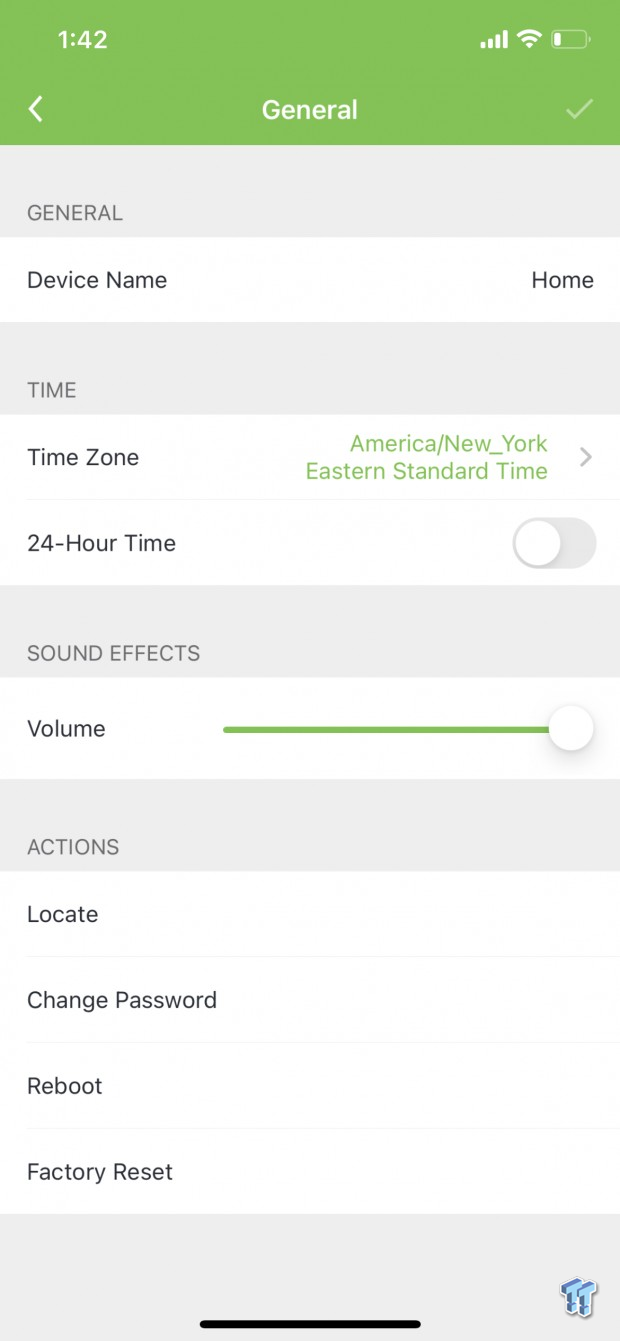
Into the settings, you can change everything from the device name to time zone and time format. Closer to the bottom, you have volume control and admin options.
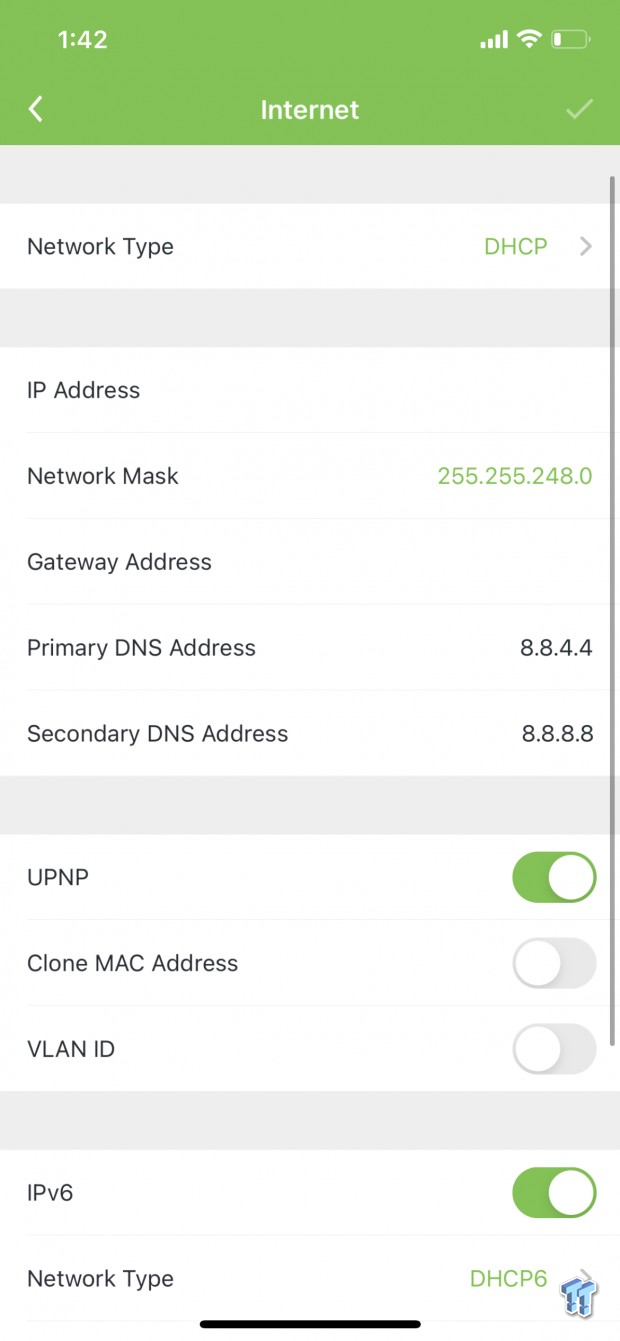
Internet options include network type at the top, followed by options for UPNP, VLAN, and IPV6.
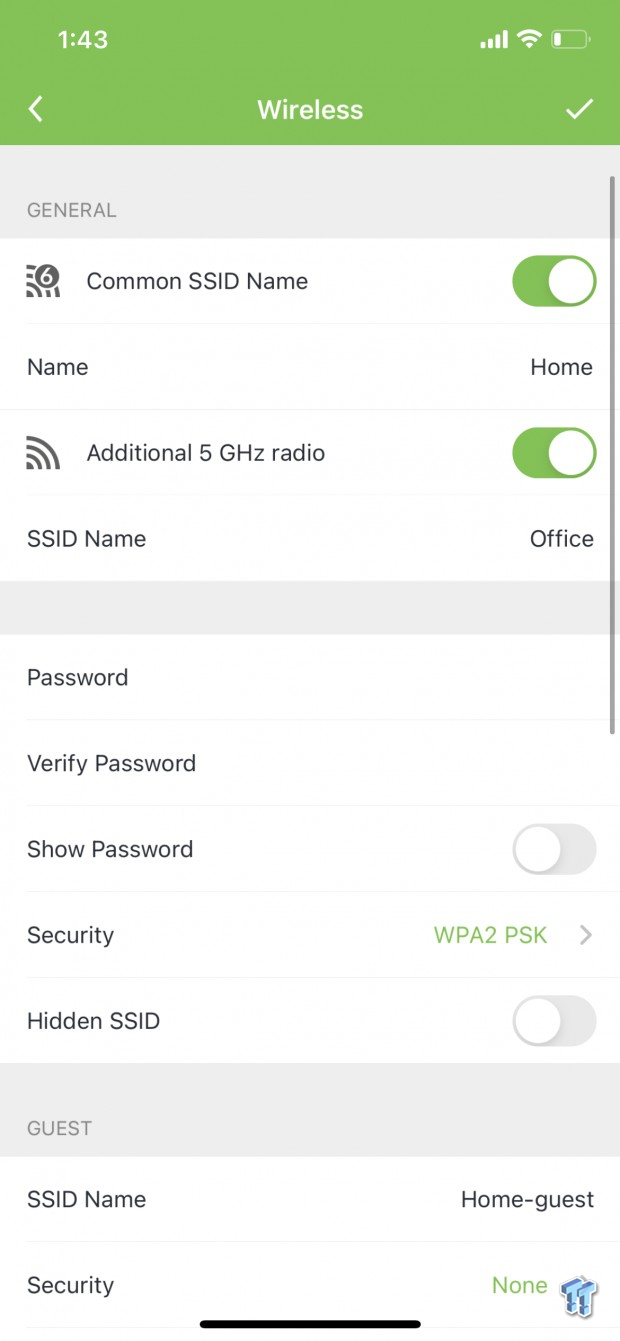
Moving to wireless settings, we have two sliders here; one for sharing your SSID across the 2.4GHz and 5GHz High band and the other to enable or disable the second 5GHz band.

Closer to the bottom, we have further options for creating secondary SSIDs for each band along with band steering or router steering if you are using this as a mesh platform.
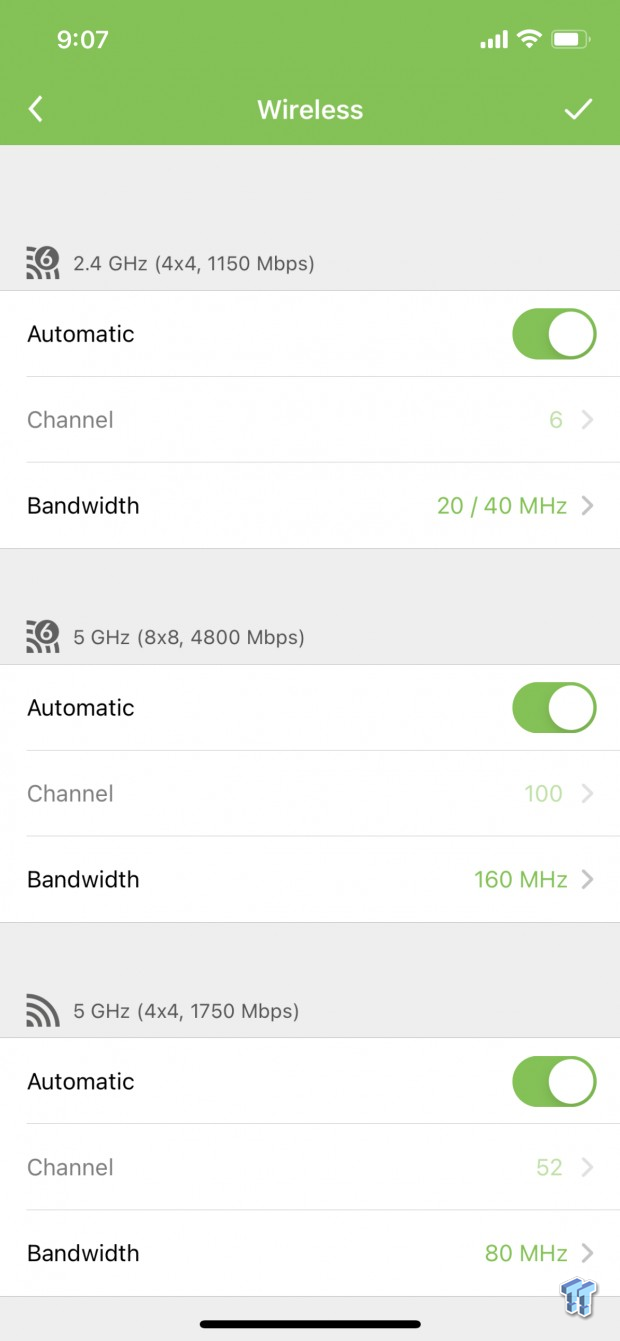
Radio options include the ability to choose your channel and bandwidth, with the latest update support for 160MHz is available for the Wi-Fi 6 bands.
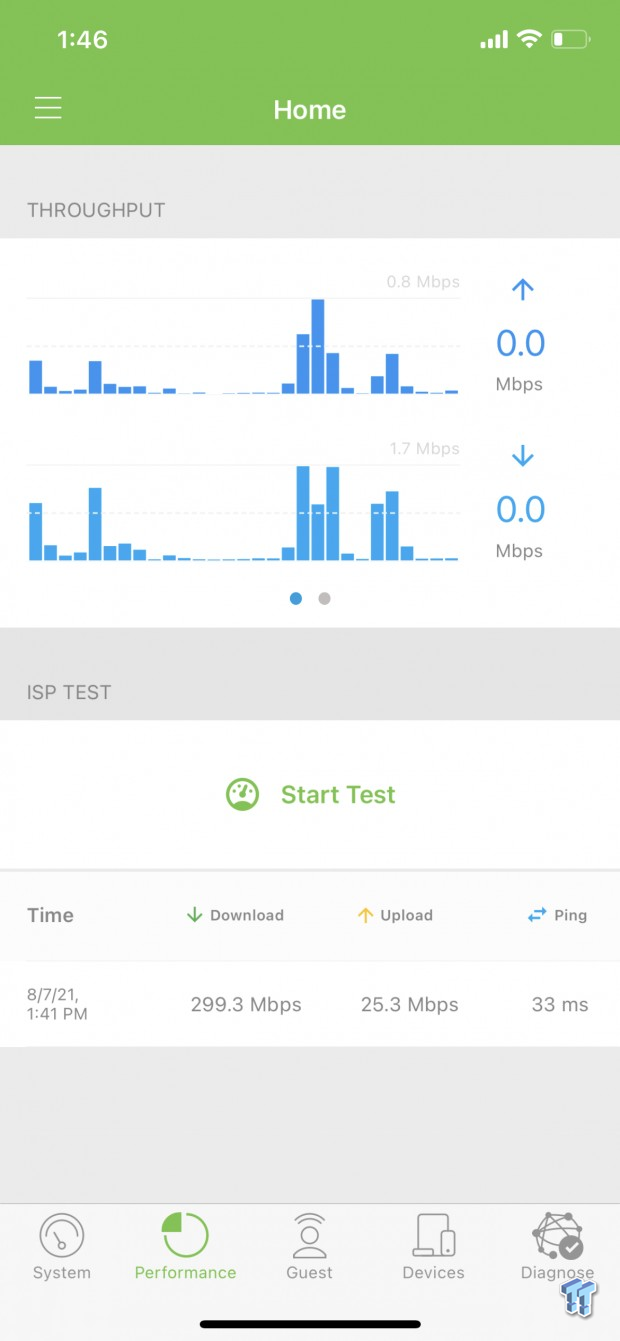
The performance tab at the bottom of the app includes a speed test; within this menu, you can see real-time throughput at the top and speed test results at the bottom.
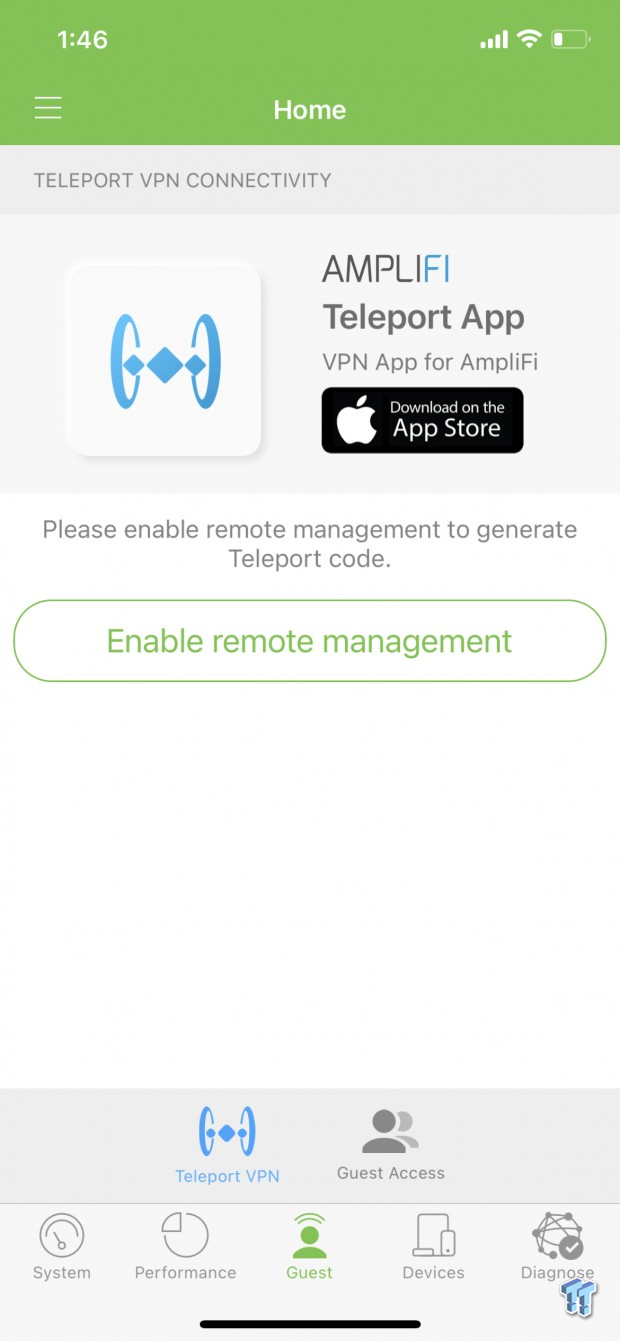
A massive deal with Amplifi Alien is the Teleport app; this allows you to connect to your home network from anywhere in the world.
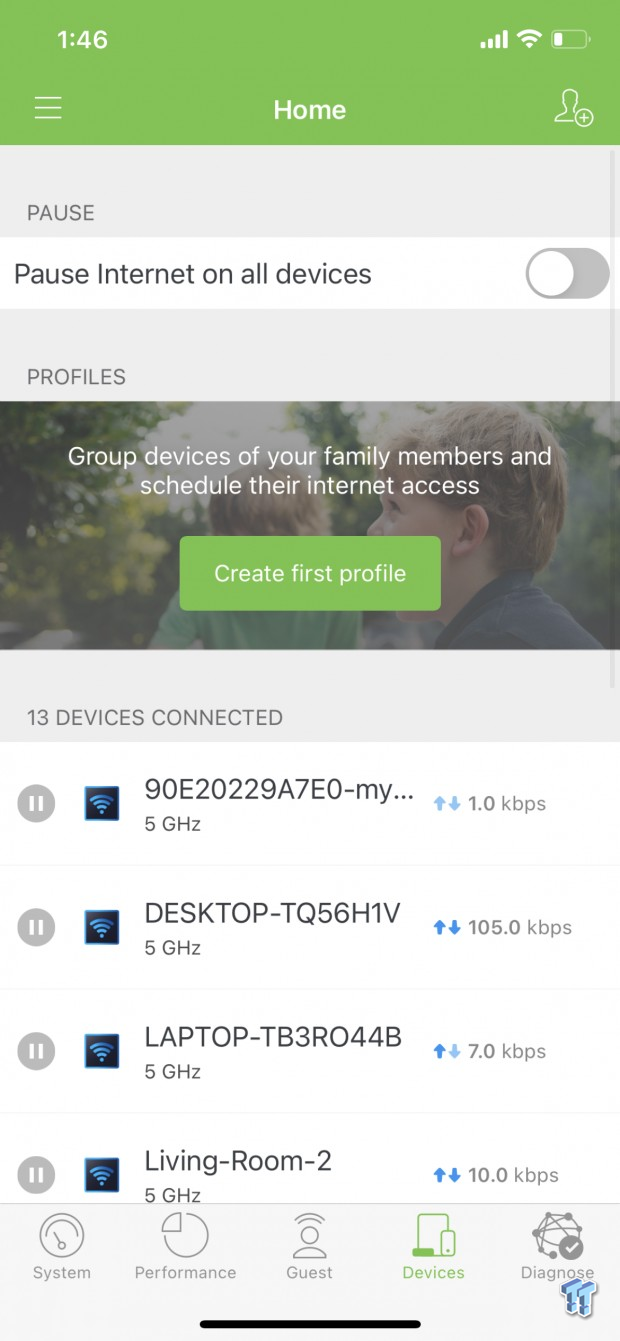
The device list will show all current connections with the ability to rename them and pause their connectivity individually.

Testing found no issues with the gigabit LAN ports or WAN. Throughput between was 952.74Mbps.
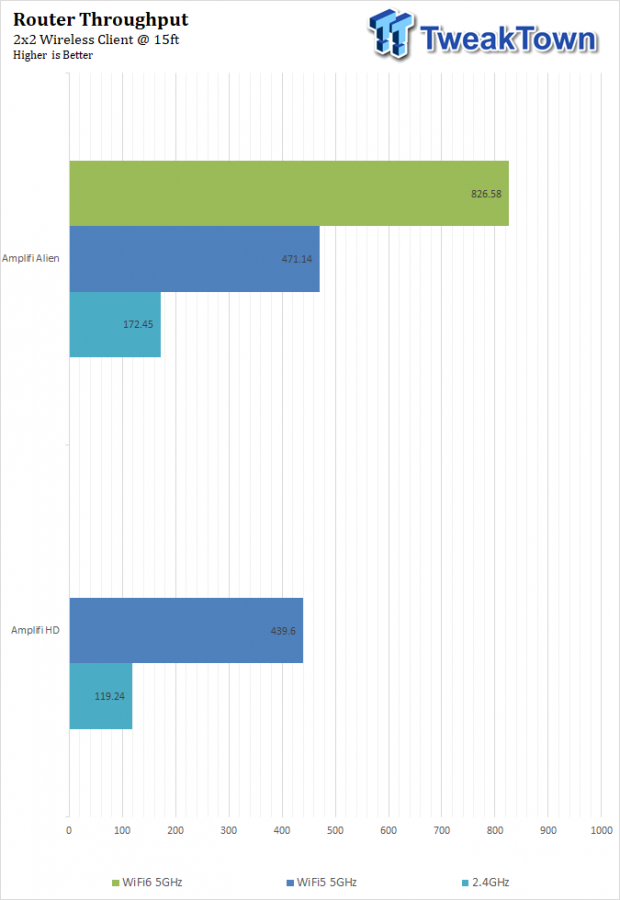
With our new NUC 11 Extreme acting as our network test machine, we cleared the wireless throughput charts, retested the Amplifi HD from years back, and then put the Alien on to get its performance. In the end, with 160MHz channels, we saw 826.58Mbps from the high band and 471Mbps from the low band 5GHz. 2.4GHz gave us 172MBps.
For those that want a set it and forget it product, the Alien is going to be in your wheelhouse; setup lasts a few minutes at best. Once setup is complete, you have a rock-solid platform that handled my quick stress test with 256 clients with ease and has been solid in my home since.
For enthusiasts that like to tinker, the Alien can offer limited abilities here. You can create multiple SSIDs for each band, and you can control wireless channels. Band and router steering can be turned off if you want to manually control device connectivity, and there are simple QoS controls that allow you to prioritize devices. Additionally, there is a WebGUI at the router's IP that will give you further controls that include the ability to enable 160MHz and DFS channels along with a DNS-based ad blocker.
The front panel of the router is just Amplifi showing off; it's a full touchscreen panel that offers all kinds of real-time analytics and allows you to move through menus to show it in full detail. You can run a speed test from the screen and control the LED and screen brightness as well.
TweakTown Router Test System
- System: NUC 11 Extreme
- OS: Microsoft Windows 10 (buy from Amazon)