











Our Verdict
We have seen smart light switches come through the lab on a number of occasions, but this time around, we have a solution that takes mere seconds to setup and doesn't require electrical knowledge.
Switchmate started with an Indiegogo campaign a little over a year ago, fast forward to today, and they are in the midst of their retail launch and reached out to send a sample over for us to check out. The Switchmate is out of the box thinking at its best, instead of designing this solution as a full replacement for legacy mechanical switches, they have engineered this as a cover of sorts, which by using magnets, snaps on to existing rocker and toggle switches.
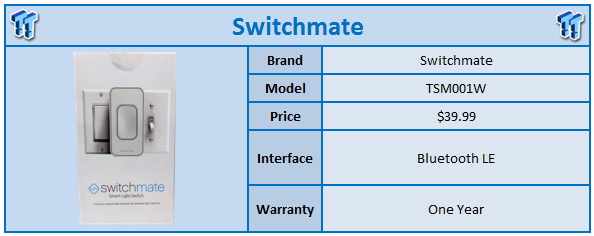
Switchmate uses BLE (Bluetooth Low Energy) technology over Wi-Fi for a more direct secure connection, but they do have plans for a hub and possibly Internet access to your devices. MSRP of the Switchmate Smart Light Switch comes in at $39.99 with a one year warranty.
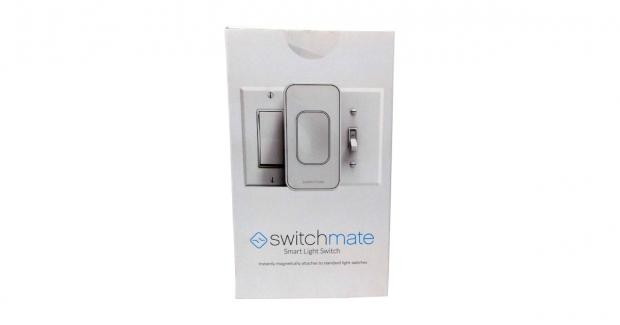
Packaging for the Switchmate is clean and professional looking. An image of the device covers the front with branding below.
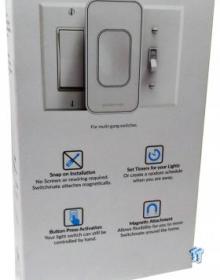
The back shows several use cases along with compatibility with rocker and toggle switches.
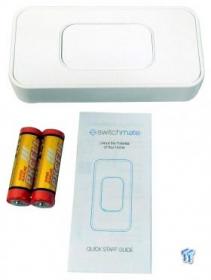
Pulling the unit from its packaging, we have the device supplied with two AA Alkaline batteries from PKCell.
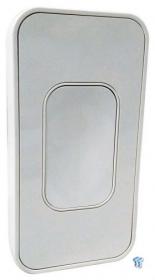
The front of the device has a single large push button that does have click feedback.
Our Latest Accessories Review Coverage
- AVerMedia Elite Go and Core Go Review - Innovative Power Delivery with Video and Capture
- AVerMedia X'TRA GO GC515 Review - An essential capturing tool for handheld gamers
- AVerMedia Live Gamer ULTRA 2.1 GC553G2 External Capture Card Review
- Corsair PBT DOUBLE-SHOT PRO Keycap Mod Kit Review
- HyperX Gaming Spectre React Eyewear Review
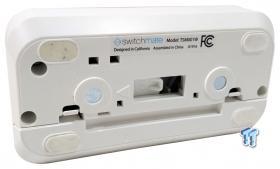
On the back, you can see the battery compartment at the bottom, while it appears a servo controls the plastic the moves your switch.
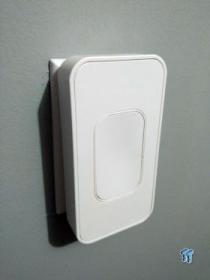
Above, we have the Switchmate installed - literally a two-second process.
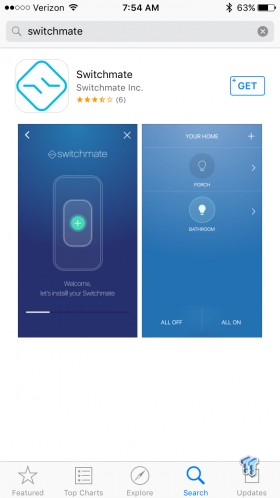
Getting into the setup, the app was easy to find and free of cost on iOS.
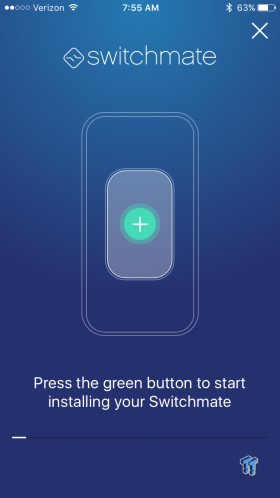
Onto the process, it starts by telling you to push the green button.
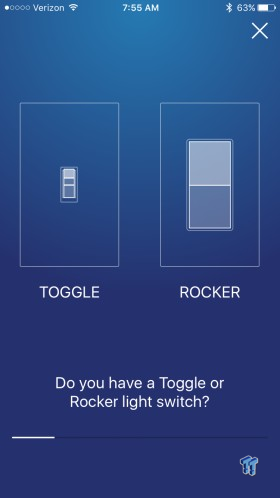
After asking you what type of switch you have, we then move onto the next step.

The next step is letting the app find your Switchmate. This took several tries for me.
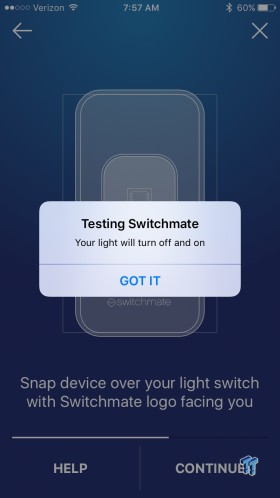
After it finds the Switchmate, it will activate the switch by turning it on and off and everything is ready to go.
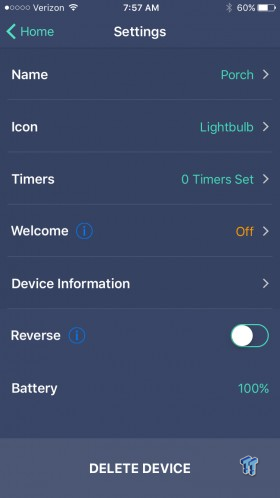
Settings for the device allow you to setup a name and icon for the switch, which will certainly come in handy if you are using multiple Switchmate devices. You can also set up timers or have it turn on automatically when you come in range with the Welcome feature.
I have had the Switchmate for a few weeks now using it for the patio area. I assume this will be a preferred use for many as it will allow you to turn on lights before you exit your car at night or walk up to your front door. The build quality of the device is quite good, I haven't had any issues with the device, and it works every time it's pressed physically and in the app.
The app is straight forward and easy to use and the setup process, while it took me a couple of times to get it right, was just a few steps before I was ready to go. I would have liked to see the Switchmate come equipped with better quality AA cells but I'm sure they had to cut cost somewhere, and I'm glad it wasn't on the product itself. From what I have gathered and according to the Indiegogo campaign, there should be a gold and silver option coming to market along with this all plastic white on white solution.
Overall, while the Switchmate doesn't offer that flat integrated look some may want for their home, but it's hard for me to not recommend this just for its ease of installation and how well the app works.
Tyler's Test System Specifications
- Motherboard: ASUS Z170 Premium - Buy from Amazon
- CPU: Intel Core i5 6500 - Buy from Amazon
- Cooler: Noctua NH-U12S - Buy from Amazon / Read our review
- Memory: Klevv CRAS 16GB (4x4) DDR4 3000 - Read our review
- Video Card: NVIDIA GeForce GTX 980 - Buy from Amazon / Read our review
- OS Storage: Intel 730 480GB SSD - Buy from Amazon / Read our review
- Secondary Storage: Intel 750 400GB U.2 SSD - Buy from Amazon / Read our review
- Case: Thermaltake P5 - Buy from Amazon / Read our review
- Power Supply: Thermaltake Toughpower Grand 1200 - Buy from Amazon
- OS: Microsoft Windows 10 - Buy from Amazon


 IQUNIX Magi96 Pro Aluminum Low Profile Mechanical Keyboard Review - Premium Build, Satisfying Sound
 Razer Pro Type Ergo Wireless Split Ergonomic Keyboard Review - Built for Comfort and Support
 ASUS ROG Strix Morph 96 Wireless Gaming Keyboard Review - Great Performance, More Affordable
 Corsair MAKR PRO 75 Hall Effect DIY Keyboard Review - Pre-Built and Ready for Action
 Razer Viper V4 Pro Wireless Gaming Mouse Review - Built for Competition
 INNO3D showcases new GeForce RTX GPU designs, with one including Founders Edition-style cooling
 Hands-on with MSI's new Claw 8 EX AI+ handheld, Intel Arc G3 Extreme continues to impress
 DLSS 4.5 Ray Reconstruction looks fantastic, and it's the missing piece of DLSS 4.5
 Hideo Kojima calls AI a 'janitor for creative chores' after backlash over his appearance in an AI-generated promo
 GMKtec EVO-X3 mini PC is coming with OCuLink support and a Ryzen AI MAX+ PRO 495 variant packing 192GB of memory
 The new Tomb Raider: Legacy of Atlantis has an AI disclaimer on its Steam page
 XBOX Series X25 announced, the translucent console pays homage to the original XBOX
 Xbox clarifies exclusive game strategy, confirms multi-platform live services
 GIGABYTE claims a DDR5 world record for hitting 13556 MT/s at Computex 2026
 Xbox confirms second console exclusive at summer gaming showcase
 Asetek Forte S-Series Racing Simulator Bundle Review
 SAPPHIRE Radeon RX 9070 GRE PULSE OC Review - A New 1440p Challenger Has Arrived
 NZXT H6 RGB+ Compact Dual-Chamber Chassis Review
 ASRock Radeon RX 9070 GRE Steel Legend Review - The RDNA 4 Mid-Range Reshuffle
 ASRock Z890 Taichi Aqua Motherboard Review - Flagship features without the flagship price
 GIGABYTE Z890I AORUS Ultra Motherboard Review - Mini-ITX with surprisingly good thermals
 Seagate FireCuda X1070 4TB SSD Review - A New Mainstream Contender
 The PowerToys utilities I keep enabled on every Windows 11 PC, and the ones I turned off within a week
 TweakTown's Best of Computex 2026 Awards - The Best Hardware, Gaming Gear, and AI
 Phison E37T SSD Controller Exclusive Preview - The Fastest DRAMless SSD Platform Yet
 USB Ports Not Working in Windows 11? Try These Fixes
 ASUS WiFi Routers and Networking Solutions Deliver Long-term Security and Reliability with No Additional Cost
 Second Monitor Not Detected in Windows 11? Try These Fixes
 Turn Your Old Smartphone Into a Dedicated Webcam for Your Windows PC
 The Send To menu is the right-click feature on Windows 11 that nobody bothers to customize
 Windows 11 will not let you pin a folder to the taskbar, but a 30-second workaround does
 ASUS ProArt Displays Unlock Creativity with Professional Monitors for Everyone