












Our Verdict
Pros
- Covers front and back recording nicely
- Up to 4K recording
- Parking mode recording capable
- Slimline profile hides nicely
- 5GHz Wi-Fi can provide very fast downloads
Cons
- May have trouble connecting to some Android phones
- Permanent mounting fixtures
- Parking record feature only works when using hardwired or ODB2 connections
- High price
Should you buy it?
Introduction & Specification Details and Close-up
At $549, the Thinkware U3000 Pro has its work cut out justifying its position in the hotly contested dashcam space. If you only want the basics, you very much do not have to pay this kind of money to get simple in-car video capture capabilities. If you've bought a new car any time recently, outside the entry-level space there's very good odds you've got a manufacturer-supplied camera that might do well enough for your needs.
"Might" does have to do some heavy lifting there, however, because it's one thing to capture video... and a completely different matter to capture clear and useful video. Buy a very cheap dashcam, and you're very much taking your chances unless what you want to record isn't moving much at all and is in ideal light.
This is the space that more premium-priced dashcams such as the Thinkware U3000 Pro are meant to shine. Does it? In some ways yes, because the video quality of the Thinkware U3000 Pro is very good in most conditions, and its ability to intelligently adjust relative to the light around your vehicle does put it in good standing there.
In some ways, however, no, because it is a more inflexible dashcam in terms of where and how it can be installed, and depending on your precise phone model, you may hit some connectivity issues.
Specifications & Close Up

| Item | Details |
|---|---|
| Device | Thinkware U3000 Pro |
| Display | No |
| Front Sensor | 8.4 MP Sony STARVIS 2 sensor |
| Rear Sensor | 5.14 MP Sony STARVIS 2 sensor |
| Radar | Yes |
| Recording mode | 4K UHD (3840 x 2160p) @30 FPS or QHD (2560 x 1440p) @60 FPS (Front) / 2K QHD (2560 x 1440p) @30 FPS (Rear) |
| Viewing Angle | 147° (Diagonal) Front / 156° (Diagonal) |
| Storage | MicroSD (64GB Card Included) |


Best Deals: THINKWARE U3000 PRO 2CH Dual Dash Cam 64GB


Design & Installation
Design

The Thinkware U3000 Pro is a dual-camera dashcam with a primary front-facing camera module designed to sit flat at the back of your car's rear-view mirror, facing outwards. In contrast, the rear smaller camera module, not surprisingly, fits on your rear window to give you a recording view of the vehicles or other items behind you.

The Thinkware U3000 Pro uses 3M adhesive pads for the connection of both of its camera modules, which isn't a fixing solution I tend to favor. That's because it's inflexible; if you want to or need to move the Thinkware U3000 Pro to a new car, you're going to have to wrestle with it to get it removed, but once you do, the adhesion to a new car will never be quite as good.
The Thinkware U3000 Pro's camera modules do have some rotation capability to deal with differing car windscreen pitches to enable the optimal field of view, but it's not extensive compared to some other models I've tested in the past that use their own holding brackets, typically with a gimbal-style mount for finer angular positioning.
Our Latest Cables & Accessories Review Coverage
- UGREEN FineTrack Mini 2 Air Tracker Tag Review - Long battery life, lesser performance
- Navman MiVue Smart True 4K Surround Dashcam Review - Seeing In All Directions At Once
- HP Sprocket Photo Printer Review
- TYLT FLYP Duo Two-Way Micro-USB and Lighting Charging Cable Review
- Accell Home or Away USB Surge Protector Review

In terms of installing for power, the Thinkware U3000 Pro supports direct hardwired connectivity, ODB2 port connectivity, or simpler old-school 12V "cigarette lighter" style power. The catch here is that Thinkware sells distinct packages with either hardwiring cables or ODB2 cables in the box, but not both.

Frequently Asked Questions
TweakBot answers common questions about this review using TweakTown's own coverage from this page and related content from our archive. Tap a question to reveal the answer, or type your own below.
Does the Thinkware U3000 Pro include both hardwiring and OBD2 power cables in the box?
Will the parking recording feature work if I power the unit via the 12V cigarette lighter socket?
How does the Thinkware U3000 Pro mount to the windshield and how easy is it to transfer between cars?
What video resolutions and frame rates does the front and rear camera record at?
Have a question not listed here? Ask below and TweakBot will answer it.


If you want 12V power, that's a cable sold separately. For the purposes of review, Thinkware supplied me the hardwired unit but also sent me a 12V cable.
Installation

For reasons that have nothing to do with Thinkware, I was glad to have the 12V cable, because I ended up having to borrow a friend's car for the testing of the Thinkware U3000 Pro, which did rather rule out hardwiring it in. The one limitation that this did introduce to testing is that its inbuilt parking recording facility won't work unless you are using either a hardwired permanent connection or an ODB2 connection, which meant I wasn't able to test that out for this review.
It's a fair enough limitation, given that the Thinkware U3000 Pro does need power to record, and most cars in parked mode won't otherwise unnecessarily drain the battery by leaving the 12V socket powered up.

Physical installation is simple enough, though because I was testing in a loaned vehicle I did not opt to route the cables from the Thinkware U3000 Pro around the windscreen frame, which is why the cables are rather more evident in the photos you're seeing than you might otherwise expect.
The other side of the Thinkware U3000 Pro experience is the Thinkware app for IOS or Android. This lets you directly connect to the camera, and it's a recommended step when setting up the front-facing camera to give you a "live" view so you can optimally tilt the lens for recording purposes.
The first step in connecting is a simple enough Bluetooth connection, and on a test phone - in this case, a Google Pixel 10 Pro Fold - that worked just fine for initial connection, with the Thinkware U3000 Pro happily announcing that there was a smartphone connected.

Getting a Wi-Fi connection for live viewing, however, requires connection to the Thinkware U3000 Pro's Wi-Fi network... and here matters were considerably less happy. Time after time after time, I could connect to the device for about 5 seconds before the connection dropped.
I tried reboots. I tried throwing the phone into airplane mode to avoid any other connections taking priority. I went through every possible step in Thinkware's support notes for Wi-Fi problems... and absolutely none of them worked in any way at all. It's not as though I was packing an obscure brand phone, or one that lacked much in the way of Wi-Fi connectivity.
At first I suspected this might be an Android issue more widely, because I could get an iPhone 17 Pro to connect without issue, but further testing with a Samsung Galaxy S25 Ultra did not repeat this pattern. It's not great that it seemingly won't work well with a major Android phone brand, and that's worth keeping in mind if you do want to pick one up; I'd definitely keep the receipts handy in case other models have the same issue.
Once the Wi-Fi hurdle was jumped over, the rest of the setup routine was easy enough. The live view isn't really built to be an in-display replacement for an embedded screen; it's essentially there to ensure that you line up the camera in the most optimal orientation.
The app also lets you confirm the view from the rear-facing camera; in my case, because the system was being installed in a car I was essentially borrowing for test purposes, this wasn't a permanent install, but the use of 3M adhesives should ensure a decent enough fit for longer-term use anyway.
Performance

Like every other dashcam on the market, the Thinkware U3000 Pro starts recording to the supplied 64GB microSD card from the moment that power kicks in, also announcing to you that it's started up in quite loud tones.
Lacking its own display screen, you don't get an immediate view of what it's recording, though it does give off an alert tone if it has started incident recording, which it dutifully did every time I hit a bump or pothole. Every single time, in fact, but that's arguably a good thing, because you'd want to - for example - record a small bump if a car nudged yours in a carpark.
There is an obvious limitation with testing any dashcam in real-world conditions: it would not only be illegal but extremely dangerous to crash a vehicle on a public road. During my test period with the Thinkware U3000 Pro, I didn't, in fact, do that.

Instead, I drove around with it to get an idea of how well its front 4K sensor and rear 2K sensors worked in a variety of driving conditions.
While the lack of a display means that you can't check this in real time, the files that came out of the Thinkware U3000 Pro after a drive displayed really nice clarity, with good HDR adjustments when I drove to and from bright areas; as an example, you'll often find many dashcams struggle when leaving parking garages out into direct sunlight.
The Thinkware U3000 Pro didn't entirely dodge this problem with sudden illumination changes, but the shift in brightness didn't overwhelm it entirely. It's feasible - again, no crashes to report - that in the instance of an impact, you'd still get a decent level of detail for insurance and follow-up purposes.

The Thinkware U3000 Pro also incorporates a radar sensor in the front camera, and while this is mostly there to enable the parking and recording mode, so that it knows when an object comes closer to it and it can (theoretically) start recording, it also enables it to do a very rudimentary job of traffic awareness.
While it's disabled by default - and arguably not needed on a lot of newer cars that have this kind of technology built in - if you're driving an older vehicle, there could be some utility in its simpler series of beep tones to indicate that you're getting a bit too close to the vehicle in front. Or you could, you know, not tailgate like a jerk, but some drivers are clearly like that anyway. I digress, on with the review...
Getting files off the Thinkware U3000 Pro is either via pulling the microSD card out, sneakernet style, or via the app over ad-hoc Wi-Fi. Prior experiences with a lot of dashcams that go down the ad-hoc Wi-Fi route are that they can be tediously slow, which is only going to add to your stress if you've just been in any kind of accident.
Here the Thinkware U3000 Pro was impressive, with a nicely quick download of files from the chosen camera. If you did need to quickly check details or share files after an incident, it shouldn't take you too long to do so.
Final Thoughts
A lot of dashcams ship with an included screen that can give you additional information, and the Thinkware U3000 Pro clearly doesn't have that, despite sitting in the higher price bracket of dashcams.

What it does have is very good recording capability for simple front and back of vehicle tracking, along with park recording, a feature I'd expect in any dashcam at this price bracket. It's also nicely slimline, so if you're someone who favors a dashcam look that's not quite so apparent to the outside world, it might suit your needs nicely.

There is an issue with Wi-Fi connectivity here, clearly. A little digging around suggested to me that I'm far from the first person to hit a Wi-Fi connectivity issue with a Thinkware dashcam, so if you're coming to it from the Android world, I'd make sure that you kept receipts handy in case your phone simply doesn't want to talk to the Thinkware U3000 Pro.


 UGREEN FineTrack Mini 2 Air Tracker Tag Review - Long battery life, lesser performance
 Navman MiVue Smart True 4K Surround Dashcam Review - Seeing In All Directions At Once
 Samsung Galaxy Fold 7 Review - A $2000 Pocketable Two-in-One Smartphone-Tablet
 Apple Intelligence - a full breakdown of Apple's AI features in iOS 18.1
 Aura Smart Sleep Mask Review - Much more than 100% blackout sleep
 KIOXIA showcases next-gen PCIe 6.0 NVMe SSDs at Future of Memory and Storage
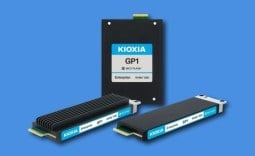 KIOXIA's new GP1 Series PCIe 6.0 SSDs unlock 10 million random read IOPS
 Google Earth quickly added and removed AI image generation for obvious reasons
 Google, Amazon, Microsoft and Meta have reportedly spent over $1 trillion on AI
 3D-printed chimney drops Ryzen 7 9800X3D CPU temperature by almost 20 degrees
 AYANEO's KONKR Pocket Advance is a new gaming handheld that looks like a Game Boy Advance
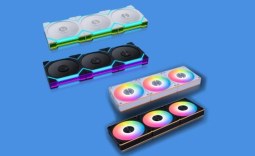 LIAN LI launches new affordable wireless Uni Fan SL Flex and Uni Fan CL Flex fans
 Half of Xbox Series discs need downloads to work properly, and PlayStation is not far behind, report shows
 Xbox consoles get more expensive in Europe, Series S now costs as much as Series X did at launch
 Memory shortages will get only worse in 2027 and 2028, warns Samsung
 Montech TG3 Mid-Tower Chassis Review
 ASUS ROG Strix X870E-A Gaming WiFI7 Neo Review - A New Enticing Option
 Noctua NL-LC1-36 Liquid CPU Cooler Review
 Logitech G316 X 98 Wired Gaming Keyboard Review - Retro-Inspired Board that Falls a Little Short
 Biwin M560 2TB SSD Review - Best Overall Retail-Ready DRAMless SSD
 Logitech G512 X 98 Analog Mechanical Gaming Keyboard Review - An Innovative Two-in-One
 Thrustmaster T.Flight HOTAS 5 MSFS Edition Review
 SteelSeries Arctis Nova Pro Omni Wireless Headset Review - One Headset to Rule Them All
 SteelSeries Arctis Nova 7 Wireless Gen 2 Headset Review - New and Improved, But Is It Enough?
 AMD Ryzen 7 7700X3D Review - Days of Future Past
 How to tell if someone has been using your Windows PC without your permission
 6 Task Manager tips for troubleshooting Windows performance problems
 ASUS ROG's 20th Anniversary Line-up of Premium PC Gaming Gear has Arrived - Here's Everything You Need to Know
 Six File Explorer tips every Windows user should know
 I switched my PC to encrypted DNS in Windows 11, and browsing felt more private
 Printer Not Working in Windows? How to fix detection, print queues and drivers
 The Ultimate Guide to Personalizing Your Windows 11 Taskbar
 How to Turn Your Windows Laptop Into a Second Monitor with Miracast and Wireless Display in Minutes
 6 Mistakes to Avoid When Buying a Windows Laptop
 I capped Windows Update's bandwidth with Delivery Optimization, and my downloads stopped choking