Our Verdict
Pros
- Intel's new Core Ultra Series 3 processor
- Premium build-quality and aluminum chassis
- Vibrant Tandem OLED display
- All-day battery life
- Intel Arc B390 delivers excellent gaming performance
Cons
- No USB Type-A or HDMI ports, just Thunderbolt
- Premium models like the one reviewed here are pricey
Should you buy it?
Introduction and Specifications
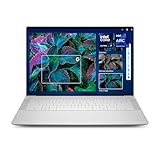
When Dell announced it was bringing back its iconic XPS range of laptops this year, the news was met with a positive reception from the media and enthusiasts alike, with the main concern being whether it would be a true return to form. Sporting a stylish and robust brushed metal industrial look, a premium CNC-machined aluminum chassis, a fantastic keyboard (with a full function row) with a large trackpad, and an InfinityEdge tandem HDR OLED touch display with an impressive resolution of 2880 x 1800 pixels on the more decked out models, the new Dell XPS 14 (2026) is definitely impressive. And it's one of those laptops that immediately looks and feels premium the moment you pick it up and crack open its lid.
And with Intel's new Panther Lake processor technology underneath the hood, you've got a productivity laptop built for exactly that, with all-day battery life, a stunning OLED display (on select models), and near-silent performance when using it for everyday tasks like browsing, emails, or streaming media. Of course, the baseline entry-level model doesn't include the OLED display found in the review unit we received, and its Intel processor lacks integrated Arc graphics. And that's important to note because the Intel Core Ultra X7 358H model you see here, with its integrated Intel Arc B390 graphics, sports the latest Xe3 graphics cores, and it's surprisingly great for gaming. So much so that any laptop with an integrated Intel Arc B390 GPU in 2026 can be considered a gaming laptop.
Yes, we've entered an era where integrated graphics have no problem running modern PC games at 1080p with High or Medium settings with ray-tracing enabled, something that wasn't even possible not that long ago. And with Intel's AI-powered XeSS upscaling and Frame Generation, hitting 100+ FPS in several games is a reality on a laptop without a dedicated/discrete graphics card. Of course, there's a lot more to the new Dell XPS 14 (2026) than its gaming performance. The Intel Core Ultra X7 358H processor also delivers impressive AI or NPU performance, more than enough to earn its Copilot+ PC branding from Microsoft. Plus, it's thin, lightweight, and portable in ways that match its performance.
Specifications

The new 'Panther Lake'-powered Dell XPS 14 (2026) is available in multiple configurations, with the entry-level variant sporting an Intel Core Ultra 5 325 (Series 3) processor with 16GB of LPDDR5X memory, a 512GB SSD, and a 2K display for $1,699 USD. This goes up to an Intel Core Ultra X9 388H (Series 3) processor, 64GB of LPDDR5X memory, a 2TB SSD, and a 2.8K OLED touch display for around $4,000 USD. Yes, it's pricey, which reflects the current climate and component situation affecting the broader consumer technology market. Here's the full breakdown of specs found in the model reviewed here, which sits somewhere in the middle, price-wise. For a top-level overview, it sports the Intel Core Ultra X7 358H processor, 32GB of LPDDR5X memory, a 1TB SSD, and an impressive 14-inch 2.8K OLED touch display with a 120 Hz refresh rate.


Best Deals: Dell XPS 14 (2026) Laptop
Price Trend:
Prices last scanned 11 hours and 57 minutes ago

7 days ago: $1899.23 USD30 days ago: $1899.23 USD

7 days ago: $2149.99 USD30 days ago: $2549 USD
7 days ago: $3052.05 CAD30 days ago: $3050.67 CAD

| Item | Details |
|---|---|
| Laptop | Dell XPS (2016) |
| Processor | Intel Core Ultra X7 358H (Series 3) |
| Graphics | Intel Arc B390 integrated graphics |
| VRAM | 18GB Usable Video Memory |
| Display | 14-inch 2.8K OLED touch |
| Memory | 32GB LPDDR5X-9600 |
| Storage | 1TB NVMe SSD |
| Camera | 8MP/4K HDR webcam |
| Ports | 3x Thunderbolt 4 (USB Type-C) with DisplayPort 2.1 and Power Delivery, Audio Jack |
| Networking | Intel Wi-Fi 7 (BE211 2x2), Bluetooth 6.0 |
| Audio | Waves MaxxAudio Quad-speakers, 10W total |
| Operating System | Windows 11 Home |
| Battery | 3Cell, 70Whr |
| Dimensions | 309.52 x 209.71 x 14.62mm |
| Weight | 1.36 kg |
Features and Design
Features
Underneath the Dell XPS 14's hood, the star of the show is Intel's new Panther Lake-powered Intel Core Ultra X7 358H processor, which is built on the latest 18A process technology. Like previous-generation Lunar and Meteor Lake processors, it features a design comprising multiple tiles covering everything from the CPU to the GPU to the NPU and I/O, all on a single package. In addition to delivering a notable boost to performance and efficiency and supporting the latest Thunderbolt 4, USB, and Wi-Fi 7 technologies, the integrated graphics on select models like the one reviewed here features the company's latest Intel Arc Xe3-LPG architecture built on 3nm technology. Here, that's the new flagship Intel Arc B390 GPU with 12 Xe3 cores, including both ray-tracing and AI accelerators for advanced graphics workloads.

The Intel Core Ultra X7 358H processor isn't the top-of-the-line Panther Lake processor, but it's up there with 16 Cores comprised of 4 Performance or P-cores, 8 Efficient or E-cores, and 4 Low Power Efficient or LPE-cores. The maximum clock speed reaches an impressive 4.8 GHz, with a base frequency of 1.5 GHz, 18 MB of L3 cache, and support for LPDDR5X-9600 memory speeds. Likewise, the power range is 25W to 80W, with the Dell XPS 14 reviewed here featuring 32GB of memory, placing it in the 'premium laptop' category thanks to 2026 memory prices.
With its ultra-thin design, outside of the underlying processor, one of the most immediate and impressive aspects of the new Dell XPS 14 is its 14-inch 2.8K (2880 x 1800) Tandem OLED touch-screen display and the laptop's sleek, CNC-machined aluminum 'graphite gray' finish. With the display's glass surface (made from durable Gorilla Glass Victus), which isn't as reflective as you'd think, the Tandem OLED design delivers vibrant colors, impressive brightness, VESA TrueBlack 500 certification, and full HDR support.
Our Latest Gaming Laptops Review Coverage
- HP Omen 16 (Core i9-14900HX + RTX 5070) Gaming Laptop Review
- MSI Crosshair 16 HX AI (Core Ultra 9 275HX + RTX 5070) Gaming Laptop Review
- Acer Predator Helios 18 AI (Core Ultra 9 275HX + RTX 5090) Gaming Laptop Review
- MSI Raider A18 HX A9W (Ryzen 9 9955HX3D + RTX 5090) Gaming Laptop Review
- ASUS TUF Gaming A14 (Strix Point + RTX 4060) Laptop Review

Even the SDR peak brightness rating of 400 nits puts it on the brighter side among OLED laptop displays, and it's fantastic for any workload - productivity, streaming media, or gaming. And on the gaming front, the display supports up to 120Hz refresh rates for smooth visuals. And for those looking to conserve battery life while working with documents or browsing, the display's 20 Hz mode will help extend the Dell XPS 14's all-day battery life promise.

Frequently Asked Questions
Open a question for an answer from TweakTown's coverage of this review, or ask your own below.
Does the reviewed XPS 14 model support external monitors via its Thunderbolt 4 ports at the display's native 2.8K resolution and 120Hz?
How much performance drop should I expect when gaming on battery versus plugged in based on the reviewer's observations?
Have a question that isn't listed here? Ask below, and TweakBot will answer it.

Design
With dimensions of 309.52 x 209.21 x 14.62mm and a weight of only 1.36 kilograms, the Dell XPS 14 (2026) falls into the ultra-thin and lightweight category for laptops. The stylish grey finish and robust aluminum chassis are also durable, and alongside the reinforced OLED display, you've got a laptop built to last. The minimal ultra-thin design features an impressive screen-to-body ratio, with the XPS branding on the lid and the Dell branding on the underside being somewhat understated. As is the lighting on the keyboard, which features a proper Function row. Dell's keyboard design is of the compact 'every key all together' variety; however, the feel and responsiveness are definitely there and better than the mushy keyboards you often find on ultralight laptops. But for those that like a little separation between their arrow keys and everything else, it will take some getting used to. The compact keyboard also means there's more room for the large trackpad, which features haptic feedback and is responsive.

Audio-wise, the Dell XPS 14 features a quad-speaker system comprising dual 3W main speakers and dual 2W tweeters. Thanks to the main speakers or woofers being downward-firing, which amplifies low-end frequencies, the overall sound here can easily fill a small room while maintaining clarity and detail. Of course, we're still talking about laptop speakers, so the bass is lacking. Still, with Dell's Waves MaxxAudio and Dolby Atmos support, there's enough to pleasantly surprise when most ultrathin laptop audio is serviceable at best. When it comes to the XPS 14's I/O, it's kept modern and cutting-edge, with 3 x Thunderbolt 4 (USB Type-C) ports that support Power Delivery and DisplayPort, and a single 3.5mm universal audio jack. There's no USB Type-A or even HDMI here, which is a shame. Also, charging via the pack-in adapter is via USB Type-C, so you do lose out on a port when plugged in.
Benchmarks and Performance
Benchmarks - Productivity
To test productivity performance, in addition to using the laptop across a wide range of real-world workloads such as editing audio and video, using generative AI, writing articles, running multiple spreadsheets, and browsing with multiple tabs, we also ran several synthetic benchmarks using Cinebench, Geekbench, and CrystalDiskMark. For the Dell XPS 14 (2026) with its Intel Core Ultra X7 358H processor with integrated Intel Arc B390 graphics, 32GB of LPDDR5X memory, and 1TB of NVMe SSD storage, here's a look at some of the results and what the numbers mean.

Cinebench 2026 puts any CPU to the test, measuring how fast it can render an image of a 3D ray-traced scene that's broken up into various blocks. Cinebench supports both single- and multi-core tests to gauge performance across the entire CPU and is a go-to test because of its sustained, intensive workload and the fact that even minor changes to clock speeds and core counts can affect the overall result. Here, the Dell XPS 14 with the Intel Core Ultra X7 358H processor delivers a single-core score of 497 with a multi-core score of 3013. The scores paint the picture of a capable mid-range or high-end laptop CPU, with the single-core score sitting in the range of the Ryzen AI 9 HX 470, with the multi-core score sitting higher than what you'd get with Apple's M5 10-Core processor. For an SoC designed to pair with efficient, ultrathin laptops, it's a decent showing.


Geekbench 6 is a cross-platform benchmark that simulates real-world workloads across scenarios like video editing, data processing, and more. In addition to testing single and multi-core performance, there's an additional GPU benchmark (running the OpenCL API) to test GPU performance. For the Intel Core Ultra X7 358H, this tests the integrated Intel Arc B390 GPU. On the GPU side, the single-core score of 2,794 and the multi-core score of 15,857 put performance in the region of the AMD Ryzen AI 9 HX 375 and even the Ryzen AI Max+ 395 aka Strix Halo, two CPUs that draw more power than the Intel Core Ultra X7 358H. On the GPU front, the score of 56,765 is significantly higher than AMD's Radeon 890M found on similar SoCs, and on par with the desktop GeForce GTX 1080. Granted, the GTX 1080 is now a decade old, but it was a flagship GPU back in the day and goes to show you how far integrated low-power graphics have come.

Closing out the productivity benchmarks, we've got CrystalDiskMark, which shows that the Dell XPS 14's internal 1TB NVMe SSD delivers Sequential Read speeds of 6,918 MB/sec and Sequential Write speeds of 5,693 MB/sec. These results are not the fastest you can find on a premium laptop and fall into the PCIe Gen4 territory of speed, which is disappointing, as you'd expect a little more storage speed on a premium Panther Lake-powered laptop and the return of Dell's XPS lineup. That said, for transferring files, video editing, loading, AAA games, and other storage-intensive workloads, it's plenty and not at the level where you'd notice or wonder why things are slow.
Benchmarks - Gaming
There was a time when a laptop with an Intel processor and integrated graphics was built first and foremost for productivity and non-gaming workloads; however, in recent years, we've seen the rise of APUs or SoCs from both Intel and AMD that have bucked this trend. This isn't to say that they can compete with a mid-range or even mainstream discrete GPU like the GeForce RTX 5060 or RTX 5050. Still, with the Intel Core Ultra X7 358H and its Intel Arc B390 GPU, you've got something more than capable of delivering an immersive 1080p gaming experience.

3DMark's Synthetic Benchmarks are great for gauging potential gaming performance. As the Intel Arc B390 integrated GPU on our review unit had a sizeable 18GB of VRAM, we decided to run the same 3DMark tests we use on discrete GPUs: Time Spy, Steel Nomad Light, and Port Royal. Time Spy and Steel Nomad Light cover cinematic gaming on DirectX 12 at 1440p, and here the scores for the Dell XPS 14 point to performance that's on par with a desktop GeForce RTX 2060. An impressive result, and this also applies to the Port Royal score, which included real-time ray tracing. Here, a score just over 3,000 isn't really something you'd consider great for ray tracing. Still, it's impressive for an integrated GPU and good enough that Intel's AI-powered XeSS upscaling and frame generation can work with it to deliver an immersive gaming experience.

Of course, real-world gaming is the real test, and here we see the Dell XPS 14 and the Intel Arc B390 GPU deliver excellent results, proving that the Intel Core Ultra X7 358H is a processor that can handle 1080p PC gaming with 'High'graphics settings, which is a rarity in the SoC space. And thanks to Intel's AI-powered XeSS upscaling, the processor delivers notably better image quality than Ryzen CPUs with integrated Radeon graphics when Super Resolution is enabled to boost performance. If a solid 60 FPS is the baseline for what we'd consider a great PC gaming experience, then you get that here across several visually intensive titles like DOOM: The Dark Ages, which also features ray-tracing, Cyberpunk 2077, and F1 25.
And for competitive games, the 132 FPS average in Counter-Strike 2 means the Dell XPS 14, with its vibrant 120 Hz OLED display, is a capable gaming rig, even though it's an efficient ultralight, thin laptop. Now, it's worth pointing out that the numbers above were captured with the Dell XPS 14 plugged in, and after extended gaming, the fans and cooling definitely make themselves known. Running the laptop on battery does impact performance, but only by a couple of frames, and not to the point where it affected how each game felt to play.
Final Thoughts
The return of Dell's XPS 14 is fantastic to see, especially when it arrives with a sleek, modern, and sturdy, thin, lightweight build, a fantastic Tandem OLED display panel, and Intel's new and impressive Panther Lake-powered Intel Core Series 3 processors. On the high end, like with the Intel Core Ultra X7 358H in our review unit, you've got an efficient productivity processor that also sports a powerful integrated GPU in the form of the Intel Arc B390. Which is not only capable of delivering immersive 1080p gaming but also of being leveraged for any graphics-related workload. Granted, we're talking about one of the more expensive Dell XPS 14 (2026) variants, and with the rise in component costs, it does take some of the wind out of the laptop's impressive sails, so to speak.

However, it's safe to say that if Dell continues to build on its latest XPS 14 design, then it will undoubtedly reclaim its reputation as a go-to premium laptop in a market with several options from a wide range of competitors. And as a Dell laptop, it ships with Dell software; however, most of this is fairly intuitive and not overly resource-hungry. Dell Optimizer is a great tool for accessing hardware information and monitoring thermal performance, with other tools available for updating firmware and drivers. Throw in a solid webcam, and the Dell XPS 14 delivers a thin, lightweight laptop with all-day battery life that you can also use for entertainment and even gaming. A premium workhorse with only a couple of drawbacks, with one of those being pricing affected by the current climate.