
Our Verdict
Pros
- Thermal performance
- Low noise levels
- Attractive aesthetic
- Included goodies
Cons
- Slightly spendy
- Software
Should you buy it?
Introduction, Specifications, and Pricing
Even though we have a cooler review under our belts from Ocypus -an air cooler -it performed admirably for the cost and sheds little light on their ability to make a good liquid CPU cooler. While we know that Ocypus offers quality craftsmanship, style, and features that the market desires, do they have what it takes to make heads around the globe turn and take notice?
We feel they at least deserve the turn for a serious look at what they have to offer. Knowing what we do ahead of the conclusion of this review, we know that Ocypus is on its game, and entering the market this late makes that battle to capture some market share so much tougher for them. Yet they stood up to the task at hand, and have developed an AIO which may not be a standout in the industry on features or aesthetics alone, as what you are going to find in our charts shows they have a keen sense of what the market needs, and is willing to deliver an above average product to the masses, all you have to do is look to find it.
Popular Now: Xbox Series X can now run PS5 games thanks to a new emulatorIn the remainder of this review, you will see an AIO with ideas that have been applied before by other manufacturers, many of which cost well over $200 for a similar setup, but Ocypus took a different tack. Ocypus releases the Sigma L36 PRO BK with looks that anyone will appreciate, a customizable IPS screen via software, thermal performance that rivals the best, and does so for considerably less than other similar solutions on sale today. If that isn't enough to get the juices flowing to continue with the rest of the write-up, maybe you should check for a pulse, as Ocypus is here to shake things up.
| Item | Details |
|---|---|
| Model | Sitgma-L36-BK3ANWL00P-GL |
| TDP | 310W |
| MSRP | $169.99 |
| Socket | Intel: LGA 1851 / 1700 / 115x / 1200; AMD: AM5 / AM4 |
| Color Options | Black or White |
| Tubing | 400mm - 7mm ID, 12.5mm OD |
| Fan Quantity | 3 pcs |
| Net Weight | 1680g |
| Radiator Dimensions | 397 x 120 x 27mm |
| Radiator Material | Aluminum |
| Pump Dimensions | 80 x 78 x 97mm |
| Pump Speed | 3100±10% RPM |
| Pump Noise | 30dB(A) |
| Pump Connector | 3-pin |
| Pump Rated Voltage | 12V DC |
| Pump Rated Current | 0.4A |
| Pump Power Consumption | 4.8W |
| Pump Bearing | Ceramic |
| Pump Motor | Three-phase, six-pole |
| Pump MTBF | 100,000 hours |
| Fan Dimensions | 120 x 120 x 25mm |
| Fan Bearing | Fluid Dynamic |
| Fan Speed | 500-2400±10% RPM |
| Fan Speed (with speed control) | 500-2000±10% RPM |
| Fan Airflow | 90 CFM / 77 CFM w/SC |
| Fan Air Pressure | 5.8mmH2O / 4.65mmH2O w/SC |
| Fan Noise | 36dB(A) / 29dB(A) w/SC |
| Fan Rated Voltage | 12V DC |
| Fan Rated Current | 0.26A |
| Fan Power Consumption | 3.12W |
| Fan Power Connector | 4-pin PWM |
| Pump Display Size | 3.5 inch |
| Pump Display Type | IPS |
| Pump Display Resolution | 640 x 480 pixels |
| Pump LED Type | ARGB |
| Pump LED Connector | 3-pin |
| Pump LED Rated Voltage | 5V DC |
| Pump LED Rated Current | 0.6A |
| Pump LED Power Consumption | 3W |
| Warranty | 3 years (minimum) |
The specifications shown in the chart are taken from the Sigma L36 PRO BK product page and are on the back of the box. However, we are talking about a specific model, the Sigma-L36-BK3ANWL00P-GL, one of four versions of the Sigma PRO AIOs. There is a white version of what we are covering here, as well as a pair of L24 (240mm) radiator variants, again in black or white.
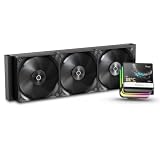
Sporting an astounding 310W TDP, the Sigma can cool most Intel mainstream sockets and AMD AM4 and AM5. Other bits we see are that the tubing is 400mm long, has a 7mm inner diameter and a 12.5mm outer diameter, and is sleeved to dress it up. Three fans are cooling the radiator, and all told, the Sigma L36 PRO BK weighed in at 1680 grams.
The radiator of this AIO is made of aluminum, painted black, and has chromed Ocypus names on either side. The fans come pre-mounted, but the radiator is 397mm long, 120mm wide, and 27mm thick. Including the fans, the assembly is 52mm plus the heads of the screws.
Best Deals: Ocypus Sigma L36 PRO BK CPU Cooler
Price Trend:
Prices last scanned 13 hours and 59 minutes ago

7 days ago: $99.99 USD30 days ago: $99.99 USD
7 days ago: $112.66 CAD30 days ago: $116.59 CAD
7 days ago: £132.9530 days ago: £132.95


The head unit is next; it is 80mm wide, 78mm tall, and 97mm from the CPU to the top of the metal trim piece. The pump is powered via a 3-pin fan connection, which runs it at full speed -around 3100 RPM. The noise rating is roughly 30dB(A), which is higher than what we witnessed. Requiring 0.4A and 4.8W from the 12VDC line, the three-phase, six-pole, ceramic-bearing-based pump is said to last 100,000 hours or more.
Our Latest CPU Liquid Coolers Review Coverage
The trio of fans is black, without ARGB, but features copper rings on the milled hubs for added styling. Running, the fans will run within the range of 500 to 2400 RPM, shoving 90 CFM and 1.94 mmH2O of pressure per fan, at 36 dB(A). Ocypus includes an inline adapter for speed control, and if in use, the specs change to 2000 RPM maximum, 77 CFM, and 1.55 mmH2O. Using short 4-pin leads and a triple Y-splitter cable, the fans draw 0.26A and consume 3.12W.
In this layout, a magnetically attached cover for the head unit features a 3.5-inch IPS screen. The resolution is 640 x 480 pixels, but given its presentation limitations, it fits the bill. Below the screen is a cutaway section with a shiny milky plastic lower portion to deliver a flood of ARGB into the chassis. To use the software, you also need a native USB 2.0 connection made, and there is a 5VDC 3-pin ARGB connector to power the lighting below.
The last couple of things deal with coverage and cost. We have listed the warranty category: Ocypus covers the Sigma series for 3 years, but that is the minimum warranty for their CPU cooling products. The Sigma PRO likely gets better five-year coverage, but its support page has yet to be updated to include these models. While we are aware of the $169.99 MSRP set by Ocypus, we have not yet found it on our side of the pond to confirm whether it holds in a retail setting.
Packaging

Ocypus chose silver for the Sigma L36 PRO BK's backdrop, allowing the liquid-cooler pictured to pop off the background. They also show the head unit running software to highlight what you can do with that IPS cover.

The right end of the box is black, with dark gray circles at the bottom, indicating "liquid cooler Sigma L36 PRO BK."

Silver on the back is nice, but it makes the black text harder to read. Beyond the name at the left, we find Ocypus directing us to their site for more information. However, the chart at the right covers most of what you need to know about the Sigma L36 PRO BK.

The longer sides simply house Ocypus on silver backdrops, but this time, we get a close-up of the head unit, where we can see more of the styling and features that should attract you to an AIO like this one.

Inside the thick cardboard outer shell is recycled cardboard inner packaging to protect the components in transit. Not only are parts wrapped in bags, but the radiator, the IPS screen kit, and the hardware are also enclosed in cardboard.
Ocypus Sigma L36 PRO BK CPU Cooler

If not for the large magnets on top of the head unit, you might mistake it for a joke, but the pump-covered portion is still stylish and sports the company name. In a baser model offering, we could see this used without the magnets, as it's nearly identical to the fan design.

Ninety-degree swivel fittings make installation easy with all the adjustment on this end, and for a bit of added style, the capture fittings are silver. We also see a groove a few millimeters above the copper, where the mounting hardware slides in.

Even though the mainstream chips are getting smaller, Ocypus made a base with more surface area, which is less about contact area and more about mass to remove more heat via the micro-channeled back side. The surface appears to be cast and is slightly convex to help apply more pressure to the CPU.

Moving to the IPS portion of the head unit, we start by showing the four matching magnets that lock onto the pump portion in any orientation needed.

From the side, with the bottom of it at the left, we see Ocypus added a thick ARGB section to the base of the IPS cover, flooding the system with lighting. A pedestal is placed on top to allow more light from below, while serving as the base for the IPS screen on the right.

Looking closely, you can see a couple of millimeters of black around the 3.5-inch IPS screen above the Ocypus-branded metal bar, which also protects the screen. The wires exit from the bottom right corner of the cover, so you may need to tuck them in for a cleaner appearance.

On the screen cover is a native USB 2.0 connector to allow software to display information and background imagery. The 5VDC 3-pin ARGB cable features a daisy-chain end, so you can add another device while using only a single ARGB header.

Moving away from the head unit, we follow the braided tubing to the radiator, where the tape measure shows nearly sixteen inches of tube ran in our example. It is also hard to miss that the fans are already on the radiator.

Ocypus puts their name on both sides of the radiator with stick-on chromed lettering. It is a brilliant play against the matte-black paint on the 27mm-thick aluminum radiator.

In a random location, we counted 21 FPI for the fin layout between the tubes. If the fan blades showing through the middle of the radiator weren't enough to show the fans are pre-installed, the super short 4-pin tails above the radiator should drive it home.

The fans are 120mm in size, each with seven wide blades and a matte finish to help them blend into the radiator. However, the hubs are covered with a metal disk that not only has circular machine marks in the black portion, but also a bright pop of copper in the center -the O in Ocypus.
Accessories and Documentation

The list of included goodies starts with the main mounting components. At the left is an Intel bracket, which slides into the groove of the head unit, as does the AMD bracket at the right. Between them is the adjustable Intel backplate for all Intel users.

Ocypus gave us a bag of 12 short Phillips-head screws to secure the radiator to the chassis, which we left in the bag on the left. We then see four Intel spacers made of black plastic, for LGA115X and LGA1200, which go on top of the spacers we just mentioned. The gray screws are used for AMD sockets, and the spring-loaded nuts secure AMD and Intel brackets to the motherboard.

Digging a bit deeper into the hardware box, we found these. At the top is a daisy-chained fan power cable with three male fan headers to connect to the short leads on the fans. There is a small syringe of thermal paste, and we then run into the speed control cable, which is a resistor inline to reduce the fans' power draw, thus limiting speed and noise. To round it out, we also get some hook-and-loop strips with the Ocypus bradding, to use for wiring or tidying the tubes.

The manual starts with parts, all assigned with letters, but no descriptions. Intel mounting starts with that portion in two setups: LGA1700/1851 first, then LGA115x/1200 with the added spacers. AMD follows with radiator mounting, screen installation, and ends with a wiring diagram, ensuring all potential installation issues are resolved right there in print.
Installation and Finished Product

As shown, we removed the plastic latches from our AMD hardware by removing the screws, then set them aside to install the studs with the gray plastic pacers into the factory backplate. We also slid the AMD bracket into the head unit and applied thermal paste before we took the following image.

We installed the head unit in the orientation shown by the Ocypus name as correct, although you can use it in any orientation, since you won't see this again until you decide to change the cooler in your PC.

Installing the IPS screen is simple enough, thanks to the strong magnets that lock the cover onto the pump with a satisfying clunk. We were able to tuck the UBSB and ARGB cables under the fittings, hiding them from view, and the wires connect with plenty of extra length to allow them to be cleanly installed and managed.

If you should choose to run the Sigma L30 PRO BK without software, and every time you reboot the system, you will see a large orange O appear, which fades out and then gets replaced with the Ocypus name as we see here, which repeats in a cyclical pattern, even once into the OS. We also love the lower sections ARGB. Not only is it bright, but there is a wide bar there, flooding the build with light that matches our Aura Sync motherboard's ARGB lighting.

Taking the entire Sigma L36 PRO BK into view, even under our bright lights of the booth, the ARGB from the head unit is dumping out all around it, and we can even see its lighting playing against the metallic hubs and reflected in the fan blades as well. It is easy to install and decent-looking to boot, but it can get better.

Once software is installed, you have six default images to choose from, but you can also import and export images as long as they conform to the proper formatting. Ocypus shows GPU and CPU information by default, but it can be turned off or moved around the screen in various layouts.
Test System Setup, Thermal Tests, and Noise Results
Chad's CPU Cooler Test System Specifications
| Item | Details |
|---|---|
| Motherboard | ASUS ROG STRIX X870E-E Gaming Wi-Fi (Buy at Amazon) |
| CPU | AMD Ryzen 9 9900X (Buy at Amazon) |
| RAM | Patriot Viper Elite 5 32GB @ 7000MT/s (Buy at Amazon) |
| GPU | GIGABYTE GeForce RTX 4070Ti Super Windforce OC 16G (Buy at Amazon) |
| SSD | Patriot Viper 2TB VP4300 PCIe m.2 Gen4 x4 (Buy at Amazon) |
| Case | be quiet! Light Base 900 DX (Buy at Amazon) |
| Case Fans | be quiet! Light Wings White 140mm PWM High-Speed ARGB (Buy at Amazon) |
| Power Supply | be quiet! Dark Power Pro 12 1500W (Buy at Amazon) |
| OS | Microsoft Windows 11 Home 64-bit (Buy at Amazon) |
| Software | AIDA64 Engineer 7.60.7300, and CPU-z 2.14.0 x64 |
To see our testing methodology and to find out what goes into making our charts, please refer to our 2025 CPU Cooler Testing and Methodology article for more information.
Thermal Results

While not the lowest idle temperature in the chart at 38.4? C, the Ocypus Sigma L36 PRO BK is only 0.9? C behind the leader, and the fans never reached 700 RPM, as many others do to deliver their results.

With loaded thermal performance a whole degree better than others in their class, Ocypus does impressive things with that 61.7? C result. Just as we saw with the idle fan speeds, under load, they are well below the average, but more on that in a bit.

Even though the maximum temperature we record could have happened for a split second and been reported, we are pleased to see that the maximum thermal result of 64? C beat the rest of the competition, too. A degree might not be anything to you, but consider we still have plenty of fan speed to play with should we choose to go that route.
CPU Speed

The main rule of boosting a CPU is that the cooler you can keep it, the faster it can go on its own. As you see, Ocypus takes no prisoners, and while thermally impressive, the side effect is that we also get a faster CPU out of the deal, to the tune of 5.271 GHz.
VRM Thermal Results

Where the HyperFlow left the VRMs at 59? C, and the Atmos II let them reach 62? C, we found Ocypus at the bottom of the chart with the VRMs at 63? C, yet still well within safe operating temperature limits.
Fan Speed and Noise Levels

As impressive as the Montech example was with its fan speed, we must also show Ocypus some love for keeping the PWM curve lower, removing excess noise, yet still delivering performance you may not expect. At 1232 RPM, the fans are slightly humming and nowhere near the specified noise level.

In an office where the sound floor is kept super low, we can hear the hum of the Sigma L36 PRO BK, but only just. We are speaking of everything being out in the open. Inside a chassis, you are going to be hard-pressed to hear the fans, and whoever wrote that 30 dB(A) pump rating must have gotten a bad unit, as ours is as quiet as a mouse.
Final Thoughts
Starting with the basics, the Ocypus Sigma L36 PRO BK is an AIO that is easy enough for beginners to add to their shopping list and confident that they can use it to its full potential without issue. The installation process is simplified with the way Ocypus delivers its AIO. Fans installed, easier wiring, instructions that leave nothing to ponder, and once done with that, you get top-level thermal performance with none of the noise you might expect from "others" we have seen in the past.
Granted, a 640-by-480-pixel IPS screen is nothing to get overly excited about, but what Ocypus designed it to do, it does brilliantly. That wide band of ARGB lighting below it is a significant part of the effect and should not be understated. It adds a ton of glow and is even caught by the fans, which deliver no illumination on their own. In concert, the Sigma L36 PRO BK is one of our top three AIOs for screen-offering.
While we do find it strange that a resistor can be added in line, maybe for HTPC use, our usage and testing honestly show no need for its inclusion. The PWM curve we experienced was as near perfect as you are going to find. On the flip side, we still have nearly 1200 RPM left on the table, and while we don't typically run our coolers in 12VDC mode for charts, we had to see what it did. While our ears were numbed by the exuberant noise from the fans, we did find another five degrees in the tank, but everyone in earshot will not enjoy the experience.
When looking at the IPS screen-enhanced AIO segment, pricing runs the gamut from a little more than a hundred bucks for something like the Thermalright FW360, although not as nice a screen, it delivers similar options. On the flip side, there are the likes of ASUS and TRYX, where the price is much closer to $300, but you do get more from those versions. At $169.99, we think the price is a touch high -maybe $20 at most. Once the Ocypus L36 PRO BK or any of the Sigma PRO coolers hit the market, they should come down in price a bit, and that is when we would pounce. Ocypus delivers a great product in the Sigma PRO series of AIOs, and all you need to do is pick 240mm, 360mm, black, or white.