

Our Verdict
Pros
- Thermal performance
- Low noise levels
- Optional accessories
- Customization
Cons
- Cost
- Extras to store
- Proprietary fan connectivity
- Software currently unavailable
Should you buy it?
Introduction, Specifications, and Pricing
It's been a while since we've had a chance to review an AIO, as all submissions to our charts have been air coolers since we rebooted our CPU cooler testing system. While we may not be sharing earth-shaking news in this review, it marks a significant shift from the numerous micro-competitions among air coolers in our charts. Nevertheless, when an idea is reawakened and its benefits become apparent, it reinvigorates our enthusiasm for AIOs. At the same time, these massive towers and potential clearance issues are removed, helping us recall why we believe liquid cooling, despite being more expensive upfront, offers benefits that air-cooling solutions cannot match.
It is the latest from Cooler Master and their Masterliquid lineup, where they have taken a vanilla AIO, and apparently checked every optional tick-box on the list. We must note that the "reviewer's kit" you are about to see does not reflect what users will find in the wild. Rather than sending us two or three models to test, image, and explain their variations, we received a more comprehensive all-in-one setup for this closed-loop AIO. It is also why you will see varying price points in our specifications section. Even so, Cooler Master shows that they are on top of their game, as there are six setups for us to run, without even pondering further customizations.
Popular Now: MAXSUN removes the PCIe x16 slot from a Z890 Mini-ITX motherboard and routes the GPU over MCIO insteadAlthough we didn't review the original version of this cooler, we are still astonished by what the Masterliquid ATMOS II delivers. You are about to see an AIO with all the visual options for the head unit, a new take on fans for the radiator, and hidden proprietary cabling. Once the Atmos II is supported by Masterplus+ software, only your creativity is the limit. That being said, you'll want to take a closer look at what Cooler Master is up to, as the Masterliquid Atmos II, regardless of the version, should have you as excited as we are.
| Item | Details |
|---|---|
| Model | MLX-D36M-A25SZ-R1 |
| MSRP | $169.99 - $219.99 |
| Socket | Intel: LGA 1851 / 1700 / 115x / 1200 AMD: AM5 / AM4 |
| Waterblock Dimensions | 92.5 x 87 x 39mm |
| Radiator Dimensions | 394 x 119.2 x 27mm |
| Radiator Material | Aluminum |
| Tube Length | 400mm |
| Fan Dimensions | 361 x 122 x 26.5mm |
| Profiles | Addressable GEN 2 RGB |
| Quantity | 1 PCS |
| Speed | 690 - 2500 ±15% RPM |
| Air Flow | 190 CFM |
| Air Pressure | 3.61 mmmH2O |
| MTTF | > 160,000 Hours |
| Noise Level | 38.5 dB(A) |
| Bearing Type | Loop dynamic Bearing |
| Connector | 7-Pin PWM + ARGB |
| Rated Voltage | 12VDC |
| Rated Current | 0.5A |
| Power Consumption | 6W |
| Pump Profiles | Addressable GEN 2 RGB |
| Speed | 3400 ±300 RPM |
| MTTF | > 210,000 Hours |
| Noise Level | 25 dB(A) |
| Rated Voltage | 12 VDC |
| Power Consumption | 3.84W |
| Connector | 3-Pin ARGB + 4-Pin PWM |
| Warranty | 6 Years |
Without a live product page, the specifications we show are taken from the packaging. On the back of the box, you'll find the MXL-M36M-A25SZ-R1 model number. However, it's unlikely to compare to the models that will hit the market, as our "reviewer's kit" may have its own unique model number. Socket support covers Intel from the days of LGA115X forward, but sadly, there is no HEDT support. AMD users can have AM4 or AM5 sockets, but Thread Ripper is not in the cards. The water block comes first in the chart, and while covered in black plastic, it is 92.5mm from fittings, widening the measurement, and 87mm the other way, standing 27mm tall in its basic form.
We then ran into the radiator information, which is to the point. We see that it is made of aluminum, and it measures 394mm long, 119.2mm wide, and 27mm thick. The entire thing is covered in textured matte black paint, with a simple chrome outline of the CM logo to dress it up. Between the head unit and the radiator, you have 400mm of tube length. The tubes are rubber, with one having wiring running alongside it. Both then receive a sleeved treatment to clean up their appearance and conceal the wires.
We've seen this method used to cool the radiator once before, but never on a 360mm model. Cooler Master decided to use "one fan" to cool the Atmos II. Think more along the lines of a GPU cooler and shroud. There are three fans at play, but rather than three individual fans, they are all part of the same frame. These fans feature RGB lighting and can reach speeds of up to 2500 RPM. 190 CFM is all three combined, and we assume the same for the 3.61 mmH2O listed below it. While lasting nearly forever, spinning on loop bearings, this fan arrangement requires proprietary connectivity.
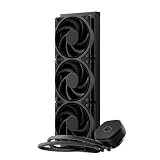
Best Deals: Cooler Master Masterliquid 360 Atmos II Stealth CPU Cooler
Price Trend:
Prices last scanned 17 minutes ago


With a six-year warranty covering your investment, it is hard not to appreciate the value that Cooler Master is packing into the Masterliquid 360 Atmos II. Without even covering the cost, we have seen a box full of goodies, solid plans to move forward with three versions of this layout, and at $169.99 for the base model, and up to $219.99 for the other two, billed as LED and LCD Atmos II coolers. To be blunt, we have never seen an AIO so well-appointed, and if it performs half as well as it looks, Cooler Master has a real gem on their hands.
Our Latest CPU Liquid Coolers Review Coverage
Packaging

A pleasing purple is used as the backdrop to the Masterliquid 360 Atmos II, with the name at top left, and the Cooler Master logo to the right. Most of the front houses an image of the cooler with its mirrored cover. In the fine print in the lower right corner, we can see that this is the "exchangeable flex kit," but it is not likely to be a retail option, from what we were told.

Although this may not be the final packaging, we were informed that the ATMOS II, Pixel LED, and LCD are moving forward. The VRM Fan version is still undecided, but Cooler Master will likely indicate the appropriate model in the retail versions. This panel is also repeated on the opposite side of the packaging.

Repeated at both ends is this pain cardboard panel sporting the company logo and tagline. At the bottom, you find information to contact one of the three offices, which are flanked by QR codes for the CM homepage, and another that allows you to register your cooler.

The back of the box is where Cooler Master offers a long list of specifications. It is also where they put that this is a Masterliquid 360 Atmos II. Across the bottom is iconography and other notations about disposal, ending with a serial number sticker, a model number, bar codes, and another code to access the manual online.

Upon opening the box, we were introduced to a number system and terminology. Box one contains the screws and accessories, while box 2 features a code for the manual on top and includes extra bits for the various models. Box four, located below, houses the tubing and head unit. Everything is packed so well, even with slight damage to the exterior packaging, our sample is in perfect condition.
Cooler Master Masterliquid 360 Atmos II

The head unit comes out of the box with brackets attached below the black plastic outer ring, while the top is covered with an infinity mirror cap with the CM logo in the center. A sticker on top of the unit instructs to "remove and grease on," which only makes sense in a later image.

There are no ports to connect to on the head unit, as the wires are hidden under the sleeve of the furthest tube. We also see that these tubes are connected via 90° swivel fittings, allowing the tubes to "relax" between the CPU and the chassis.

When we flipped the head unit over, that purple sticker made a lot more sense. Used as protection and a way to distribute the proper amount of thermal paste, seven hexagonal holes allow users to spread the TIM over it, and remove the sticker once done.

We will lean toward the fact that this is not what the masses will see in retail coolers, but our mating surface looked like it was cast, and then some lapping had been done by hand. Honestly, as long as it makes sufficient contact and cools sufficiently, it's less grooved than a Noctua base, so we are okay with it on a pre-release example.

Specifications say we will have 400mm of tube running from the head unit to the radiator, which in freedom units is 15.75", and we have 16.5" with our example. We would always take more tube than specified, as it leaves users with more mounting options.

We lay the radiator on its back, as we couldn't see the fittings and plastic retention used to keep the tubes locked to the fittings. It was here that we noticed the cable exiting the sleeve on the left, which is how the head unit gets its power and RGB control. The 8-pin port on the fan, located to the right of the other tube, is used to power this three-in-one fan configuration.

The name of the fan covering the radiator is the Sickelflow Edge 360 ARGB, and we notice a second option to power and illuminate the fans at this end. The radiator does carry a serial number sticker, but we wanted to show how textured the paint application is.

On either side of the radiator, Cooler Master opts for a chrome ring in the shape of their logo. Doing this without text allows users to mount the cooler in any orientation, leaving the branding readable.

That highly textured paint is applied to the frame, headers, and fins. Compared to smoother paint applications, it should help airflow much like a golf ball cuts through the air. Counting a random section of the fins, we see 22FPI in this 360mm radiator.

If the concept of a three-in-one GPU-style fan setup wasn't adding up, this image explains it all. Using a single frame, Cooler Master can add lighting in different areas than other fans, making things simple for the factory with only four screws to send home, and this is why the specifications for air flow and pressure are what they are.

We believe these to be the special part of the "reviewer's kit", as they are what will differentiate the models. At the top, we have the PWM fan cover, which is open for airflow and comes with its own 4-pin PWM fan lead. Bottom left is the Pixel LED cover, which uses individual LEDs to create words and images, while the self-explanatory LCD cover is located to the right.
Accessories and Documentation

The first parts we found in the hardware box were the set of plastic brackets to replace the factory bits on AMD motherboards. To the right is the adjustable, universal Intel backplate.

Further down, we found the knurled nuts that work with the two sets of standoffs, one for LGA1851/1700, while the other set works for all other supported Intel sockets, with four screws at the right to secure the AMD brackets. Across the bottom are twelve short screws, provided to secure the radiator to the chassis.

While we are offered a tube of CryoFuze paste, a spatula would be nice to go with that sticker. Under the TIM is a card with a code to access the manual. A native USB to USB-C cable is used for controlling the Pixel LED and LCD cover, while the dual 4-pin PWM + 3-pin ARGB is powering fans via a proprietary connector.

Other bits we found include a pair of black plastic tubing spacers to help keep the runs of tubing parallel. The brackets are LGA1851 specific and are there for you to opt for an offset head unit, centering it more on the cores than the heat spreader.

This pair of covers, we assume, comes with all versions. On the left is a slightly raised, domed silver cap made of plastic. In the center is a white ring around the name that allows light to pass through, as well as allowing it out the sides near the bottom. The black cover on the right is similar to the display on top, but is thin and flat, not allowing light from anywhere but the logo.


Cooler Master has provided us with three out of four codes so far to obtain the manual, and they also use the box to disseminate that information. It covers all installation types, explains how to use the extras, and guides using the "tag" to facilitate cap swapping.

The only real literature in the box covers the warranty terms. Cooler Master makes it simple. If you have an issue within the six-year coverage window, please get in touch with them, state your problem, and await a reply. For any defects, please return the item to where you purchased it.
Installation and Finished Product

As the manual explains, we removed the factory clips from our AMD motherboard and replaced them with the ones provided by Cooler Master, securing them in place with the supplied screws. You can also see the CPU with arrows printed on it to take the guesswork out of orientation.

To get to this point, we did five things. We applied thermal paste to the CPU and secured the head unit to the socket hardware using the knurled nuts. We added the tubing clips, exposing the CM logos, wired the fans, and secured the radiator to the top of the chassis. We are using a tall chassis, and even so, we have plenty of tube length to accommodate our situation.

A close-up of the infinity mirror cover is needed to start the variable head unit options. It offers an outer ring of color, the infinity ring, and the logo is also backlit. Also, notice the ATMOS II tag on the left. When pulled, it releases the magnetic attachment, allowing you to swap covers more easily.

The matte black, thin, flat cover is another option. It dramatically reduces the amount of RGB coming from the head unit, where just the logo ring is illuminated.

The silver, or gray, cover is raised more than the previous option, and the sides are cut away to allow lighting to pass on all six sides of the head unit, while also keeping the logo ring lit.

The first of the specialty covers is the Pixel LED. The default option is watching the multicolored Cooler Master name swap to a CM logo in blue and white LEDs.

We then move to the LCD cover, with its round LCD screen in the center of a raised cap, which, like the silver version, allows light out the sides. Sadly, the software does not recognize the Atmos II yet, so we cannot customize it just yet.

If you have concerns about your VRM temperatures, consider this PWM fan cover. While it does require a third fan header on the motherboard, the slight hum of the fan and its 4°C reduction in VRM temps make it a worthwhile option, while still delivering the styling we expected from the beginning.

Stepping back to absorb everything we looked at, we can see that the Masterliquid 360 Atmos II keeps in sync with our motherboard, with perfectly timed blends of colors coming from everything. Not one part of this entire experience was challenging, although choosing your favorite version might be.
Test System Setup, Thermal Tests, and Noise Results
Chad's CPU Cooler Test System Specifications
| Item | Details |
|---|---|
| Motherboard | ASUS ROG STRIX X870E-E Gaming Wi-Fi (Buy at Amazon) |
| CPU | AMD Ryzen 9 9900X (Buy at Amazon) |
| RAM | Patriot Viper Elite 5 32GB @ 7000MT/s (Buy at Amazon) |
| GPU | GIGABYTE GeForce RTX 4070Ti Super Windforce OC 16G (Buy at Amazon) |
| SSD | Patriot Viper 2TB VP4300 PCIe m.2 Gen4 x4 (Buy at Amazon) |
| Case | be quiet! Light Base 900 DX (Buy at Amazon) |
| Case Fans | be quiet! Light Wings White 140mm PWM High-Speed ARGB (Buy at Amazon) |
| Power Supply | be quiet! Dark Power Pro 12 1500W (Buy at Amazon) |
| OS | Microsoft Windows 11 Home 64-bit (Buy at Amazon) |
| Software | AIDA64 Engineer 7.60.7300, and CPU-z 2.14.0 x64 |
To see our testing methodology and to find out what goes into making our charts, please refer to our 2025 CPU Cooler Testing and Methodology article for more information.
Thermal Results

With a 3.5°C advantage over air coolers at idle, the Masterliquid 360 Atmos II starts to show its prowess, delivering a 37.5°C idle temperature. While idle is less of a concern than loaded thermals, there is more of a gap in the lead than there is a gap between the rest of the options in the chart. As for the 360mm worth of fans, they were reporting a speed of 789 RPM.

The 360 Atmos II jumps to the top of the chart with a 5.3°C lead on the RZ620. While you may not feel that this difference alone justifies the cost, there is more to the story of 62.8°C as the average loaded temperature.

Average temperatures can affect things like boost, but it is the maximum thermals that will cause dips in your CPU speed with a more drastic difference. With a maximum CPU temperature of just 65°C, it should allow boost to work under less constraint.
CPU Speed

Keeping our AMD CPU cooler reveals benefits that go beyond the thermal supremacy demonstrated by Cooler Master. We had many cores well over 5.3GHz under the Atmos II, but Cooler Master also leads the average speed chart at 5.252GHz.
VRM Thermal Results

We tested under the LCD cover, as we wanted to add some heat above the head unit to give a better idea of what to expect. While none of the options except the VRM Fan cover address them in any way, we only saw 62°C under load. Once we ran things with the VRM fan on top, we did see a reduction to 58°C, but there is a fair bit of noise coming from that tiny fan.
Fan Speed and Noise Levels

While testing, the fans on the radiator peaked at 1430 RPM, keeping the noise to a minimum. We were also tracking the speed of the other fan connector, which we assumed was the pump power lead. Under PWM control, the highest RPM we observed was 2240.

While not topping this chart, we admire the fact that Cooler Master ripped through the thermal charts, all while delivering 34 dB into the office, and only under intense load. For those interested, with the PWM Fan cover in use, the radiator fans are not the concern; it is the near 40 dB coming from the cover when at full tilt that will make you ponder whether the 4°C VRM temperature reductions are worth it.
Final Thoughts
Look, Cooler Master has their own way of doing things, and we get that. We also get that proprietary connectivity is all part of the hidden wire movement. It is tough to make something with so many options look so clean, and it is evident that the Master Liquid 360 Atmos II is not all show and no go. Cooler Master is showing a ton of originality; they've taken many features we liked from past AIO models and combined them into something impressive.
We can gloat about its performance, but what's more impressive is that it is the first AIO on the list, and it should outperform one, which it does. However, even though the thermals were tremendous and the noise was kept low, it is the boost effects that we like most. Yes, you can use an air cooler and get what the box shows, some of the time, or get an AIO and take that free speed that the lower thermals offer, all the time.
The array of optional covers presents an extraordinary thought experiment. Although we're unsure which will fit into which box, we can confidently say that the infinity mirror version will be the most affordable option and will likely come with the silver and black cover choices. Beyond the basic kit, you could opt for the Pixel LED or LCD variants if you want to have more potential customization. We wish their software were updated or that they had sent a version we could use to show such options, but we are as clueless as you are about what will make it through the final cut.
Not everything is perfect, though, and we want to address these issues constructively. The base of the head unit, retail examples will have to be much nicer, and we expect they will be. The base leads us to missing things, like a spatula to work with the sticker, a splitter cable for powering up to three fans from a single header for those without three open headers to fire up the fans, the pump, and the VRM fan. We also see no shame in making the Atmos II "tag" that helps remove the covers a bit bigger. It looks cool, but its usefulness for people with sausage-y digits may be lacking. We could hate them for using proprietary connections, but it's everywhere now, and in this instance, it works well.
At $169.99 for the Infinity Mirror version of the Masterliquid 360 Atmos II, it is a tough pill to swallow, considering the 6°C improvement over a $60 air cooler. Still, none of them boosted nearly as far as our CPU does under this AIO. Easing our minds thermally, keeping audibly hidden inside a chassis while under extreme loads, and delivering an amazing and bright flood of lighting into your chassis are all brilliant reasons to look at Atmos II in its basic form. Those wanting more can pony up more cash and opt for the Pixel LED or LCD versions, possibly even the VRM fan model. When comparing the competition to the Masterliquid 360 Atmos II, Cooler Master deserves your attention. With its numerous options and customizations, you won't have buyer's remorse.