










AMD has released their new Radeon Software Crimson ReLive Edition 17.5.2 drivers, something that includes some performance optimizations for Prey - with up to 4.5% additional performance on the Radeon RX 580 versus the previous 17.5.1 drivers.

The new drivers also fix the random hanging or application crash with NieR: Automata, and the long map and loading times for Forza Horizon 3. AMD also poliished up the sleep/hibernation modes on the Radeon RX 550 series too.
You can grab the Radeon Software Crimson ReLive 17.5.2 drivers right here.
- Read more: AMD Radeon Software Adrenalin 26.3.1 brings day one Crimson Desert support and introduces FSR 4.1
- Read more: AMD's new Radeon driver adds Forza Horizon 6 and 007 First Light support, but Subnautica 2 players might want to skip it
- Read more: New AMD Radeon Software Adrenalin driver adds FSR 4 support to six new games
Radeon Software Crimson ReLive Edition 17.5.2 highlights:
Support For
Prey
- Up to 4.5% performance improvement measured on Radeon RX 580 8GB graphics when compared to Radeon Software Crimson ReLive edition 17.5.1(1)
Fixed Issues
- NieR: Automata may experience a random hang or application crash after short periods of gameplay.
- Forza Horizon 3 may experience very long map/launch load times.
- The primary display adapter may sometimes appear disabled in Radeon Settings while driving a display from the linked adapter in Multi GPU system configurations.
- Radeon RX 550 series graphics products may experience a system hang when entering sleep or hibernate modes.
Known Issues
- Virtual Super Resolution may fail to enable on some Radeon RX 400 and Radeon RX 500 series graphics products.
- The Display feature in Radeon Settings "GPU Scaling" may not function for some games.
- A small amount of apps may still experience issues with Borderless Fullscreen mode and AMD FreeSync™ technology if other applications or game launchers are running on the primary screen in the background.
- Counter-Strike: Global Offensive and World of Warcraft may experience flickering or performance issues the first time the game is launched on a system boot with AMD FreeSync technology enabled. Workarounds include exiting and restarting the application or task switching (alt+tab) in and out of the game to fix the issue.


 AMD releases FSR SDK v2.2 for developers with FSR 4.1 and Ray Regeneration 1.1
 Crimson Desert is the next game to support AMD's FSR Redstone technology
 GeForce Game Ready Driver for Crimson Desert and Death Stranding 2 available now
 Sapphire unveils Radeon RX 9070 XT NITRO+ Crimson Desert Edition GPU
 AMD confirms its separate drivers for RDNA 1/2 and RDNA 3/4 GPUs will roll out at the same time
 NVIDIA's RTX Spark is going directly after the MacBook Pro, with flagship N1x systems expected to start at $2,899
 AMD says it had to 're-engineer' the Ryzen 7 5800X3D from scratch to make the revival possible
 God of War Laufey will explore Odin's age-old question: What happens to gods when they die?
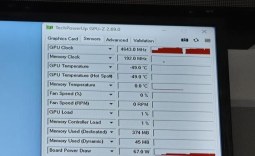 AMD overclocker pushes the Radeon RX 9060 XT to 4,643MHz with internal tools
 Intel's Nova Lake-S LGA1954 socket will reportedly support CPUs beyond 'Razor Lake', per new leak
 GIGABYTE unveils a pair of B850 motherboards with backside connectors, bringing cable-stealth to a lower price point
 Remedy's Control Resonant launches into a packed September lineup, PS5 gets exclusive 2-day early access
 Intel introduces Xeon 7 'Diamond Rapids' CPU lineup, built on the 18A-P process node
 New Onimusha Way of the Sword gets late-September release date, playable demo now live on PS5
 ASUS demos RTX 5090 with 16-pin connector running on a 48V system at Computex, GPU can push 1000W through a single cable
 Razer Pro Type Ergo Wireless Split Ergonomic Keyboard Review - Built for Comfort and Support
 ASUS ROG Strix Morph 96 Wireless Gaming Keyboard Review - Great Performance, More Affordable
 SAPPHIRE Radeon RX 9070 GRE PULSE OC Review - A New 1440p Challenger Has Arrived
 NZXT H6 RGB+ Compact Dual-Chamber Chassis Review
 ASRock Radeon RX 9070 GRE Steel Legend Review - The RDNA 4 Mid-Range Reshuffle
 ASRock Z890 Taichi Aqua Motherboard Review - Flagship features without the flagship price
 GIGABYTE Z890I AORUS Ultra Motherboard Review - Mini-ITX with surprisingly good thermals
 Seagate FireCuda X1070 4TB SSD Review - A New Mainstream Contender
 Lian Li HYDROSHIFT II 360P OLED Curved Liquid CPU Cooler Review
 ID-Cooling FROZN A620 SLK CPU Cooler Review
 Phison E37T SSD Controller Exclusive Preview - The Fastest DRAMless SSD Platform Yet
 USB Ports Not Working in Windows 11? Try These Fixes
 ASUS WiFi Routers and Networking Solutions Deliver Long-term Security and Reliability with No Additional Cost
 Second Monitor Not Detected in Windows 11? Try These Fixes
 Turn Your Old Smartphone Into a Dedicated Webcam for Your Windows PC
 The Send To menu is the right-click feature on Windows 11 that nobody bothers to customize
 Windows 11 will not let you pin a folder to the taskbar, but a 30-second workaround does
 ASUS ProArt Displays Unlock Creativity with Professional Monitors for Everyone
 What Happens If You Don't Activate Windows 11? 5 Downsides Explained
 Fast Internet on Your Phone but Slow on Your PC? Try These Fixes