












Valve has officially fixed the issue that was preventing local network game transfers from working properly on Steam, making life easier for an undoubtedly small number of Steam users compared to the entire user base, but those who regularly use local network game transfers are now looking up and thanking Lord Gaben.

The update went live on Monday and fixed errors that prevented users from copying game files between devices over a local area, which is an incredibly handy feature if you have multiple Steam users in the same household and a limited internet connection speed, or total data per month. Additionally, pairing local network game transfers with family sharing makes for an incredibly powerful local setup.
However, prior to this recent update, some users found their local transfers were defaulting to internet downloads instead of using the local network speeds, which are considerably faster, don't cause lag for other network users, and don't chew down on total data allocation. Now, with the latest client update, that shouldn't happen, but only if all devices involved in the transfer are running the same updated version of Steam.
Local transferring is also a boon for Steam Deck users who want to transfer games without relying on spotty Wi-Fi or cellular data.

Frequently Asked Questions
TweakBot answers common questions about this news using TweakTown's own coverage from this page and related content from our archive. Tap a question to reveal the answer, or type your own below.
What Steam client update fixed the local network game transfer issue and how do I confirm I have it installed on PC?
How can I check for the required update on a Steam Deck if local transfers are still defaulting to internet downloads?
Can local network transfers be used together with Family Sharing to move games between household accounts?
Why would Steam choose to download over the internet instead of using local network speeds, and how does the update address this?
Have a question not listed here? Ask below and TweakBot will answer it.

If you want to take advantage of local game transferring, make sure your Steam client is up to date; check via the settings menu on PC or the yellow exclamation point on Steam Deck. Once updated, local transfers should work seamlessly. Enjoy, and thank you again, Lord Gaben.


 Valve rolls out SteamOS support for Steam Machine in new massive update
 Steam has 400,000 trailers and Valve had to re-encode all of them for new video player update
 Steam Deck's new SteamOS 3.6.19 update is a must; it boosts performance and battery life
 Valve updates Steam to fix incorrect GPU data in its monthly Hardware Survey results
 Amazon was secretly trying to compete with Steam from the shadows
 NVIDIA GeForce driver 610.88 launches without a resolution for Battlefield 6 Season 4's crashing issues
 TCL debuts Ultimate Pro 32X3B and 27X3B gaming monitors with LG's 4th-gen WOLED panel
 Apple will offer the iPhone and Apple Watch for $17.99 and $11.99 per month
 Memory supply could plummet 70% as AI's endless hunger devours global production
 World's first tri-mode 1300Hz gaming monitor and 12K ultrawide confirmed
 MOZA's first full-cockpit HMA150 motion system adds a new dimension to flying or racing
 Anthropic gives thoughts on open-weights models, especially those from China
 Xbox explains why its massive outage locked players out of games they owned
 Take-Two doubles down on GTA 6 release date, expects net bookings to increase by 22%
 Lenovo's Legion C700 is a thin Android handheld built just for local game streaming
 Logitech G316 X 98 Wired Gaming Keyboard Review - Retro-Inspired Board that Falls a Little Short
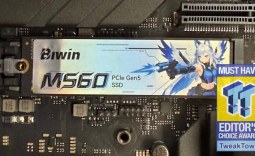 Biwin M560 2TB SSD Review - Best Overall Retail-Ready DRAMless SSD
 Logitech G512 X 98 Analog Mechanical Gaming Keyboard Review - An Innovative Two-in-One
 Thrustmaster T.Flight HOTAS 5 MSFS Edition Review
 SteelSeries Arctis Nova Pro Omni Wireless Headset Review - One Headset to Rule Them All
 SteelSeries Arctis Nova 7 Wireless Gen 2 Headset Review - New and Improved, But Is It Enough?
 AMD Ryzen 7 7700X3D Review - Days of Future Past
 Samsung 990 2TB SSD Review - Ninth Gen QLC at PCIe Gen4 Speeds
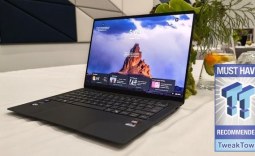 ASUS ExpertBook Ultra (Panther Lake) 14" Business Laptop Review
 ASUS ROG Raikiri II Xbox Wireless Controller Review - Ready to Take Control
 Printer Not Working in Windows? How to fix detection, print queues and drivers
 The Ultimate Guide to Personalizing Your Windows 11 Taskbar
 How to Turn Your Windows Laptop Into a Second Monitor with Miracast and Wireless Display in Minutes
 6 Mistakes to Avoid When Buying a Windows Laptop
 I capped Windows Update's bandwidth with Delivery Optimization, and my downloads stopped choking
 I use this decade-old free tool that finds files faster than Windows Search does
 I install and update most of my apps with this Windows command now, and I stopped downloading sketchy installers
 Hisense U6SF 65-inch MiniLED TV: High Performance Meets Leisurely Convenience
 I stopped digging through Windows menus after I set up this one folder
 Don't sell your Windows laptop until you do these things