Valve has published a new blog post detailing the latest version of SteamOS, which includes support for the upcoming Steam Machine.

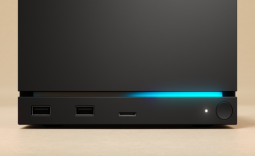
The SteamOS 3.8 update is a major upgrade that Valve explains expands the platform beyond the Steam Deck, introducing support for Valve's upcoming Steam Machine, a living room console/PC hybrid expected to launch in early 2026. This update marks the first official support Valve has rolled out for the Steam Machine, and the upcoming console isn't the only device that is getting support, as SteamOS 3.8.0 also expands compatibility with third-party handhelds such as the Xbox Ally, Lenovo Legion Go 2, and others.
Popular Now: Only 19,000 people have successfully reserved Valve's Steam Frame, with many still on the waitlistAdditionally, the update adds key quality-of-life improvements for the Steam Deck, including better hibernation and memory power-down modes to improve battery life, Bluetooth microphone support in gaming mode, and Bluetooth wake functionality. Desktop also got a little love in this update, as Valve has added HDR, VRR, improved scaling, and other features to the Linux experience.
- Read more: YouTuber tests SteamOS on an Intel-based MSI Claw 8 AI+ handheld, SteamOS now supports Intel handheld gaming PCs in new beta
- Read more: Valve rolls out update for Steam Machine release following Steam Deck price hike
- Read more: Steam Machine hitting 4K 60FPS on demanding games will require aggressive FSR upscaling
General
- Initial support for upcoming Steam Machine hardware
- Updated Arch system base
- Updated graphics driver with performance and stability fixes
- Fix a case where per-app performance settings would intermittently fail to apply when launching a game
- Improved support for the screencasts in Game Mode (e.g. OBS/Discord)
- Fixed dropdown menus not appearing in some games
- Improved VRR frame pacing
- Fixed FSR badge remaining off in the performance overlay, even if it was actually active
- Improved support for games that attempt to open PDF files in external viewers
- Fixed an issue affecting certain titles (such as "SpongeBob SquarePants: Titans of the Tide") where the game window could have an incorrect position
- Fixed closing certain titles (such as "STAR WARS Jedi: Survivor™") and Starfield resulting in a session crash
- Improved support for certain USB racing wheels and USB devices that boot in a non-standard mode
- Frequently these are devices that appear as USB storage devices with a driver installer, and must be switched to their normal mode by the OS
- Steam Deck controller firmware updates now display update progress on the splash screen
- Fixes issue on specific Steam Deck revisions where firmware updates could render the left controller inoperative for that session
- Numerous stability and security updates
If you are interested in checking out the beefy update to SteamOS for yourself, check out this link here.