










Our Verdict
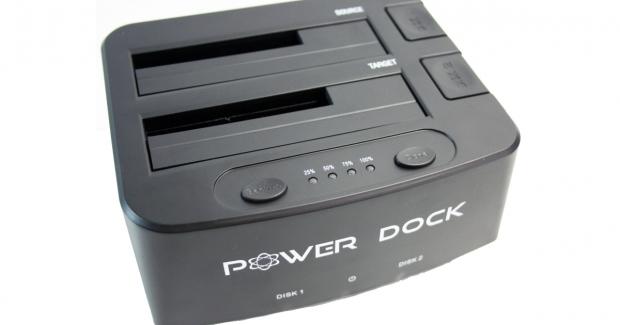
Docking stations like enclosures and many other storage devices have become more than just a way for consumers to access their data. As a matter of fact, nearly every manufacturer who previously built a simple docking station has launched a second solution that has added features such as standalone cloning or backup features.
The Power Dock from Kingwin is just that. Here, we have a two-bay docking solution that handles both 2.5" and 3.5" drives and also has a one-touch backup feature along with the ability to clone drives without PC intervention. For those that want top-notch performance, the Power Dock supports the USB 3.0 interface with a peak drive capacity of 4TB. An interesting feature is that this dock will bus power itself when using 2.5" drives. Compatibility mentions both Windows 7+ and OS X 10.5+.
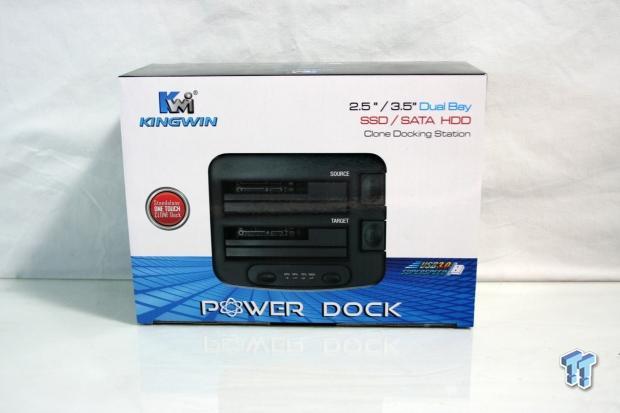
Packaging for the Power Dock is slim on the marketing information. The center carries an image of the dock and at the top right a quick description.
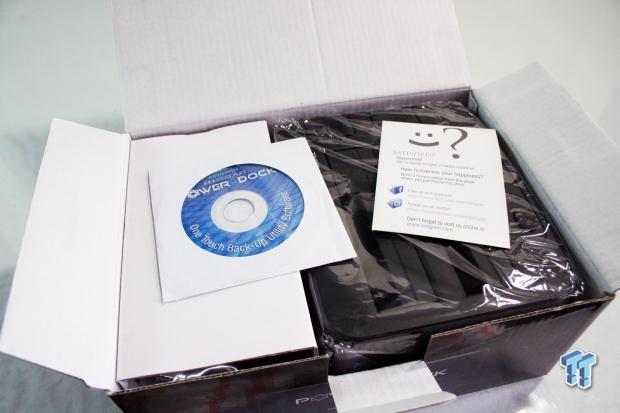
After opening the box, we found the dock secured in plastic while the cables and power adapter were in a box to the left.
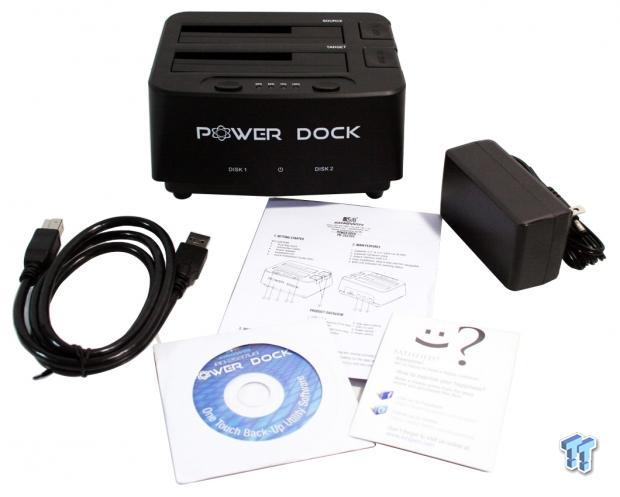
The scope of delivery included a USB 3.0 cable, power adapter, driver disk, and reading materials.
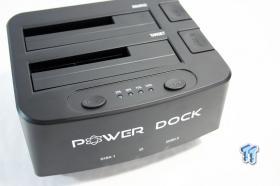
The dock itself has a simple logo on the front. The drive bays are tucked in behind a series of buttons and LEDs while the eject buttons are to the right.
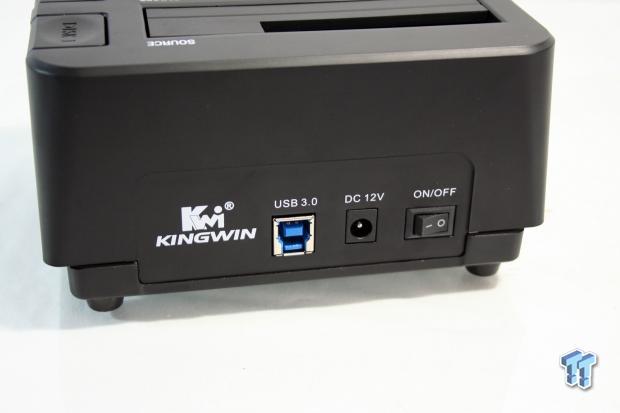
The back of the power dock houses the USB 3.0 connection next to the power input and switch, as you can see in the previous photo.
Our Latest Drive Docking Stations Review Coverage
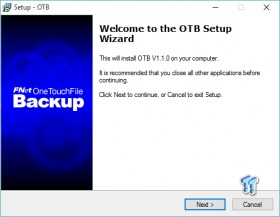
An added feature for the Kingwin Power Dock is the one touch backup feature. To use this feature, you must install the included software.
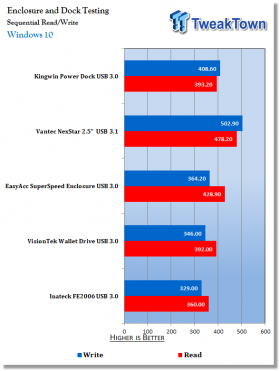
To begin our testing, we installed our MX200 SSD in the Power Dock. Within Windows 10, we were able to achieve a nice 393 MB/s read and 408 MB/s write.
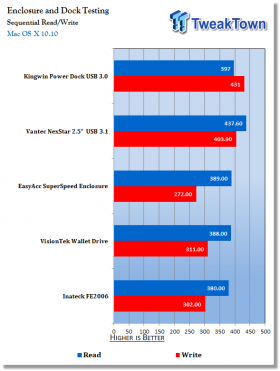
Swapping the Power Dock over to OS X, we gained a slight bit of performance up to 397 MB/s read and 431 MB/s write.
Docking stations are devices that many of us depend on whether we need to move data between PCs or just as a standalone backup solution. The Kingwin Power Dock like only a few other solutions now introduces the docking station as a multifunction solution including drive cloning and one touch backup.
The build quality of the Power Dock itself is pretty solid including the structure of the device, but the buttons and eject mechanism of this device does seem a bit on the cheap side. With that said, the LEDs all worked without issues as did connectivity via USB 3.0. Another area where I had issues was with the one touch backup. With this function, you must install the included software, but as it would happen, it is not compatible or simply does work on Windows 10.
Moving on, I was happy with the performance of the Power Dock when used in USB 3.0 mode and even when I was testing the cloning functionality I was impressed. Peak read and write numbers came in OS X with the power dock reaching 397 MB/s read and 431 MB/s write. Testing the cloning functional found me being able to clone a 1TB hard drive that was 40% full in 35 minutes.
At the time of writing, the Kingwin Power dock enjoys an affordable MSRP of $34.99 with a one-year warranty.
Tyler's Test System Specifications
- Motherboard: ASUS Z97-A - Buy from Amazon / Read our review
- CPU: Intel Core i7 4770K - Buy from Amazon / Read our review
- Cooler: Corsair H100i GTX - Buy from Amazon / Read our review
- Memory: Patriot Viper 3 16GB (4x4GB) DDR3 1600 - Buy from Amazon
- Video Card: NVIDIA GeForce GTX 980 - Buy from Amazon / Read our review
- Storage: Intel 730 480GB - Buy from Amazon / Read our review
- Case: Corsair Obsidian 750D - Buy from Amazon / Read our review
- Power Supply: Thermaltake Toughpower 750W - Buy from Amazon / Read our review
- OS: Microsoft Windows 10 - Buy from Amazon


 UGREEN NASync DXP4800 GT Review: powerful 4-bay NAS with AMD Ryzen and dual 10GbE ports
 Phison E37T SSD Controller Exclusive Preview - The Fastest DRAMless SSD Platform Yet
 Seagate FireCuda X1070 4TB SSD Review - A New Mainstream Contender
 ASUSTOR Lockerstor 2 Gen2+ AS6702T v2 NAS Review - Fast Performance
 TERRAMASTER D1 SSD Pro Thunderbolt/USB Portable Enclosure Review - Incredible Potential
 First 30 minutes of Assassin's Creed Black Flag Resynced just got leaked
 PlayStation and Xbox record their worst May in decades after recent price increases
 'Get used to it,' says Lenovo as it expects high memory prices to remain the norm until at least 2030
 GTA 6 disc version not coming after all, sources say Rockstar Support email was misinterpreted
 Intel's dual-tile Nova Lake-S CPUs reportedly carry a 474W PL2 target, according to leaked Z990 power guidance
 Micron has signed agreements locking in record-high memory prices with major customers through 2030
 Microsoft quietly extends Windows 10 security updates to 2027
 Analyst believes Call of Duty, EA FC, and NBA 2K will move to $80 pricing
 Valve engineers claim release cadence for future Steam Machine versions will be shorter than the Steam Deck
 AMD engineer builds a Steam Machine competitor with a 3D printer, has an RTX 5060 inside
 Lian Li B4-mATX Review: a compact mATX SFF case with excellent airflow and premium features
 MSI MPG 322UR QD-OLED X24 Review: A Brighter, Tougher 4K 240Hz QD-OLED for $1099
 Dell XPS 14 (2026) Laptop Review - Premium Quality, Impressive Performance
 Ocypus Sigma F36 BK ARGB Cooling Fan Review: high airflow and unified design in one frame
 PCCooler CPS RZ820 Display Review: a flagship-level CPU air cooler with an LCD screen
 UGREEN FineTrack Mini 2 Air Tracker Tag Review - Long battery life, lesser performance
 Speed Racer (2008) 4K Ultra HD Blu-ray Review: a stunning remaster of the cult classic
 MOAIPLAY ORA PRO G1 850W ATX 3.1 PSU Review: high efficiency and 10-year warranty for $119.99
 Navman MiVue Smart True 4K Surround Dashcam Review - Seeing In All Directions At Once
 How to fix Wi-Fi Adapter Not Working on Windows laptops: troubleshooting tips
 Hisense U7SG 4K TV: Modern Entertainment for the New Age
 6 underrated Microsoft Word features worth using to boost your productivity
 Level Up Your PC Gaming with these Fantastic ASUS Prime Day Deals on GPUs, Motherboards, and More
 GIGABYTE Wants to Kickstart Your New Gaming PC or Upgrade with These Limited-Time Deals
 7 Windows settings to change right after installation for better privacy, security, and performance
 I stopped Windows 11 notifications from interrupting me with Do Not Disturb, Focus, and a priority list
 7 ways to transfer data from Android to Windows PC quickly and easily
 I read the Windows Backup app screen carefully, and it does not back up what most people think
 Low Sound Volume on Windows 11? How to fix audio issues and restore normal volume