












Now that Rise of the Tomb Raider is out, people are finding out just how useless their second GPUs are - except now, someone has found a fix for SLI users with multiple NVIDIA GeForce video cards.

3D Center's "Blaire" found some things to play around with in the NVIDIA Inspector Tool for SLI, which enables awesome SLI results. In order to do it, you'll need to search for Rise of the Tomb Raider's profile, and then change the SLI bits (DX11) to 0x080002F5. After that, click the magnifier icon that will reveal NVIDIA's Undefined options, and search for 0x00A0694B and change it to 0x00000001.
Popular Now: Diablo 4's next season is bringing back iconic items from Diablo 2 and 3After you've done this, you've enabled full SLI support for Rise of the Tomb Raider, with DSO Gaming reporting that they've noticed 95% scaling on their GeForce GTX 690 - a damn good result for SLI scaling.
 Radeon 890M 'RDNA 3.5' iGPU bests GeForce GTX 1650 in gaming benchmarks
 NVIDIA App has officially launched, an essential tool for GeForce RTX users
 NVIDIA officially responds to RTX 50-series black screen and crashing reports
 My Apple AirPods Max headphones died, so I put them in the freezer and they worked again
 Razer's 'Project Ava' joins the AI copilot race, but the tech still has a lot to prove
 GeForce RTX 50 Series GPU prices are rumored to increase by 30% in the coming weeks, months
 TSMC's 1.4nm process timeline accelerates, with mass production happening sooner than expected
 Diablo 4's next season is bringing back iconic items from Diablo 2 and 3
 Razer Huntsman V3 HE Magnetic 8K keyboards include a Mini 65% model
 Four C's of Xbox's future outlined in new CEO memo
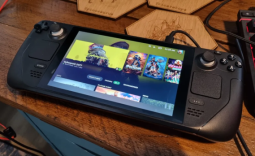 Linux kernel patch boosts Steam Deck 1% lows by 31.8% by fixing AMD CPU clock handling
 Nexus Mods new owner wants to make installing mods as easy as using Spotify
 Dragon Age remasters are technically possible but won't be easy, BioWare co-founder says
 The EU is preparing to hit ChatGPT and Roblox with its strictest content moderation rules
 Man outsmarts GPU scammers by filming his RTX 5070 Ti unboxing, and finds two-liter water bottle inside
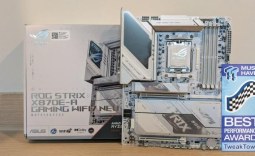 ASUS ROG Strix X870E-A Gaming WiFI7 Neo Review - A New Enticing Option
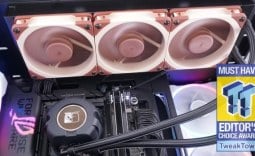 Noctua NL-LC1-36 Liquid CPU Cooler Review
 Logitech G316 X 98 Wired Gaming Keyboard Review - Retro-Inspired Board that Falls a Little Short
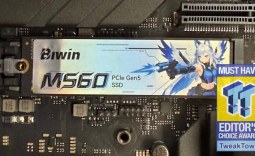 Biwin M560 2TB SSD Review - Best Overall Retail-Ready DRAMless SSD
 Logitech G512 X 98 Analog Mechanical Gaming Keyboard Review - An Innovative Two-in-One
 Thrustmaster T.Flight HOTAS 5 MSFS Edition Review
 SteelSeries Arctis Nova Pro Omni Wireless Headset Review - One Headset to Rule Them All
 SteelSeries Arctis Nova 7 Wireless Gen 2 Headset Review - New and Improved, But Is It Enough?
 AMD Ryzen 7 7700X3D Review - Days of Future Past
 Samsung 990 2TB SSD Review - Ninth Gen QLC at PCIe Gen4 Speeds
 I switched my PC to encrypted DNS in Windows 11, and browsing felt more private
 Printer Not Working in Windows? How to fix detection, print queues and drivers
 The Ultimate Guide to Personalizing Your Windows 11 Taskbar
 How to Turn Your Windows Laptop Into a Second Monitor with Miracast and Wireless Display in Minutes
 6 Mistakes to Avoid When Buying a Windows Laptop
 I capped Windows Update's bandwidth with Delivery Optimization, and my downloads stopped choking
 I use this decade-old free tool that finds files faster than Windows Search does
 I install and update most of my apps with this Windows command now, and I stopped downloading sketchy installers
 Hisense U6SF 65-inch MiniLED TV: High Performance Meets Leisurely Convenience
 I stopped digging through Windows menus after I set up this one folder