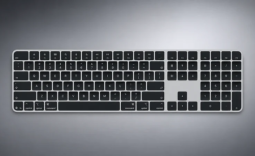
A good keyboard can make all the difference in the world for a typist. Every person likes something slightly different, whether it be red or blue Cherry switches or the newer keyboards without switches. That's why companies make so many different models--to give you the choice to see what works best for your hands and typing style.
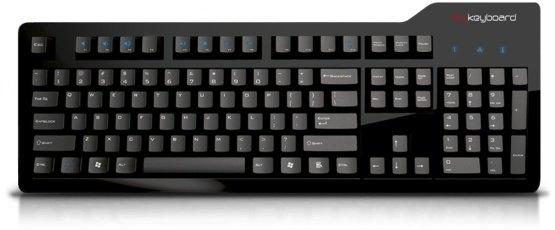
Das Keyboard has announced the release of a new Professional Model S that comes with the added functionality that media keys bring to a keyboard. They say that "fans have asked for a Das Keyboard with media functionality for a while now" and that this is the reason they have crafted this keyboard.
Popular Now: $400 GTA 6 collector's edition comes with fake coke spoon and razorblade, but no actual gameWith these new features, users can enjoy:
- Quick access to volume controls during Skype conversations, Google+ hangouts, and g-chats with video.
- Convenient play/pause, stop, previous/next track and volume buttons
- Saving energy with the new sleep button
And as always, all keyboards include:
- Mechanical gold-plated key switches
- 2 USB hubs
- Extra-long USB cable
- Full n-key rollover
The Das Keyboard Professional S with media keys comes in to versions: Click Pressure Point (MX Cherry Blue- previously used with Model S Professional) as well as Soft Pressure Point (MX Cherry Brown- previously used with Model S Professional Silent). It's up to you to decide if you want a clicky or silent sound while typing.
You can order yours today from Das Keyboard's website.