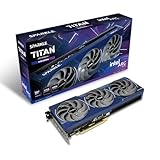
If you're jumping into the Battlefield 6 Open Beta with an Intel Arc graphics card like the latest Intel Arc B580, or an Intel CPU with integrated Arc Graphics, be sure to grab the latest Intel Graphics Driver 32.0.101.6987 (WHQL Certified). This new driver adds support and optimizations for FPS of the moment, alongside day one support for Mafia: The Old Country.

This new driver release also includes performance improvements for DOOM: The Dark Ages with an up to 6% average FPS uplift when playing at 1080p with Path Tracing enabled. Rounding out the game-specific updates, there's also a fix for Naraka Bladepoint that stops the game from freezing when Intel XeSS upscaling is selected on a Battlemage GPU.
Popular Now: New $308 Android gaming handheld has a 120Hz screen and 9300mAh replaceable batteryOutside of game support, the latest Intel Graphics Driver also adds Shared GPU Memory Override control for select Intel Core Ultra Processors, and power management optimization for Intel Core Ultra 200H series devices.
Here are the full Release Notes for Intel Graphics Driver 32.0.101.6987.
Highlights
- Intel Graphics Software now supports Shared GPU Memory Override control for Built-in Intel Arc GPUs in select Intel Core Ultra Processors (series 1 and 2) in Windows 10 and Windows 11 host systems.
- Power management optimization for Intel Core Ultra 200H series (codename Arrow Lake-H) devices for improved performance and frame pacing with lower power modes.
Gaming Highlights
Intel Game On Driver support on Intel Arc B-series, A-series Graphics GPUs and Intel Core Ultra with built-in Intel Arc GPUs for:
- Battlefield 6 Open Beta
- Mafia: The Old Country
Game performance improvements on Intel Arc B-series Graphics GPUs versus Intel 32.0.101.6913 software driver for:
- DOOM: The Dark Ages (Vulkan) - Up to 6% average FPS uplift at 1080p with path tracing
Fixed Issues
Intel Arc B-Series Graphics Products
- Naraka Bladepoint (DX11) may experience an application freeze with Graphics Enhancement setting set to Intel XeSS.
Known Issues
Intel Arc B-Series Graphics Products
- Fortnite may experience an application crash when "Performance - Lower Graphical Fidelity" is selected as Rendering Mode. Recommendation is to use default Rendering Mode - DX12.
- Visual corruptions may appear in certain scenarios with multiple application interactions.
- PEAK (DX12) may experience an application crash while launching gameplay. We recommend that PEAK is launched with the Vulkan rendering API to avoid application crash.
- Broken Arrow (DX11) may experience lower than expected performance after changing graphics settings.
- Call of Duty: Black Ops 6 (DX12) may exhibit corruptions on water areas in certain scenarios.
- Call of Duty: Warzone 2.0 (DX12) may exhibit corruptions on water areas in certain scenarios.
- PugetBench for Davinci Resolve Studio may experience an application crash while running the benchmark.
Intel Arc A-Series Graphics Products:
- Mafia: The Old Country (DX12) may exhibit corruptions on character hair during gameplay.
- Broken Arrow (DX11) may experience lower than expected performance after changing graphics settings.
- Marvel's Spider-Man 2 (DX12) may experience an application crash with Ray-Tracing and XeSS enabled.
- PugetBench for Davinci Resolve Studio may experience an application crash while running the benchmark.
Intel Core Ultra Series 1 with built-in Intel Arc GPUs:
- PugetBench for Davinci Resolve Studio may experience errors intermittently with benchmark preset set to Extended.
Intel Core Ultra Series 2 with built-in Intel Arc GPUs:
- Fortnite may experience an application crash when "Performance - Lower Graphical Fidelity" is selected as Rendering Mode. Recommendation is to use default Rendering Mode - DX12.
- Call of Duty: Black Ops 6 (DX12) may exhibit corruptions on water areas in certain scenarios.
- PugetBench for Davinci Resolve Studio may experience errors intermittently with benchmark preset set to Extended.
- Adobe Premiere Pro may experience an application crash while using audio enhancement features.