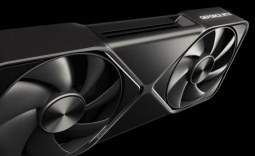
ASUS's new ROG G1000 is its latest flagship gaming desktop and all-in-one rig available with an AMD Ryzen 7 9800X3D CPU and ROG Astral GeForce RTX 5080 GPU. Now, a prebuilt PC with one of the best processors and graphics cards for PC gaming is not uncommon, but what separates the ROG G1000 from the pack is its custom case that includes the new ROG Thermal Atrium cooling, which separates the CPU, GPU, and PSU for air intake and exhaust, as well as the world's first AniMe Holo holographic fan system on a prebuilt.
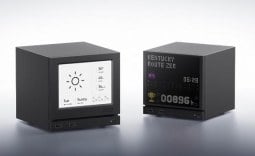
Yes, this is one of those features that you need to see in action, so be sure to watch the short social media clip above of the ROG G1000's AniMe Holo system from the ROG team. Essentially, you get fully customizable holograms on the front and side of the case that can sync, play their own 3D videos, or join together for a more panoramic display. Beyond existing themes with presets for games like Cyberpunk 2077 and Final Fantasy VII, the AniMe Holo system is versatile and supports MP4, GIF, JPEG, and PNG images.
Of course, that's just the aesthetic side of the ROG G1000's 104L ultra-tower chassis cooling, as the ROG Thermal Atrium system separates the PC's cooling into three chambers or zones. The CPU's 420mm AIO liquid cooler radiator sits in its own chamber with a dedicated intake. The RTX 5080-powered GPU zone gets dual 200mm front intake fans, a 140mm rear exhaust, and a 140mm bottom intake for premium thermal performance. With the PSU in its own shrouded chamber, it's also isolated.

ASUS notes that the ROG G1000's Thermal Atrium prevents heat bleed between zones, ensuring peak gaming performance and supporting over 1000W of heat. Rounding out the physical design, the ROG G1000 includes a hinged side panel door and dedicated buttons for the AniMe Holo system and fans. And, as a Ryzen 7 9800X3D and GeForce RTX 5080-powered system, it's also packed with other cutting-edge tech like WiFi 7, ultra-fast DDR5 RAM, M.2 PCIe SSD storage, and a high-end X870 motherboard.

Frequently Asked Questions
Open a question for an answer from TweakTown's coverage of this news, or ask your own below.
What RAM and SSD configurations can the ROG G1000 be ordered with beyond the base 32GB and 2TB setup?
Does the ROG G1000 use standard replaceable parts like the GPU, storage, and memory, or is it more limited by the custom case design?
What kind of cooling hardware is used for the Ryzen 7 9800X3D inside the ROG G1000's 420mm AIO chamber?
Are the ROG G1000's holographic front and side panels controlled through ASUS software or by the physical buttons on the case?
Have a question that isn't listed here? Ask below, and TweakBot will answer it.

In addition to being available for purchase via the ASUS Store, starting from $4,999.99 (which includes 32GB of RAM and a 2TB SSD), the ROG G1000 is also available at Amazon, Best Buy, ExcaliburPC, Newegg, and Micro Center.