










A look at Halo Infinite's PC settings shows 343 Industries is taking the platform very seriously.
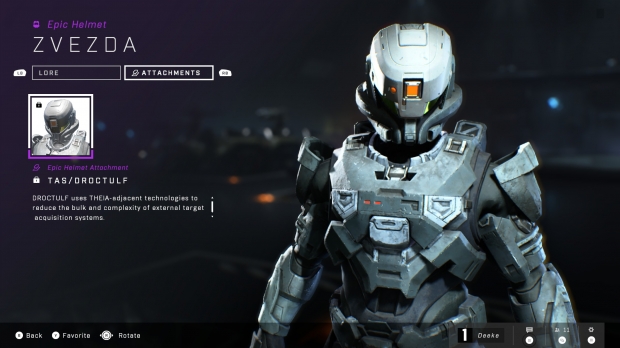
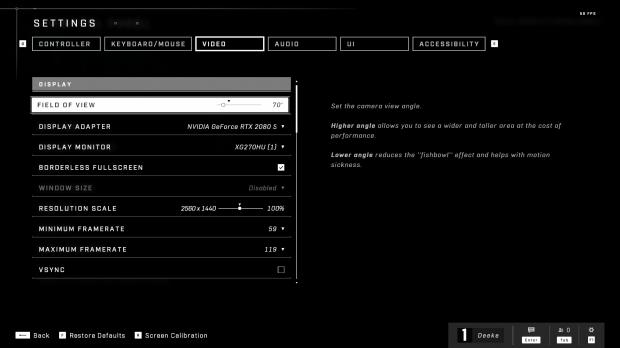
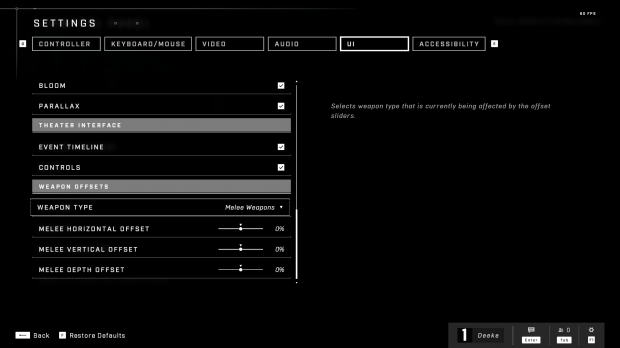
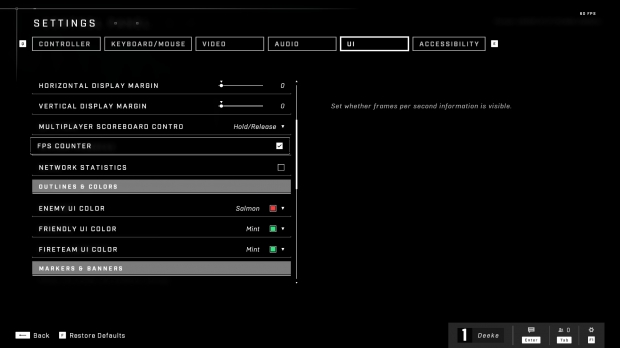
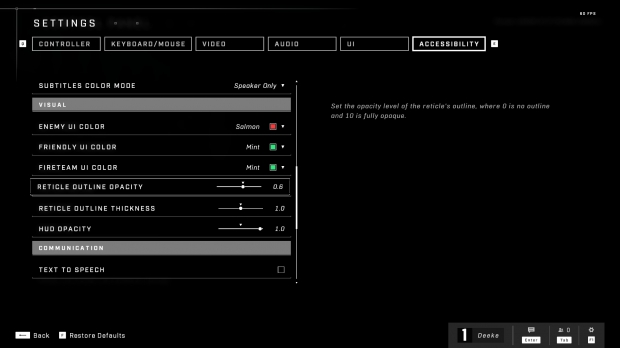
Halo Infinite's PC version has a myriad of performance toggles, graphics tweaks, and visual adjustments in its settings menu. The game has some nifty features like built-in FPS and network latency overlays, as well as a FOV slider, and gamers can even change the thickness of gun reticles too (very useful for precise shots).
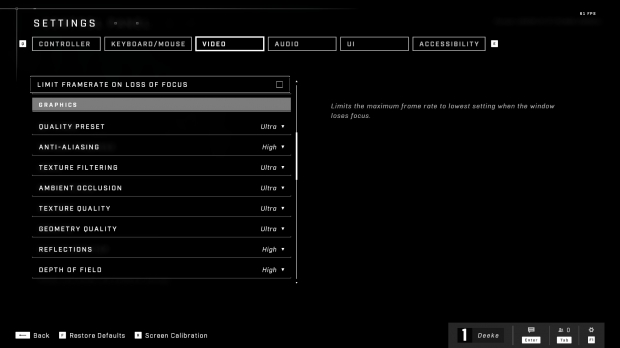
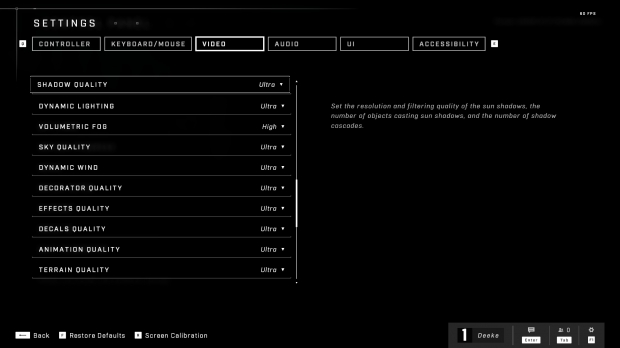
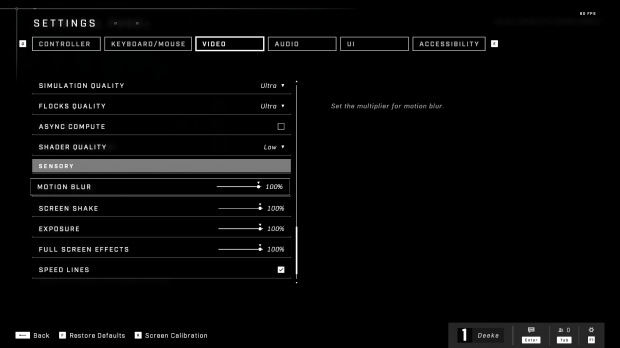
The graphics options are extremely robust. PC gamers can adjust presets for nearly everything in the game, including overall textures, sky quality, ground textures, anti-aliasing, texture filtering, depth of field, reflections--the works. Thankfully you can also turn off all the screen effects like motion blur, speed lines, and the chromatic aberration that happens in the HUD during explosions.
Notable settings:
- FOV slider
- Full button remapping
- Built-in FPS overlay
- Built-in network latency overlay
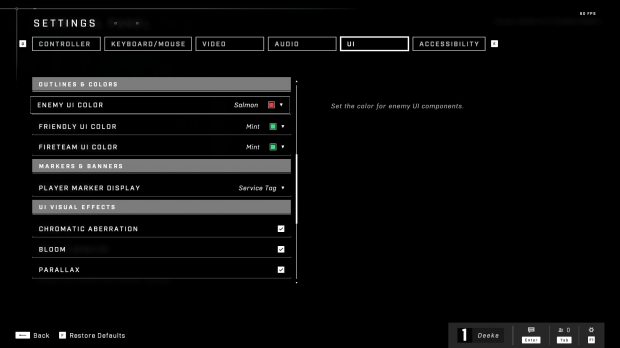
- Customizing enemy and friendly player color outlines
- Turning off effects like chromatic aberration and bloom on the HUD
- Changing reticle outline thickness
- Toggling auto-clamber
Check below for screenshots of the PC settings offered in the Halo Infinite preview build. Note that these aren't finalized settings.




 AMD Ryzen AI 9 HX 370 mini PC hits 60 FPS for 1080p gaming comfortably - no discrete GPU needed
 Intel Arc graphics driver improves performance in Valve's Deadlock by up to 17%
 Oblivion Remastered stuttering like crazy on your PC? A Reddit guide promises to fix FPS drops
 Intel Graphics Software for Arc GPUs updated with easy-to-use overclocking controls
 NVIDIA App has officially launched, an essential tool for GeForce RTX users
 Apple's first touchscreen MacBook Pro is '100% confirmed', leaker says
 AMD reversed a warranty rejection for a swollen Ryzen 9 7950X3D after Hardware Unboxed called it out publicly
 ASUS' $50 ROG Equalizer cable meant to stop GPU connector burns reportedly burns itself
 Intel's 18-core Core Ultra 7 251HX is matching its 20-core siblings in early PassMark results
 Elon Musk is the world's first trillionaire - enough to spend $1 million a day for nearly 3,000 years
 Anthropic's latest AI model 'Fable' was so powerful the US government banned the world from it
 Xbox prioritizes Elder Scrolls VI, Fallout, and Halo in new strategy shift
 Xbox exec wants to use ads to open up new access points, not just to collect money
 Redditor buys RTX 2080 Ti Super engineering sample on eBay, has the same number of cores as an RTX Titan but half the VRAM
 Report: Xbox may be spun off into subsidiary or joint venture with another company
 MOAIPLAY ORA PRO G1 850W ATX 3.1 PSU Review: high efficiency and 10-year warranty for $119.99
 Navman MiVue Smart True 4K Surround Dashcam Review - Seeing In All Directions At Once
 IQUNIX Magi96 Pro Aluminum Low Profile Mechanical Keyboard Review - Premium Build, Satisfying Sound
 Asetek Forte S-Series Racing Simulator Bundle Review
 Razer Pro Type Ergo Wireless Split Ergonomic Keyboard Review - Built for Comfort and Support
 ASUS ROG Strix Morph 96 Wireless Gaming Keyboard Review - Great Performance, More Affordable
 SAPPHIRE Radeon RX 9070 GRE PULSE OC Review - A New 1440p Challenger Has Arrived
 NZXT H6 RGB+ Compact Dual-Chamber Chassis Review
 ASRock Radeon RX 9070 GRE Steel Legend Review - The RDNA 4 Mid-Range Reshuffle
 ASRock Z890 Taichi Aqua Motherboard Review - Flagship features without the flagship price
 This Windows security feature protects Documents from ransomware, but it is off by default
 Windows 11 already has a voice typing tool, and it is the one most people are not using
 Quick Assist is the only remote-support tool I open when a relative calls about their PC
 The PowerToys utilities I keep enabled on every Windows 11 PC, and the ones I turned off within a week
 TweakTown's Best of Computex 2026 Awards - The Best Hardware, Gaming Gear, and AI
 Phison E37T SSD Controller Exclusive Preview - The Fastest DRAMless SSD Platform Yet
 USB Ports Not Working in Windows 11? Try These Fixes
 ASUS WiFi Routers and Networking Solutions Deliver Long-term Security and Reliability with No Additional Cost
 Second Monitor Not Detected in Windows 11? Try These Fixes
 Turn Your Old Smartphone Into a Dedicated Webcam for Your Windows PC