












Telstra at the moment charge if you want to unlock the phone from it's Telstra-locked network, most people are ok with this - but when purchasing a $1000 phone, you kind of want to own it and not be locked to just one carrier. Telstra have been charging customers a fee to unlock the phones.

All iPhones purchased from Telstra are locked to the Telstra mobile network by default and will only work with a Telstra sim card - even with this news, that will still be the case.
Telstra have had numerous customers ask them they'd like to use their iPhone overseas when travelling - by putting the local countries sim card in, but the network lock has prevented this from happening until now.
The removing fee has been removed, which gives customers the freedom to change the SIM when overseas. Telstra are confident you'll still remain a customer of theirs as they state their NextG network is much faster and you'll have a better experience on it.
When you contact Telstra, make sure you have your details: your mobile number, your iPhone™ serial number and your iPhone™ IMEI number. You can locate these by pressing the Settings app, scroll down and select General then press the About tab.
To complete the unlock process you need to make sure you have the latest iTunes™ software on your computer. Once the unlocking has been processed, the next time you tether your iPhone™ to your computer, iTunes™ will unlock the phone.
Consumers: call 1800 iPhone (1800 474 663).
Business: call 1800 027 167 or contact your Telstra account representative.
Enterprise and government: simply contact your Telstra account representative.
 9 hidden iPhone tricks that can save you from identity theft
 Google appeals historic antitrust lawsuit ruling that threatens its $12.4 billion mobile biz
 Apple could let you send money without unlocking your phone, but there's a catch
 US-made iPhones aren't going to happen because America lacks the skill
 Google admits Pixel 10's battery health feature can't be turned off: cue the inevitable outrage
 Dragon Age remasters are technically possible but won't be easy, BioWare co-founder says
 The EU is preparing to hit ChatGPT and Roblox with its strictest content moderation rules
 Man outsmarts GPU scammers by filming his RTX 5070 Ti unboxing, and finds two-liter water bottle inside
 LinkedIn adds a 'seems like AI slop' report button for AI-generated posts
 Elder Scrolls Online 'here to stay,' ZOS committed to MMORPG amid layoffs, delays new Thieves Guild features
 Valve officially announces FSR 4.1 support for the Steam Machine through Proton Experimental
 Microsoft now identifies exclusives as a way to grow Xbox
 Xbox expected to vaguely 'return to growth' this year in FY27
 KIOXIA introduces the first PCIe 6.0 CM10 enterprise SSDs, up to 92% faster than PCIe 5.0
 GTA 6 trailer 3 expected to drop soon after Rockstar updates website three times in four hours
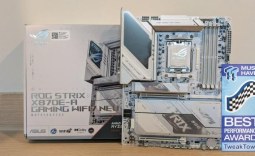 ASUS ROG Strix X870E-A Gaming WiFI7 Neo Review - A New Enticing Option
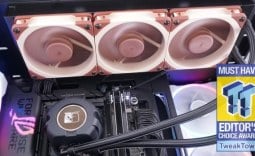 Noctua NL-LC1-36 Liquid CPU Cooler Review
 Logitech G316 X 98 Wired Gaming Keyboard Review - Retro-Inspired Board that Falls a Little Short
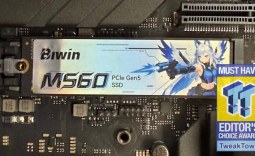 Biwin M560 2TB SSD Review - Best Overall Retail-Ready DRAMless SSD
 Logitech G512 X 98 Analog Mechanical Gaming Keyboard Review - An Innovative Two-in-One
 Thrustmaster T.Flight HOTAS 5 MSFS Edition Review
 SteelSeries Arctis Nova Pro Omni Wireless Headset Review - One Headset to Rule Them All
 SteelSeries Arctis Nova 7 Wireless Gen 2 Headset Review - New and Improved, But Is It Enough?
 AMD Ryzen 7 7700X3D Review - Days of Future Past
 Samsung 990 2TB SSD Review - Ninth Gen QLC at PCIe Gen4 Speeds
 Printer Not Working in Windows? How to fix detection, print queues and drivers
 The Ultimate Guide to Personalizing Your Windows 11 Taskbar
 How to Turn Your Windows Laptop Into a Second Monitor with Miracast and Wireless Display in Minutes
 6 Mistakes to Avoid When Buying a Windows Laptop
 I capped Windows Update's bandwidth with Delivery Optimization, and my downloads stopped choking
 I use this decade-old free tool that finds files faster than Windows Search does
 I install and update most of my apps with this Windows command now, and I stopped downloading sketchy installers
 Hisense U6SF 65-inch MiniLED TV: High Performance Meets Leisurely Convenience
 I stopped digging through Windows menus after I set up this one folder
 Don't sell your Windows laptop until you do these things