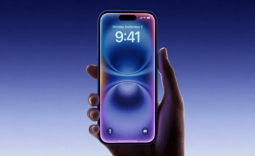
Apple is quietly working on an anti-theft feature that would automatically lock an iPhone the moment it detects it has been snatched. New code spotted in iOS 27.2 beta 2 by 9to5Mac shows how the system will work.
The feature is called AutoLock internally, and it works by monitoring a combination of signals to determine whether a theft has occurred. Those signals include a sharp acceleration consistent with the phone being grabbed, a paired Apple Watch becoming unreachable for a sustained period, loss of connectivity to that Watch, prolonged loss of network connectivity, and the device remaining unlocked beyond a certain time threshold. The more of these signals fire simultaneously, the more likely the system is to conclude something has gone wrong.

To avoid locking itself every time someone tosses their phone on a bed or goes through a dead zone, AutoLock also has veto conditions. Successful biometric authentication, active foreground app use, detection of a familiar geographic location, and a backoff mechanism that prevents the phone from repeatedly triggering false locks can all suppress the lock request. The system appears to work like a vote, with theft signals requesting a lock and safeguards overriding that request when the context does not fit.
If a theft is confirmed, the phone locks and Stolen Device Protection activates, requiring biometric authentication for sensitive actions like accessing saved passwords or credit cards, and introducing mandatory hour-long delays for high-risk changes like updating an Apple Account password.


Frequently Asked Questions
Open a question for an answer from TweakTown's coverage of this news, or ask your own below.
Which signals does AutoLock use to decide an iPhone may have been stolen?
What happens to Stolen Device Protection after AutoLock locks the iPhone?
Can familiar locations or active app use override an AutoLock theft lock?
What kinds of actions still need biometric authentication after a theft lock is triggered?
Have a question that isn't listed here? Ask below, and TweakBot will answer it.

Again, none of this is live yet. The underlying AutoLock service is running in the background in the beta, but the component that would actually trigger the lock is disabled. Apple appears to be testing the detection logic without letting it act on what it finds, which is a reasonable way to gather signal data before enabling the full behavior. For now, there is no user-facing interface for it in iOS 27.2 beta 2, and Apple has not officially announced the feature.