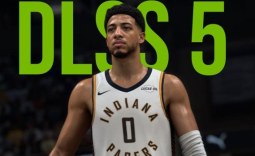
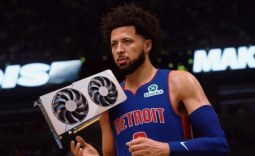
When NVIDIA debuted DLSS 5 earlier this year, its transformative visuals drew plenty of negative feedback. Many compared DLSS 5 in Resident Evil Requiem and Hogwarts Legacy to a generative AI filter that alters how characters and objects look, with some calling it "AI slop." Fast forward to September 2026, and NVIDIA has partnered with developer Visual Concepts to launch DLSS 5 in NBA 2K27.

Based on the DLSS 5 Off and DLSS 5 On comparisons, it's clear that the technology has come a long way, alongside confirming that, in its release-ready state, NVIDIA is offering tools for developers to fine-tune the output in a way that adds its transformative photorealistic effect without impacting the original art direction or look of the game.
"We can set the overall tone and style to match our existing art direction," Peter Kavic, a Senior Producer on NBA 2K27, says. "And then really get precise where it matters most using a per-pixel control mask to fine-tune detail on characters, given that we want to respect their likeness with the utmost care."

Because DLSS 5 is trained to identify objects in a scene, from characters to things like basketballs, chairs, and surfaces like glass and wood, this means that developers can actually select individual elements or groups of objects to fine-tune DLSS 5's intensity and color/tone-mapping.
The controls also let developers turn off the effect completely on specific objects within a scene while still enabling it elsewhere.

Plus, developers can choose from three different DLSS 5 models, each weighted and trained differently to deliver a slight variation in output. Developers can also pick and choose different models for different scenes, too - so they're not locked in.

Frequently Asked Questions
Open a question for an answer from TweakTown's coverage of this news, or ask your own below.
What object categories can DLSS 5 identify and target for per-object adjustments in games like NBA 2K27?
How do developers use the per-pixel control mask to preserve character likeness while applying DLSS 5?
Can DLSS 5 be disabled for specific objects (for example, a player's face) while remaining active elsewhere in a scene?
Does the DLSS 5 developer UI allow real-time preview of masked objects and effect adjustments during tuning?
Have a question about this content not listed here? Ask below and TweakBot will answer it.

Finally, the simple UI and design of DLSS 5's developer controls make it easy to see masked objects, create groups, and adjust the effect in real time. In fact, the UI design is reminiscent of creator tools, which makes sense when DLSS 5's application is as much artistic as it is technical.