











Our Verdict
Pros
- App setup is very simple
- Integrated network security and parental controls
- Striking node design
- Good throughput at close and mid-range distances
Cons
- Only 2.5 GbE Ethernet speeds
- Some devices struggle with it at longer ranges
- Only sold as a 2-pack or as single nodes - where's the 3-pack option, MSI?
Should you buy it?
AvoidConsiderShortlistBuyIntroduction & Specification Details and Close-up
Wi-Fi 7 is no longer the new kid on the block, and that means that there's very much a space for more affordable Wi-Fi 7-capable mesh kits.
Despite its Pro suffix - which does differentiate it at a feature level from the even lower-priced "Lite" version - the MSI Roamii BE Pro Wi-Fi 7 Mesh System (or the MRBE110 if you prefer precise product numbers) isn't an expensive mesh variant, selling typically around $349 for a two-pack of mesh nodes. That's the variant sent to me for review, and while it does appear that MSI has a single-node variant on its spec sheets, I couldn't find any actual examples of additional nodes on sale anywhere by themselves. I'm honestly also not sure why MSI isn't offering this combination as a straight-up pack of 3 nodes either.

Typically, paying less than the premium price means that you miss out on key features, and while there are some areas where you can see where money has been saved, the overall performance of the MSI Roamii BE Pro Wi-Fi 7 Mesh System surprised me. It's not the fastest mesh you can buy, but for the asking price, if you have a small to mid-sized space to flood with tasty Wi-Fi signals, it's a very good option.
If you have a much larger area, or an area where Wi-Fi signals find it harder to bounce around effectively, it may still work, though results here were far more variable.
Specifications & Close Up

| Item | Details |
|---|---|
| Model | MSI Roamii BE Pro Wi-Fi 7 MRBE110 |
| Wi-Fi | Wi-Fi 7 |
| Wi-Fi Speeds | Up to 5764Mbps at 6GHz | Up to 4323Mbps at 5GHz | Up to 688Mbps at 2.4GHz |
| Antennas | External antenna x 6 |
| Operating Frequency | 6GHz / 5GHz / 2.4GHz |
| Wi-Fi Encryption | WPA-PSK / WPA2-PSK / WPA3-PSK |
| Wi-Fi Features | Multi-Link operation (MLO), Adaptive Puncturing, MU-MIMO, OFDMA, 4K-QAM, Multi-RUs, Beamforming, Guest WiFi/ Multiple SSID, and WPS |
| Ports | 2.5G Ethernet port x4 / 1x USB 3.0 |
| Processor | Quad Core 1.5GHz |
| Dimensions | 118.5 x 108 x 252.5 mm |
| Weight | 830g per node |
| Today | 7 days ago | 30 days ago | ||
|---|---|---|---|---|
 | $294.93 USD | - | ||
 | $299.99 USD | - | ||
| $294.93 USD | - | ||
| $294.93 USD | - | ||
| $294.93 USD | - | ||
 | Check Price | Check Price | ||
* Prices last scanned 5/19/2026 at 1:26 pm CDT - prices may be inaccurate. As an Amazon Associate, we earn from qualifying purchases. We earn affiliate commission from any Newegg or PCCG sales. | ||||
Design & Installation

Getting the MSI Roamii BE Pro Wi-Fi 7 Mesh System out of the box isn't particularly difficult, though for some reason MSI does wrap each node in rather thick plastic, which was a little harder to remove than I'd anticipated, though far from insurmountable.
Nodes aside, in the box, MSI also supplies a slender quick start guide, an Ethernet cable, and two mounting brackets for those who want to perch their nodes high up on walls or ceilings. That is a nice inclusion that's not often seen in cheaper mesh kits - or even some of the pricier ones.
Our Latest Routers & Access Points Review Coverage
- ASUS ROG Rapture GT-BE19000AI Gaming Router Review: Shiny and fast (except when it isn't)
- NETGEAR Orbi Wi-Fi 7 370 Dual Band Mesh System Review - Mid-Range Value
- NETGEAR Nighthawk 5G M7 Mobile WiFi 7 Router with eSIM MH7150 Review
- Engenius ECW520 Cloud7 2x2x2 Access Point Review: Serious Management Potential
- TP-Link Archer GE400 BE6500 Dual-Band Wi-Fi 7 Router Review - Wi-Fi 7 On A Budget

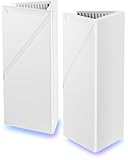
There's been something of a trend for less ostentatious mesh nodes from many manufacturers of late, but that's clearly not the way that MSI thinks about design. Each of the two nodes is a large triangular tower, and visitors who spotted them in my home during the review period variously commented that they looked either like something out of Star Wars or Portal, depending largely on their age. They're certainly quite striking, especially once they're powered up, thanks to the inclusion of customizable RGB lighting at the base of each node.

Do you really need RGB lighting at the base of the node? No, it's essentially decorative with a separate status light for actual connections, but MSI clearly had a few lighting modules left over from their stock of gaming systems to throw in here.
The MSI Roamii BE Pro Wi-Fi 7 Mesh System is priced on the lower end of Wi-Fi 7 mesh router systems, and that's quite apparent when you spin either node around. There you're faced with just one USB 3.0 port, three 2.5GbE LAN ports, and a single 2.5GbE WAN port. That's your lot, not the fastest you can get, but again reflected in the overall price point.

Installation

Setup is via an app, the inventively named MSI Router 2.0 app, to be precise, for Android or IOS. While the MSI Roamii BE Pro Wi-Fi 7 Mesh System does support web-based configuration, there's no mention of this in the documentation, which can essentially be boiled down to "Please install the app and do what it says".
That's exactly what I did, and for the most part, it's fairly smooth sailing, even for networking novices.

Only quirk in setup is that the default connection type is PPPoE; most AU NBN connections are straight DHCP, but this isn't tricky to fix. A good reminder, though, if you are setting up a new network in a home environment, to check with your ISP first as to their default settings, as if you hit this at that point in the setup, it's likely your existing network is offline, and contact options may be limited.

It is at least nicely logical and easy enough even for networking novices to understand. The app (at least on an Android device) also auto-connects to the created Wi-Fi network, which is a nice step that not every router tries... though in my case, it still took a little tweaking to get it to actually work. A decent idea in theory, however.

The MSI Router 2.0 app also states that it should be able to automatically detect any new mesh points nearby, so I put this to the test.
This was a test; it failed, and pretty badly, as even after 20 minutes of waiting, it was convinced I only had the single master node within my system. Hitting the sync button manually did make it wake up and take notice of the secondary satellite node, but this did take some time.

A firmware upgrade was available on setup, so I took that to try to ensure optimal testing performance. All up, setting up the MSI Roamii BE Pro Wi-Fi 7 Mesh System took around an hour, but at least 30 minutes of that was in trying to get it to see the secondary node; if MSI can clean up this process, or if you just start from the manual adding process straight away, it should be considerably faster than that.

With the system set up, it's feasible to switch to the easier-to-read web interface, though this does come with the catch that the incorporated network security and parental control parts of the MSI Roamii BE Pro Wi-Fi 7 Mesh System - which are supplied via Trend Micro - cannot be configured outside of the MSI Router 2.0 app. Invoke those from the web, and you're more simply greeted with a QR code to download the MSI app to your phone.
Performance

While the packaging for the MSI Roamii BE Pro Wi-Fi 7 Mesh System boldly proclaims its capability of speeds up to 11Gbps, this is - as is standard through this industry - a calculated figure of the maximum theoretical throughput of its 2.4GHz (688Mbit), 5GHz (4323Mbit), and 6GHz (5,764Mbit) bands. You might get close to that with a lot of hybrid network traffic in idealized situations, but what I'm always keen to see is how it works in a more real-world setting.
The MSI Roamii BE Pro Wi-Fi 7 Mesh System did present a small issue with testing, because the default pack sent out for review was just the two-node variant, though there's no actual three-node box anyway. This limited positioning of nodes in my standard testing environment to just one close and mid-range node, not in the far location, which is where Wi-Fi equipment often struggles. I did experiment with placing the secondary node in the far position, but there it lost connection very quickly with the primary node.
You could get around this with the purchase of a tertiary standalone node, but for testing purposes, I went with one close and one mid-range node located a couple of rooms away.
Firstly, I tested RSSI (Received Signal Strength Indicator) levels with the MSI Roamii BE Pro Wi-Fi 7 Mesh System's MLO network for theoretical best-case throughput. Tests were performed using a MacBook Air M5 to see how well the MSI Roamii BE Pro Wi-Fi 7 Mesh System's signal propagates.

The close and mid-range figures are well within what I'd expect to see here, while the far range reading was predictably quite bad, though it was more than I expected to see - more on that shortly.
One of the key reasons anyone buys mesh for the home or office is to extend the range of their Internet connection as far as possible. To put that to the test, I first ran a fixed line speed test to get a best-case scenario figure for a 1Gbps NBN HFC connection, and then speed tests at the close, mid-range, and far points. Here's how the MSI Roamii BE Pro Wi-Fi 7 Mesh System performed in that test:

I was surprised to get any connectivity at all in the far location, so in one sense that's a "win" for the MSI Roamii BE Pro Wi-Fi 7 Mesh System, though it's one with some serious qualifications to bear in mind.
Further testing with other Wi-Fi 7 capable devices, including a Samsung Galaxy S25 Ultra, Apple iPhone 17 Pro, and Google Pixel 10 Pro Fold in the far location, was far less compelling, and I'm being kind there. Those devices couldn't see the MSI Roamii BE Pro Wi-Fi 7 Mesh System's network at all at any time.
There's always going to be variance in Wi-Fi antenna pickup, but this is worth bearing in mind if you do have a notable Wi-Fi dead zone - as I do - and want to opt for only the two-node variant.
The speed of my internet connection would dwarf the MSI Roamii BE Pro Wi-Fi 7 Mesh System's 2.4GHz connection maximums, but not at 5GHz or 6GHz, so I also tested with a simple file copy operation to get an idea of local network performance. Here's how the MSI Roamii BE Pro Wi-Fi 7 Mesh System managed:
Final Thoughts

The MSI Roamii BE Pro Wi-Fi 7 Mesh System is not the speediest mesh system I've ever tested, but that absolutely has to be weighed against its asking price. It's very competitively priced and rather well-suited, even just in this two-node configuration, for mid-sized setups.
You can't entirely push it to its full stated coverage in every circumstance, though this can vary a lot depending on environmental factors; in my test environment, it did somewhat punch above its price weight for getting signals through to a notable dead zone, though not always with pleasing results on every device.


 ASUS ROG Rapture GT-BE19000AI Gaming Router Review: Shiny and fast (except when it isn't)
 NETGEAR Orbi Wi-Fi 7 370 Dual Band Mesh System Review - Mid-Range Value
 TP-Link Tapo C660 Kit Solar-Powered Pan/Tilt Security Camera Kit Review
 NETGEAR Nighthawk 5G M7 Mobile WiFi 7 Router with eSIM MH7150 Review
 Engenius ECW520 Cloud7 2x2x2 Access Point Review: Serious Management Potential
 Not a Steam Machine, but a 'Meme Machine' - this PC build is simultaneously the most brilliant and awful thing I've ever seen
 Plex increases Lifetime Plex Pass subscription by $500 from the current $250 price
 Apple's WWDC 2026 teaser hints at the much-needed Siri redesign Apple promised 2 years ago
 GIGABYTE unveils MLA+ WOLED & dual-mode gaming monitors to rival AAA and Esports demands
 MSI's new 425Hz monitor could be a sweet spot for competitive gamers
 Forza Horizon 6 pokes fun at Nintendo lawyers with in-game radio advertisement
 Intel Crescent Island PCB leak gives us our first look at the Xe3P GPU and its 160GB LPDDR5X memory design
 Intel Nova Lake engineering samples have started shipping, with claims of up to 2x multi-core gains over current-gen
 AMD Ryzen 7 7700X3D leaked, 8 cores up to 4.5 GHz, and 96MB L3 cache
 Forza Horizon 6 breaks player records on PC, premium edition copies achieve platinum sales
 SAMA S50 Mid-Tower Chassis Review
 Montech Ten SFF Chassis Review
 PCCooler CPS RZ620M X CPU Cooler Review
 Memblaze PBlaze 7 7A40 Ocean 61.44TB Enterprise SSD Review - Oceans of QLC at 3.3 million IOPS
 MOZA SGP Sequential Sim Racing Shifter Review
 COLORFUL iGame GeForce RTX 5070 Ultra OC Review - When Style and Performance Meet
 GIGABYTE Z890 AORUS Elite WiFi7 Plus Motherboard Review - Right in the sweet spot
 PNY GeForce RTX 5080 Slim OC Review - A Compact 4K Powerhouse
 HP OmniBook 7 (Panther Lake) 16" Laptop Review
 ASUS ROG Strix X870E-E Gaming WiFi7 NEO - A Crosshair by any other name
 ASUS ProArt Displays Unlock Creativity with Professional Monitors for Everyone
 What Happens If You Don't Activate Windows 11? 5 Downsides Explained
 Fast Internet on Your Phone but Slow on Your PC? Try These Fixes
 The Snipping Tool quietly became the only screenshot app I keep installed on Windows 11
 How to Set Up a Windows Computer for a Senior User
 Bluetooth Toggle Missing in Windows? Try These Fixes
 GPU Overclocking Basics in Windows 11: Safe Performance Gains Without the Guesswork
 GIGABYTE's new Ultimate OLED Gaming Monitor Bundle includes Xbox Game Pass
 I automated 5 annoying Windows maintenance tasks, and my PC basically runs itself
 How to Fix Windows 11 Black Screen on Boot or After Login