











Our Verdict
Pros
- Very easy to build in
- Cable management is good
- Dual support for 360mm radiator in top and bottom
- Mesh on every panel
- ATX or SFX PSU can be used
Cons
- No front fan or front fan mount
Should you buy it?
AvoidConsiderShortlistBuyIntroduction
ASUS isn't known much for making PC cases, but they have and are quite good. This pattern continues with the case they sent us today, the Prime AP201 mATX. So why don't we look at this mATX chassis from ASUS and see how it ticks?
Packaging
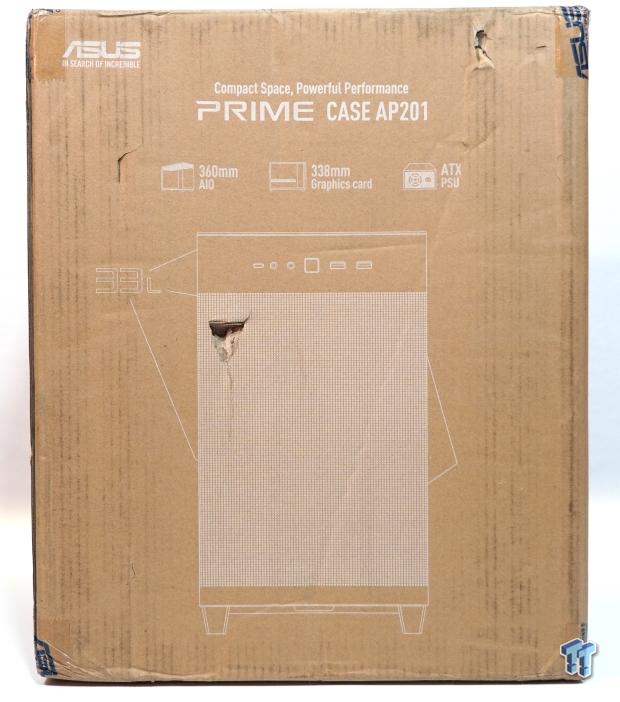
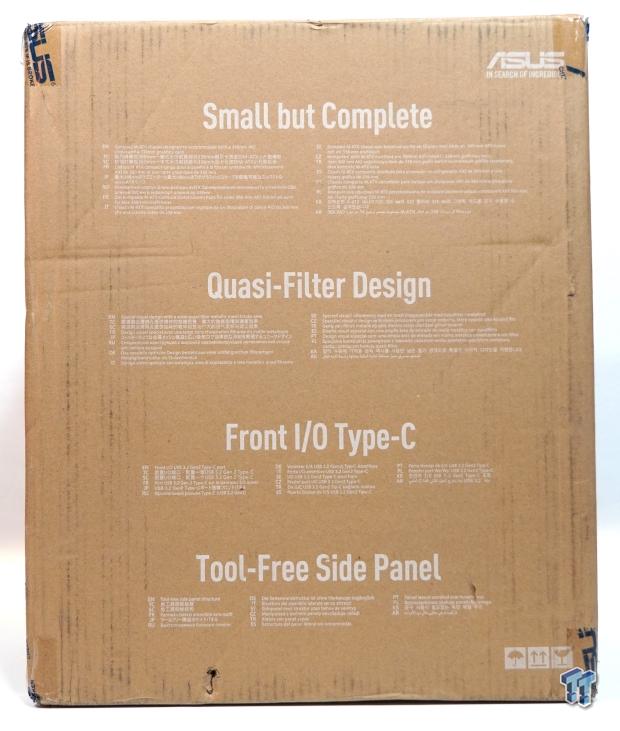
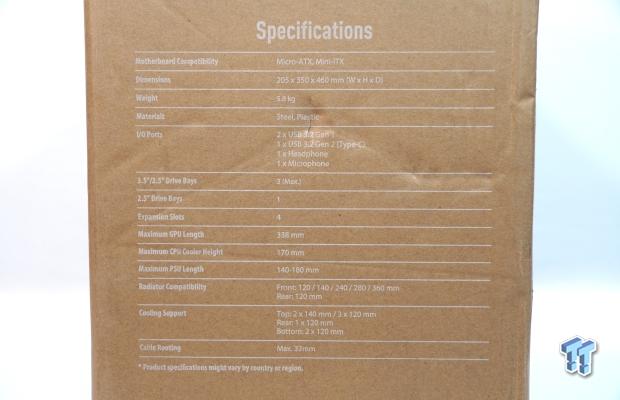
The packaging on the Prime AP201 is pretty standard, with the standard brown cardboard box with a design of the box on the outside. Moving to the side of the box shows the specifications.

Best Deals: ASUS Prime AP201 mATX Case
Price Trend:
Prices last scanned 5 hours and 35 minutes ago


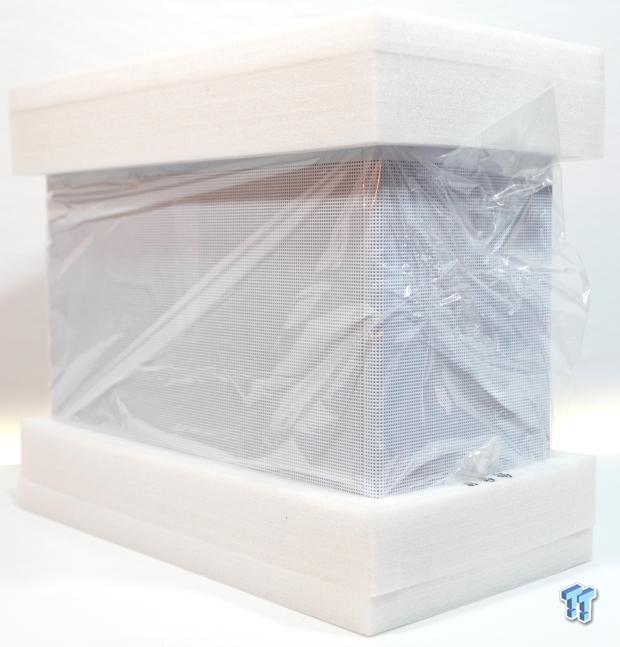
Once opened up, the Prime AP201 is protected by another industry staple, two form-fitted soft layered foam pieces to take the abuse of shipping. With the foam end pieces removed, all that's left is to remove the plastic that covers the Prime AP 201 from anything else that might nick or scratch the outside.
Outside the ASUS Prime AP201
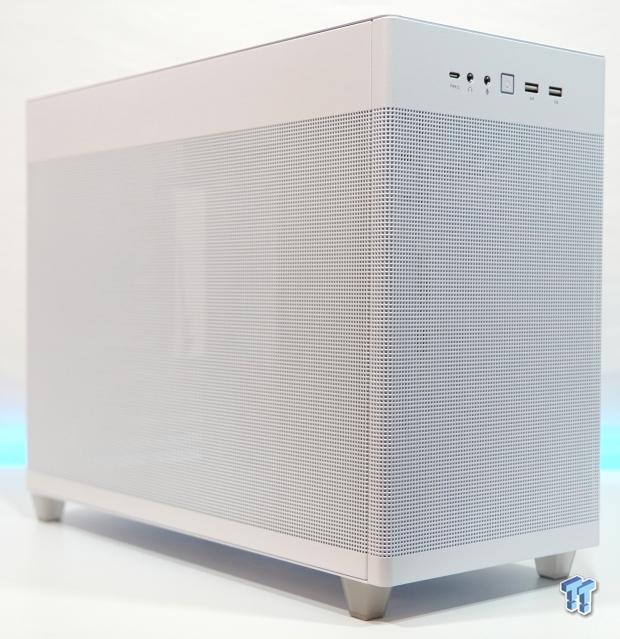
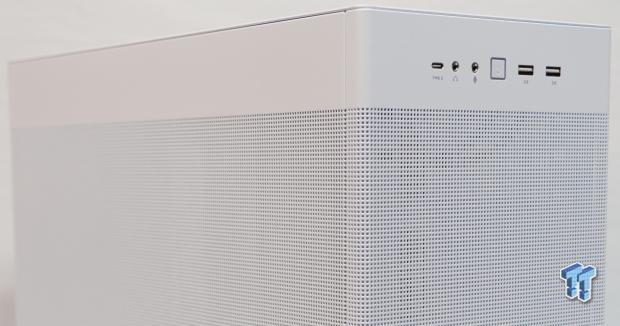
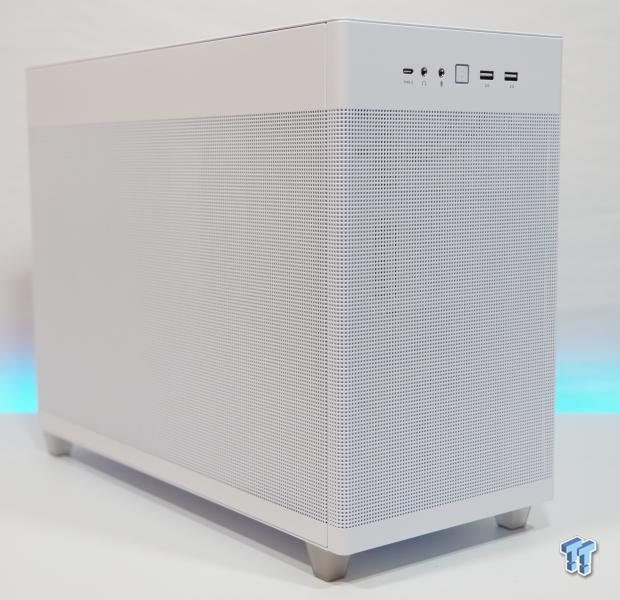
The Prime AP201 in white is pretty good looking, if I say so myself. Mesh in the front, mesh on the side - mesh mesh mesh. All good, right? Well, we will talk more about that when we get to the testing later in the review.
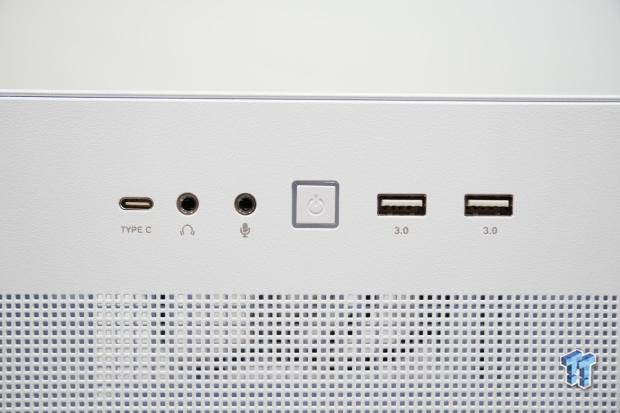
The front I/O of the Prime AP201 is pretty well featured for an mATX case. Starting off strong, a 10Gbps USB 3.2 Type-C port, separate 3.5 headphone and microphone ports, a square power button with an activity light ring around it, and two USB 3.0 Type-A ports round out the front I/O nicely.

The rear of the Prime AP201 shows four PCIe slots with a lot of ventilation via square cutouts. Also, the power input has been relocated to the upper left corner to allow a front-mounted PSU. A white 120mm fan is mounted in the rear position to aid in exhausting hot case air.
Inside the ASUS Prime AP201
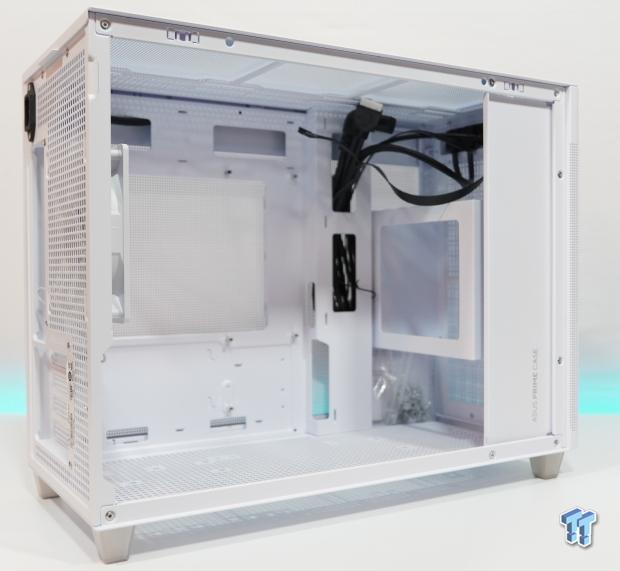
Once the side mesh panel is removed, an open chamber is revealed with the PSU mount on the front wall.
Our Latest Small Form Factor Cases Review Coverage
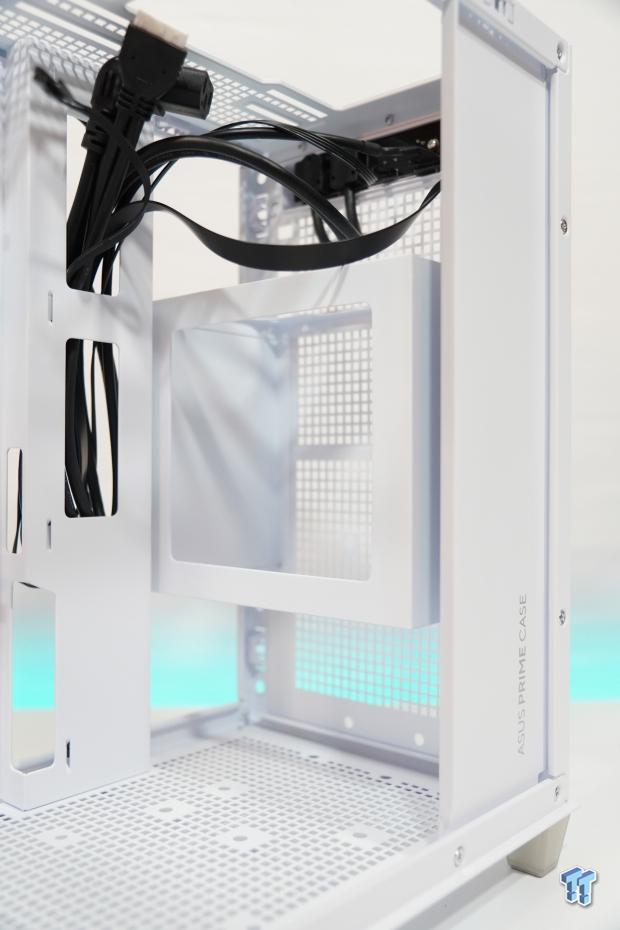
A closer view of the front-mounted PSU mount. This mount can be mounted to three heights for easier clearance for GPU mounting length. Note if the PSU is mounted in the top mounted slots, this might restrict mounting a 360mm radiator or AIO depending on fan and radiator thickness.
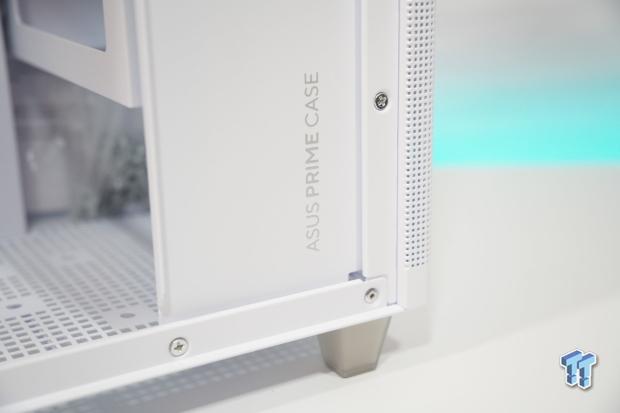
The front cover hides most of the cabling from the PSU and adds some structural integrity. Four silver screws hold this panel in place.
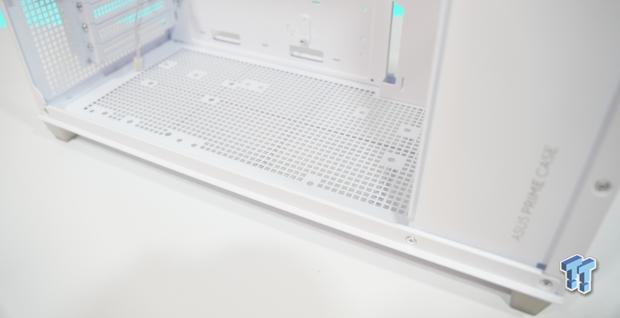
The bottom of the Prime AP201 can accommodate three 120mm fans and a 360mm radiator.
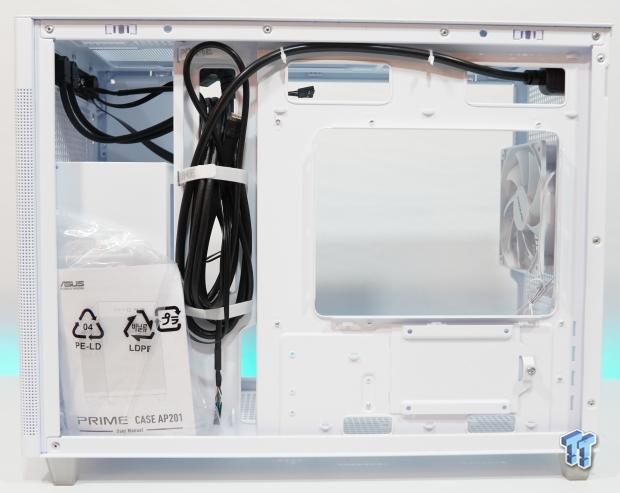
Taking the rear mesh side panel off reveals behind the motherboard tray, which, mind you, has some decent cable management. A large cutout in the motherboard tray allows the installation of CPU water blocks, CPU air coolers, and CPU AIO water coolers.
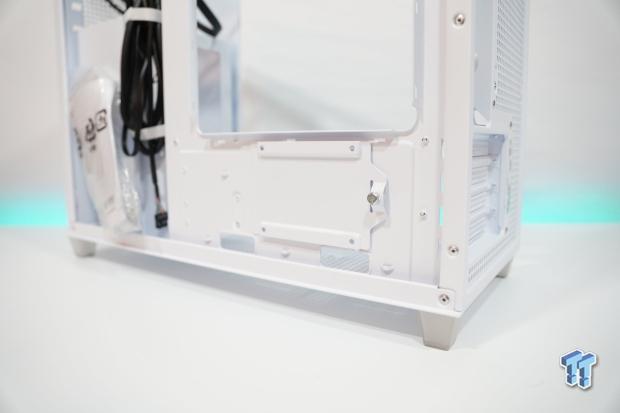
Also supported is a single 2.5" SSD/HDD mount on the rear of the motherboard tray.
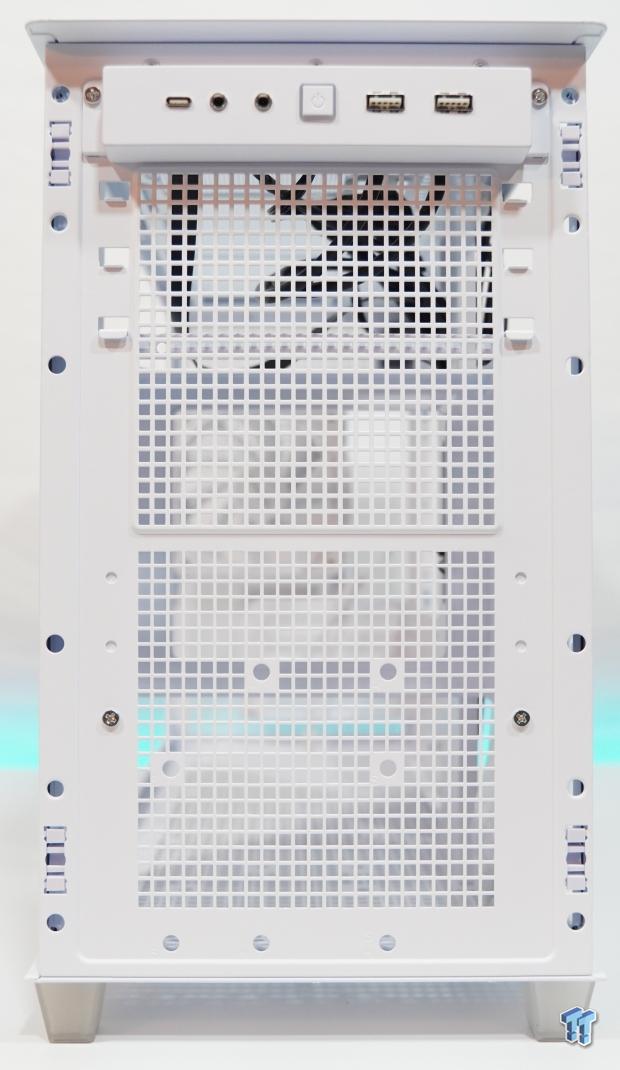
The front of the Prime AP201, with the front mesh panel removed, possibly shows mounting for a GPU support bracket, but this is unclear. However, no support for a front-mounted fan is possible.
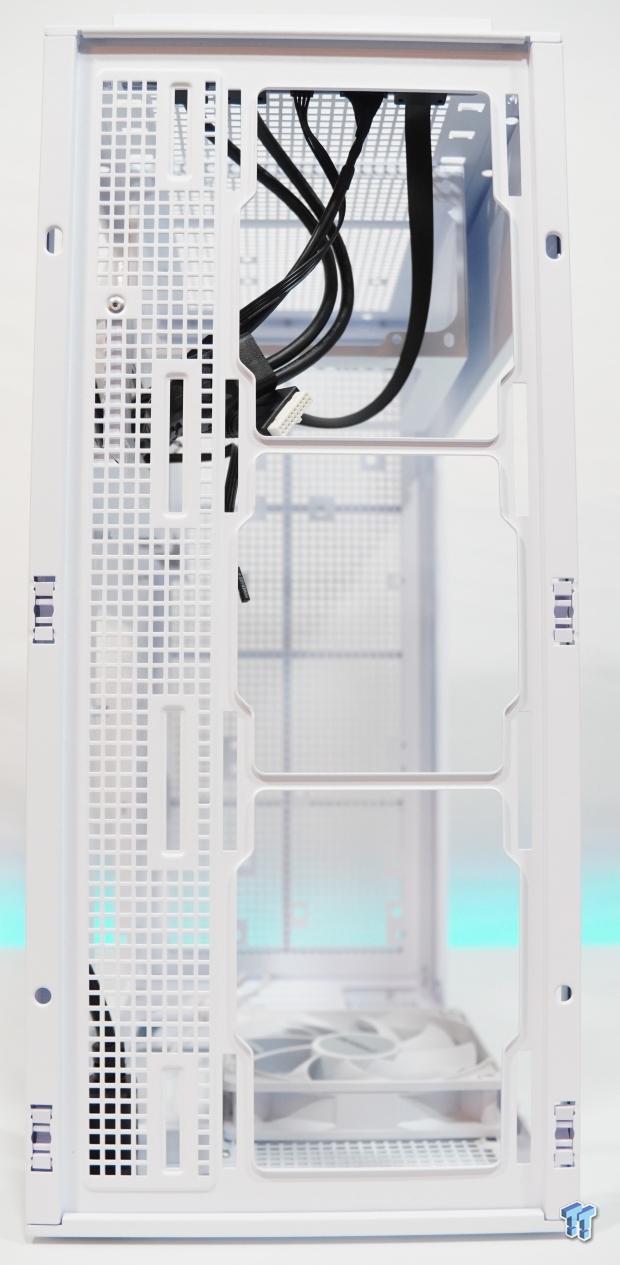
Sliding the top panel off to expose the bare top, which again supports three 120mm fans or a 360mm radiator. Two 140mm fans can also be mounted along with a 280mm radiator.
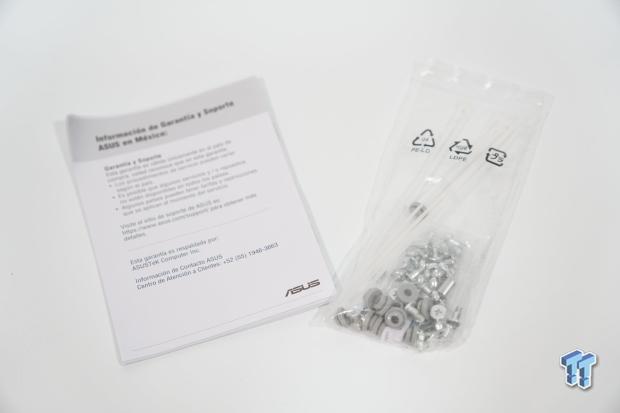
ASUS includes a user manual and silver screws with rubber dampeners for HDDs.
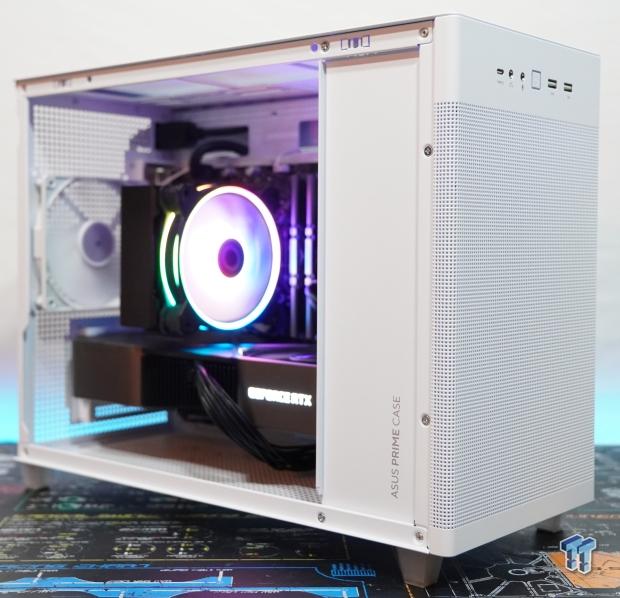
Here is the test system mounted in the Prime AP201. Again the cable management was pretty good, with very few cables showing or getting in the way of installing the rear mesh side panel. The cable management raceway also has three white velcro cable tie-off points. However, the top one is a bit too high to use with any cable thicker than a fan cable.
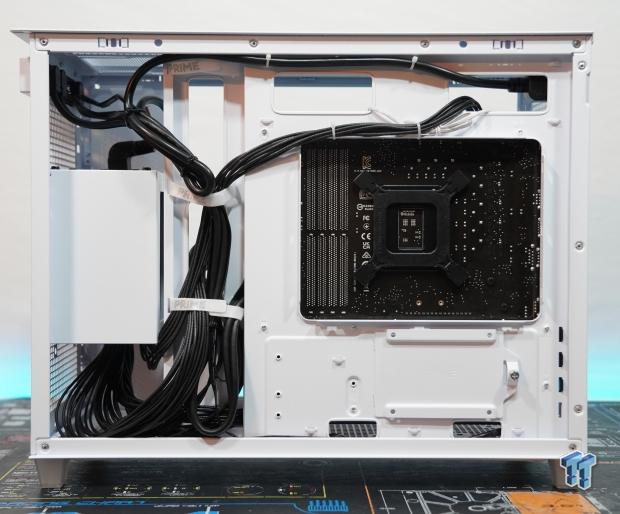
The test system installed in the ASUS Prime AP201, which has an Intel Core i5 12600K on an ASUS B760M motherboard, an NVIDIA RTX 3090 FE, which is powered by the ROG Loki SFX-L 850w ATX 3.0 PSU.
Ryan's Test System, Installation, and Finished Product
- Motherboard: ASUS Prime B760M-A D4 (INTEL B760) - Buy from Amazon
- CPU: Intel Core i5 12600K - Buy from Amazon
- Cooler: Cooler Master Hyper 212 Halo Black - Buy from Amazon
- Memory: Team Group T-Force Vulcan Z DDR4-3200 16GB - Buy from Amazon
- Graphics Card: NVIDIA RTX 3090 Founders Edition - Buy from Amazon
- Storage: Corsair MP600 PRO XT Gen4 PCIe x4 NVMe M.2 SSD - Buy from Amazon
- Case: ASUS Prime AP201 - Buy from Amazon
- Software: AIDA64 Engineer 6.32.5600, and CPU-z 1.94.0 x64
- Power Supply: ROG LOKI SFX-L 850w ATX 3.0 PSU - Buy from Amazon
- OS: Microsoft Windows 11 Pro Build 22621 - Buy from Amazon
- Software: AIDA64 Engineer 6.8.6300, and CPU-z 2.03.0 x64
Final Thoughts
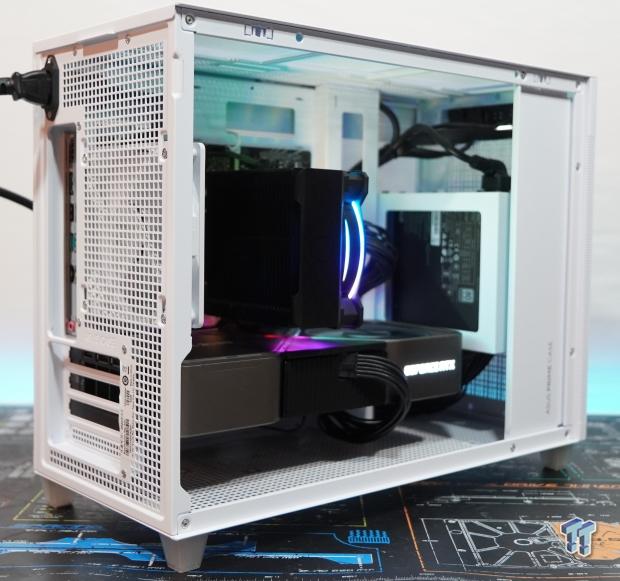
Running around a little over an hour on the system stability test via Aida64 Engineer, let the Core i5 12600K from Intel idle around 30C with a total load temp running up to 92C. While this may seem a bit toasty for some, this is completely within the spec of the Core i5 12600K.
I suggest using a 280mm AIO water cooler instead of the tower air cool I used, which should bring temperatures down to a more reasonable level. The NVIDIA RTX 3090 FE sat at 36C idle with a 68C load temp, which is very impressive for not really having any front air intake to provide cool fresh air.
My final thoughts on the ASUS Prime AP201 are pretty good. Having an MSRP of $79.99, one really cannot complain too much about anything. The build quality is good, and every little aspect has been thought through for a build to go smoothly. That said, I would have really liked the option to mount another 120mm fan in the front for fresh air intake.
Overall the ASUS Prime AP201 is a larger SFF case, measured in at 33 liters. The Prime AP201 can fit its fair share of larger hardware, not to mention all sorts of liquid cooling options needed to cool higher-end hardware efficiently. So if it looks like the mATX form factor might be making a comeback, and the ASUS Prime AP201 might just be the mATX case you are looking for in your next build.


 MOAIPLAY ORA PRO G1 850W ATX 3.1 PSU Review: high efficiency and 10-year warranty for $119.99
 NZXT H6 RGB+ Compact Dual-Chamber Chassis Review
 Lian Li HYDROSHIFT II 360P OLED Curved Liquid CPU Cooler Review
 ID-Cooling FROZN A620 SLK CPU Cooler Review
 GAMDIAS Atlas P6 CG Dual Chamber Mid-Tower Chassis Review
 CD Projekt Red is reportedly working on an unannounced free-to-play Witcher co-op RPG for PC and mobile
 Google is in talks with Samsung to build next-gen 'Icefish' TPU on 1.4nm and 2nm process split
 AMD's Ryzen AI Halo AI mini PC launches in the US with 128GB memory and a $3,999 price tag
 Microsoft expands Advanced Shader Delivery support to all AMD Radeon GPUs since RX 5000 series
 Microsoft CEO strongly hints at free cloud gaming with YouTube monetization comments
 Apple's first touchscreen MacBook Pro is '100% confirmed', leaker says
 AMD reversed a warranty rejection for a swollen Ryzen 9 7950X3D after Hardware Unboxed called it out publicly
 ASUS' $50 ROG Equalizer cable meant to stop GPU connector burns reportedly burns itself
 Intel's 18-core Core Ultra 7 251HX is matching its 20-core siblings in early PassMark results
 Elon Musk is the world's first trillionaire - enough to spend $1 million a day for nearly 3,000 years
 Speed Racer (2008) 4K Ultra HD Blu-ray Review: a stunning remaster of the cult classic
 Navman MiVue Smart True 4K Surround Dashcam Review - Seeing In All Directions At Once
 IQUNIX Magi96 Pro Aluminum Low Profile Mechanical Keyboard Review - Premium Build, Satisfying Sound
 Asetek Forte S-Series Racing Simulator Bundle Review
 Razer Pro Type Ergo Wireless Split Ergonomic Keyboard Review - Built for Comfort and Support
 ASUS ROG Strix Morph 96 Wireless Gaming Keyboard Review - Great Performance, More Affordable
 SAPPHIRE Radeon RX 9070 GRE PULSE OC Review - A New 1440p Challenger Has Arrived
 ASRock Radeon RX 9070 GRE Steel Legend Review - The RDNA 4 Mid-Range Reshuffle
 This Windows security feature protects Documents from ransomware, but it is off by default
 Windows 11 already has a voice typing tool, and it is the one most people are not using
 Quick Assist is the only remote-support tool I open when a relative calls about their PC
 The PowerToys utilities I keep enabled on every Windows 11 PC, and the ones I turned off within a week
 TweakTown's Best of Computex 2026 Awards - The Best Hardware, Gaming Gear, and AI
 Phison E37T SSD Controller Exclusive Preview - The Fastest DRAMless SSD Platform Yet
 USB Ports Not Working in Windows 11? Try These Fixes
 ASUS WiFi Routers and Networking Solutions Deliver Long-term Security and Reliability with No Additional Cost
 Second Monitor Not Detected in Windows 11? Try These Fixes
 Turn Your Old Smartphone Into a Dedicated Webcam for Your Windows PC