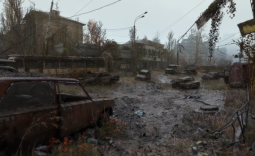
Hot off the heels of Gamescom, NVIDIA has released a new Game Ready driver, featuring support for Star Wars Zero Company, Hell Let Loose: Vietnam, and Resonance: A Plague Tale Legacy. NVIDIA announced the update today in a blog post, version 616.56, that also features 7 fixed gaming bugs for gaming and non-gaming-related issues.
DOOM: The Dark Ages and Indiana Jones and the Great Circle received a fix for a problem where both games' frame rates may exceed V-Sync when using DLSS Frame Generation on its 3x setting or higher. A Texture flickering bug was fixed in Outer Worlds that specifically occurs after updating from R595 to R610 drivers (likely without clean installing drivers).

For non-gaming-related fixes, NVIDIA fixed an issue with ASUS' Armory Crate where the app's "GameVisual" color profiles were not getting applied when using R590 drivers. Chief Architect received a driver crash fix on RTX 40 series GPUs using driver 610.47, and Claude Desktop received a fix for incorrectly being identified as a 3D app in the GPU driver. Tycho Tracker received a fix for being unable to create individual OpenCL buffers greater than 2GB, and finally, driver 616.56 fixes an issue where driver crashes can occur with 32-bit DirectX 12 apps.

Frequently Asked Questions
Open a question for an answer from TweakTown's coverage of this news, or ask your own below.
Which newly supported games are explicitly added in GeForce Game Ready driver 616.56?
Which specific DLSS Frame Generation frame rate issue was fixed for DOOM: The Dark Ages and Indiana Jones and the Great Circle in this driver?
What Outer Worlds texture flickering problem does driver 616.56 resolve and under what update circumstance does it occur?
What issue with ASUS Armory Crate’s GameVisual color profiles was fixed and which driver family exhibited the problem?
Have a question about this content not listed here? Ask below and TweakBot will answer it.

It's worth mentioning that this new driver update also unlocks support for Resizable BAR controls in the latest version of the NVIDIA App. Specifically, 11.0.9.239 beta introduced this new functionality for the NVIDIA App. To get into the beta branch, you'll need to check-mark the experimental mode in the NVIDIA App.