Primate Labs has released Geekbench 7, the latest version of its popular cross-platform benchmarking tool, available now on Windows, macOS, Linux, Android, and iOS. The update brings new workloads, smarter multi-core scoring, expanded GPU testing, and refreshed datasets.
The biggest change to the CPU side is how multi-core scoring works. Rather than forcing every workload into a multi-threaded test, Geekbench 7 only runs a task in multi-core mode if the real application it models actually behaves that way. Web browsers are primarily single-threaded, so the HTML5 Browser test no longer contributes to the multi-core score. This should produce results that more accurately reflect real-world performance rather than artificially inflated numbers.

New workloads include a Game Physics test using the Jolt Physics engine, AV1 video encoding for screen sharing scenarios, Opus audio compression for podcast and voice recorder use cases, and live caption generation using OpenAI's Whisper model running alongside video decoding.
The Photo Editor test has been expanded with more complex editing operations, and the Photo Library workload now supports newer formats including JPEG XL and DNG. Several older standalone tests including Object Remover, Horizon Detection, and Photo Filter have been merged into the broader Photo Editor workload.
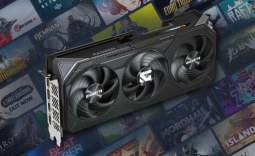
On the GPU side, the biggest addition is CUDA support, joining OpenCL, Vulkan, and Metal. NVIDIA GPU owners can now benchmark using the API their most demanding professional and AI applications actually rely on. New GPU workloads cover face tracking with filters, ML-based image upscaling, path tracing, fluid simulation, and LUT-based colour grading.

Geekbench 7 uses an AMD Ryzen 7 7700 as its new baseline reference at 2,500 points, replacing the Intel Core i7-12700 from Geekbench 6. Scores between the two versions are not comparable. The Pro license is $99, discounted to $79 until August 6.

Frequently Asked Questions
Open a question for an answer from TweakTown's coverage of this news, or ask your own below.
How does Geekbench 7's new multi-core scoring differ from Geekbench 6 and how will that affect comparisons for CPUs I already own?
Which new CPU workloads were added in Geekbench 7 (e.g., Game Physics, AV1 encoding, Opus, Whisper) and what real-world tasks do they model?
What GPU APIs and workloads does Geekbench 7 now support, and what does the addition of CUDA mean for NVIDIA GPU benchmarking?
What happened during the Geekbench 7 rollout that led to early leaks of installers and benchmark results?
Have a question about this content not listed here? Ask below and TweakBot will answer it.

The rollout itself, however, was somewhat messy. While Primate Labs had offered information under embargo, it failed to deliver the promised press materials before quietly uploading installers, documentation, and benchmark results to its public servers. Enthusiasts quickly discovered the files and began downloading Geekbench 7 ahead of the official announcement, with benchmark results from Apple M-series, AMD, and Intel systems already appearing in the Geekbench Browser.