One of the biggest hurdles portable console makers attempt to overcome when designing a handheld device is balancing battery with performance, as it's all well and good if the device is super powerful, but it would be useless if you can only game on it for 30 minutes.

So, a balancing act is required between how much of the hardware capabilities are used, and how much in-game performance they can achieve for a specific amount of electricity. The end result is the average amount of battery life for the handheld console.
Nintendo states Switch 2 owners should get anywhere between 2 and 6 hours of playtime from the 5,220mAh battery, but, unfortunately, some owners of the new console are reporting their playtimes are more often than not landing on the lower end of that scale.
Other Switch 2 owners are reporting an even worse problem: the console dying before the battery indicator even goes red, indicating an inaccurate battery level reading from the system OS. Nintendo has even recognized this problem, and recently posted recommendations on how to remedy the issue if you are an unlucky owner of a Switch 2 plagued by it.
According to Nintendo, Switch 2 owners suffering from this issue can put their console into recovery mode, which will reset the battery level meter.
Before you start
You will need:
- Your Nintendo Switch 2 console
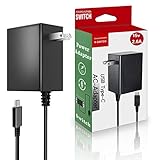
- Your Nintendo Switch 2 AC adapter (Model NGN-01)
- Access to the internet
Complete these steps
- Confirm that you're using an adequately powerful AC adapter to charge your console.
- The Nintendo Switch AC adapter (Model HAC-002) can be used to charge the Nintendo Switch 2 when plugged into the console directly. Due to power output differences, it cannot be used to charge the Nintendo Switch 2 when docked.