PC gaming handhelds like the ROG Ally, Legion GO, and Ayaneo KUN all run Windows 11 with custom overlays and UIs to make navigating Steam and accessing system features as easy as possible. However, Windows 11 was never designed for handheld and controller navigation, which puts pressure on Microsoft to accommodate this new and growing market.
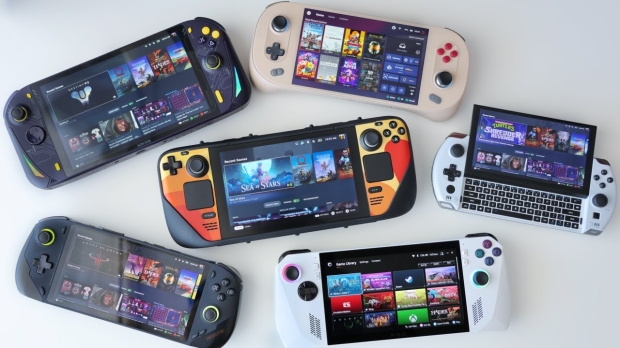
The good news is that Microsoft is updating Windows 11 to make it more PC gaming handheld and controller-friendly, as seen in Windows 11 Build 22631.4387, which is available to Insiders. It's a long overdue update you'd assume was already available: the ability to navigate the on-screen keyboard with a gamepad or Xbox controller.
Windows has featured an on-screen keyboard for touch screens for several years; however, until now, you could only navigate and use it with a controller. The great news is that Microsoft has made the system similar to how gamers use the on-screen keyboard on an Xbox console.
The update adds handy shortcuts, such as the X button for backspace and the Y button for the spacebar. The keys are also aligned vertically for more accessible and natural navigation.
This update is a definite step in the right direction for using Windows on a PC gaming handheld and hopefully indicates that more features like this are on the horizon.
With rumors that Microsoft is developing an Xbox gaming handheld that will run Windows 11, it needs to create a bespoke or custom Windows 11 or Xbox mode similar to the tablet modes it developed during the Windows 8 era. Handhelds like the ROG Ally feature custom apps and interfaces to browse libraries and access system features because using an analog stick to move the mouse is clunky on a 7-inch display.
- Read more: Lenovo Legion Go Lite leak shows a more compact handheld without detachable controllers
- Read more: Microsoft seems interested in an Xbox handheld, but will it commit?
- Read more: Intel's new Lunar Lake CPU beats current-gen gaming handhelds: improved IPC, more efficient
- Read more: AVerMedia X'TRA GO GC515 Review - An essential capturing tool for handheld gamers