My quest to quench my thirst for super high resolutions hasn't been a great journey in the last few years, with multiple monitors being a stopgap until Ultra HD, or 4K displays, became much cheaper. Well, that day has come, as I noticed Amazon had dropped the price of the Seiki Digital 39-inch 4K display to $482.99, which was down from $699.99.
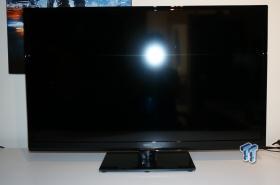
This price drop pushed me to upgrade, so I pulled the trigger on the 39-inch 4K display, to be shipped to Australia. It arrived earlier today, and I've just spent around 45 minutes with the display, and now I'm going to tell you about the monitor and my impressions for the first hour.
Before we do that, we have an unboxing video, and we'll show you the specs of the panel itself, and the connectivity options. You can view that above.
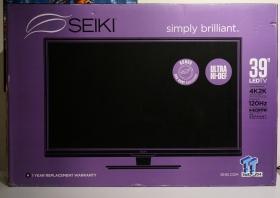
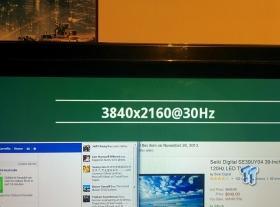
So, we have a 39-inch panel, with a 3840x2160 resolution. The next part is a bit hard to swallow: it maxes out at 30Hz at 4K. This is a problem for gamers, and those who enjoy normal panels that are traditionally 60Hz, or above.
I'm using this Seiki 39-inch 4K panel for work use, so it'll just display Chrome windows and the like.
The panel does do other resolutions, such as 1920x1080 (Full HD) at 120Hz - which is absolutely perfect for gamers, it's actually a great feature of the Seiki Digital SE39UY04 monitor.
We'll cover that in our proper review, so we're going to move onto connectivity. We have HDMI only on this panel - no DisplayPort, no DVI, nothing else but HDMI to drive your 4K. We have some other video connectivity, with component and VGA - but these inputs will not push 4K.
Our Latest Televisions Article Coverage
- Samsung Neo QLED 8K Smart TV QN900D (2024) Review - Samsung's Best TV to Date
- TCL C825 TV Review: 55-inch 4K 120Hz HDMI 2.1 + Mini LED Technology
- LG 65EG9600 65-inch 4K Curved OLED Ultra HD TV Experience Overview
- Seiki Digital SE39UY04 39-inch 4K Ultra HD LED Panel Review
- OHKI 42-inch Full HD 3D TV with PVR Review

There's antenna support - as it's a TV after all, and we also have audio output, and coax digital output, too. There's some USB input, which is a surprise.
We also have a remote control, something I actually quite enjoyed, but I would prefer touch capable buttons. Then I thought about it: why would you not want a remote control, considering you'll be sitting further away from this monitor, versus another smaller panel.
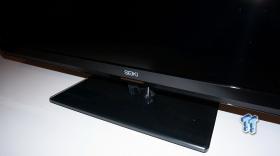
The image quality is definitely not the best thing you'll experience on the Seiki Digital panel, but considering it is nearly $3000 cheaper than something like the ASUS PQ321, which is a 31.5-inch 4K display, it's not too bad.
The image quality feels washed out, and the colors are no way near as good as my ASUS-built IPS-based 2560x1440 panels, but this monitor is 4K-capable - I can deal with the slight lack of image quality.
For now, this is it - an unboxing, and a little tease, with a full review coming in around a week - I have lots of Battlefield 4 to play, and this monitor is going to be used with it, and in a different way - as a massive second screen/map. Interesting times ahead!