

Introduction
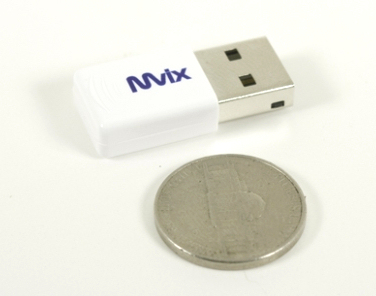
USB wireless adapters are pretty common place these days. They all pretty much look the same, they act very similar and there is very little to get excited about when you really get down to it. However, MvixUSA has decided that it was about time to shake things up. Instead of making just another N-Series adapter, they set out to make the smallest N-Series adapter they could; the Nubbin.
Now, if you are like me the first thing that came to mind was an obscure reference to the U.S. TV show, Friends. I started laughing right away thinking of ways to work in some Monica and Chandler jokes (I had to force myself to leave them out). After the humour wore off I started looking at the Nubbin as a product and it is really quite impressive.
The MvixUSA Nubbin boasts full N-spec speeds (150Mbps) with the same range as larger adapters. This all fits into a package that is roughly the same size as a U.S. Nickel. So can the Nubbin perform as advertised, or will it be the butt of our Friends jokes? - Read on to find out.
The Package
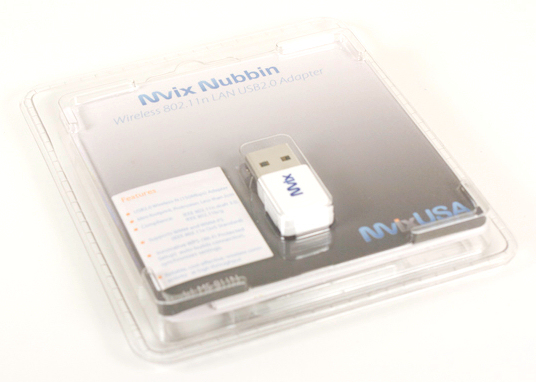
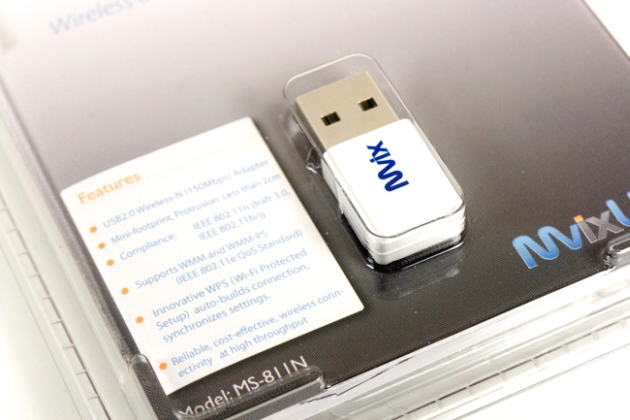
The Nubbin comes in a thin plastic package with the adapter clearly visible on the front. A listing of features is in a small block in the lower left hand corner. In all there is really not much exciting about the Nubbin's packaging. In fact, if you did not look twice you might not take it for a wireless adapter at all.
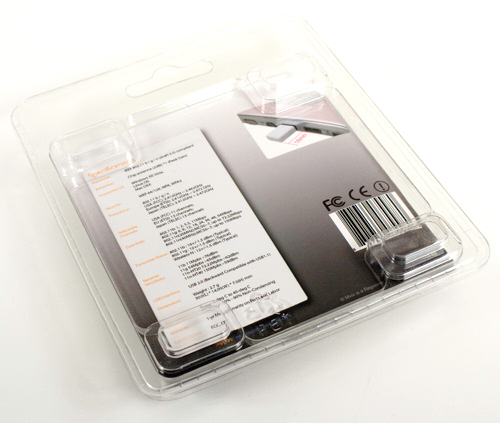
The back has some additional information, but again nothing that really stands out.
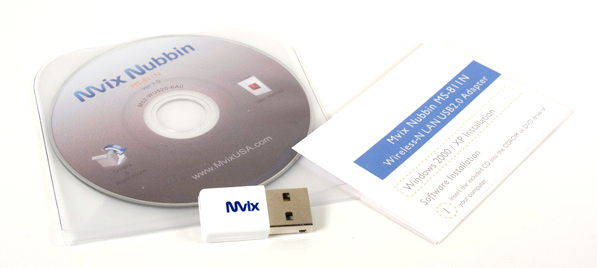
After you get everything opened you find a mini CD-ROM, the Nubbin adapter and a small quick install guide.
The Adapter
The Nubbin itself is very tiny; I mean TINY. It is small enough that you could actually put it on a key chain and it would not get in the way. When I first showed it to people they thought it was a USB or Bluetooth adapter and they had a hard time believing that the Nubbin would be effective as a wireless adapter.
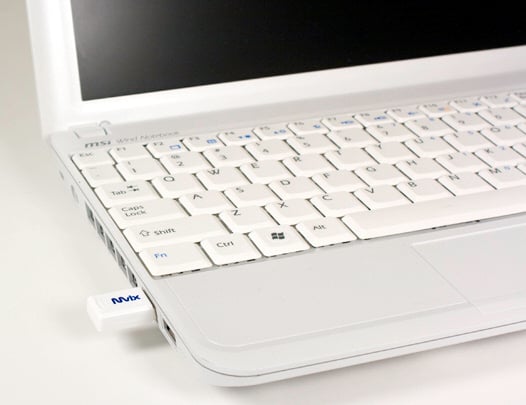
As you can see from the image above, when plugged in the Nubbin has a very small profile and could almost escape unnoticed.
The MvixUSA Nubbin supports 802.11n/g/b specifications for wireless connectivity. It also supports auto build for Vista and Windows 7 Secure Wireless Setup. MvixUSA has added in WMM (WiFi Multimedia) and WMM-PS (WMM-Power Save) using 802.11e QoS. Not bad specs for such a tiny little device!
Setup and Installation
The mini CD-ROM included has driver packages for Vista and XP (x86 and x64). This means that it should also work in Windows 7 without any issues, as the Windows 7 driver model is very close to the Vista driver model. The installer is very straight forward and nothing much to talk about. Installing the Nubbin does require a restart to get the utility and Nubbin active.
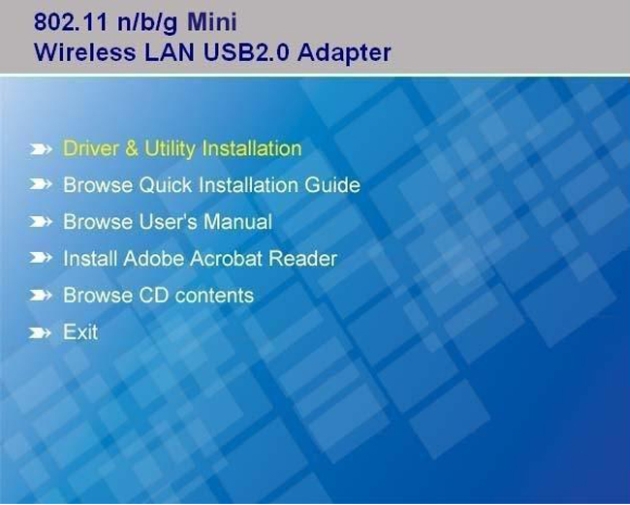
After installation and the reboot you find a new utility working for you. This is probably one of the better wireless connection utilities I have worked with and shows a rather large amount of information as well as having more than a few options and tweaks for your Nubbin.
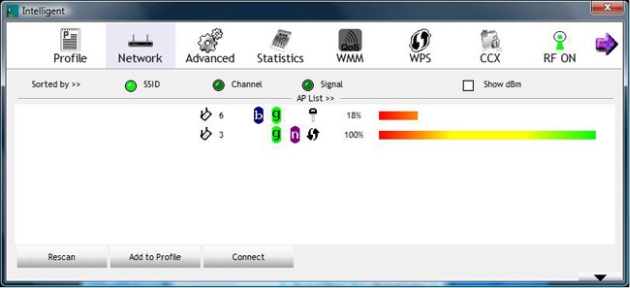
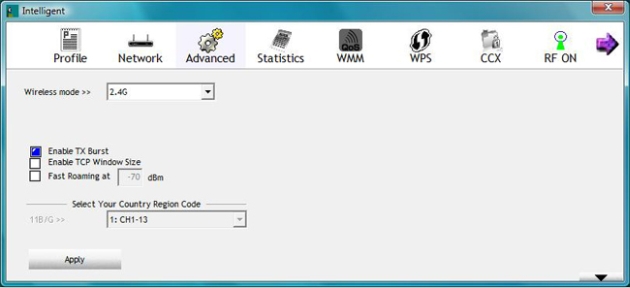
The Advanced tab lets you change the TX burst mode, TCP window sizes and to enable Fast Roaming.
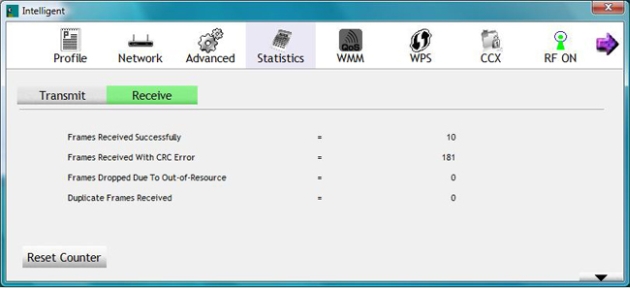
Statistics is pretty self explanatory and is helpful to quickly show errors in transmission.
The WMM page allows you to enable, disable and setup advanced options for the WMM and WMM-PS options on the Nubbin.

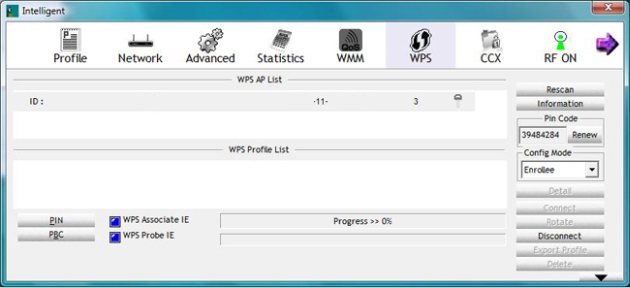
The Wireless Protected Setup screen is pretty normal.
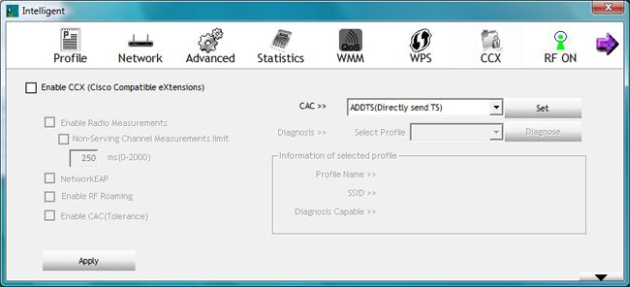
The CCX page is interesting; it gives you options to enable Cisco Compatible Extensions for use on Cisco wireless setups. Cisco has its own proprietary wireless LAN protocols and as such many 802.11 devices have problems connecting and functioning properly with Cisco equipment. By including the option to enable these, the Nubbin gives you more flexibility.
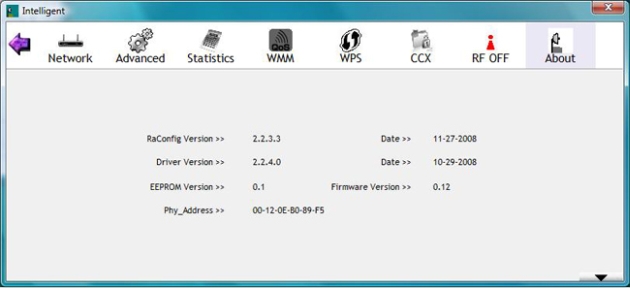
The About screen is also very much what you would expect.
Testing
We used PerformanceTest 6.1 by PassMark which you can find out more information about here. It has a handy Advanced Networking section which is perfect for our testing.
Doing our best to emulate a real-world performance scenario, I setup a server running Windows 2008 (x64) Server, (2x Xeon Quad Core 3.0 GHz 1333MHz FSB, 4GB DDR2 FB-DIMMS, 2x 146GB SAS drives in RAID 1) and the client PC was an ASUS G2S -X1 With built-in Intel 802.11n adapter running Windows 7 RC1 (build 7100) x64. The results were gathered by sending data from the ASUS notebook to the server at different distances with different adapters and determining the average transmission speed.
We compared the MvixUSA Nubbin against the TRENDnet TEW-645UB adapter, the TP-Link TL-WN821N and the built-in Intel Pro Wireless (N) adapter on the ASUS G2S X1. All wireless tests were completed with WPA2 Personal (with the AES cipher, as it has been proven to provide better performance) and 802.11n + 802.11g wireless mode enabled on our D-Link DI-655 router. I chose to leave both n and g enabled as this is a more realistic simulation of a normal home wireless network. The router was placed in the exact same position as well as the notebook at its various testing locations for fair comparison.
- Connection Speed
The Nubbin connected to our network without any issues and showed a 150Mbps speed for all of our testing. However, I did find that its range is rather limited; once I was out of direct line of sight of the DIR-655 the Nubbin's signal strength dropped to just over 50%. The link strength remained strong but the drop in signal strength ended up showing as speed was cut to less than 1/2.
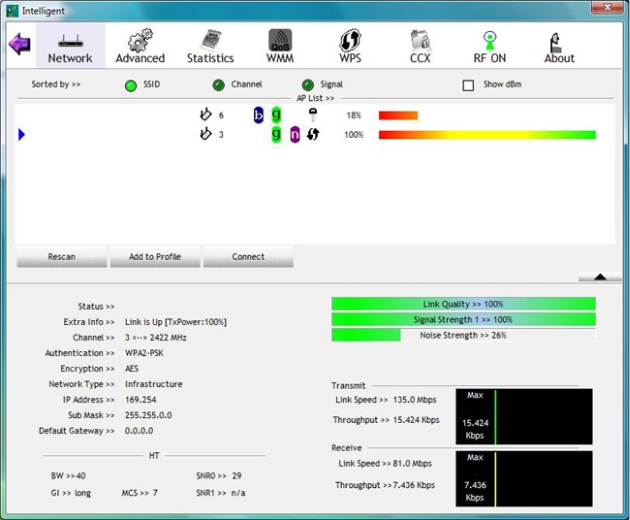
within 10 feet
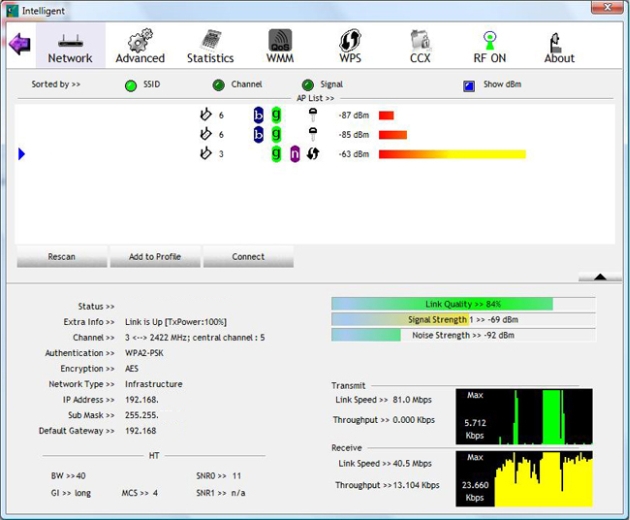
35 feet - non line of sight
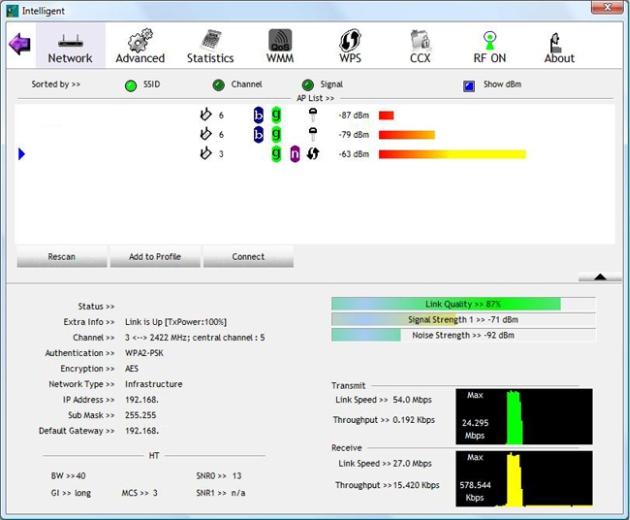
45 feet - non line of sight
- Bandwidth
Now for the fun part. To test the speed of the MvixUSA Nubbin I chose three common working points inside my house. One was in the lab within 10 feet of the DIR-655; the next was in the bedroom roughly 35 feet away and requiring the signal to travel through a wall containing the main house electrical panel and a "wet wall". The last was outside on the back porch, roughly 45 feet from the router. Both the second and third positions were out of the direct line of sight of the router.
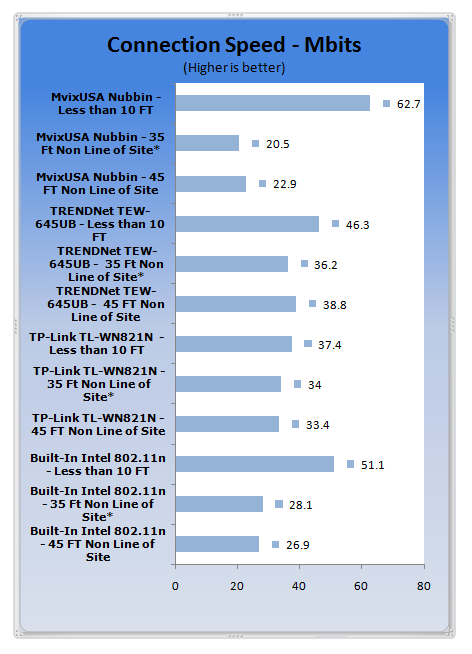
*signal travelling through wet wall and main house electrical panel
You can see the effect of the smaller antenna here. Within my office (less than 10 feet) the Nubbin stomps on every other adapter I tested. However, as soon as the signal strength dropped, we lost speed. As long as I was in direct line of sight I was ok with a small loss in signal and speed, but as soon as I was in another room the speed that I saw at less than 10 feet disappeared.
Final Thoughts
The Nubbin is one quick little adapter if you can keep it within about 15 feet of your access point. It simply outruns the other adapters I have on hand. The price is good for what you get and the software that comes with it is excellent. It is a great adapter if you do not have an N adapter in your notebook or netbook already, or have limited area to work with.
I would not recommend this adapter if you are looking to use it at long ranges or you have a weak signal in your house. I also had an issue with the Nubbin getting lost in my laptop bag due to its size. This is not something that cannot be overcome, but it is an issue to be aware of.
With that all said and done, the MvixUSA Nubbin is still a good pick up for the right kind of user.
 United
States: Find other tech and computer products like this
over at
United
States: Find other tech and computer products like this
over at  United
Kingdom: Find other tech and computer products like this
over at
United
Kingdom: Find other tech and computer products like this
over at  Australia:
Find other tech and computer products like this over at
Australia:
Find other tech and computer products like this over at  Canada:
Find other tech and computer products like this over at
Canada:
Find other tech and computer products like this over at  Deutschland:
Finde andere Technik- und Computerprodukte wie dieses auf
Deutschland:
Finde andere Technik- und Computerprodukte wie dieses auf 


 LG's 32-inch gaming OLED monitor with 480Hz refresh rate is imminent, with pre-orders live now
 Google Pixel 8a leak boasts 7 years of security updates but leaves one question unanswered
 Apple has plummeted from first to fifth place in the Chinese smartphone market, analysts warn
 You can blame Tim Cook for 8GB Macs, it seems
 Apple removes three AI apps capable of creating nude images of people from the App Store
 SteelSeries Arctis Nova 4X Wireless Gaming Headset Review
 ACEMAGIC AD08 "Core i9 11900H" Mini PC Review
 Lenovo ThinkPad X1 Carbon Gen 12 Review
 ASUS ROG Swift Pro PG248QP Gaming Monitor Review - Frames, frames, and more frames
 FlexiSpot C7B-Mesh Ergonomic Office Chair Review
 Samsung G8 34-inch QD-OLED Gaming Monitor Review - 175Hz for $900
 ASRock NUCBOX-155H Mini PC Review
 NuPhy Air96 V2 Wireless Mechanical Keyboard Review
 TEAM T-FORCE Siren DUO360 RGB Liquid CPU Cooler Review
 AVerMedia Live Streamer ULTRA HD Review
 Building the Ultimate Home Entertainment Server with an ASUSTOR NAS and Viper Gaming NVMe SSDs
 Everything you need to know about the latest ASUS NUC Mini PCs - NUC 14 Pro and ROG NUC
 How to Overclock Your GPU and Boost Your PC Gaming with ASUS GPU Tweak III
 ASUS's AMD Radeon RX 7000 Series GPU lineup has something for every gamer
 ASUS OLED Premium Care defends the ROG Swift OLED PG32UCDM gaming monitor from burn-in