Our Verdict
Pros
- Great competitive gaming performance
- 520Hz refresh rate
- Price
Cons
- Bulky stand
- WiFi antenna is very niche
- OSD controls are janky
- Bad speakers
- No USB-C
Should you buy it?
Introduction & Specification Details and Close-up
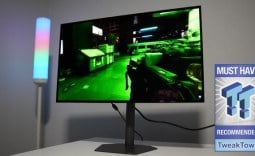
Competitive gamers care about one thing only: speed, and ASRock is aiming to satisfy that hunger of those gamers with the Phantom Gaming PG27FFX2A, a 1920 x 1080p (FHD) 520Hz refresh rate gaming monitor.
The PG27FFX2A is a 27-inch Fast IPS panel that features a blisteringly fast 520Hz refresh rate, aimed exclusively at competitive gamers who don't value resolution as much and only want as many in-game frames as possible. The PG27FFX2A features a 1ms response time and includes ASRock's trademarked integrated WiFi antenna, designed for gamers with spotty WiFi connections due to their PC being located under their desk.
The PG27FFX2A is currently priced at approximately $300 on Newegg and is going for $350 on Amazon. Those prices are subject to change, as it appears the PG27FFX2A is discounted. Before we get into the details of the rest of the monitor, I should mention that very few games actually reach the 520Hz ceiling on this monitor. So, just make sure the games you play the most can actually take advantage of this refresh rate, as there isn't any point buying a refresh rate-oriented monitor if the game you play the most has a framerate ceiling of 300FPS, or cannot be uncapped.
Specifications
| Item | Details |
|---|---|
| Model | PG27FFX2A |
| Size | 27-inch |
| Resolution | 1920 x 1080 |
| Pixels Per Inch (PPI) | 81 |
| Panel Type | IPS |
| Refresh Rate | 520Hz |
| Response Time | 1ms (GtG) |
| Brightness | 400 |
| Contrast Ratio | 1000:1 (Typ.) |
| Aspect Ratio | 16:9 |
| Viewing Angle | 178°(H) / 178°(V) |
| Color Coverage | 94% DCI-P3 / 123% sRGB Color Space |
| HDR Support | VESA DisplayHDR 400 |
| Video Ports | 2 x HDMI 2.1, 1 x DisplayPort 1.4 |
| USB Ports | 2 x USB 3.2 Gen1 Type-A, 1 x USB 3.2 Gen1 Type-B, 1 x Headphone Out |
| VESA Mounting | 100 x 100mm |
| Adjustments | Tilt Adjustment: -5° ~ +20°, Swivel Adjustment: -20° ~ +20°, Height Adjustment: 0~100 mm |
| Warranty | 3-years |
Close-up


Best Deals: ASRock Phantom Gaming PG27FFX2A Gaming Monitor


Design
ASRock has angled the PG27FFX2A's design toward more functionality than flash, and by doing this, the company is able to maintain a competitive price point. For example, the 27-inch panel is framed by a slim, three-sided borderless design that features a slightly thicker bezel at the base, which features the Phantom Gaming branding.

Moving to the back, ASRock has chosen to go with a matte black finish with very minimal ornamentation, with the only piece of "flashy" aesthetic being the Phantom Gaming logo found in the center of the stand and the barely visible streaked lines on each side of the back of the display. The piece of functionality worth highlighting with the PG27FFX2A is the built-in carry handle that is found at the top of the monitor.
The most interesting aspect of the PG27FFX2A's physical design is the stand, which, despite appearing bulky from the back, actually houses the built-in WiFi antenna, as indicated by the two cable RP-SMA (Reverse-Polarity SMA) connectors located at the base of the stand. ASRock informed me that the purpose of this antenna is to provide a solution to gamers who currently have their PC below a desk and are experiencing poor WiFi connection.

Throughout my testing time, I found the WiFi connection via the antenna to be smooth and without fault. However, I didn't notice any speed difference between my normal antenna on my motherboard and the PG27FFX2A's antenna, as where I'm positioned, I constantly have five bars of WiFi signal.
Our Latest Monitors Review Coverage
- ASUS ROG Strix OLED XG34WCDMS Review: Tandem OLED Takes Ultrawide Gaming Further
- GIGABYTE MO27Q2A Gaming Monitor Review: 1440p, 280Hz, and QD-OLED is a winning combination
- ASUS ROG Strix XG129C Review: A $199 Gaming Monitor You Don't Play Games On
- KTC H49S66 5K2K (5120x1440) 49-inch 180Hz Gaming Monitor Review
- GIGABYTE GO27Q24G Gaming Monitor Review: Glossy OLED Gaming at 240Hz
With that being said, gamers currently suffering from a single or two-bar WiFi connection may greatly benefit from this antenna, as the PG27FFX2A's built-in antenna may be significantly stronger than their current one. Ultimately, it's a very niche feature that is probably a miss for the majority of gamers, but for those who need it, it will be a lifesaver.
What is unfortunate, though, is that the WiFi antenna requires a motherboard with a WiFi module. So, it doesn't add WiFi to a motherboard that doesn't come with its own WiFi module; it only replaces the motherboard's built-in antenna with the PG27FFX2A's antenna. That differentiating factor further rules out many lower-end users who won't have a compatible board.

Keeping to the stand, ASRock has opted for a forked feet design, which is my least favorite stand design, as it takes up quite a lot of desktop real estate. Unfortunately, the PG27FFX2A is no different in this regard, as it takes up a good amount of desk depth, and that is a particular problem for a competitive gaming monitor, as many competitive gamers like to bring their monitor quite close to their face, meaning the stand legs could impede mouse movements.
The PG27FFX2A comes with basic ergonomics, with -5 ° to +20°, swivel ±20°, and up to 100 mm of height adjustment, but lacks any rotation for portrait orientation. However, it does feature a 100 x 100mm VESA mount support, meaning it can be put on an arm or wall mount. During testing, I first addressed this issue after realizing the stand would interfere with my mouse movements in first-person shooter scenarios.
Connectivity options are a positive highlight as ASRock has equipped the PG27FFX2A with 2x HDMI 2.1 ports, 1x DisplayPort 1.4, 2x USB 3.2 Gen1 Type-A, 1x USB 3.2 Gen1 Type-B (upstream for hub), and 1x 3.5mm headphone out. It also features 2x 2W speakers, which are very tinny and bad.
Panel Breakdown
The PG27FFX2A's panel is aimed directly at competitive gamers and demonstrates that ASRock has opted for the sweet spot size, 27 inches. At this size, the screen strikes a comfortable balance between immersion and competitive focus, being large enough to draw you into a game without forcing you to strain your eyes to see what is happening on the outskirts.

With a 1920 x 1080p (FHD) resolution and a 27-inch size, the PG27FFX2A has 81 pixels per inch (PPI), which is below the recommended figure of 100PPI for any given display. However, the PG27FFX2A is aimed directly at competitive gamers, who traditionally don't care too much about image clarity and simply want as many frames as possible. What that PPI does mean, though, is that the PG27FFX2A isn't fantastic for any text-based workflows, meaning it isn't a versatile panel. During testing, I was even able to see the sub-pixel layout by just getting close to the display.
The trade-off with such a low resolution is the number of frames that can be generated, which I will get more into in the Performance section of the review. Keeping to the panel, the PG27FFX2A's color performance is pretty good compared to other competitive gaming monitors on the market, with 94% of the DCI-P3 color space and 123% of sRGB. The panel produces vibrant, accurate colors with quite consistent tones. However, it is limited to 8-bit depth.

Paired with the 520Hz refresh rate is a 1ms (GtG) response time, which is intended to eliminate ghosting and keep motion fluid even during the fastest first-person shooter titles. There are also other features, such as Adaptive sync support via AMD FreeSync Premium. The PG27FFX2A has a maximum brightness of 400nits with a DisplayHDR 400 certification. Unfortunately, I found the out-of-the-box brightness not to be enough. I had to navigate to the On-Screen-Display (OSD) options and increase the brightness level to 90, up from its default 70. The PG27FFX2A didn't require any kind of color calibration, as I found that satisfactory.
Keeping to the OSD options, ASRock opted for buttons located on the back-right-hand side of the monitor. These buttons are quite janky, loud to press, and overall an annoying way to navigate the OSD options. ASRock really should have gone with a simple multi-directional joystick paired with a power button.
Performance
As with all of my gaming monitor reviews, I like to test the monitor I have under the spotlight in a variety of different titles to determine what type of game it performs best in and, ultimately, what type of gamer would be best suited for the display. For the PG27FFX2A, I tested it in the following titles: League of Legends, Apex Legends, Overwatch 2, Black Myth: Wukong, Cyberpunk 2077, The Witcher 3, God of War Ragnarok, Valorant, DOOM: The Dark Ages, Overwatch 2, Counter Strike 2, and Age of Mythology: Retold.

The PG27FFX2A performed phenomenally throughout all the games I tested, with particular highlights in titles that took advantage of the 520Hz refresh rate, including Overwatch 2, Apex Legends, League of Legends, DOOM: The Dark Ages, and Valorant. As expected, each of the competitive titles was the standout in testing, along with DOOM: The Dark Ages, which is just a beautifully optimized game. Paired with my GeForce RTX 5080 and AMD Ryzen 9800X3D, I easily hit the 520FPS frame target. If I couldn't reach 520FPS, I would still push extremely close or hit the game's frame ceiling.
The games where the PG27FFX2A shone the most were Counter Strike 2 and Overwatch 2, as Counter Strike 2 has an uncapped frame rate enabling me to achieve the full 520Hz refresh rate, and Overwatch 2 has a frame ceiling of 600FPS. In both of these titles, motion clarity performance was outstanding. Targets that were quickly moving across the screen were extremely easy to spot and navigate with my crosshair, while fast-moving enemy attacks were easy to see and dodge.

Valorant, DOOM: The Dark Ages, League of Legends, and Apex Legends also performed extremely well, with no complaints coming from my end. Each of these titles felt amazing to play at such a high framerate and low response time. The response time isn't as fast as OLED panels, which are typically around 0.03ms (GtG), but at 1ms, you still feel very 1-to-1 with your mouse clicks.
While the PG27FFX2A performed fantastically in competitive titles, its image clarity fell short of the recommended level for cinematic titles. Titles such as God of War Ragnarok, Black Myth: Wukong, and even Cyberpunk 2077 lacked visual flair. While still playable, I can't say I can recommend this monitor to someone who predominantly plays those types of games. This is strictly a competitive gaming monitor.
Final Thoughts
So, should you buy the ASRock Phantom Gaming PG27FFX2A? If you can catch the PG27FFX2A heavily discounted and exclusively play competitive games with a high frame ceiling, the PG27FFX2A would be a great snag. However, there are a few caveats.

Gamers considering this monitor need to ensure their PC can handle high in-game frames and that the games they play can reach or closely approach the 520Hz refresh rate ceiling. Moreover, the ideal buyer of the PG27FFX2A would also be in need of a better WiFi connection, as you don't want to be paying for a feature that you will never use.
All in all, ASRock has designed an adequate competitive gaming monitor that, if you catch it at a low price, would make for a great competitive gaming display, and not much else. The PG27FFX2A is purpose-built to present to you as many frames as possible, and doesn't come with any other noteworthy features that aren't super niche. However, if the shoe fits, and the price is right, the PG27FFX2A may just level up your gaming.