LG monitors are installing software through Windows Update without user consent, sparking privacy and security concerns among PC users.
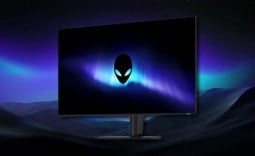
According to GamersNexus, connecting an LG UltraGear 34GX900A-B monitor to a Windows PC will automatically install software that promotes McAfee antivirus subscriptions, all without any prompt or user approval. Essentially, plugging any Windows 11 PC into this LG monitor automatically installs what is commonly considered adware, software that is dedicated to displaying an advertisement for additional software.
GamersNexus replicated what many LG monitors were complaining about on Reddit, confirming that the monitor triggers an automatic software install that occurs silently during the monitor setup process, all without any user approval. This includes not only promotional material for McAfee but also additional adware-like elements, along with the approval of suspicious permissions such as granting access to "All system resources" and geolocation, online activity, and contact data.

A user report showcased a screenshot of McAfee ads appearing on their PC despite never installing the program or authorizing the ads, highlighting the invasive nature of the product. The issue has drawn attention from tech communities, and rightfully so, as users are now questioning if other monitor companies are also guilty or complicit in such practices.
If LG does not address this behavior, it risks damaging its reputation among gamers who aren't very quick to forget about the predatory behavior of tech companies. This is especially true among those gamers or consumers who really value transparency and control over their systems. For me, until this is removed, or LG puts out a statement explaining why it's there in the first place, all future LG UltraGear gaming monitor reviews will come with a warning for spyware, or LG's Monitor App installer.


Frequently Asked Questions
Open a question for an answer from TweakTown's coverage of this news, or ask your own below.
Which LG UltraGear monitor models are known to trigger the automatic McAfee/advertisement install on Windows 11?
How does connecting an affected LG monitor to a Windows 11 PC cause software to install via Windows Update without user consent?
What specific permissions does the automatically installed software request (for example: system resources, geolocation, online activity, contacts)?
Can the unwanted McAfee advertisement/software be removed or uninstalled after it appears, and how?
Have a question about this content not listed here? Ask below and TweakBot will answer it.

The above is a list of known LG monitors with this issue, and it's suspected that this problem affects select LG monitors in its UltraGear line-up. It's currently unknown how many, or which models.