












Microsoft's Xbox Full Screen Experience (or FSE) for Windows 11 debuted with the ROG Xbox Ally gaming handhelds last month, marking the first time the OS delivers a console-like, controller-friendly experience for gamers. With XBE now rolling out to more Windows 11 gaming handhelds, Microsoft is also making it available to Windows 11 Insiders to test out and use on any laptop or PC.

The big feature is the ability to boot straight into the Xbox app and interface for a smoother, faster gaming experience. By booting straight into the Xbox app, which still gives you access to other storefronts like Steam and the Epic Game Store, the FSE also disables unneeded non-essential and non-gaming Windows 11 processes to free up system resources and memory.
"Designed for controller-first navigation, it provides a gaming-first, full-screen environment where players can easily browse and launch titles from across their game libraries- including most popular PC storefronts," Microsoft explains, "A powerful Task Switcher enables quick movement between games and apps, delivering a seamless experience."

To get access to the Xbox Full Screen Experience, you'll need to do a couple of things. First, join the Xbox Insider program, then open the Xbox Insider Hub app and select PC Gaming Preview. Second, you'll also need to enter the Windows Insider Program and join the Beta or Dev channels. This will give you access to the Windows 11 preview and the Xbox app with the FSE option.
In addition to becoming the main interface for PC gaming handhelds running Windows 11, the expectation is that the Xbox Full Screen Experience will also serve as the main interface for Microsoft's next-gen Xbox console, which it is already hinting will be a PC hybrid device. Of course, as the first version of the FSE for Windows 11, odds are Microsoft will update, optimize, and add new features as we get closer to the next Xbox console launch.


 MSI Claw handhelds get the Windows 11 'Full Screen Experience' for Xbox and PC gaming
 Xbox Mode coming to all Windows 11 PCs starting in April
 Windows 11 is getting a full-screen Xbox mode that you can boot into
 Xbox full-screen experience comes to all Windows 11 PCs, including desktops and laptops
 Xbox Ally's new 'Xbox experience' custom Windows 11 gaming OS coming to other handhelds in 2026
 Giveaway: 12 Winners Will Score MONTECH NX400 and NX600 CPU Coolers
 Assassin's Creed Odyssey becomes the highest-rated entry in the franchise, thanks to Nolan's 'The Odyssey'
 PlayStation gamers' planned week-long 'PS Blackout' begins today
 Nintendo Switch 2 will rise to £419.99 in the UK, starting September 1
 One retailer says 91% of attempts to buy DDR5 memory are coming from bots
 Jensen Huang signed NVIDIA RTX Pro 6000 graphics card sells for $57,450 at auction
 GTA 6 leaks have reportedly led to a morale drop at Rockstar, with Netflix frustrated as well
 The Blood of Dawnwalker won't hit 60 FPS on any console, PS5 Pro tops out at 40 FPS
 AMD claws back ground against Intel in the CPU market, climbs to 35% share in desktop CPUs
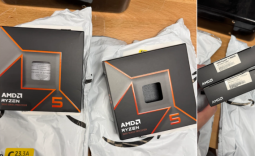 Redditor receives not one but TWO empty boxes of Ryzen 5 9600X from Amazon
 Xbox Series X25 Limited Edition Console is priced at $900, arrives November 2026
 Cooler Master MasterFan A120 Fan Review
 GIGABYTE MO27Q2A Gaming Monitor Review: 1440p, 280Hz, and QD-OLED is a winning combination
 Cooler Master V8 ACE 3DHP BLACK CPU Cooler Review
 ASUS ROG Strix XG129C Review: A $199 Gaming Monitor You Don't Play Games On
 Cooler Master HAF II 500 Mid-Tower Chassis Review
 Corsair HS35 v3 Wireless Gaming Headset Review - An Affordable Winner
 D-Link F518 5G Wi‑Fi 6 AX1800 Mobile Hotspot Review: All-Day Mobile Hotspot
 Bose Lifestyle Ultra Speaker Review - Impressively Detailed Room-Filling Sound
 MSI Z890 Gaming Plus WIFI6E Review - Z890 for under $200
 Mortal Kombat (1995) 4K Ultra HD Blu-ray Review
 Using Multiple Monitors? Change these Windows settings for a Better Experience
 Windows Sandbox is The Windows Security Feature Most People Never Use
 I ditched the Windows 11 context menu for this open-source tool, and here's why
 Windows 11 may be encrypting your drive already, and I checked where my recovery key went
 GIGABYTE's 40 Days of INFINITY celebrates 40 Years of Innovation with stunning GeForce RTX graphics cards and rewards
 I swapped File Explorer for this free file manager and finally got the layout I wanted
 How to tell if someone has been using your Windows PC without your permission
 6 Task Manager tips for troubleshooting Windows performance problems
 ASUS ROG's 20th Anniversary Line-up of Premium PC Gaming Gear has Arrived - Here's Everything You Need to Know
 Six File Explorer tips every Windows user should know