












I recently built a new PC and installed Windows, but didn't activate it. At first, everything seemed normal - I could install apps, browse the web, and handle everyday tasks without any issues. But once I started using it more extensively, the limitations of an unactivated copy became much more noticeable. Below are the real downsides of not activating Windows 11.
Constant Watermark on the Screen

The most noticeable downside of not activating Windows is the persistent "Activate Windows" watermark in the bottom-right corner of the screen, constantly reminding you to activate the operating system. While it may not interfere much during regular use, it can become distracting during gaming, presentations, or when watching content in full screen.
The watermark also appears in screenshots and screen recordings, which can make your setup look less professional if you regularly capture your screen for work or content creation. Although there are temporary workarounds to hide it, the watermark often reappears after installing new system updates.
When watching videos or movies, I often use picture-in-picture mode so I can continue working, and I usually place the floating window in the bottom-right corner. Unfortunately, that's exactly where the "Activate Windows" watermark appears, which makes the experience incredibly annoying. For that reason alone, activating Windows feels worth it to me.
Activation Reminders Everywhere
Even if you manage to permanently hide the watermark from the bottom-right corner of the screen, that doesn't mean the activation reminders disappear completely. Windows continues to show prompts in different parts of the system, and while they may be easy to ignore at first, they can become increasingly annoying over time.
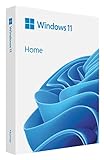
Best Deals: Microsoft Windows 11 Home
Price Trend:
Prices last scanned 5 hours and 4 minutes ago

7 days ago: $128.99 USD30 days ago: $128.99 USD

7 days ago: $129.98 USD30 days ago: $138.99 USD

7 days ago: $18930 days ago: $189

For example, when you open the Settings app, you'll see warnings that Windows isn't activated. If you try to personalize your PC, you'll be told activation is required. You may also receive pop-up notifications reminding you to activate Windows, and in some cases, prompts can even appear on the lock screen. Over time, these repeated reminders can become unbearable.
Limited Personalization and Features
With an unactivated copy of Windows, you don't have full control over how your system looks and feels, as most customization options are locked or heavily restricted. For example, you can't change the wallpaper through Settings, theme switching, and system-wide theme application are limited, and accent color personalization is disabled.
Our Latest TweakTown Guides
- Using Multiple Monitors? Change these Windows settings for a Better Experience
- Windows Sandbox is The Windows Security Feature Most People Never Use
- I ditched the Windows 11 context menu for this open-source tool, and here's why
- Windows 11 may be encrypting your drive already, and I checked where my recovery key went
- I swapped File Explorer for this free file manager and finally got the layout I wanted
Even options like lock screen customization, screen timeout, and screen saver settings can't be adjusted. The restrictions aren't limited to personalization alone. Even some core features - such as changing the speaker or microphone, pairing or adding new devices, and sometimes adjusting volume and other settings - can be limited or inaccessible.

Potential Legal and Compliance Concerns
Windows is proprietary software, and activation is part of Microsoft's official licensing terms. Using it without activation means operating outside the intended license agreement. While an unactivated version may seem harmless for personal use, depending on how and where it's used, it can raise legal and compliance concerns in certain situations.
For example, companies are required to use properly licensed software to meet audit and policy standards, and some schools or workplaces may also require Windows to be fully activated before allowing devices on their systems. To avoid any grey areas and ensure your device can be used freely anywhere, you should activate Windows.
Limited Support From Microsoft

While you may still receive core updates on an unactivated copy of Windows, some optional updates and new features may be delayed or unavailable - though this may not matter much for casual home use. With an activated copy, however, you'll typically get the latest updates and features as soon as they roll out.
In addition, technical support from Microsoft may be more limited on unactivated systems. Some users report that Microsoft support agents request a valid activation before providing full troubleshooting assistance, though we couldn't independently confirm this. So while your PC will continue to function, you may have to rely more on self-troubleshooting.
How to Properly Activate Windows
If you plan to use Windows 11 long-term, you must activate it through proper and legitimate methods. You can purchase a genuine license directly from Microsoft or authorized retailers. In many cases, the license gets linked to your Microsoft account, making it easier to reactivate Windows after reinstalls or hardware changes.
You may also come across extremely cheap Windows keys sold on random websites. While some of them may work temporarily, they often fall into a grey area and are best avoided. These keys can come from abused volume licenses, region-restricted resales, unauthorized sellers, or previously used licenses, and they may stop working or cause activation issues later.
To activate Windows, right-click the Start button and open "Settings," then go to System > Activation. From there, click "Change," enter your product key, and follow the on-screen instructions.

While it's possible to run Windows 11 without activation, and it may work fine for basic everyday use, the limitations become harder to ignore over time, and the overall experience starts to feel incomplete. So, if you're using an unactivated copy on your main PC, activating it is worth considering to unlock the full experience without restrictions.


 Using Multiple Monitors? Change these Windows settings for a Better Experience
 Windows Sandbox is The Windows Security Feature Most People Never Use
 I ditched the Windows 11 context menu for this open-source tool, and here's why
 Windows 11 may be encrypting your drive already, and I checked where my recovery key went
 I swapped File Explorer for this free file manager and finally got the layout I wanted
 Redditor grabs a Radeon RX 7900 XT for just $226, even when it appeared 'out of stock'
 Seasonic's new 1600W PSU is the first ATX power supply with 80 PLUS Ruby certification
 Thermal Grizzly is now selling a pre-delidded AMD Ryzen 9 9950X3D2 with warranty
 Intel Core Ultra 9 4950K leaked as Nova Lake-S flagship with 28 cores
 SteamOS now works on the Intel Arc B580 without workarounds on the latest beta
 GeForce RTX 3080 cards with 20GB of VRAM are being sold in second-hand markets
 Snapdragon X2 Elite Extreme outpaces Intel's Panther Lake by up to 87%
 Hydra unlocks VRAM overclocking and 125% power limits for all GeForce RTX 50 Series GPUs
 ASRock DeskMeet X300 build significantly outperforms the Steam Machine for the same price
 Star Citizen livestream full of bugs, glitches, and performance issues raises fresh concerns about the $1 billion game
 Cooler Master V8 ACE 3DHP BLACK CPU Cooler Review
 ASUS ROG Strix XG129C Review: A $199 Gaming Monitor You Don't Play Games On
 Cooler Master HAF II 500 Mid-Tower Chassis Review
 Corsair HS35 v3 Wireless Gaming Headset Review - An Affordable Winner
 D-Link F518 5G Wi‑Fi 6 AX1800 Mobile Hotspot Review: All-Day Mobile Hotspot
 Bose Lifestyle Ultra Speaker Review - Impressively Detailed Room-Filling Sound
 MSI Z890 Gaming Plus WIFI6E Review - Z890 for under $200
 Mortal Kombat (1995) 4K Ultra HD Blu-ray Review
 CPS PCCOOLER YS1200 ATX 3.1 80 PLUS Gold PSU Review
 ASRock X870E Taichi White Review: a premium AM5 motherboard with 10G LAN and WiFi 7
 GIGABYTE's 40 Days of INFINITY celebrates 40 Years of Innovation with stunning GeForce RTX graphics cards and rewards
 How to tell if someone has been using your Windows PC without your permission
 6 Task Manager tips for troubleshooting Windows performance problems
 ASUS ROG's 20th Anniversary Line-up of Premium PC Gaming Gear has Arrived - Here's Everything You Need to Know
 Six File Explorer tips every Windows user should know