










At a glance, the new X870 AORUS STEALTH ICE motherboard from GIGABYTE is simply stunning. With its white, grey, and minimal RGB look, the clean presentation has a modern sci-fi-inspired aesthetic perfect for putting together a high-performance white-colored rig. However, take a closer look and you'll notice that one of the reasons it looks so sleek comes from the fact that it's the latest release for the company's groundbreaking Project STEALTH Series.

Project STEALTH is all about delivering motherboards for reverse-connector-ready cases, offering enthusiasts, gamers, and other users a way to easily put together a new PC with minimal cable clutter and a striking look. If you're wondering if being a STEALTH board makes case-compatibility a headache, that's not the case here, as the X870 AORUS STEALTH ICE is compatible with a wide range of chassis from Corsair, Cooler Master, Fractal Design, and more.
As an AM5 board ready for AMD Ryzen 9000, 8000, and 7000 Series CPUs, the X870 AORUS STEALTH ICE is a lot more than a great-looking motherboard. The EZ-DIY Friendly Design makes the building process fun, tool-free, and simple. When you throw in premium power delivery, a special X3D Turbo Mode for the latest gaming champ, the Ryzen 7 9800X3D, and AI-powered technology that pushes DDR5 speeds to new heights, you're looking at a beast.

The X870 AORUS STEALTH ICE also includes several impressive 'stealth' features, like DriverBIOS, a revamped I/O vent design, and a super-handy EZ-Debug Zone.
Project STEALTH is the Future
One of the significant concerns and headaches for most builders is cable management. The sheer number of cables that need to be hooked up and connected for a PC to become a PC can be overwhelming because each step means you've got yet another cable to try and make look neat. As a reverse-connector motherboard, when you flip over the X870 AORUS STEALTH ICE, you'll notice that all of the standard connectors are now on the reverse side.

In the age of tempered glass cases with panoramic views, this is a game changer. All of those various fan and RGB headers required for cooling? Out of sight, thanks to the X870 AORUS STEALTH ICE. Those annoying front USB-C connectors and SATA connections for expanded storage? Also out of sight. As are the main chunky 22 and 12-pin Power Connectors for the motherboard.
All that is left for the front side of the motherboard are the four dual-channel DDR55 DIMM slots, four M.2 slots for PCIe Gen 5 and PCIe Gen 4 SSDs, and two full-length PCIe slots for graphics cards and other devices. And even then, all of the M.2 storage is hidden behind sleek heatsinks that live up to the STEALTH ICE name. For those wanting that clean, cable-free look, the X870 AORUS STEALTH ICE delivers.
Maximum Case Compatibility
GIGABYTE's Project STEALTH initiative began in 2022, and in a few short years, it has reached a point where the X870 AORUS STEALTH ICE motherboard is now compatible with cases from over a dozen of the world's biggest names. In addition to cases from Corsair, Cooler Master, and Fractal Design, you can add cases from Lian Li, Phanteks, be quiet!, InWin, DeepCool, and of course, GIGABYTE, to the list.

Motherboards with a hidden-cable design aren't exclusive to boards carrying the AORUS name; however, the reason for the X870 AORUS STEALTH ICE's maximized case compatibility comes down to fact that it has worked closely with all of the top case makers to refine and enhance its Project STEALTH design for the X870 AORUS STEALTH ICE. GIGABYTE's reverse connector solution is 30% smaller than the competition, and this is one of the key reasons it's compatible with dozens of cases.
Building a PC Has Never Been This EZ
The tool-free era of building a new PC is here, and GIGABYTE's EZ-DIY Friendly Design is at the forefront of incorporating innovation with optimal performance. Installing an M.2 SSD on a modern motherboard by releasing an M.2 EZ Latch without a screwdriver isn't new. However, the X870 AORUS STEALTH ICE's new M.2 EZ Flex system includes a pressurized and flexible thermal pad to support single and double-sided SSDs while reducing temperatures by up to 12 degrees Celsius.

Installing or replacing a GPU is also a breeze with the PCIe EZ Latch system, where all you need to do is press an easily accessible button to release the lock. And on the I/O panel, you'll find the new WIFI EZ-Plug for hassle-free WiFi 7 connectivity. Those tiny vents on the I/O panel? Another stealthy feature that helps lower temperatures by up to 7 degrees Celsius.
GIGABYTE's EZ-DIY Friendly Design for the X870 AORUS STEALTH ICE covers the entire building process, from installation to day-to-day use, to debugging. The EZ-Debug Zone on the motherboard not only offers display codes to make diagnosing issues simple, but you've also got debug LEDs for real-time Boot statuses, and dedicated power and reset buttons. There's even a third customizable button that can be used to go straight into BIOS mode, boot into Safe Mode, or act as an RGB Switch to go into a 'stealth' no lighting mode.

And then there's DriverBIOS, which integrates the WiFi driver into the BIOS. This gets you online long before Windows is finished installing, removing any issues related to needing to download a WiFi driver. It simplifies and speeds up the entire Windows installation process by getting you online in seconds, and this is all due to GIGABYTE increasing the BIOS Flash Memory size from 32MB to 64MB, as well as Microsoft's WPBT feature that allows executable programs to run directly from a UEFI BIOS.
Premium Power, X3D Turbo Mode, and DDR5 Speeds Go Bionic
Built with high-end materials and cooling in mind, the X870 AORUS STEALTH ICE has the performance to match its looks. Setting aside the X870 AORUS STEALTH ICE's stunning aesthetic, groundbreaking Project STEALTH layout, and fantastic DIY friendly design, you're also looking at a motherboard that is all about performance. For those with a new Ryzen 7 9800X3D CPU, the X3D Turbo Mode offers a single-click solution for optimizing performance that delivers real gains. In games that rely heavily on the CPU, X3D Turbo Mode can provide up to 18% more performance.

That's the sort of uplift you get from upgrading to a new tier of CPU or GPU, and here it all comes from a one-click BIOS feature. And best of all, it also works with Ryzen 9000 Series non-X3D processors to deliver a similar performance uplift.
GIGABYTE is one of the leaders in delivering AI solutions, and it is leveraging this expertise to incorporate AI-powered solutions in its hardware. One of these new AI-powered tools was designed to simplify and optimize the memory overclocking process with the X870 AORUS STEALTH ICE. Called D5 Bionic Corsa, it offers another one-click solution, this time to push DDR5 memory speeds to DDR5-8200 with a fast and stable overclocking profile that doesn't require any OC expertise.

With support for the latest AMD CPUs, fast PCIe Gen 5 storage, cutting-edge DDR5 memory, and the latest GeForce RTX and Radeon RX graphics cards, the X870 AORUS STEALTH ICE also offers premium and reliable power delivery via its robust 18+2+2 (SPS 80A) VRM design. This means you're always getting uncompromised performance even when you're also connecting a webcam, VR headset, and phone charger to its multiple high-speed USB-C ports, all at the same time.
The Future is Now
Whether you're planning on playing the latest games in 4K or running powerful AI tools for productivity or creation, the X870 AORUS STEALTH ICE is built for the future. With high-speed PCIe Gen 5 storage slots, native 40Gbps USB4 ports, 5G LAN, and the latest WiFi 7 technology, it's more than equipped to handle any task or situation.

But, when you add in its sleek design, Project STEALTH features, and compatibility with a wide range of cases from the biggest names in PC gaming hardware, it's also a motherboard that will help shape the future of PC building.
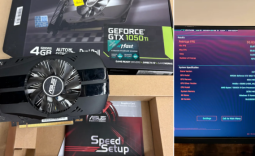 Redditor scores a working GTX 1050 Ti for just $2 at Goodwill
 Sony has secured enough memory to meet PS5 sales targets through March 2027 and says no further price hikes are planned
 Reddit is building a video and audio listening experience for the viral post format it accidentally created for TikTok
 Seagate says Mozaic 5 50TB hard drives are on track for 2027, with 100TB already on the roadmap
 MSI adds a BIOS toggle to tighten standard DDR5 timings closer to EXPO ULL kits
 Keychron is building an open-source gaming mouse firmware called ZGM
 Assassin's Creed Odyssey gains 90% more players due to Christopher Nolan's 'The Odyssey'
 AMD Radeon GPU prices set to increase by 10% in August
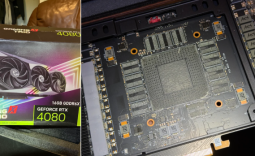 Redditor buys an RTX 4080, opens it up to find no GPU die or VRAM inside
 NVIDIA GPU rumors swirl claiming major price hikes of 20 to 30% - or more - are coming, as VRAM costs climb
 Montech TG3 Mid-Tower Chassis Review
 ASUS ROG Strix X870E-A Gaming WiFI7 Neo Review - A New Enticing Option
 Noctua NL-LC1-36 Liquid CPU Cooler Review
 Logitech G316 X 98 Wired Gaming Keyboard Review - Retro-Inspired Board that Falls a Little Short
 Biwin M560 2TB SSD Review - Best Overall Retail-Ready DRAMless SSD
 Logitech G512 X 98 Analog Mechanical Gaming Keyboard Review - An Innovative Two-in-One
 Thrustmaster T.Flight HOTAS 5 MSFS Edition Review
 SteelSeries Arctis Nova Pro Omni Wireless Headset Review - One Headset to Rule Them All
 SteelSeries Arctis Nova 7 Wireless Gen 2 Headset Review - New and Improved, But Is It Enough?
 AMD Ryzen 7 7700X3D Review - Days of Future Past
 ASUS ROG's 20th Anniversary Line-up of Premium PC Gaming Gear has Arrived - Here's Everything You Need to Know
 Six File Explorer tips every Windows user should know
 I switched my PC to encrypted DNS in Windows 11, and browsing felt more private
 Printer Not Working in Windows? How to fix detection, print queues and drivers
 The Ultimate Guide to Personalizing Your Windows 11 Taskbar
 How to Turn Your Windows Laptop Into a Second Monitor with Miracast and Wireless Display in Minutes
 6 Mistakes to Avoid When Buying a Windows Laptop
 I capped Windows Update's bandwidth with Delivery Optimization, and my downloads stopped choking
 I use this decade-old free tool that finds files faster than Windows Search does
 I install and update most of my apps with this Windows command now, and I stopped downloading sketchy installers