


Introduction
 43
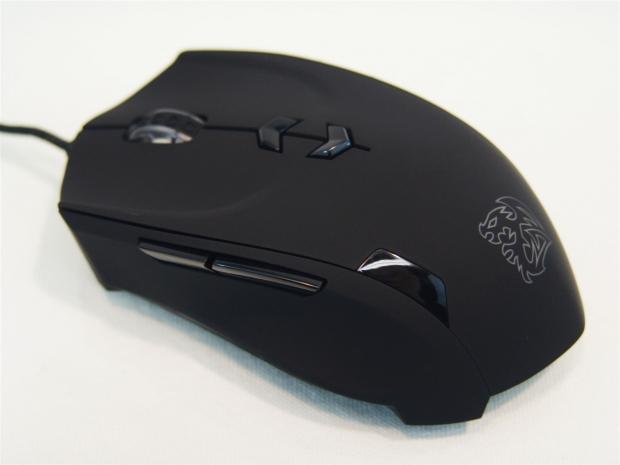
43As I was chatting with one of my friends from over at Thermaltake, we had gotten into a conversation regarding that I had thought it had been a while since I had seen anything from either Thermaltake as well as its eSPORTS lineup. So as the conversation was concluding, I was told to expect a bit of a care package with a few new goodies to have a look at. Since the Level10M wasn't available just yet, I was sent another mouse and gaming mat to have a look at to tie me over for now and bring yet another Thermaltake product to the forefront.
This latest mouse I am about to have a look at isn't really designed with a specific game in mind, but all the same, Tt eSPORTS classifies this as an RTS gaming mouse. Taking that a step further, even a professional gamer has stepped up to the plate delivering nothing but praise for this latest submission since he had a hand in designing it.
Not only that, but this mouse has also won the Red Dot Design award for 2012. Reasons for that are obvious with the on-the-fly DPI adjustments, a seven color adjustable LED lighting system, it's capability of holding 40 Macros with the 128kb of onboard memory, adjustable weighting system, and the fact that you get top notch design elements under the Battle Dragon's logo. This design is made to make you ready for the game and have the ability to play like a pro.
The mouse we are going to be having a look at today, along with an accompanying mouse mat is the Tt eSPORTS Theron. As for the gaming surface sent along with it, the Ladon, despite its smaller size compared to other mats on the market, it seems to be the one to look for, and is a perfect match for the Theron laser gaming mouse.
Without taking things too far this early in the game, I say you strap in with a beverage and have a look at what Thermaltake and the eSPORTS team along with the design elements from a professional gamer delivers to anyone with the desire for a new mouse.
Specifications, Availability and Pricing
 43
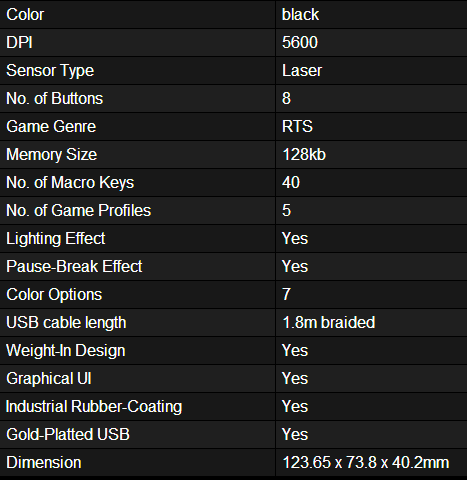
43Covering the charts information first, you can see that the Theron is delivered in black, but they don't mention the soft feel of the rubberized coating to the top and sides. The Avago ADNS9500 laser sensor is what will track your movements with a DPI range from 100 to 5600 DPI. This eight button solutions is classified as an RTS mouse, but there is no reason it cannot play any other type of game as well. Inside next to the laser chip, there is also 128kb of onboard memory to store the settings of five profiles and up to 40 Macros. Controlling the talk between the PC and the mouse is done with the use of a Sonin 8-bit USB 2.0 micro controller. The Theron also comes with five places on the mouse that are LED backlit and you have the option to set one of seven preset colors. The last couple of things to cover are the five 4.5 gram weights that you can use to perfect the feel for your needs, and the mouse is at the end of a 1.8 meter braided cable with a gold plated USB 2.0 connection on the opposite end.
Stuff not covered in the chart is things like the PTFE feet used to allow the Theron to glide effortlessly, even with the maximum weighting applied. Also under the mouse is where you will find both the profile and polling rate buttons to be able to adjust those between games or rounds if needed. In the eight-button layout there is a pair of them controlling the on-the-fly DPI and the side of the mouse shows which of the four settings you are currently using with the use of two LEDs. I almost forgot one of the more important things. The switches on the Theron are varied. The right and left click buttons use Omron switches as we expect in our mice these days, but for the less used buttons on the mouse you are given Zhij switches.
The Theron has been on the market for a bit of time now and as such is widely available. As I searched around l easily located over 50 locations currently stocking the Theron with about a twenty dollar spread between the cheapest and most expensive. The first place on the list I recognize, or I have personally done business with is Mwave with a $64.49 pricing with shipping included. If you want to shop Newegg your total will be much closer to $74 and we haven't even looked at the Ladon mouse mat. While this product is much less available in the States, I was able to located one at Directron with a $24.99 price tag.
All things considered, for the Theron and Ladon if bought together is going to set you back around $90. That being said, I have had mice that cost that much without the gaming surface included. So far this seems like a lot of mouse and gaming surface for the investment, but we are about to take it even further, and with much more detail as I look at then deliver my opinion on if the Theron and Ladon are just for SC II, or if in fact this mouse is made for the "every-man".
Packaging
 43
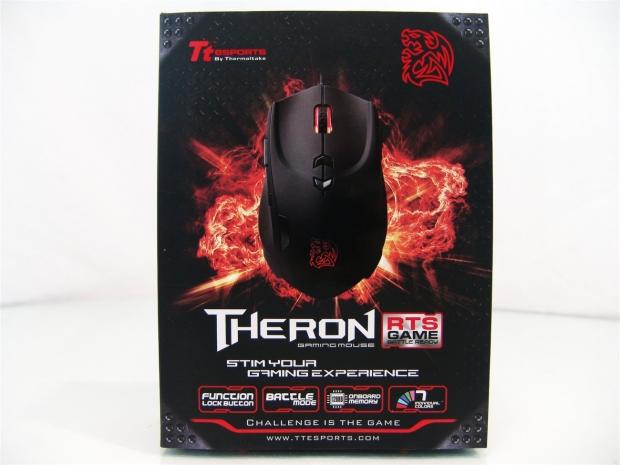
43Over the top of some black diamond plate steel and a huge fiery explosion is the image of the Theron RTS laser gaming mouse. Under the naming you also get drawn to the four features listed at the bottom.
 43
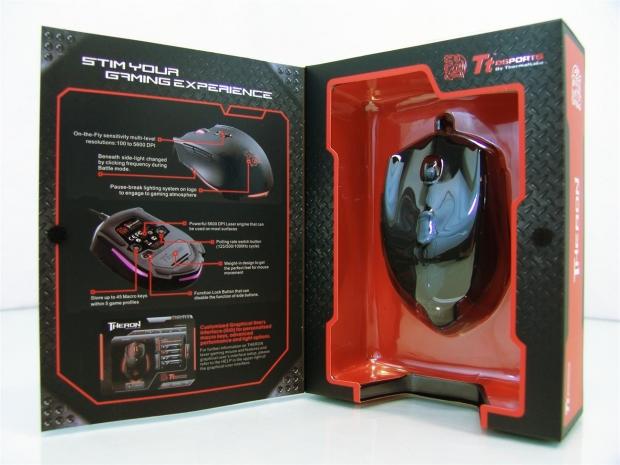
43This packaging has a bit of Velcro to keep the front panel shut, but once the Velcro is let lose, you are given a look at the Theron on the right through some clear plastic to protect it. The back of the front panel points out the features and functionality of the Theron as it ends with an image of the software as well.
 43
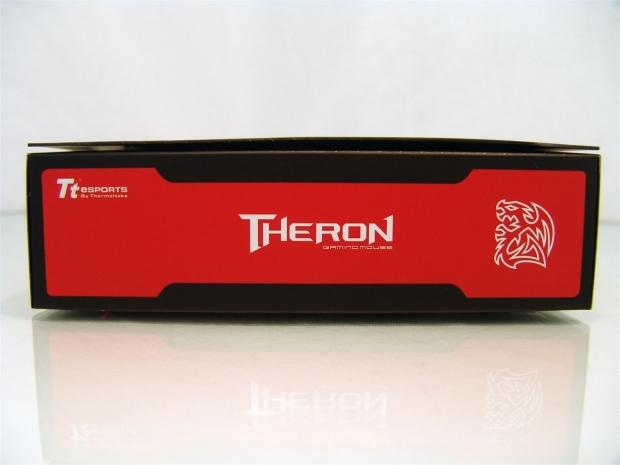
43The right side of the package offers just the black background with the large splash of red in the middle to house the Theron name, which makes it at the top left corner, and the Battle Dragon logo on the right.
 43
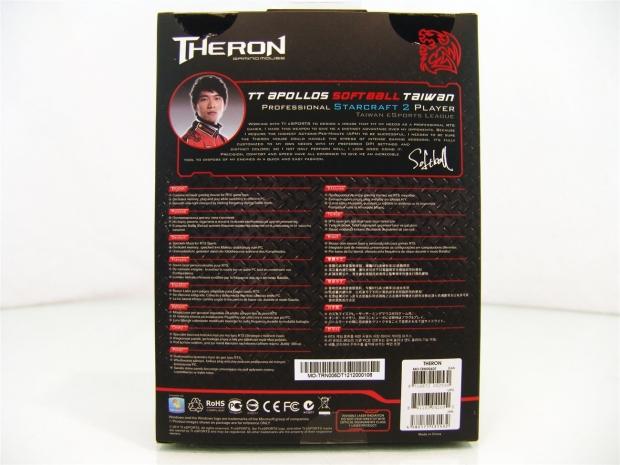
43The back panel is topped with an image of "Softball" and a statement about what his design philosophy was when joining with Tt to build the Theron. The bottom section is covered in many languages and shows three features; customized RTS mouse, 128kb memory with a plug and play design and the LED lighting.
 43
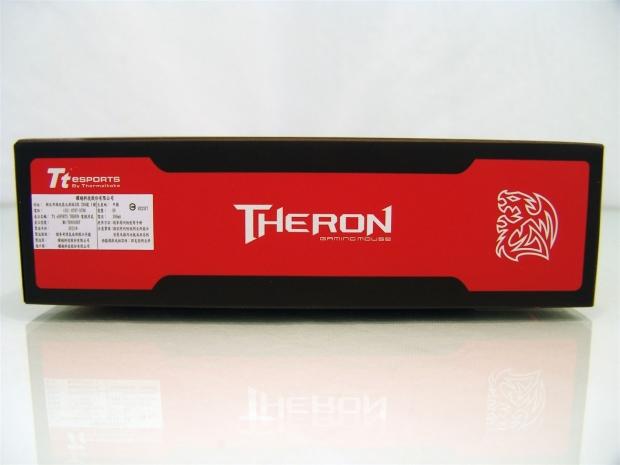
43The left side is an exact match to the right side with the exception of the label applied to the left side, which is written in Chinese.
 43
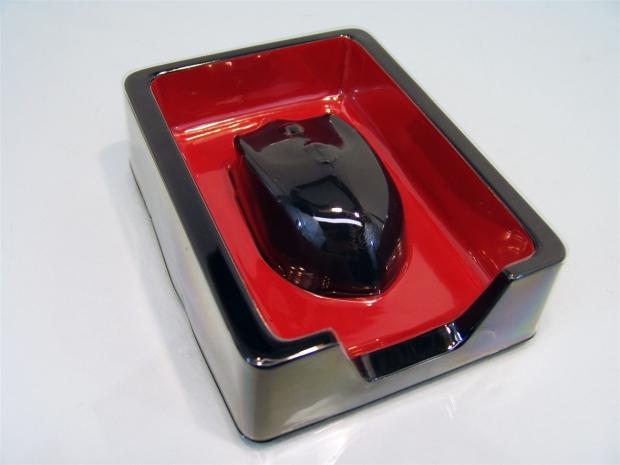
43The same clear plastic you had to look through the front of the packaging to see the Theron actually wraps around the top of the black plastic bottom half to protect the Theron, but also keep it securely in one place while travelling. In this instance, there was no damage to report to the packaging, so I have to say it works rather well.
Tt eSPORTS Theron RTS Laser Gaming Mouse
 43
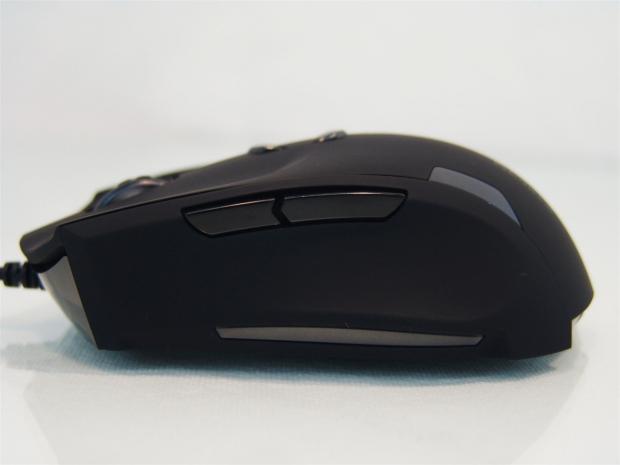
43The left side of the Theron is mostly covered with soft rubber coating for an assured grip even with sweaty hands. The shiny bit at the front is black plastic that wraps around the edge to the side. Then there is the pair of thumb buttons at the top, while the bottom shiny section is LED backlit.
 43
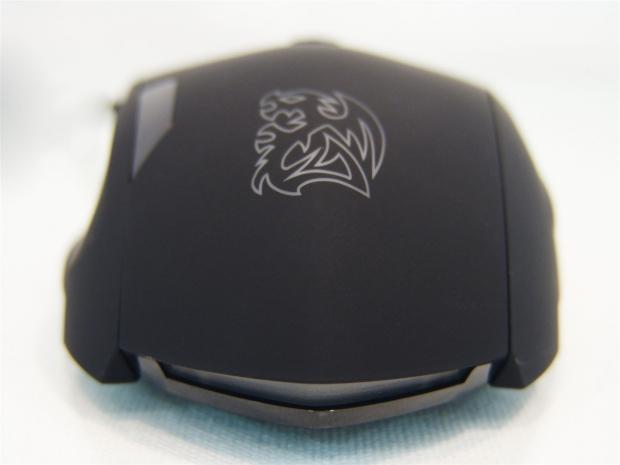
43The heel of the Theron offers the Battle Dragon logo that is backlit, has the shiny section at the left to denote the DPI selection being used, and another LED section at the bottom that is surrounded by the shiny black plastic that points to the back of the mouse.
 43
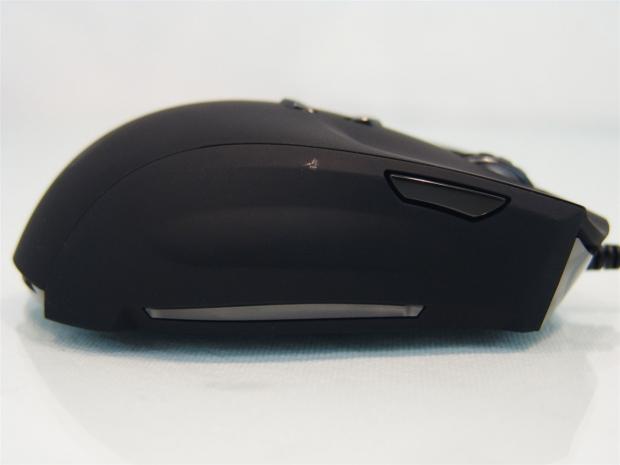
43The right side offers the same coating we have seen all over the top of the Theron. It also has another programmable button on this side and the LED section at the bottom. The spot you see near the top, behind the button is where a bit of the finish is coming off.
 43
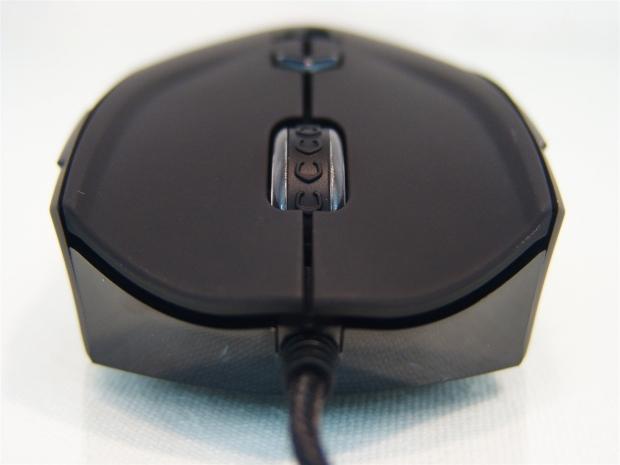
43Staring the Theron in the face you can see the bottom section under the buttons is shiny and black to contrast all of the matte black on the top. The right and left click buttons are contoured with ever so slight ledges at the sides to help keep your hand on the mouse a little better in the heat of battle.
 43
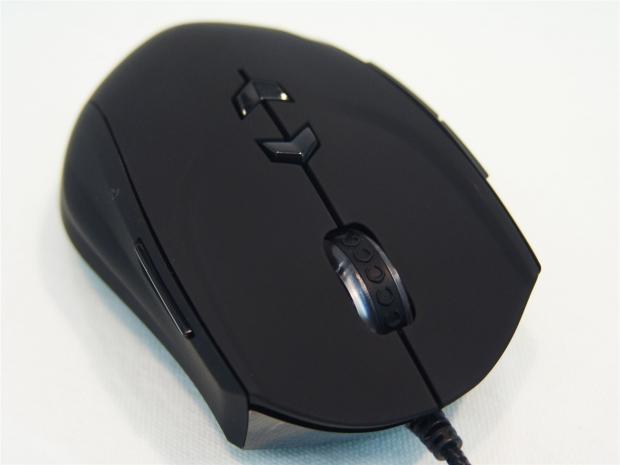
43The scroll wheel is backlit and it has pointy horse shoe patterns on it, or are they Battle Dragon prints? The pair of arrow buttons behind the scroll wheel will allow you to select one of four set DPI settings which can be changed via the software to make things perfect for each user.
 43
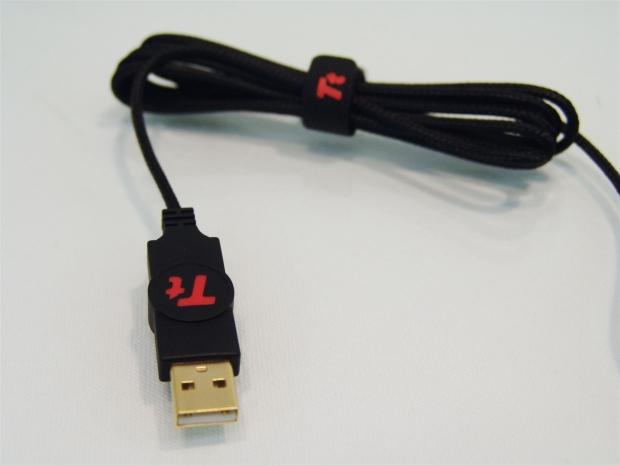
43To power the Theron you will need to plug in the gold plated USB 2.0 connection into a PC. The cabling that comes with a braided sleeving on it is bound up to shorten the 1.8 meter length of it and secured with the Velcro strap with the Tt logo on it.
 43
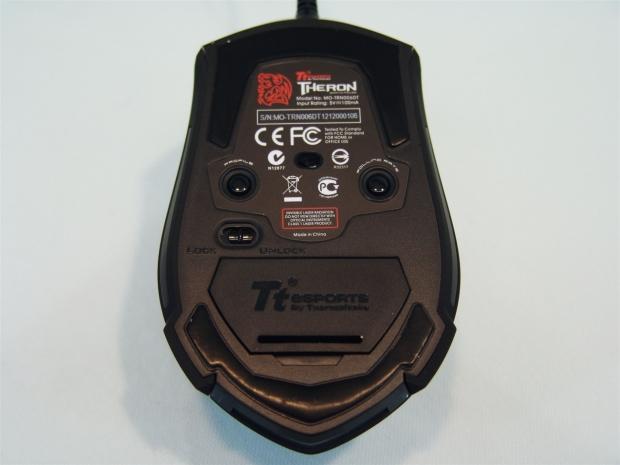
43Under the Theron you can see it glides on two large and wide PTFE feet that are applied one to the front and one in the back. Mixed into the sticker you will see the sensor along with a profile button to change them and a polling rate button to adjust that.
 43
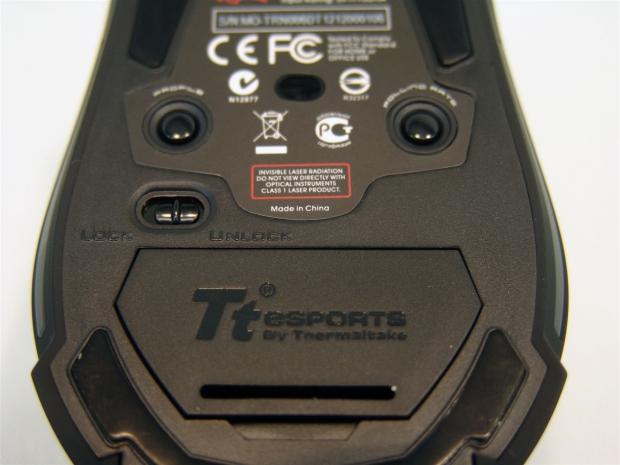
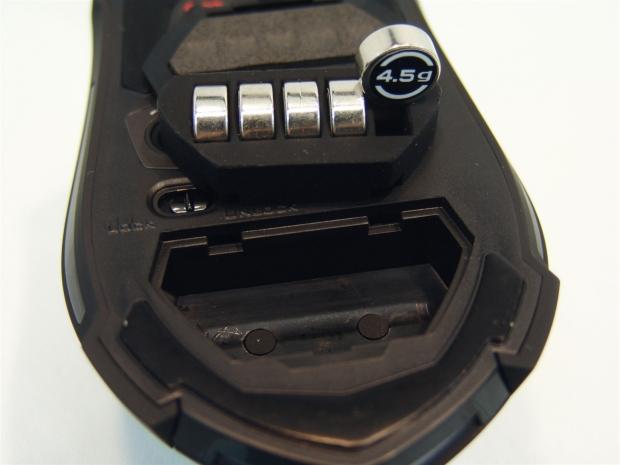
43Moving in a bit closer I want to address the locking switch. These allow users to disable or enable the side buttons functionality. Locked means they don't work, and unlocked allows them to function. You also get a door that can be opened to address mouse weighting.
 43
43I opened the door and removed the soft rubber insert that holds up to five weights. Each weight is 4.5 grams and will give you a total of 22.5 grams of additional weight if you need it.
Accessories and Documentation
 43
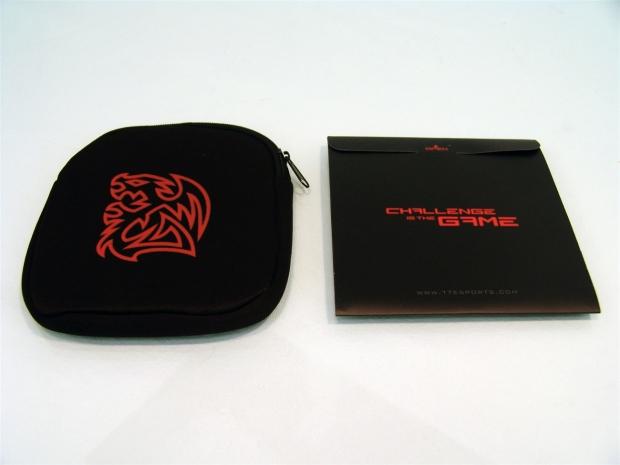
43Under the plastic sections that were keeping the Theron safe in transit you will locate these pictured above. On the left is a padded bag with a zip top that gives you something to stuff the Theron is while traveling with it. You also get a cardboard folder that contains all of the paperwork and goodies.
 43
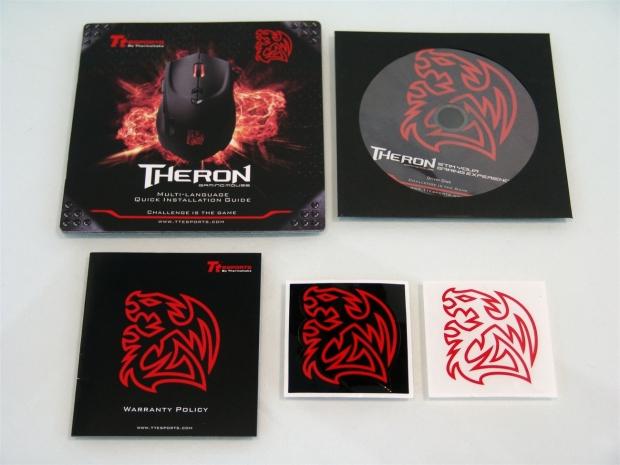
43Inside the folder you can find the quick start, multilingual, guide to getting the Theron ready to game. You also get a software CD and a pamphlet covering the warranty. Then you also get a pair of Battle Dragon logo sticker to apply to anything you see fit.
 43
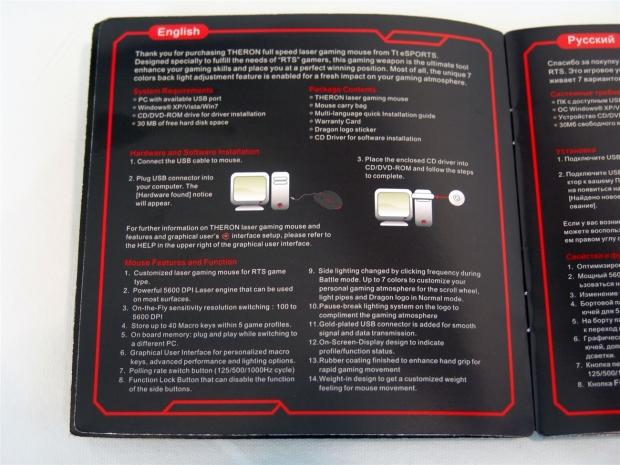
43Inside of the quick start guide you will find that the instructions are pretty simple. Plug in the Theron and use it plug and play style, or if you want the total control of the Theron slide in the CD and install the software.
Inside the Theron
 43
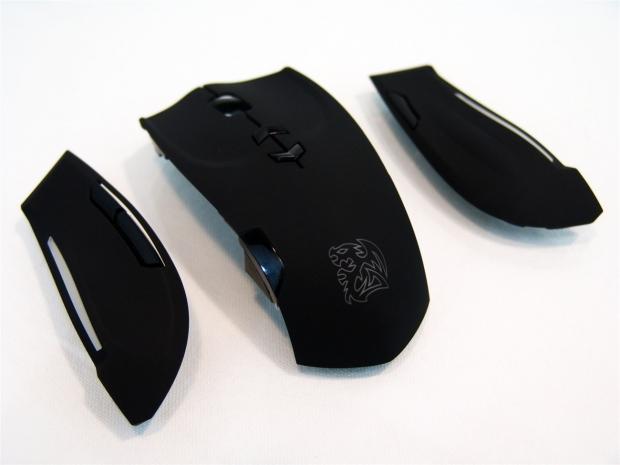
43After finding the four screws under the Theron, you can remove the top portion. Be careful if you do attempt this because the top is actually three separate components.
 43
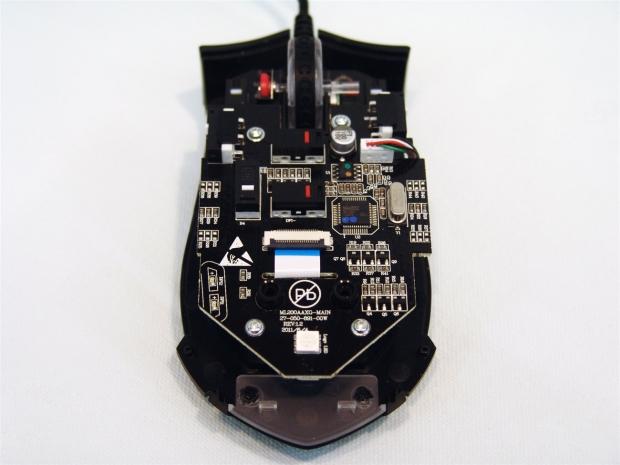
43In the base of the Theron you can see a dual layer of PCBs that hold the various components. Take some time to look around if you wish, but as always, I will be showing all of the important components.
 43
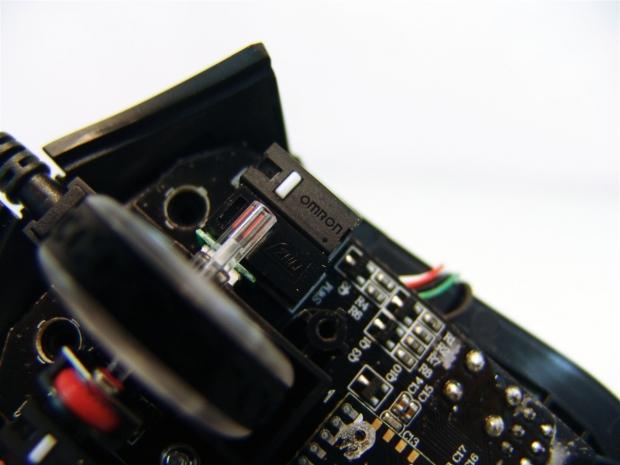
43The left and right click buttons are backed with Omron switches, while the scroll wheels click uses the Zhij switch.
 43
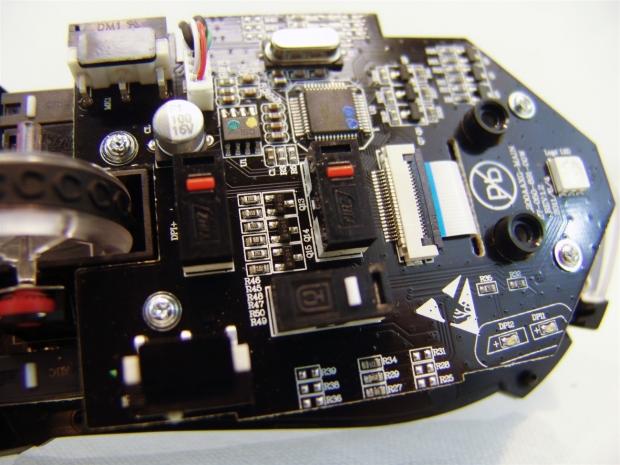
43The DPI buttons are Zhij based, but for the side button action of the Theron you have HC switches to take care of their functionality.
 43
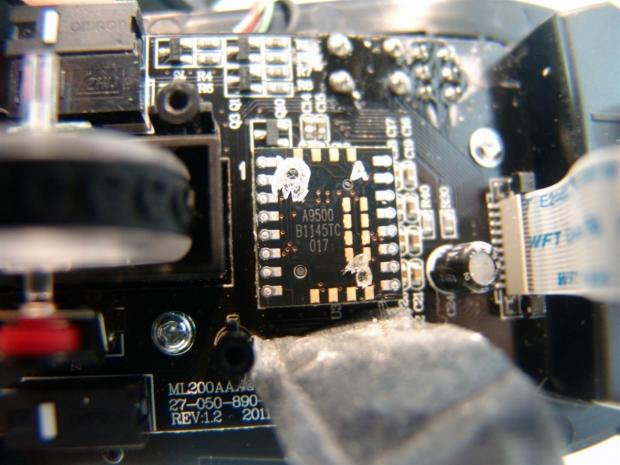
43Removing a few screws from the top PCB you can gain access to look at what is underneath. Protected by a layer of tape you will find the ADNS 9500 laser sensor IC sitting behind the scroll wheel.
 43
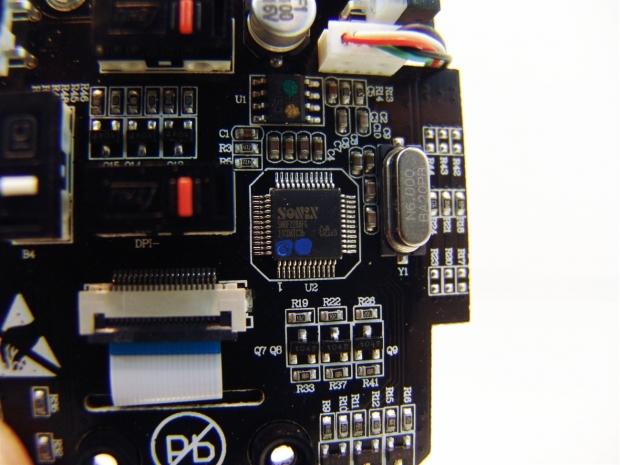
43Now obviously you need a way for the ADNS 9500 to talk to the 8-bit Sonin processor, this is why the need for the ribbon cable. To allow you to store profiles and Macros, there is the 128kb of memory on the CSI chip with the green and gold dots on it.
 43
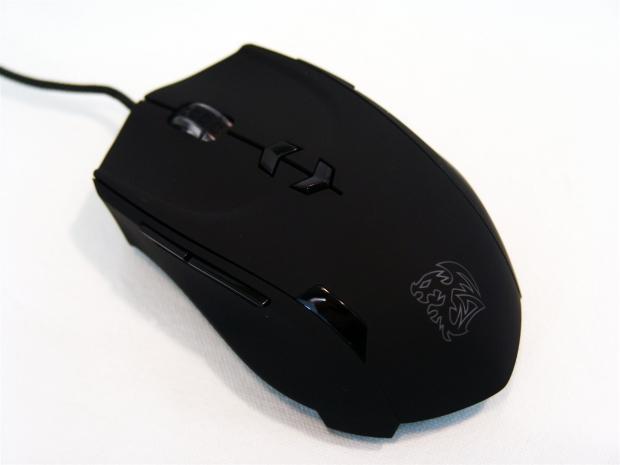
43Then of course I put the Theron back together so we can use it for testing.
 43
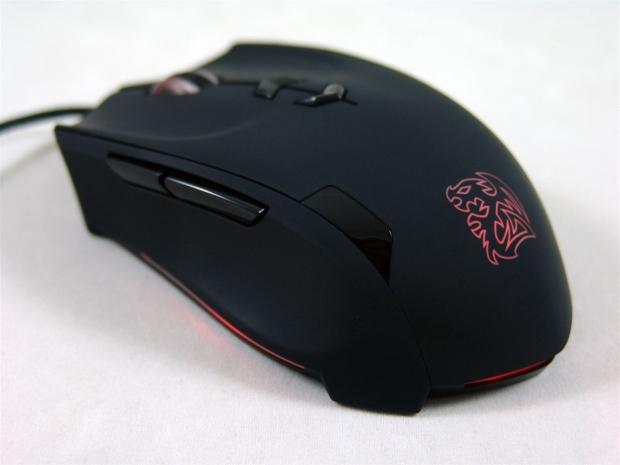
43With the Theron all back together I plugged in the USB 2.0 plug into the PC and this is the default lighting scheme displayed. You can see that the wheel, the logo, the side, and the back all illuminate. The other side has a stripe of red that matches the one seen here as well.
Software
 43
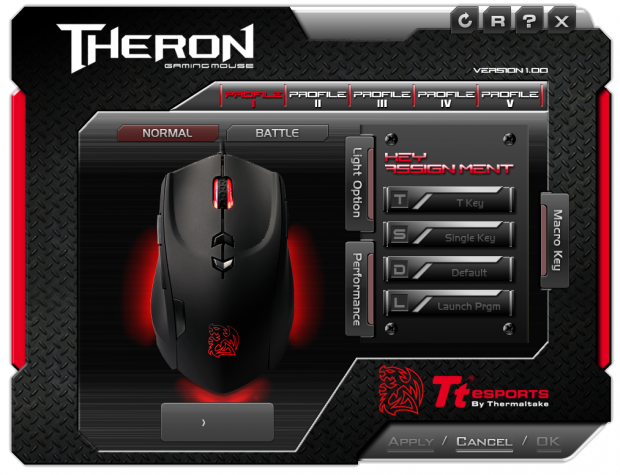
43The main page that opens up when the software is opened is what you are looking at above. While you can see basically what is offered like the modes, light options, performance options and the like, until you get off of the default profile there is no access to any of these controls.
 43
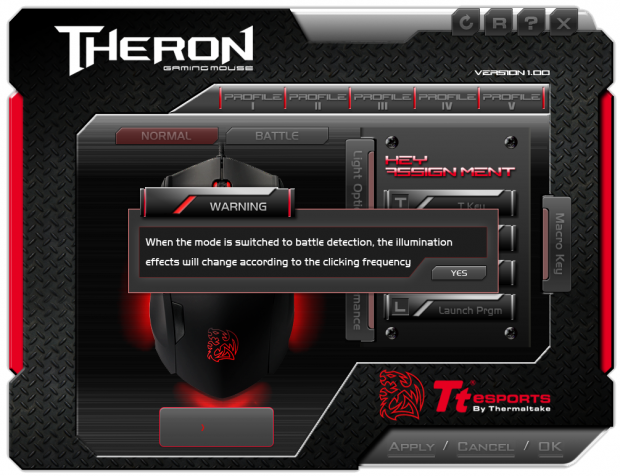
43If you wonder what the Normal and Battle modes do, the warning message that pops up makes this clear. In normal mode you have the full on lighting of the Theron in one of seven colors. Once in Battle mode, the lighting is only active during mouse usage, more specifically, when a button is clicked.
 43
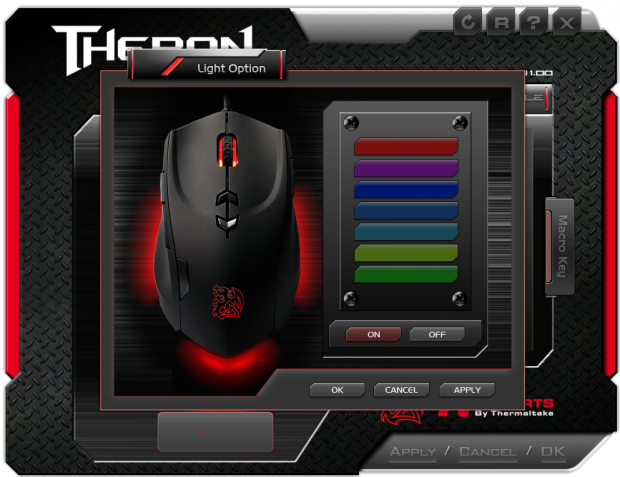
43As for the lighting options, all you do is click on the tab and this popup appears. This is where you can change all of the LEDs in the mouse to one of the seven pre-selected colors on the right. The image in the window will also change before you have to apply the settings so that you can see if you are going to like it right away.
 43
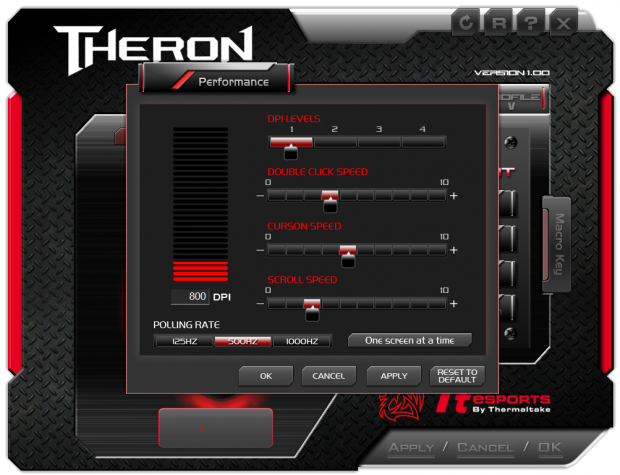
43In the performance tab you get to pick the DPI for each of the four levels shown across the top and the left side. You also can adjust the double clock speed, the cursor speed, and the scroll speed. Also so you don't have to use the buttons on the bottom as much, you can also set the polling rate via the software.
 43
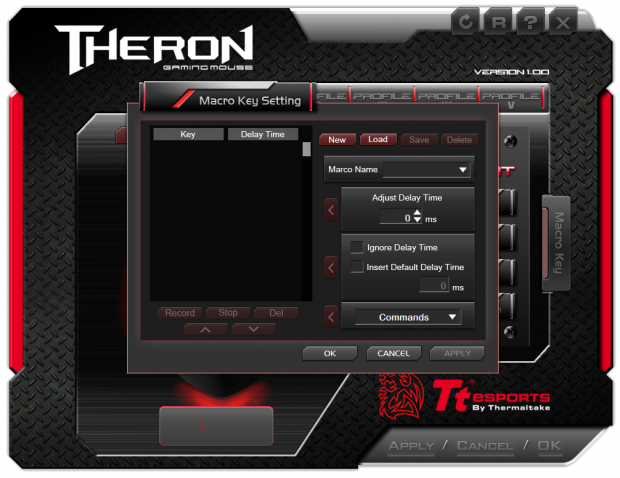
43The Macro tab on the right opens yet another window. This time you have a full display of just how well this works. You can set up to 40 Macros with or without delays, and under the Commands dropdown box there is a list of preset functions to choose as well.
Ladon Gaming Mouse Pad
 43
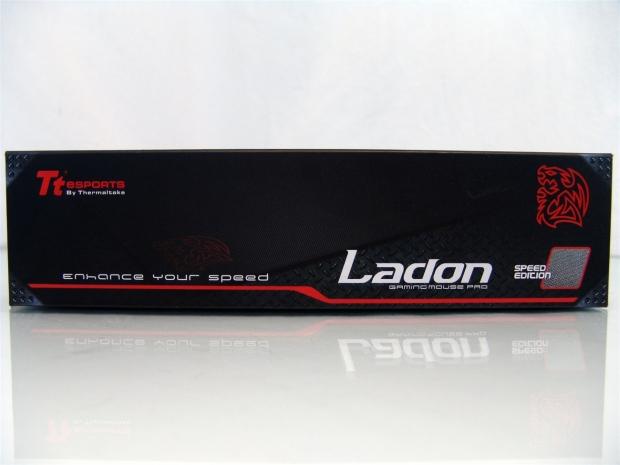
43Along with the Theron I was also given the Ladon Speed Edition gaming mouse pad to use. With a different idea of that makes up a mouse surface and has the tagline of "enhance your speed".
 43
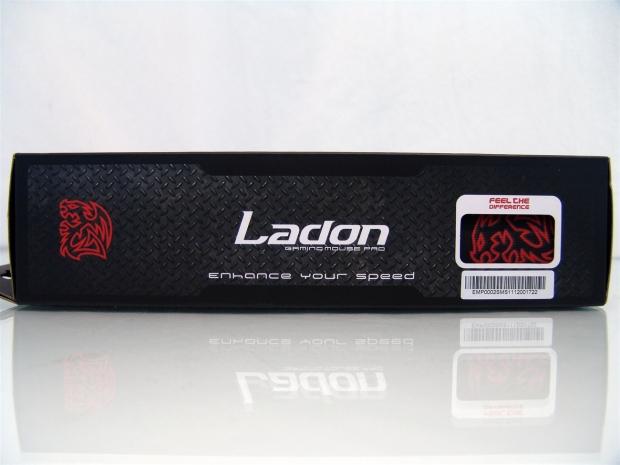
43On this side you start with the Battle Dragon logo with the name and tag line in the middle. On the right side there is a cut away to allow you not only to see the logo on the mat inside, but to be able to feel the surface you are about to buy.
 43
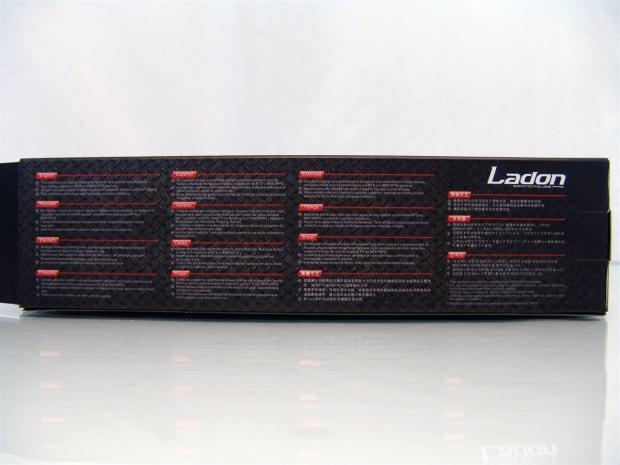
43In 15 various languages the back of the Ladon packaging covers three features found with this mouse pad.
 43
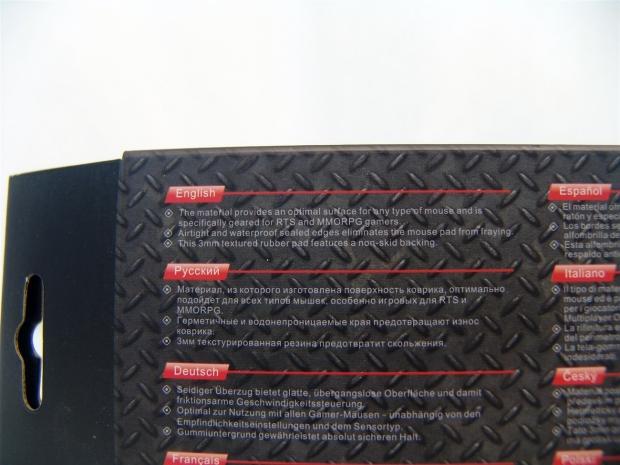
43Moving in much closer you can now see that these three features covered on the back include the surface and how it is geared for RTS and MMORPG gamers, the sealed, waterproof and airtight edges of the mat to keep it from fraying, as well as the 3mm thickness and non-skid backing.
 43
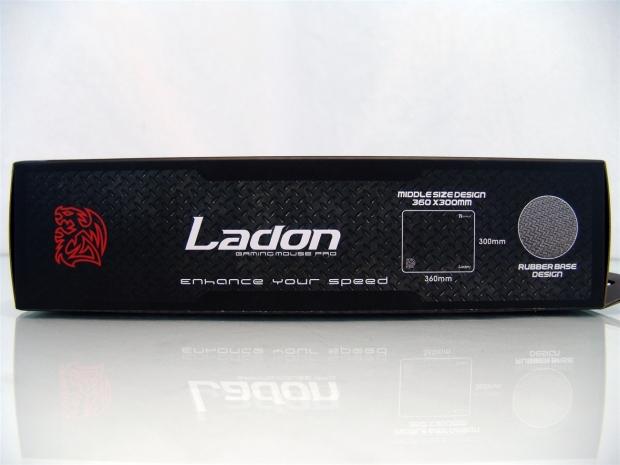
43On the last side of the packaging you again get the Battle Dragon and Landon name, but you also get the measurements of the pad along with an image of the bottom surface of this mat.
 43
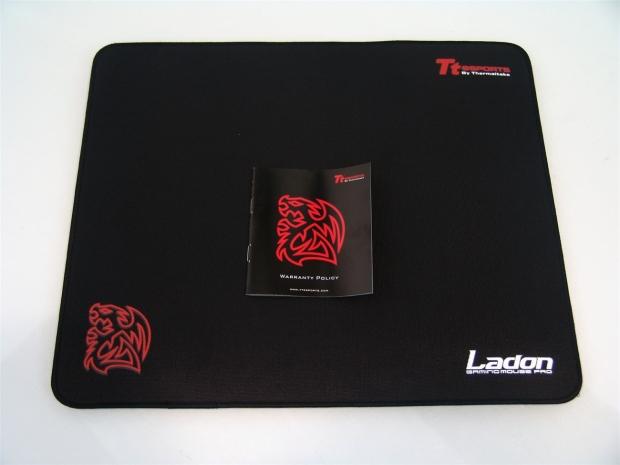
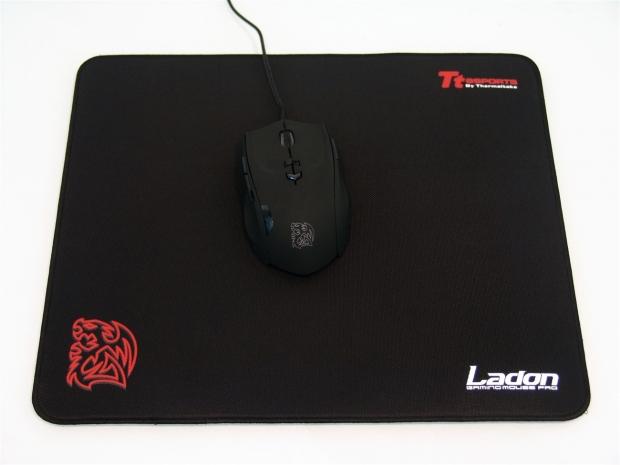
43Inside of the box you will find this black gaming pad with The Tt eSPORTS logo, the Battle Dragon logo, and the Ladon name in three of the four corners. You also get a warranty policy pamphlet to show you what they do and done cover for the Ladon.
 43
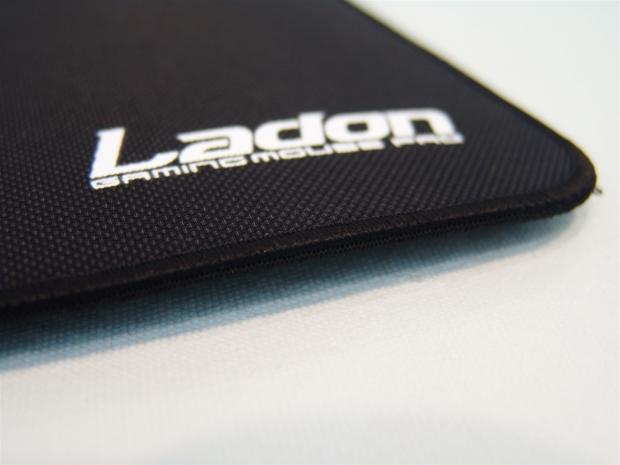
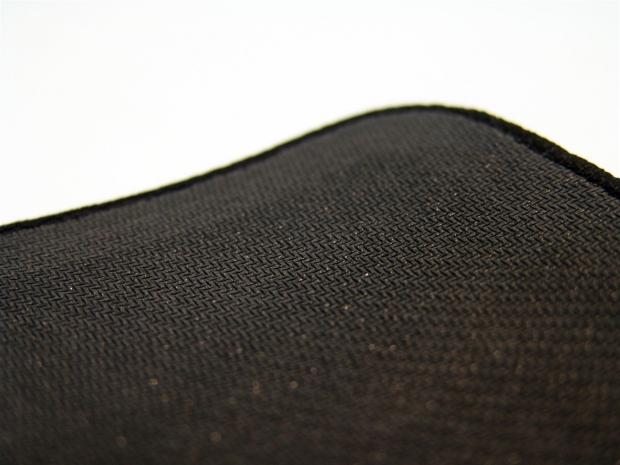
43I want to cover two things here. First is the almost "Nanosuit" look of the dual layers of materials used on the top surface to reduce drag and improve accuracy. Secondly there are also the wrapped edges of the mat that will keep braided cables from destroying the edge of the mat.
 43
43Under the Ladon you get a chevron pattern put on the rubberized foam bottom of the mat to keep it from sliding around on many surfaces. You can also see that the thread wrapping the edge goes just as far under the pad as it does over the top.
 43
43To add a bit of scale to the Ladon, you can see with the Theron on the mat there is still plenty of room to move around and enjoy your gaming experience.
Final Thoughts
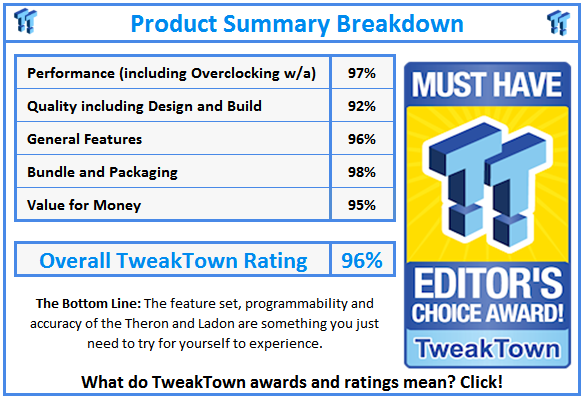
On its own the Theron is a really great feeling mouse. On top of a very ergonomic feel to the mouse, you also get the rubberized coating to keep the Theron secure in your hand, even if it was a bit marred out of the box. Being it is a right handed mouse, I don't have to see that side of the mouse, so out of sight out of mind, but I will have to deduct points on the award chart for it.
With a few buttons on the bottom, and with only one of them truly needing use on a regular basis, the Profile button isn't such a big deal as you can swap that between games. Since you can set the polling rate in the software, you don't need access to that button a lot, and I have no need to lock out the side buttons either, so I can overlook the placement of those a bit more. What I did like was the on-the-fly DPI buttons on the top that are in easy reach. I thoroughly enjoy using the Theron as it is a good fit for my hand, but I did prefer to remove three of the 4.5 gram weights before I had a perfect fit to my gaming style. I even played around a bit with the LED lighting, but in the end I ended up sticking with the default red. There really isn't one thing that sticks out that I can complain about with this product.
Not to say that the Theron doesn't work without the Ladon mouse pad, but there is definitely a reduction in the drag from my basic cloth topped mats that I typically use. The dual layer top allows the Theron to retain its tracking with the ADNS 9500, but because the surface is in two layers, it may cause some LOD issues with other mice if they are set too low before you use them on the Ladon. I also really like that Tt took the time to seal the edges, and wrap them. I really do like my CMStorm mat, but even my arm rubbing against it has lifted the cloth a bit. With the Ladon, this will never be an issue, and I prefer that over the total space of a pad. I also really like that the Ladon is somewhat shiny on the top and the lighting of the Theron bounces off and gives it a nice splash of color outside of the lines of the mouse.
The cheaper end of the purchase, the Ladon, is going to set you back $24.99 if you are on this side of pond. Now you may be able to find larger pads at this price, only the ROCCAT pad even comes close to the Ladon as far as unique surfaces to try, and with the Ladon it is a step above any gaming surface I have tried thus far. To me the investment is well worth it. As for the Theron, there really isn't much more to say than go buy one. With no issues that I could find with the Theron, and the great feel it offers while using it, it almost makes the slight blemish on the rubberized surface sort of moot, but if I were buying it, I would expect this to come in perfect condition.
As a pair, with $25 for the mat, and as little as $58.94 for the Theron you really cannot go wrong with the pair whether playing RTS, MMORPG, FPS, or any other game type for that matter.
 United
States: Find other tech and computer products like this
over at
United
States: Find other tech and computer products like this
over at  United
Kingdom: Find other tech and computer products like this
over at
United
Kingdom: Find other tech and computer products like this
over at  Australia:
Find other tech and computer products like this over at
Australia:
Find other tech and computer products like this over at  Canada:
Find other tech and computer products like this over at
Canada:
Find other tech and computer products like this over at  Deutschland:
Finde andere Technik- und Computerprodukte wie dieses auf
Deutschland:
Finde andere Technik- und Computerprodukte wie dieses auf 


 Windows 11 could get some big changes: Start menu 'companions' and Copilot in Settings
 The iPhone 16 Pro could have a 20% brighter display than your boring old iPhone 15 Pro
 New iPhone 16 dummy unit leak shows off its refreshed camera design and more
 Analysts expect an iPad Pro sales slowdown despite new models, here's why
 WhatsApp announces a design refresh for its iPhone and Android apps
 Corsair 6500X Mid-Tower Dual Chamber Chassis Review
 Corsair MP700 Pro SE 4TB SSD Review - As Fast as They Come
 Corsair MP600 Mini 2024 Edition 1TB SSD Review - Fastest Tiny Drive on the Planet
 Lexar SL500 1TB Portable SSD Review - The best of native USB
 Corsair Platform:6 Elevate Modular Desk Review
 True Lies (1997) 4K Blu-ray Review
 Fractal Design North XL Full-Tower Chassis Review
 Western Digital WD Gold 24TB HDD Review - High-Capacity Masterpiece
 AOC U27G3X 27-inch Gaming Monitor Review - 4K 160Hz for $500
 MSI Vector GP68HX Gaming Laptop Review
 Building the Ultimate Home Entertainment Server with an ASUSTOR NAS and Viper Gaming NVMe SSDs
 Everything you need to know about the latest ASUS NUC Mini PCs - NUC 14 Pro and ROG NUC
 How to Overclock Your GPU and Boost Your PC Gaming with ASUS GPU Tweak III
 ASUS's AMD Radeon RX 7000 Series GPU lineup has something for every gamer
 ASUS OLED Premium Care defends the ROG Swift OLED PG32UCDM gaming monitor from burn-in