


Introduction
 37
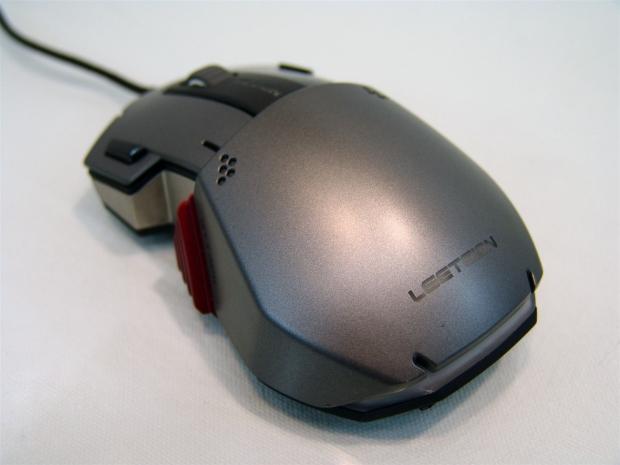
37For those of you who have followed my reviews over the years, you may remember the switch from TECC based CPU cooler testing over to real CPUs being used for the results. This was mainly because the TECC system was set for an outdated system, as well as having the knowledge that the only way I was going to see any Thermalright cooler, I needed to make the switch. Since I made that move, Thermalright has been very forthcoming with delivering me some CPU coolers to test; finally. One thing I really didn't see coming was connecting to its sister company to look beyond all the CPU testing madness.
It was brought to my attention from my Thermalright representative, and I was completely unaware of this, that they have a sister company in the peripherals game, and they wanted to introduce me to some of what they were bringing out. This sister company is named Leetgion - it's a combination and a play on the words "leet" and "legion". That being said the company name is pretty self-explanatory that they are building an army of elite products to dominate the peripherals market. The company started back in 2010, and from what I can see they have bent the rules to what makes the standard components in your peripheral choices.
With only three products listed at the Leetgion web page, you can see it hasn't just been a deluge of random designs just to see what "sticks" with users, but rather a slower more refined process of design and implementation. One of the three products offered is a mouse pad, leaving but two mice to choose from to accentuate your gaming experience.
One of the mice is specifically designed around the game Diablo, while the Hellion RTS laser gaming mouse we are about to look at today delivers StarCraft II gamers a mouse they can really appreciate. Being a huge SC fan, I can appreciate the hours involved and how a select few things can make the gameplay much more enjoyable.
With that in mind I say we dig right in and see what Leetgion, and its Hellion deliver.
Specifications, Availability and Pricing
 37
37Before I get real technical about the Hellion, let me start with its appearance. The design, layout, and looks of the Hellion are all things I have not seen done like this before. The Hellion is painted gunmetal grey on the sides and top of the mouse, using black plastic and a metallic red painted attack button placed on the left side of the mouse. Since the attack button uses your thumb, the front and back page buttons have been moved to the outer edges of the right and left click buttons, much like the RAT MMO7.
Around the mouse in various spots, including the Leetgion naming across the heel of the mouse will glow with LED backlighting, some of which is 16.8 million colors customizable. The Hellion also offers a scroll wheel with very little resistance between selections, and a pair of very oddly placed DPI on-the-fly adjustment buttons. Speaking of strange locations for things, the last feature found on the outside of the mouse is the Race Switch that is the profile selector switch. This dial style switch is located on the underside of the mouse near the laser sensor.
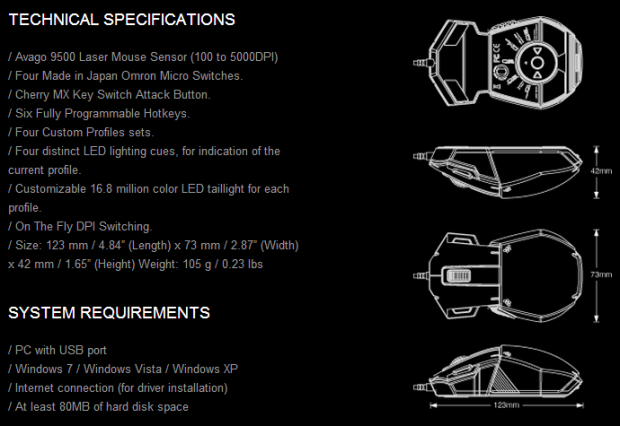
On the technical level, the Hellion is very well appointed. It comes built around the Avago ADNS 9500 laser sensor that offers this mouse the ability to go from 100 DPI to 5000 DPI. Along with the five profiles the race switch offers and somewhat customizable LED lighting, the Hellion is also the first mouse in the world to offer a Cherry MX Blue switch in it. In this design, and since the game is based on SC II, this is used as an Attack key to send your minions to destroy the opponents base with a simple click from your thumb. For the right and left mouse click buttons and page forward and back buttons Leetgion backs those with Omron switches for longevity. As for the rest of the clicks, including the on-the-fly DPI buttons, they are all backed with TTC switches to save room, and since the secondary buttons are used much less, longevity is less of an issue.
Since the Hellion is relatively new to the market, finding it on this side of the pond isn't that tough to do, but it is limited as to where. Amazon pops up right away with a list price of $89.90, but I was able to find it at a place called TiredFingers.com for $78.83 if you want to try your luck with buying from them. At this price we are in the upper echelon of what gaming mice can cost. That being said the Hellion better bring its A-game. At this price you can pretty much buy any mouse on the planet.
I really hope the Leetgion made the Hellion very user friendly as I don't see a whole lot of StarCraft II players wanting to rush out to spend $90 for a mouse with an attack button. Stick with me here though; I think even if you don't play StarCraft regularly, this will prove to be an interesting read.
Packaging
 37
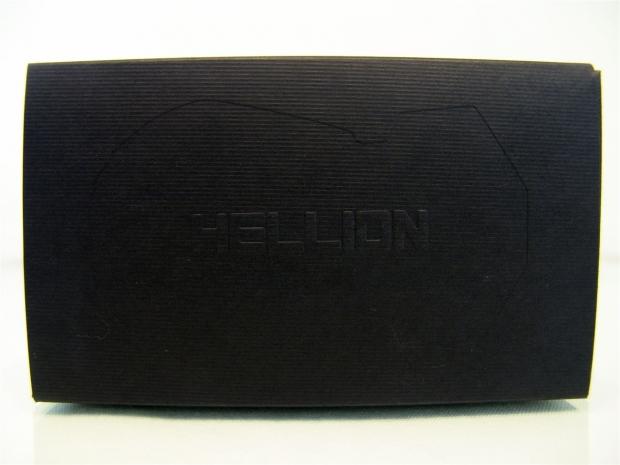
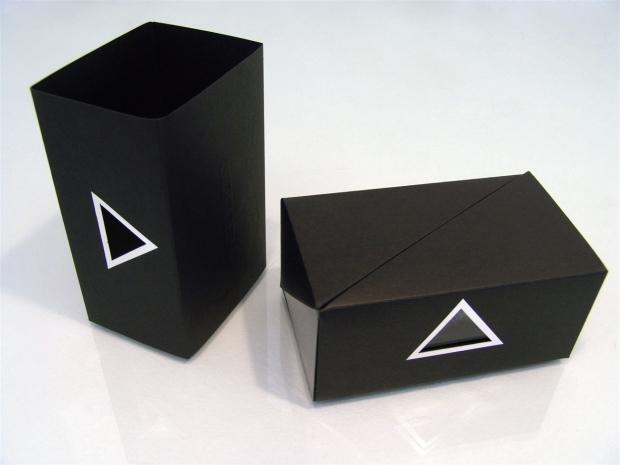
37When you first receive the Hellion it is shipped in this textured black box. On the top you will see an indented shape of the included mouse around the embossed naming of the Hellion mouse.
 37
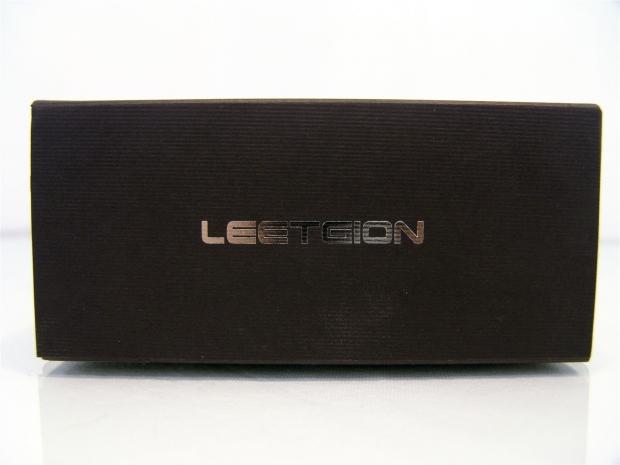
37Continuing with the somewhat secretive packaging, on this side of the textured cardboard packaging, all there is to see is the Leetgion name in chrome lettering.
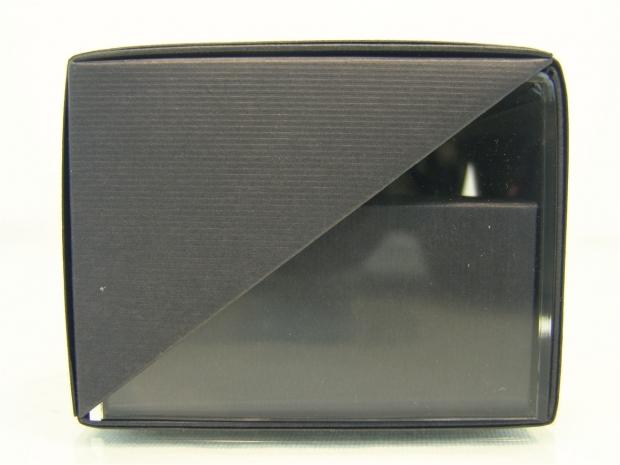 37
37On the ends you can see the cardboard runs on an angle and exposes the acrylic case inside of the cardboard, but this clear acrylic allows for not much of a view of the Hellion inside.
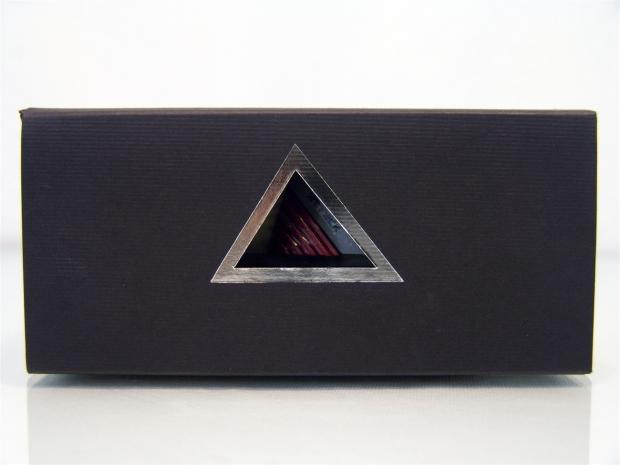 37
37On this longer side there is a triangular cut-out with a chrome line surrounding it to draws the eyes directly to it. What you can get only a glimpse of is the metallic red button on the Cherry MX Blue switch.
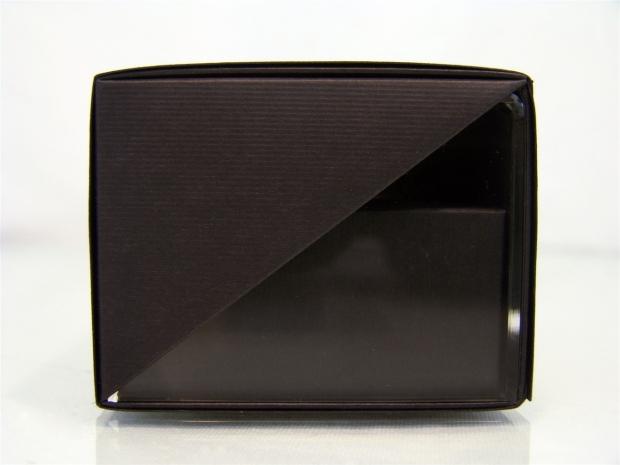 37
37Just like the other smaller end, you see that the box and acrylic are exposed, but very little of the mouse inside is.
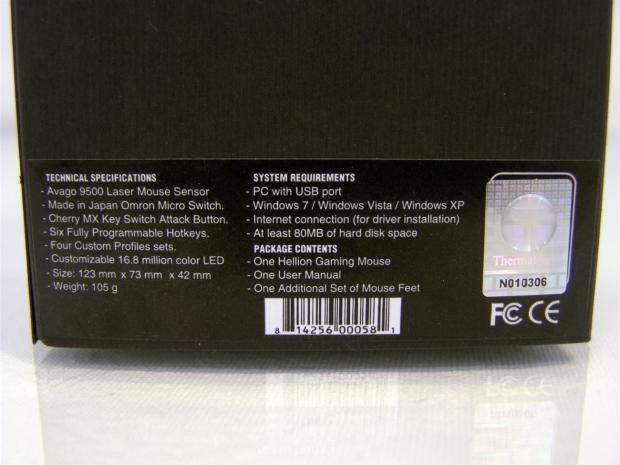 37
37On the bottom of the packaging, at the bottom, you will run across this sticker displaying the specifications, requirements and package contents.
 37
37Removing the outer sleeve of the box you can see that there is an inner packaging that we have to still open up. The Hellion feels much like opening a mobile phone or some sort of iDevice. There is just elegance to the packaging, that with a bit of secrecy, really got me excited to see the Hellion inside.
 37
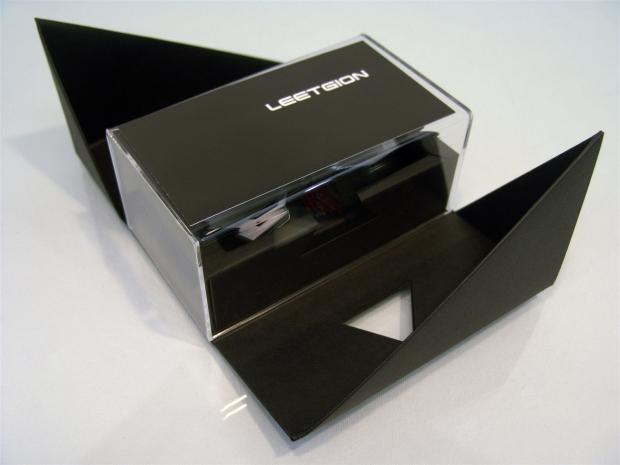
37Allowing the top two parts to unfold you then can access the acrylic case inside that has the Hellion's instructions on top of it at the moment, again blocking off the view of the Hellion until the last possible moment.
 37
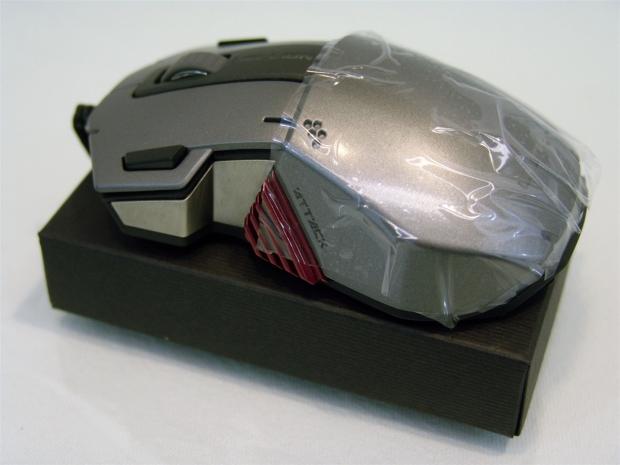
37When you do finally get all the way to the core of the packaging there is nothing left but the Hellion left sitting on a pedestal with a protective layer of plastic to keep the surface of the Hellion perfect in transit.
Leetgion Hellion RTS Laser Mouse
 37
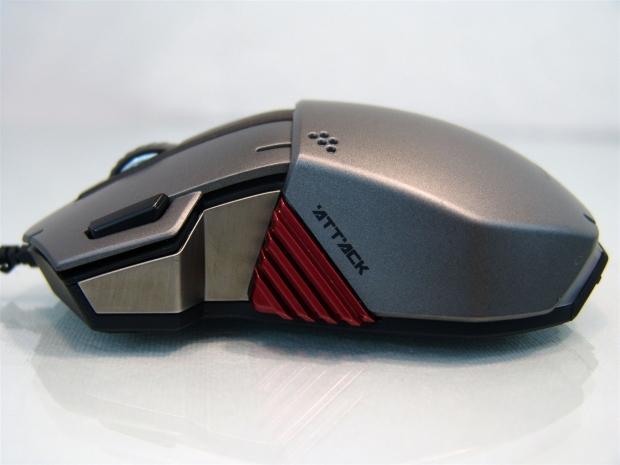
37Looking at the left side of the Hellion, what sticks out most is the metallic red Attack button just behind the structural aluminum that is exposed between the black plastic of the bottom. As for the bulk of the outer surface, the Hellion comes in gunmetal grey.
 37
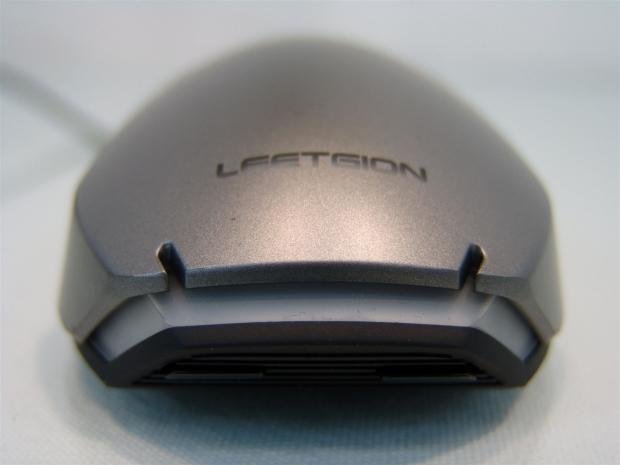
37On the heel of the mouse there is a gentle and comfortable incline as you get to the top of the egg-like shape of this mouse. At the back edge below the Leetgion naming, there are a couple of notches for style, and LED light section, and then a cut-away of the rest of the mouse as you get near the bottom.
 37
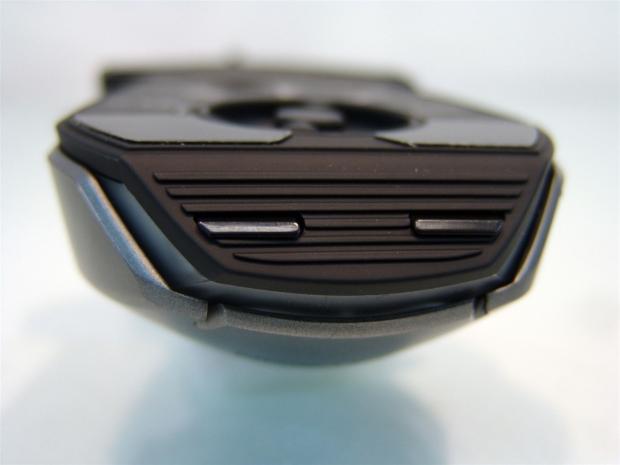
37The reason the cut-away is added to the heel was to allow for the placement of the on-the-fly DPI buttons. Although since I have to flip the mouse to use them, I am not sure how on-the-fly this really is.
 37
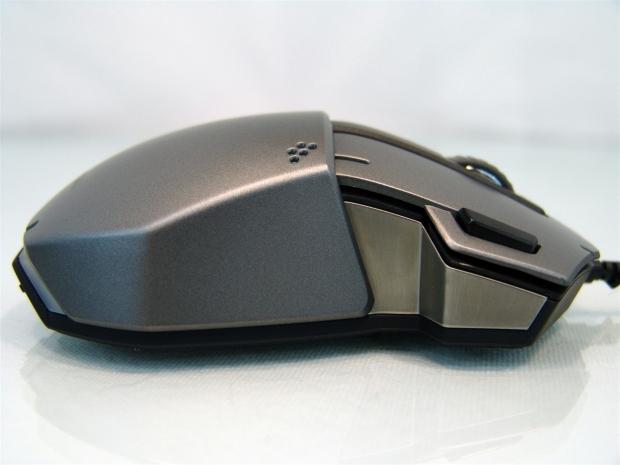
37The right side of the Hellion is almost a perfect match to the opposing side, just this time there is the obvious lack of the Attack button. You can see much better that the shape of the Hellion is more squared off and chunky. We will soon see how that may affect the feel.
 37
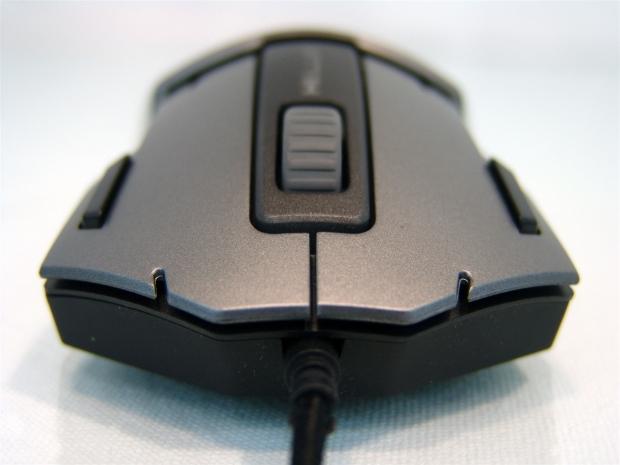
37On the front you have the same notches we saw on the back to keep some continuity, and we also see that the right and left click buttons have long skinny buttons on their outer edges. These are set default as the page forward and page back buttons for browsers.
 37
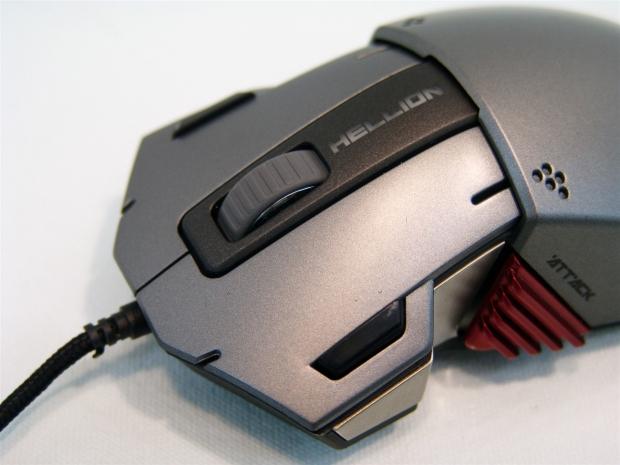
37In front of a straight edged drop off from the hell to the front of the mouse, centered in black plastic, you get a rubberized scroll wheel, and the Hellion name which will light up as well when powered up.
 37
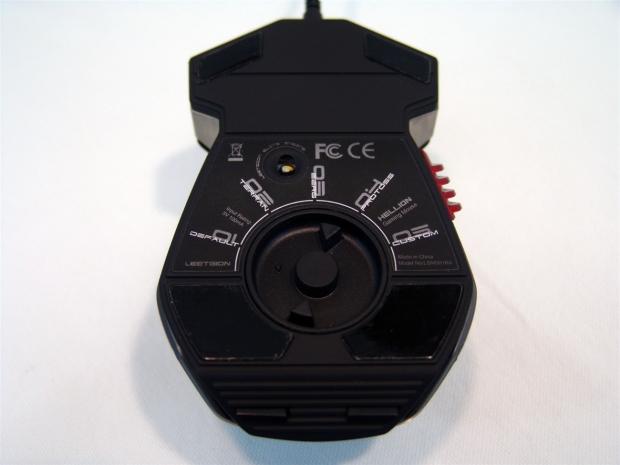
37Laying the Hellion on its back you can now see the large Race Switch that allows you to select preset profiles for the various races in the game of StarCraft II. There are four with actual races on it, and this leaves one profile for full customization without having to change any of the defaults.
 37
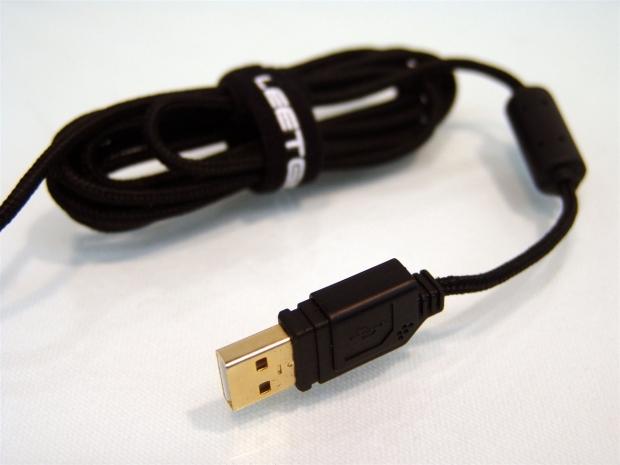
37The near two meters of braided cable is shipped bundled in a Velcro strap sporting the Leetgion name. As for the connection, it is USB 2.0, gold plated, and the shape of it is squared off like the Hellion and even has the five little dots in it like the sides of the Hellion does for easy recognition at the rear I/O.
Accessories and Documentation
 37
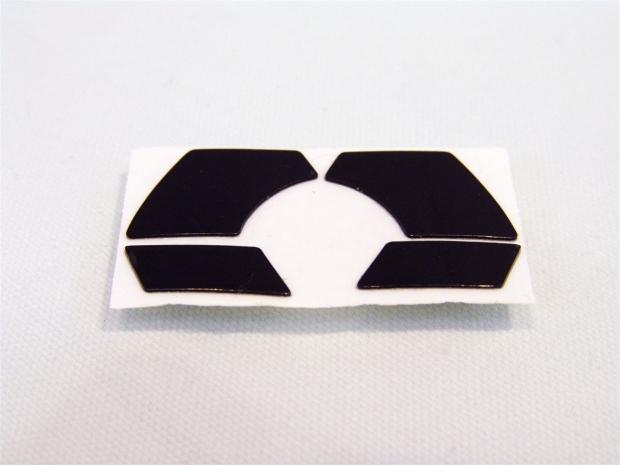
37Something I like to see with any mouse is an extra set of feet. Here you have a complete set of four, smaller ones for the front and the large ones for the pack, and both sets of feet are made of PTFE or Teflon.
 37
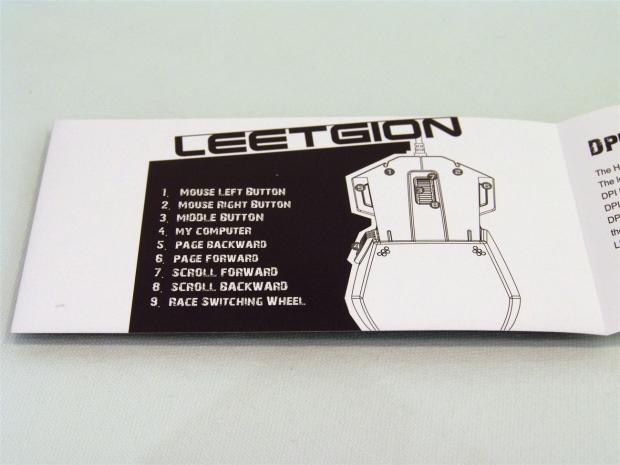
37The paperwork above the acrylic case is what we are looking at now. This page shows what the eight buttons on top of the mouse offer under their default settings. Number nine refers to the switch on the bottom of the mouse and is not shown in the illustration on the right.
 37
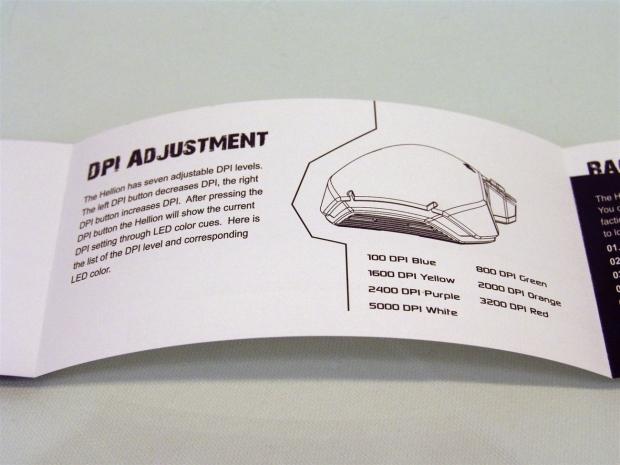
37The next page explains where the DPI buttons are located and that they will shift the DPI from 100 to 5000 in six steps. Also notice that there is a color associated with each DPI setting and there is a flash of color in the band across the heel of the mouse to signify which you are on when you hit the DPI buttons.
 37
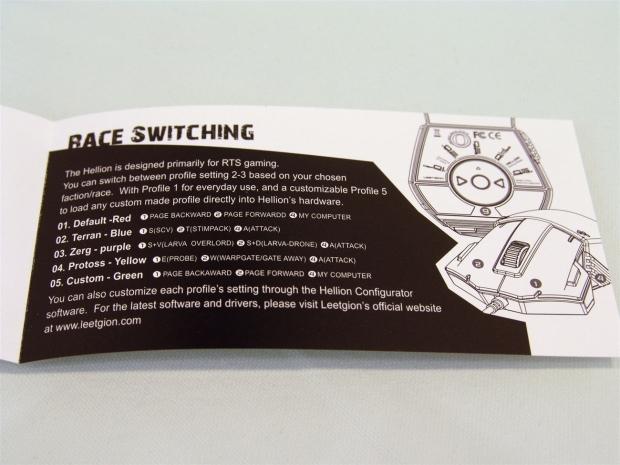
37The last page of the manual explains the Race Switch and what is set to the default functions of the right click, the left click, and the Attack button for each setting. If you want to further customize any of the profiles besides the default one, you need the Hellion Configurator software.
Inside the Hellion
 37
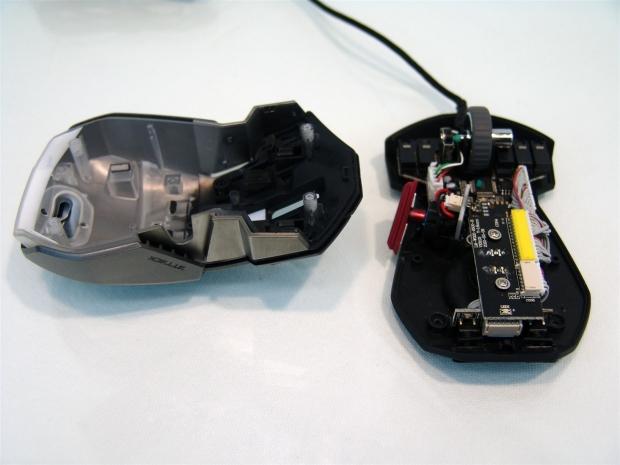
37To get this far you must remove all four of the PTFE feet from the mouse and remove the screws found under each of them. This allows for the top and aluminum sides to lift right off the base of the Hellion.
 37
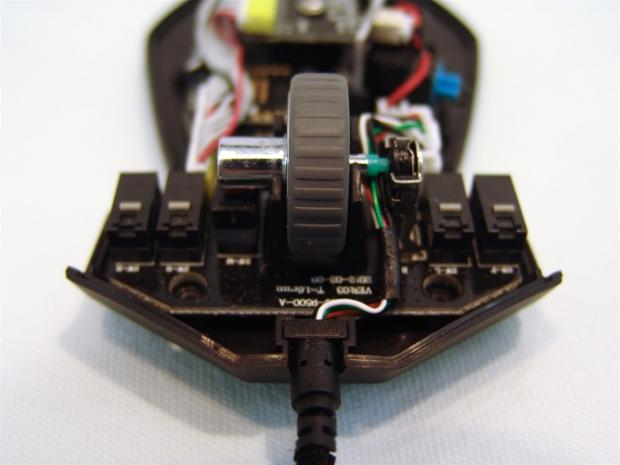
37At the front you have the USB cable entering the mouse as it then dives to the right of the scroll wheel. On that PCB with the scroll wheel attached to it, you can see a line of four switches for the front half of the mouse's functionality.
 37
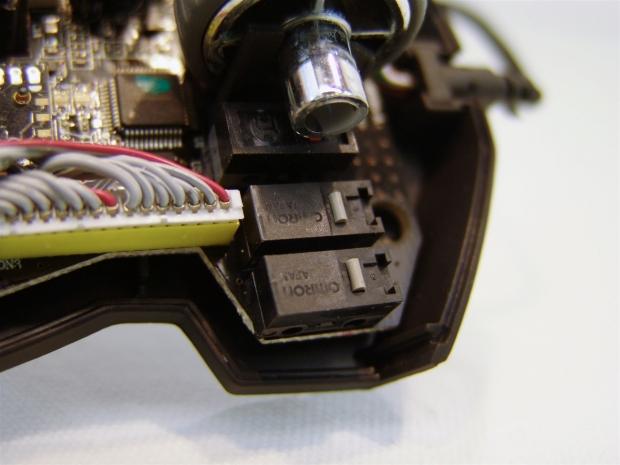
37Looking a bit closer, you can see that these four switches across the front backing the right click, left click, page forward, and page back buttons all get Omron switches to allow you to literally click away with no worries of longevity.
 37
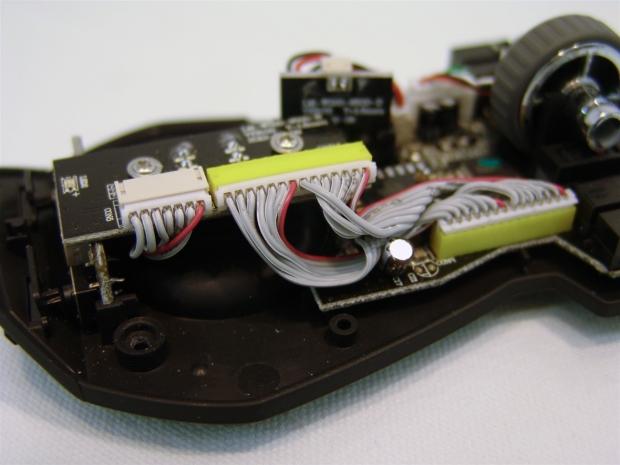
37To make the race switch functional, there is a pair of ribbon cables that carries the selection to the 16-bit onboard processor so it can determine what to do as you click the buttons in each profile.
 37
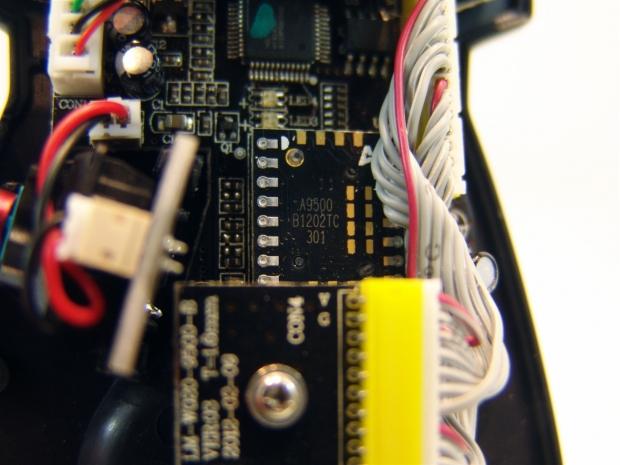
37Buried deep, on the PCB under everything else, you can see the Avago ADSN 9500 laser sensor chip that takes care of tracking the mouse on almost any surface.
 37
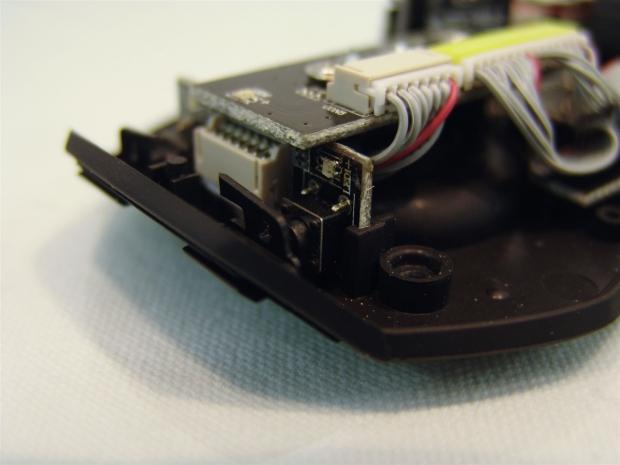
37Backing the not-so on-the-fly DPI buttons are a pair of TTC micro switches to save a little room and allow for clearance. Since these are hard to use, and won't get messed with often, you don't need long life in values of clicks like the Omron's offer.
 37
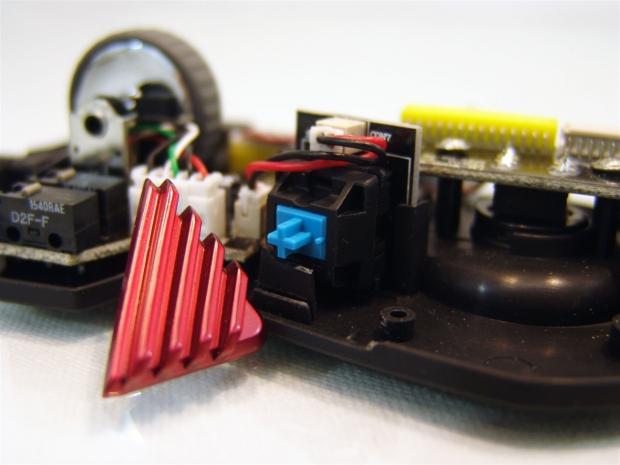
37On the opposite side of the Hellion, removing the attack button shows the Cherry MX Blue switch used here, the world's first to ever implement a keyboard switch on a mouse.
 37
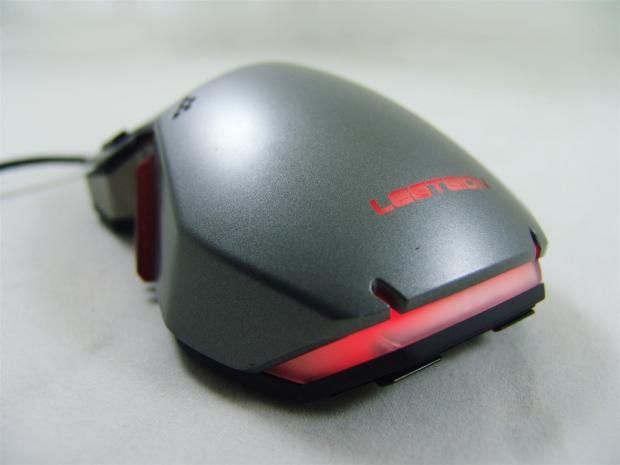
37As I always do, after tearing the mouse apart, I reassemble it and test things out to make sure I got everything right. Once powered, on the default settings, the Hellion illuminates with the glow of red LEDs. The Leetgion name stays whatever color you set to the profile, but the larger bar at the back is where you will see the indicative flash of LED denoting the DPI selection made.
 37
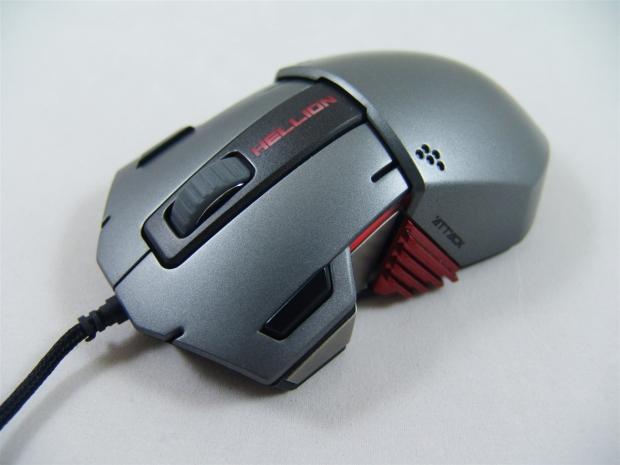
37Down both sides of the Hellion and under that name near the scroll wheel, you also get a red glow of LEDs. These will also change with the profiles individual settings, and with 16.8 million colors to choose from, you can make this match any environment.
Hellion Configurator Software
 37
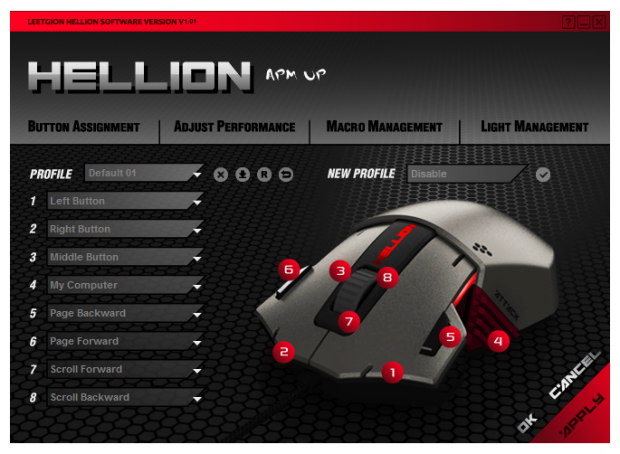
37On the button assignments tab of the software you get an idea that you can change all of the mouse functionality if you wish, and this is possible, but first you need to address the Profile dropdown box and select any profile other than default. When on the default profile the actions are locked so that you can always have a saved profile to start back at zero again without having to reset the whole mouse.
 37
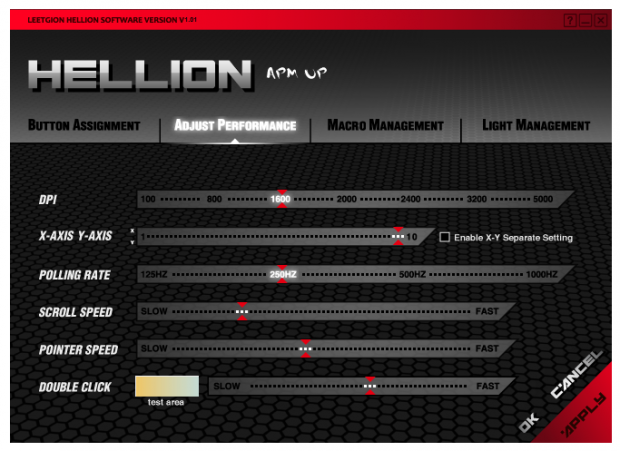
37Moving to the Adjust Performance tab, this is where you gain control of the DPI, X/Y Axis controls, polling rate, scroll speed, pointer speed, and the double click speed. I did want an LOD setting as well, but I will explain why in the conclusion.
 37
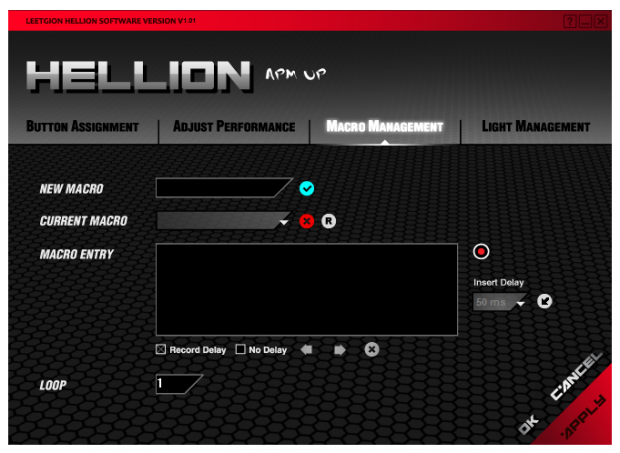
37Under the Macro Management tab, you can create delayed Macros or more basic Macros for simpler tasks. Just name the Macro in the New Macro window, then move into the box and click record. Then all you do is type in the key strokes and when finished stop the recording. There is also a loop feature for repeating macros to build anything in game. I wasn't able to find a way to test Macros in the software though, you need to minimize the Configurator and try them out in real-time.
 37
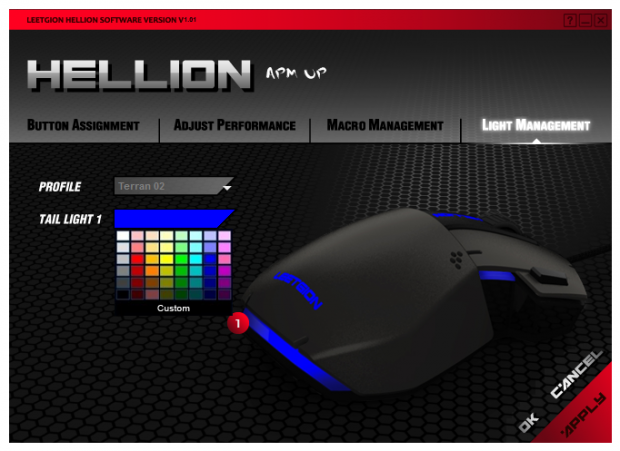
37Each profile of the Race switch has a default color. Like the default is red, and terran as shown is blue. What you can change is the "tail light" of the hellion to one of the 48 pre-selected colors, or just click on the Custom tab and use the RGB scale to enter a custom color.
Final Thoughts
While Leetgion has definitely stepped outside of the box when designing the Hellion mouse, there is a possibility they went a little too far. I like the use of the Cherry MX switch, the feel of it is so much nicer than the short and snappy feel of most switches like the Omron's and TTC switches found in the rest of the Hellion. The color is nice, the LED backlighting can be seen at any angle, and the Hellion sort of reminds me of an Indy-style race car.
The Hellion is very well suited for StarCraft II players, and the simple presets for the keys and the default profiles on the Race switch really can come in handy. The issue is most gamers don't play just one game and what about normal PC usage and the feel of the Hellion?
The feel of the mouse is average at best. While it does have the right "hump" to the top for a comfortable fit in the palm of your hand, once you cross the drop off in the middle, it's like another mouse is glued on. The ledge itself got annoying to my finger joints as they were constantly rubbing that ledge, and I could not make myself get used to the placement of the page forward and page back buttons. In fact, I found myself using the browser arrows a lot more with this solution. The Attack button is very well placed and does work well, but beyond that, even the scroll wheel seemed too "soft" for my liking when selecting weapons in other games.
Those were just the personal issues I had with the Hellion; there are a few things that just seemed odd and dysfunctional. In the end I felt I needed a pit crew to jump the wall and add the air jack so that I could even use the DPI buttons, and even eight seconds in the pits isn't exactly on-the-fly. The other and more annoying thing is the Race switch. I mean it isn't that big of a deal to swap out the switch between games, but there are so many other offerings out there that don't require such acrobatics to get the profiles changed. I also noticed a couple of things during the testing and use of the Hellion. If you aren't exactly square on the scroll wheel it would tend to squeak when rolled, and what was worse was an intermittent lack of movement. This is why I mentioned the LOD setting in the CP for the Hellion as I think it has a lift off issue.
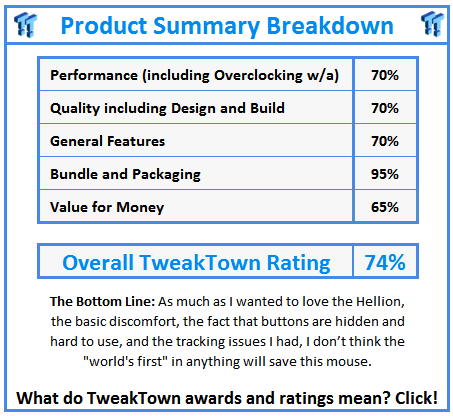
I really hate to be this rough on Leetgion, being the first product received from them, and maybe my last at this point. In reality they are asking near $90 for a mouse that in the end has a cool Cherry MX blue switch in the side and is designed with just SC II in mind, and not much of it went into anything else. It is a nice mouse as far as when it was tracking correctly. Away from my personal discomfort, the buttons and software do exactly as they claim. I just don't think the Hellion brought its A-game, and the lack of a pit crew in the intriguing and sophisticated packaging.
This is a bit of a personal let down. When I saw the packaging and the Hellion for the first time I had such high hopes, but with the issues I had with the Hellion RTS Laser Gaming mouse, unless you have to have the coolest looking SC II mouse, I think your money can be spent more wisely with other products, and just create your own SC II profiles on that alternative product.
 United
States: Find other tech and computer products like this
over at
United
States: Find other tech and computer products like this
over at  United
Kingdom: Find other tech and computer products like this
over at
United
Kingdom: Find other tech and computer products like this
over at  Australia:
Find other tech and computer products like this over at
Australia:
Find other tech and computer products like this over at  Canada:
Find other tech and computer products like this over at
Canada:
Find other tech and computer products like this over at  Deutschland:
Finde andere Technik- und Computerprodukte wie dieses auf
Deutschland:
Finde andere Technik- und Computerprodukte wie dieses auf 


 Commodore 64 PC runs AI to generate images: 20 minutes per 90 iterations for 64 pixels
 Synopsys and Samsung achieve production tapeout of next-gen Exynos SoC on new 3nm process node
 Windows 11 could get some big changes: Start menu 'companions' and Copilot in Settings
 The iPhone 16 Pro could have a 20% brighter display than your boring old iPhone 15 Pro
 New iPhone 16 dummy unit leak shows off its refreshed camera design and more
 Corsair 6500X Mid-Tower Dual Chamber Chassis Review
 Corsair MP700 Pro SE 4TB SSD Review - As Fast as They Come
 Corsair MP600 Mini 2024 Edition 1TB SSD Review - Fastest Tiny Drive on the Planet
 Lexar SL500 1TB Portable SSD Review - The best of native USB
 Corsair Platform:6 Elevate Modular Desk Review
 True Lies (1997) 4K Blu-ray Review
 Fractal Design North XL Full-Tower Chassis Review
 Western Digital WD Gold 24TB HDD Review - High-Capacity Masterpiece
 AOC U27G3X 27-inch Gaming Monitor Review - 4K 160Hz for $500
 MSI Vector GP68HX Gaming Laptop Review
 Building the Ultimate Home Entertainment Server with an ASUSTOR NAS and Viper Gaming NVMe SSDs
 Everything you need to know about the latest ASUS NUC Mini PCs - NUC 14 Pro and ROG NUC
 How to Overclock Your GPU and Boost Your PC Gaming with ASUS GPU Tweak III
 ASUS's AMD Radeon RX 7000 Series GPU lineup has something for every gamer
 ASUS OLED Premium Care defends the ROG Swift OLED PG32UCDM gaming monitor from burn-in