


Introduction
 42
42Anyone who has paid attention to the development of mice in the last few years will know that the trend lately has to been to pack the mouse as full of features as you can without making the mouse too big as not to be able to use it. Whether it is an over the top mouse design, adding 20 buttons or coming up with the most awesome lighting scheme ever for a mouse, this is what manufacturers tell us we want. Considering what can be done with some of the driver and software bundles out there, including ROCCATS own EasyShift[+] system, users don't even have to touch the keyboard to tool around at the desktop level as you can swap out the default programming of all of these extra buttons to make life simple around your PC.
ROCCAT looked at its available lineup and for some reason decided to go back to the basics with its latest release. Just like in the days of Unreal Tournament or even Doom and Quake, there wasn't a need for all of the pomp and circumstance that today's mice bring to the table. All you needed then was a good scroll wheel for accurate weapons swapping, and a left click button to spray the competition with your weapon of choice. Then the games were so fast and action packed, unless you were lucky enough to find the Jump Boots and make it to the top of a tower, you didn't even need the right click button, as aiming for long distance kills just didn't seem to happen much back then. We all remember using our basic mice and were very capable of doing just that, and it seems this is the idea ROCCAT is leaning to for this new mouse.
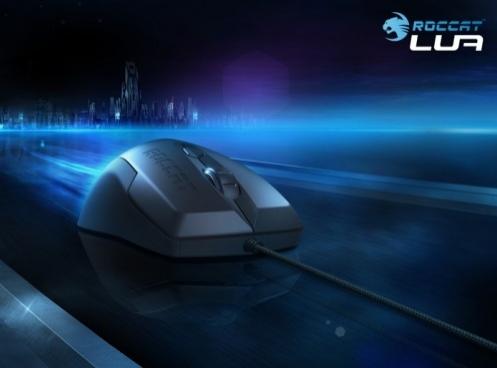
Almost like stepping back in time, today we will be getting up close and personal with the LUA from ROCCAT. This three-button mouse does offer a bit of the new age technology that makes today's mice so appealing, but only enough to get the job done without adding anything more than a little flash of LED lighting to spruce things up and a DPI button to make your time using the LUA as easy as possible making for a really enjoyable experience. On top of that, the LUA and its simple layout made it very easy for them to design this latest optical mouse ambidextrous in design so that right and left handed users can reap the benefits of the ROCCAT LUA.
Stick with me on this one. A three button mouse may not sound so appealing to today's gamers, but I can assure you, the LUA offers enough that I feel it is well worth your time to check this mouse out.
Specifications, Availability and Pricing
 42
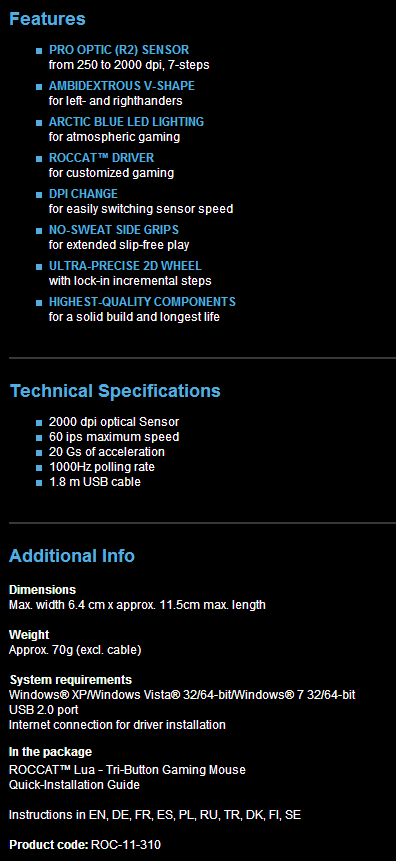
42Covering the technical aspect, let's start inside of the LUA first. Here you have an Avago ADNS A3050 optical sensor to track the movements you make. This sensor offers you the ability to switch between 250 DPI and 2000 DPI in seven steps. To register the action to the right and left clicks on the mouse there is a pair of Omron switches to give long life and accurate reading of those made here. As for the DPI selection button and the scroll wheel click are backed by TTC switches. Since they are used much less, lifespan is less of an issue with these. Moving to the outside, on the technical aspect, you will find that the LUA offers an LED backlit logo, offers three buttons which can be reassigned via software, and comes with textured grip on the sides and a rubberized coating across the top.
Moving on to the looks and size of the LUA, I will start off with its size and shape. ROCCAT has designed the LUA to be used by any hand, and to do so they offer a smaller sized mouse that is super light weight so that it fits in any hand and glides on the PTFE feet with very little effort for the user. The LUA is wide at the back, narrower in the middle, then widens at the front again. Across the top of the LUA there is a defined ridge from front to back, but with the "flatness" of the height from table to the top of the mouse, the ridge doesn't really come into play against your hand.
As for the coloring, the sides are black, but made of textured plastic to ensure a terrific grip on the mouse, while the bulk of the top of the LUA is given a rubberized coating to also try to aid in keeping your hand positioned well during game play, even when your hand is hot and sweaty. I almost forgot to mention this, the last bit of design and styling went into the illumination on the heel of the LUA that displays the ROCCAT logo in a pleasing arctic blue glow of LED lighting.
As of this moment, the ROCCAT LUA is still unavailable. From the news I can find as of the beginning of this month, the LUA was scheduled to release at the end of October or early November. Since we are at the end of October now, I can only assume that there is just a short wait left until you are able to start locating this mouse at your favorite shop. Keeping in mind the very basic layout of the mouse, and the facts that is offers LED lighting and software to reconfigure and customize the LUA, the MSRP of $29.99 is a very acceptable price point that I think anyone will pay to give the LUA a go.
So of the ROCCAT LUA 3-button mouse seems like it would be a perfect fit for you, keep your eyes peeled, as it won't be long until these are everywhere you can currently locate ROCCAT products.
Packaging
 42
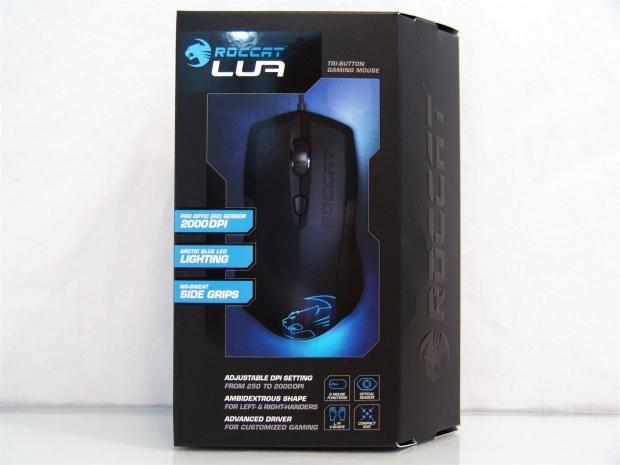
42The LUA comes in packaging that screams ROCCAT with the all black box and the angled right side, no one else makes a box quite like this. Around a large image of the LUA in the center, they cover the tri-button design, the 2000 DPI maximum, the lighting, and the side grips. At the bottom they go a bit further and cover the amount of steps to the DPI button, the ambidextrous shape, and the advanced driver used to aid the LUA.
 42
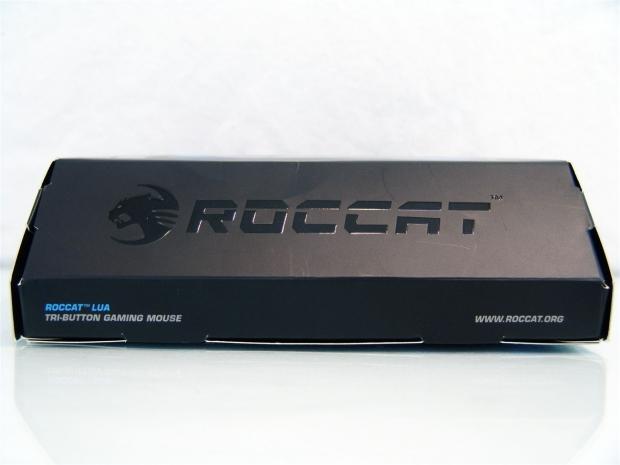
42The right side of the box is angled as you could see from the front. It also has the ROCCAT name and logo embossed in the cardboard and offers the name of the mouse along with the website address.
 42
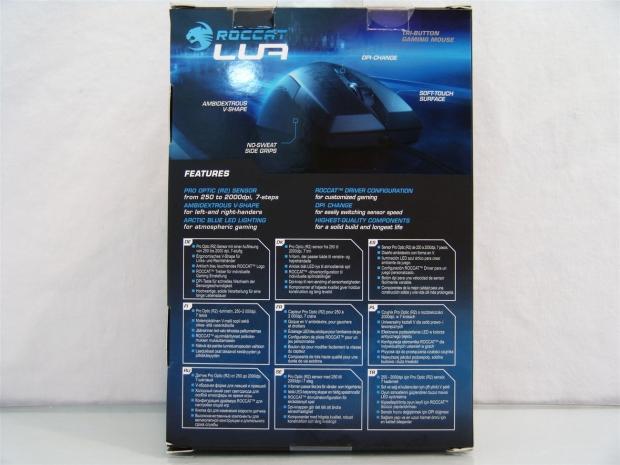
42On the back you see the LUA with the shape, grips, DPI button, and soft-touch surface all being pointed out for you above a list of six features. The bottom half consists of these same features relisted in nine other languages to cover their market.
 42
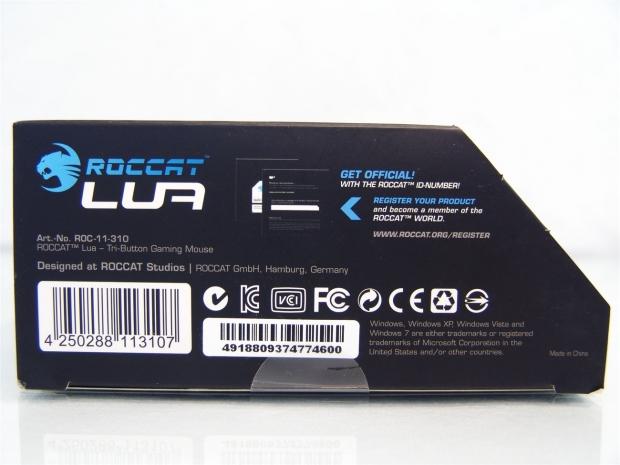
42The bottom of the box tells you where to find your serial number and that you should register that with ROCCAT to become a part of ROCCAT WORLD. It also lists the OS requirements in fine print at the very bottom, on the right.
 42
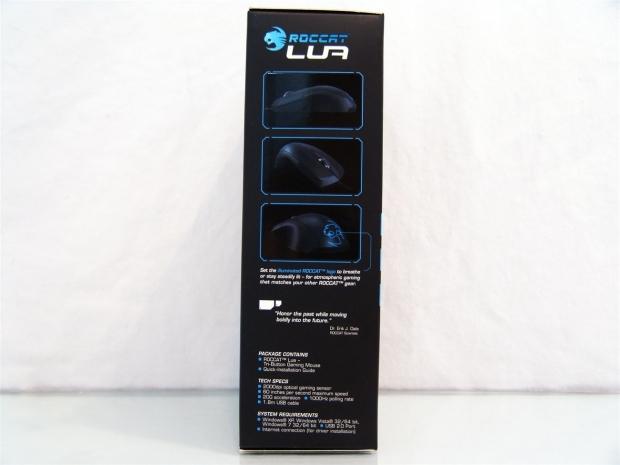
42The left side of the box offers images of the LUA from three different angles pointing out the arctic blue logo under the last image. This panel then goes on to offer the package contents, the tech specs, and the system requirements for the LUA.
 42
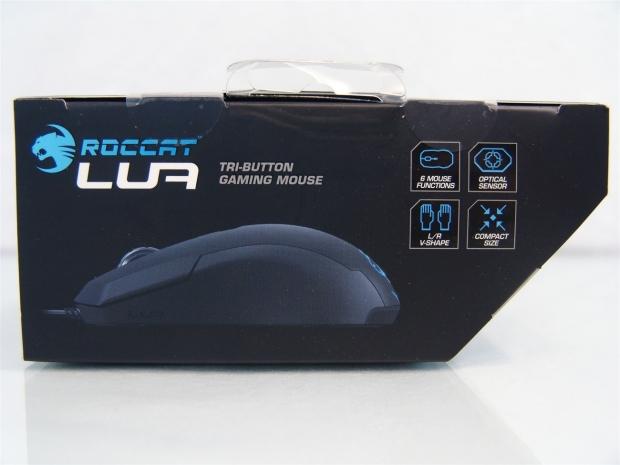
42Even the top of the box has information to look at. Along with a side view of the LUA, you also get four features listed by icons to inform you why you should purchase this mouse.
 42
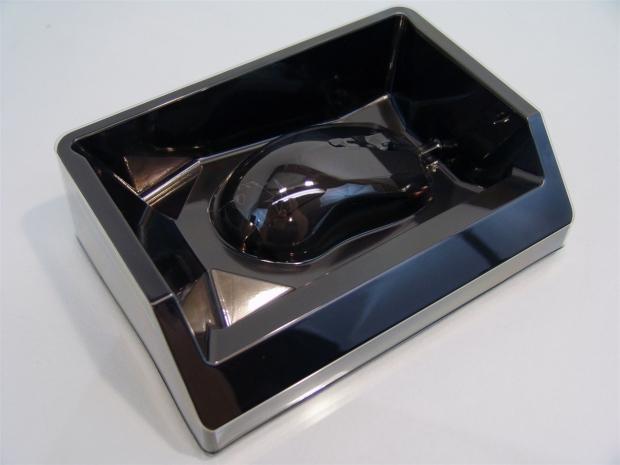
42Inside of the box you will find the LUA completely secured in a sandwich of plastic. There is a black piece that the mouse sits on and give the box most of its support. To keep the mouse in one place there is a clear layer of plastic used that has been form fit to the mouse and cable, and the underlying black plastic.
ROCCAT LUA 3-button Optical Mouse
 42
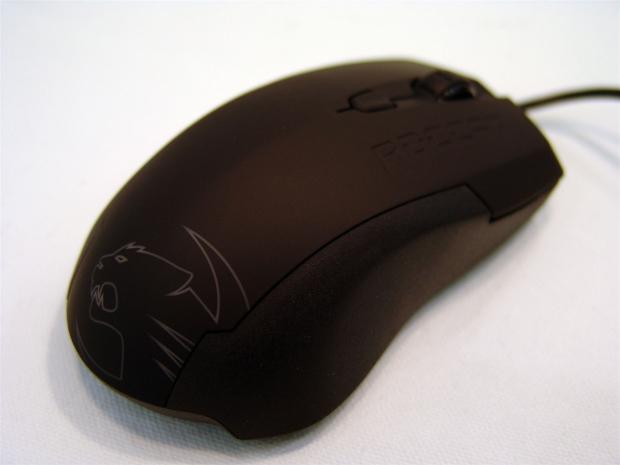
42Right out of the box you can see the simple design and layout of the LUA. You get to see all of the buttons, the ROCCAT name carved into the right click button, and the large logo gracing the back of the mouse.
 42
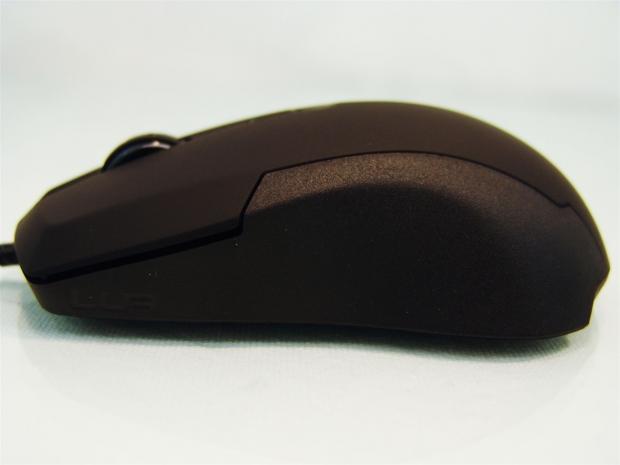
42The left side is a mix of the soft-touch coating at the top, an angled edge that makes the change between the soft-touch and the textured black side of the LUA.
 42
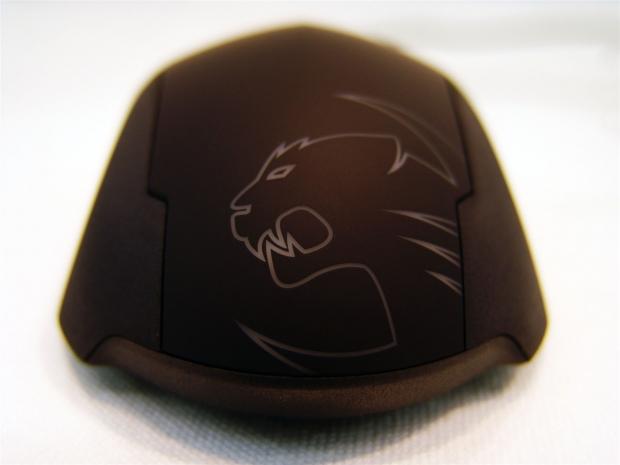
42At the back of the mouse there is the large ROCCAT logo that will come to life with LED light once powered, but for some reason I like the steeped design along the sides of the soft-touch part. They could have gone straight to the bottom, but these angles are a nice touch to go along with the angles on the sides of the buttons.
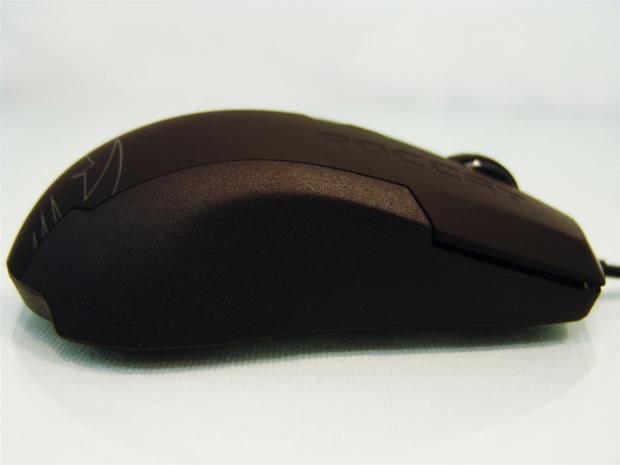 42
42Since we are dealing with an ambidextrous design, it is only right that this side of the mouse should be a direct copy of the other side to make the feel identical for right hand or left hand usage.
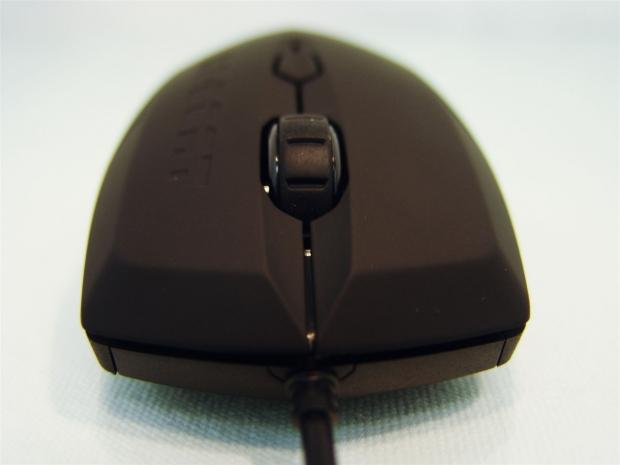 42
42At the front of the LUA that same angle found on the sides is run across the front of the right and left click buttons to allow for longer fingers to comfortably roll over the front edge of the LUA aiding in keeping a secure grip.
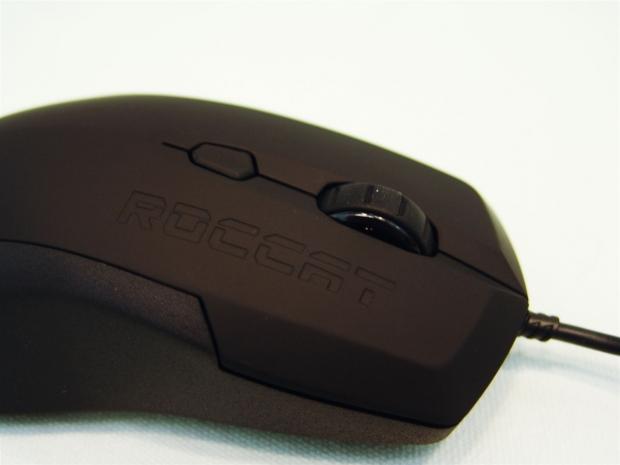 42
42In between those buttons, next to the ROCCAT name in the mouse, you will locate the third button which is the scroll wheel click on the heavily segmented scroll where that give you accurate selections to the next click of the wheel. As for the smaller button just behind it, this is your on-the-fly DPI selector.
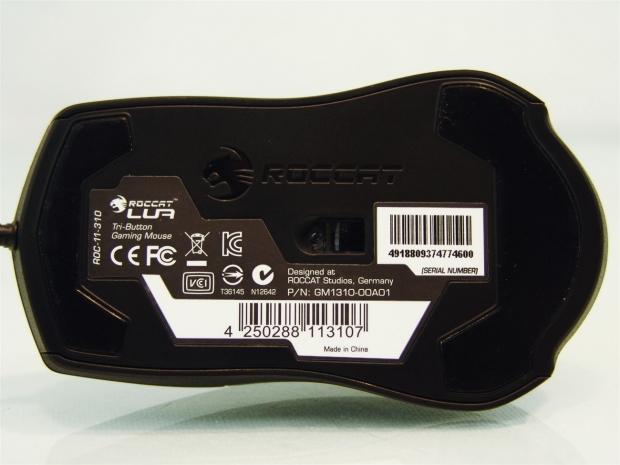 42
42Under the LUA you get support from two large PTFE feet that go from side to side. The one at the front is much thinner as it doesn't take the weight of your hand. Since the mouse is flatter than most, the bulk of your weight is put on the back where the larger foot will ease the glide across any surface.
 42
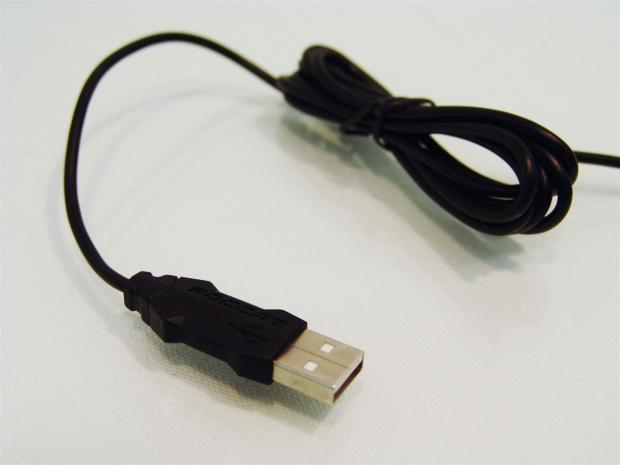
42The 1.8 meters of cable are shipped tightly bound with the twist tie. As the wire comes around and terminates, you are given a ROCCAT shaped USB connector to make it easy to tell the device when it's plugged into the rear I/O.
Inside the ROCCAT LUA
 42
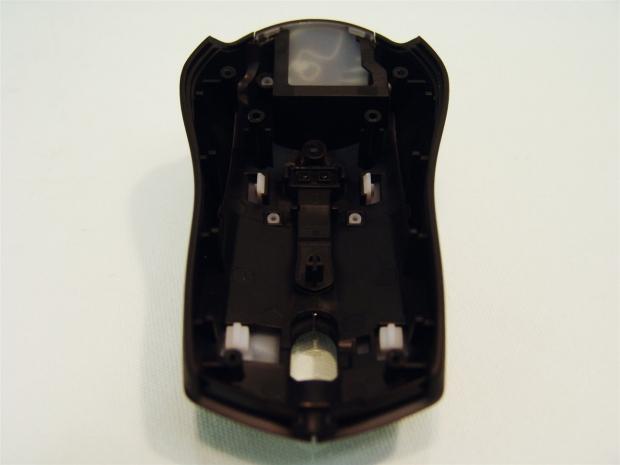
42Once I removed the feet and pulled four screws I was able to remove the top of the LUA without any issue. The upper shell is a two piece design that uses the black plastic on the inside and the soft-touch coated plastic is clipped to it. ROCCAT also left a hole at the back for the LED lighting.
 42
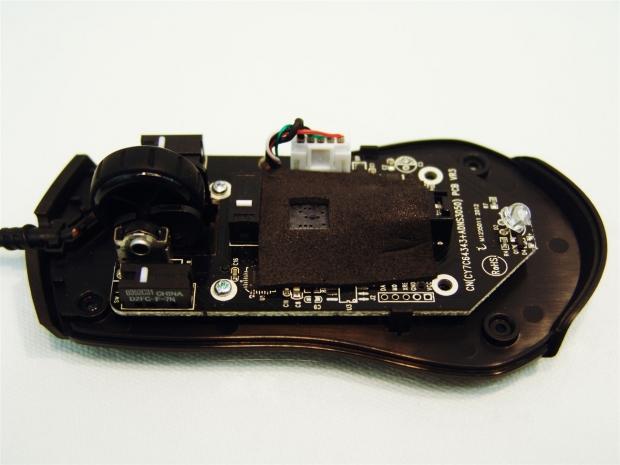
42With the top out of the way you can see the majority of the components used in the LUA. The Avago sensor has a layer of foam on it, and I think it is due to the low height of the mouse, and this should absorb any contact the top half could make with the sensor.
 42
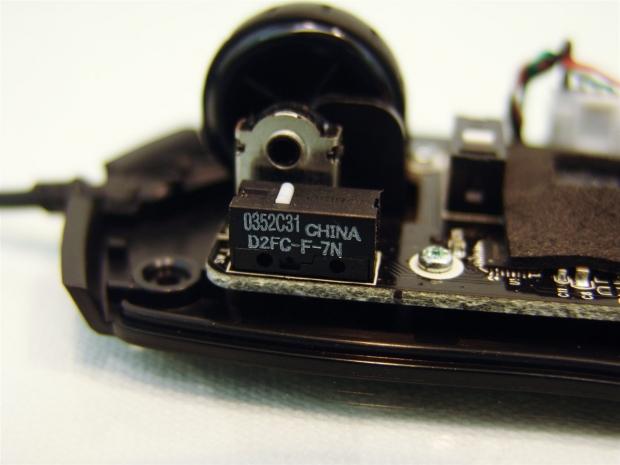
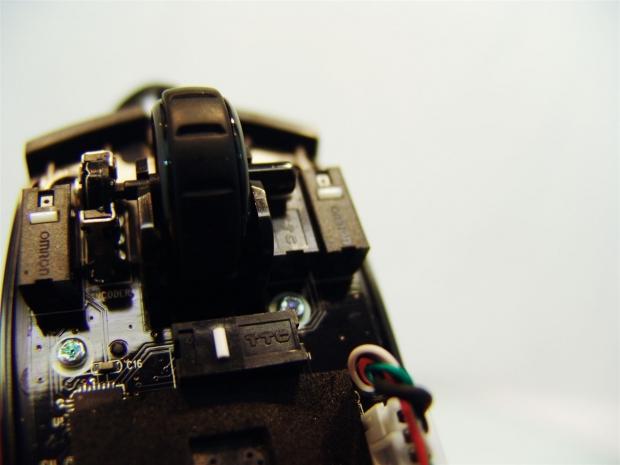
42The left click and right click buttons both use the Omron switches seen here. I took the image from this angle to allow you to see the specific version used.
 42
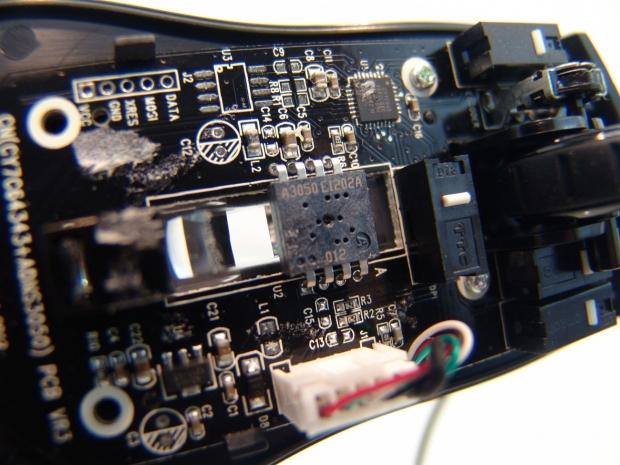
42For the scroll wheel click and the DPI selector button, less expensive TTC switches are used for those.
 42
42Removing the foam you can now see the Avago ADNS A3050 Pro 2 optical sensor used on the LUA. You can now also see the 16-bit chip above it that will be communicating with the PC during use.
 42
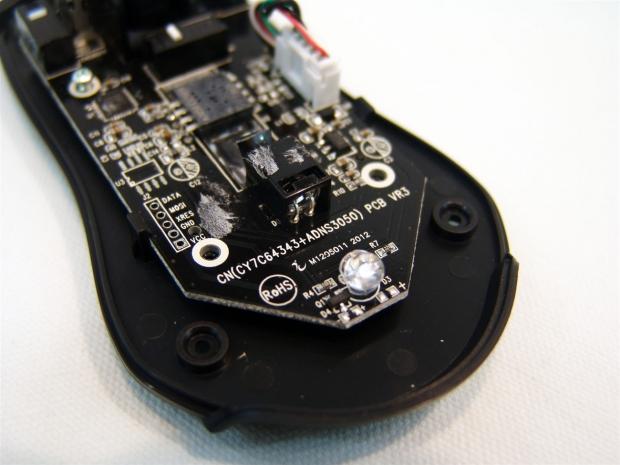
42To give the logo the pop ROCCAT was looking for, this large LED will glow with arctic blue light to give the ROCCAT logo on to plenty of light to make it clearly visible when powered.
 42
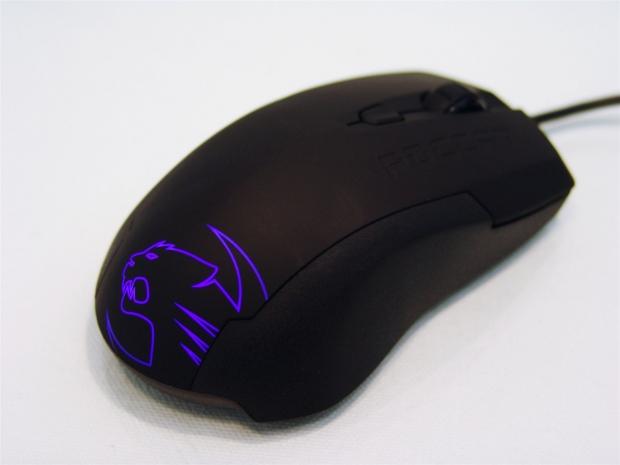
42With the LUA reassembled and now plugged in, you can see that the logo surely is bright and blue just as described.
Accessories and Documentation
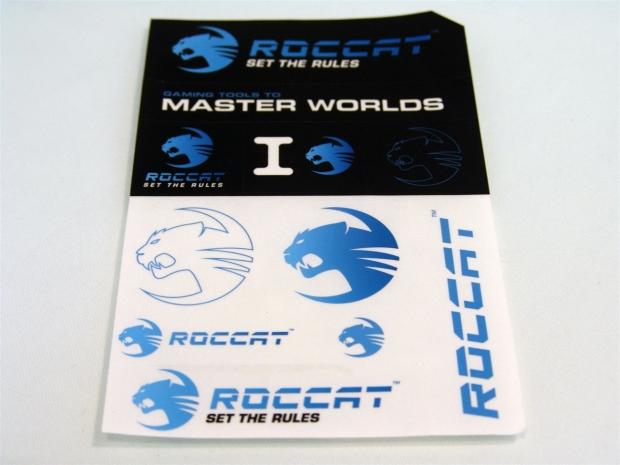 42
42Something new came with the LUA that I have never gotten in mouse packaging until now, and that is this sheet of stickers so that you can display the ROCCAT name on just about anything you want as long as the sticker can adhere to it.
 42
42The installation guide comes in a plastic sleeve and is shipped under the mouse inside the box along with the stickers. To help stay "green" ROCCAT doesn't ship a driver disc with the LUA, you must go to the site to acquire them.
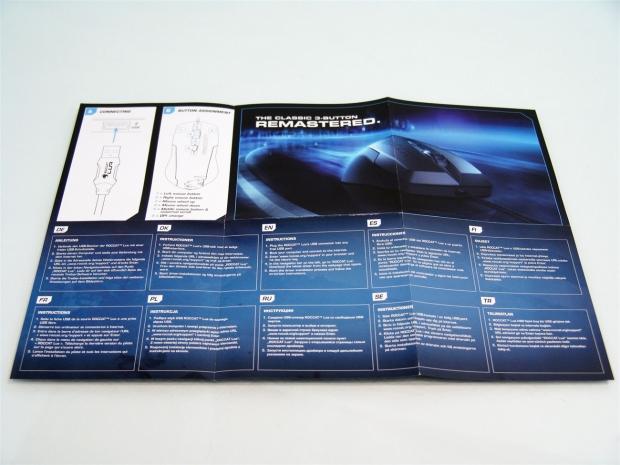 42
42Once I folded out the guide, I found on this side that all you need to do is plug in the USB connection for the instructions, and it then goes on to cover the button assignments in 11 total languages.
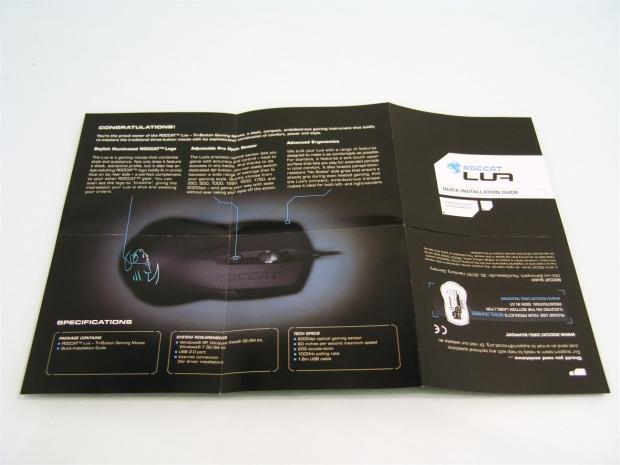 42
42Flipping the guide over you are congratulated on your purchase and taken right into the key features as they are pointed out. Under the large image of the LUA you will again find the contents, system requirements, and the specs.
ROCCAT Sense High Precision Gaming Pad
 42
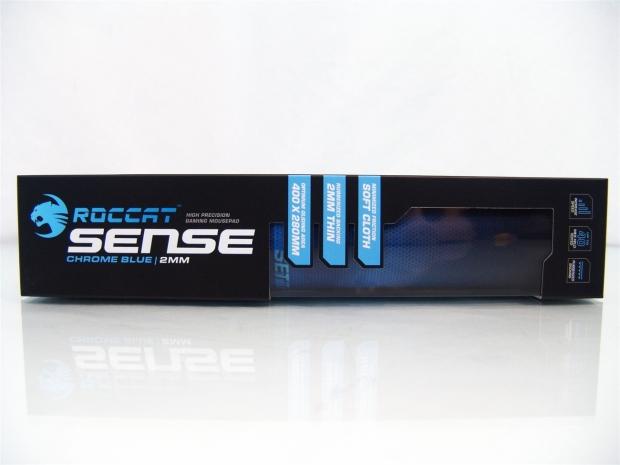
42The Sense high precision gaming mouse pad comes in a tall slender box with the mat rolled tightly inside just like many other pads I have seen. On this side you get to look at the pad through the window as well as reading the six features contained in the Sense.
 42
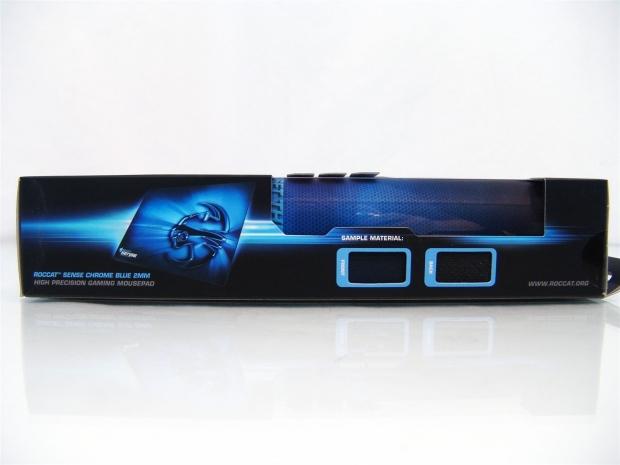
42Rolling the box to the back to expose this side panel, you get a bit more of the window for viewing along with samples of the front and pack materials used to construct the chrome blue, 2mm thick, Sense mouse pad.
 42
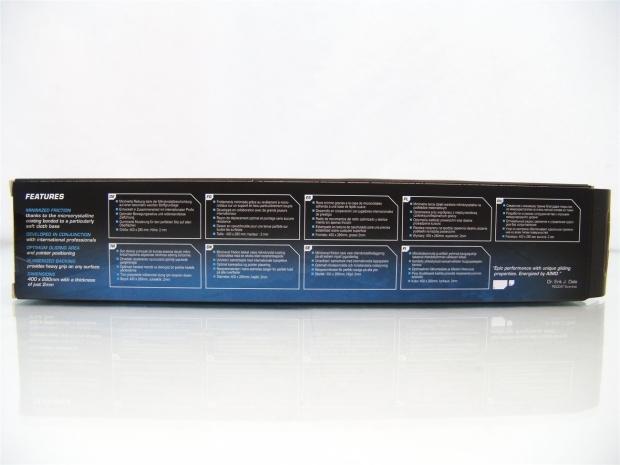
42The features are again covered on the back of the box, but this time in text only. On the left is the English version while the rest of the panel covers nine other languages.
 42
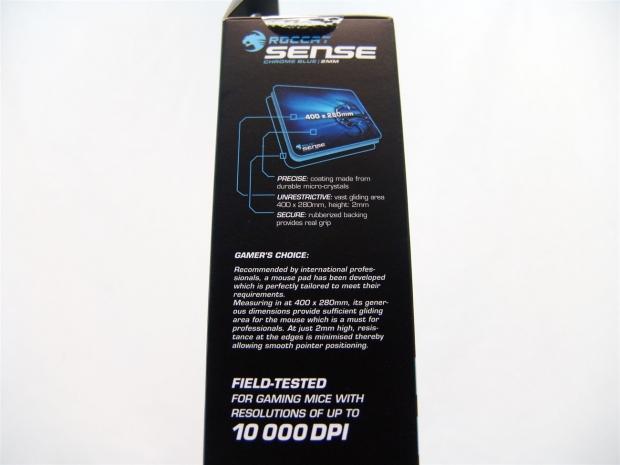
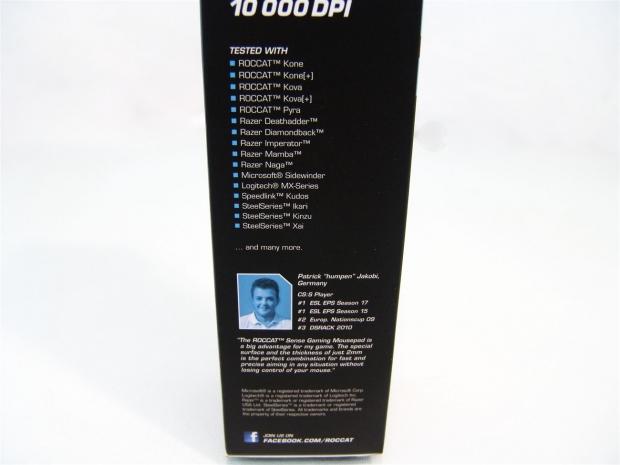
42The last panel has a bunch of info on it, so I had to break it up so that you could read it all. The top half of the panel covers the features as they are pointed out on the image of the Sense. It then goes on to tell you why you should buy one, and the fact that mice of up to 10,000 DPI were tested here, so the 2000 DPI of the LUA should track fine on this pad as well.
 42
42The bottom half of that same panel starts with a list of some of the mice tested to function very well on the Sense. It also offers a description from usage from Patrick "humpen" Jakobi.
 42
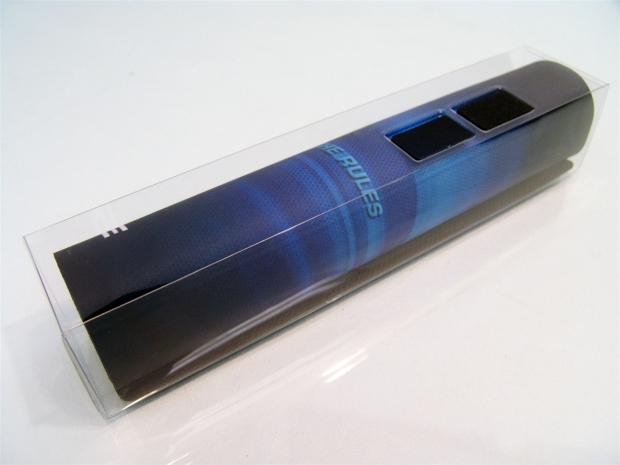
42While most pads just come rolled up inside of the cardboard box, this is the first to arrive with an inner sleeve containing the mouse pad, but since this box has a window, this way keeps the pad from snagging on an insert of plastic to the box.
 42
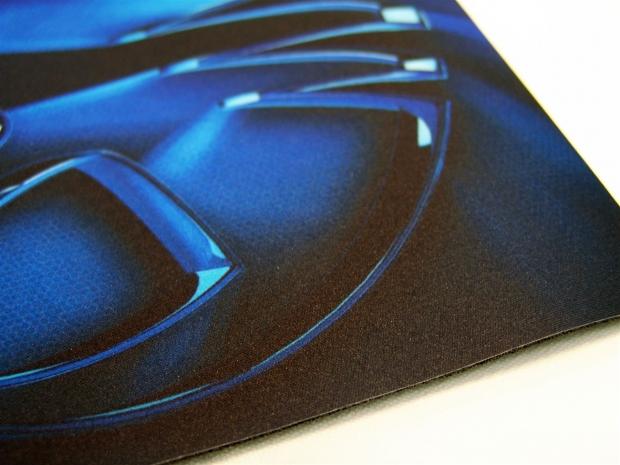
42A closer look at the top of the Sense gives you the impression of an average cloth top. Quite to the contrary, there is a bit of texture you can feel, and the pad allows for more frictionless movement than the typical cloth pad offers.
 42
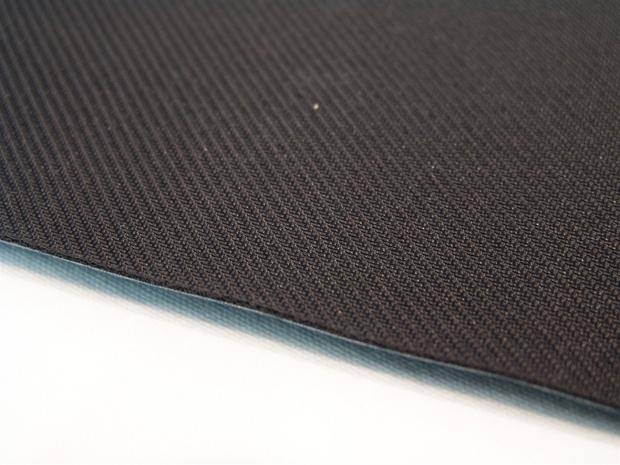
42On the bottom you have 2mm of foam rubber under the cloth. The bottom of that foam is textured with this angled chevron design to allow the best traction it can get on any surface you game on.
 42
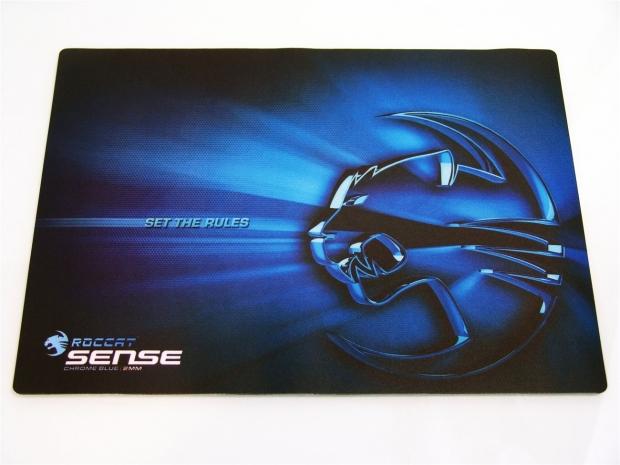
42Taking a few steps back to show off the artwork, the blue chrome coloring of the logo and what appears to be light emanating from it will make for a perfect match to the arctic blue LED on the LUA.
 42
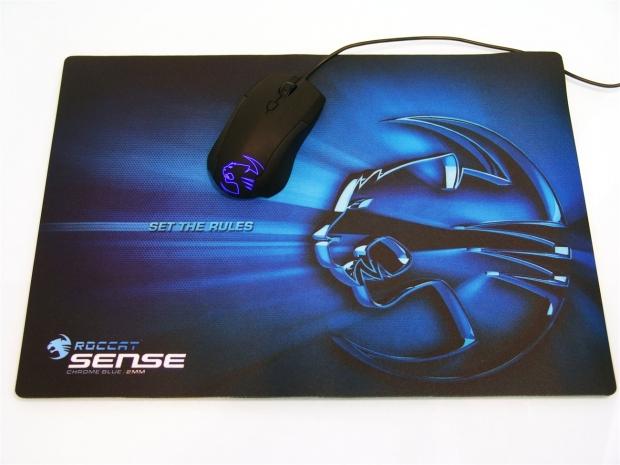
42To give you a feel for the overall size of the mouse pad, I went ahead and set the LUA on it with the glow of its blue LED powered up. The Sense gives you a ton of area to utilize, and I do like the combo together for that package deal look on your desktop.
Software
 42
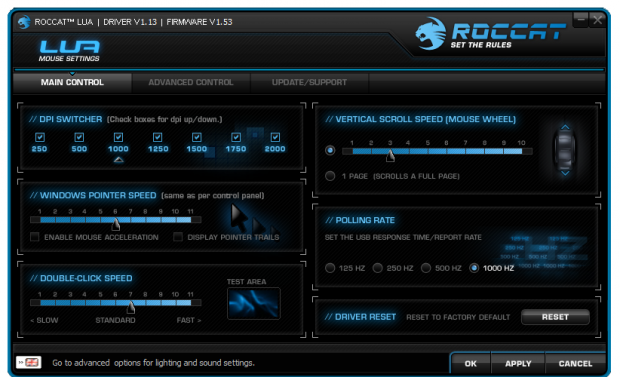
42Once the mouse was connected to my PC, I went over to www.roccat.org to find the driver and software package to run the LUA. Once installed and opened, you are delivered to the Main Control tab of the software. Here you can check which of the seven DPI selections you want the DPI button to use; you can change the pointer speed, even the double click speed. On the right you can change the speed or amount of lines moved with the scroll wheel, adjust the polling rate, and even set the software to default.
As you move over areas, there are messages at the bottom to help explain what it is and does, along with the ability to change the language they are given in.
 42
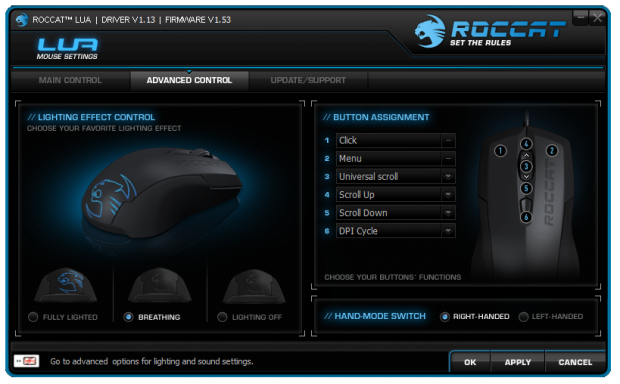
42The Advance Control tab offers you a look at the LUA on the left with three choices below it. You can make the LED stay on all the time, have a breathing effect, or turning the LED off all together. On the right half of the page you can select the functions, one through six, and reassign what they can do for you via the dropdown box. At the bottom is where users can make the swap of this ambidextrous mouse from right handed to left handed usability.
 42
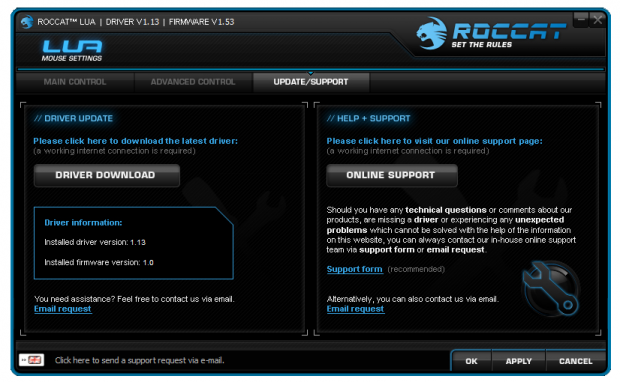
42The last bit offered in the software is the ability to download the latest drivers with the click of a button. In reality it takes you to the page where you can click again to download the package. The right half pertains to support. If for any reason you need to ask a question or need servicing to the LUA, click here to be delivered to the appropriate section of their forums to get the help you need.
Final Thoughts
The ROCCAT LUA is definitely a blast from the past. It has been quite a long time since I enjoyed any mouse without a back page button, and I don't mind using the LUA at all even without a major feature that I demand of mice that I purchase. What I found is that because of the smaller and much lighter nature of the LUA than most other mice offered, I didn't mind spanning across the screen for the arrows to move pages in my browser. That fact lends to some really long hours of gaming as well. It wasn't until I removed the LUA and went back to a heavier mouse that I felt the difference in my right arm slinging the much heavier mouse around my desk.
Consisting of only three basic clicks in the mouse, a scroll wheel that takes quite a bit of effort to spin to the next point makes weapons selecting very easy as you have to work really hard to blow throw three or four selections fast enough to overshoot what you are looking for, along with the DPI selector button gives you just enough to get used to this mouse in a few hours, even if I did spend the first day instinctively looking for a back button.
I also sort of wrote off this mouse at first when I read that it tops out at 2000 DPI, I guess I assumed I would be all over the place trying to shoot or look around in a map. Much to my surprise the Avago ADNS A3050 sensor inside is quite capable of finite precision at 250 DPI, but also didn't require me too much more effort at 2000 DPI to game or go from one side of the desktop to the other. I know this has more to do with the weight, but the feel of the mouse is also really good. Not being a fan of smaller mice, unless attached to my laptop, the LUA has really changed my perspective on what you can get in not only a smaller mouse, but one as affordable as this.
As for the Sense high precision mouse pad, not only does it look good, its super smooth to glide any mouse on, and made a perfect match for the LUA during testing. I did run the LUA on other mats, but I found none of what I owned has the feel of the Sense, nor is the gliding of the mouse so effortless. Typically I am not a fan of huge logos or bright colors on my gaming surfaces, but the chrome blue color used when matched with the logo on the LUA won me over, and even when not using the LUA mouse, I will be sure to keep this mouse pad around for years to come as it has been a long time since I enjoyed the surface under the mouse as much as the mouse I am testing. Good job on the Sense ROCCAT, you are really onto something good here.
I know up to this point I haven't mentioned the pricing on the chrome blue version of the Sense high precision mouse pad, so to rectify that, I was able to locate this in two locations. The EBay listing was much cheaper at $32 with shipping than the other at near $44 once shipping is included. It seems a bit on the pricy side, but the feel of this mat has to be tried to believe. As for the LUA 3-Button optical mouse, you still have a short wait, but with an MSRP of $29.99, how can you go wrong?
The combination of the LUA and Sense is a match made in effortless gaming heaven, and is something I strongly urge you to consider trying.
 United
States: Find other tech and computer products like this
over at
United
States: Find other tech and computer products like this
over at  United
Kingdom: Find other tech and computer products like this
over at
United
Kingdom: Find other tech and computer products like this
over at  Australia:
Find other tech and computer products like this over at
Australia:
Find other tech and computer products like this over at  Canada:
Find other tech and computer products like this over at
Canada:
Find other tech and computer products like this over at  Deutschland:
Finde andere Technik- und Computerprodukte wie dieses auf
Deutschland:
Finde andere Technik- und Computerprodukte wie dieses auf 


 NASA reveals plans to build levitating robots on the surface of the Moon
 This DIY user built his own 256-core RISC-V Megacluster CPU running at 14.7GHz
 AMD's high-end Ryzen AI 'Strix Halo' APUs spotted: 16C/32T Zen 5, 120W TDP, 64GB memory
 Halo and Destiny creator Bungie's first big game is free on Steam
 MSI's limited edition GeForce RTX 4060 Ti Monster Hunter Edition comes with a controller
 Corsair 6500X Mid-Tower Dual Chamber Chassis Review
 Corsair MP700 Pro SE 4TB SSD Review - As Fast as They Come
 Corsair MP600 Mini 2024 Edition 1TB SSD Review - Fastest Tiny Drive on the Planet
 Lexar SL500 1TB Portable SSD Review - The best of native USB
 Corsair Platform:6 Elevate Modular Desk Review
 True Lies (1997) 4K Blu-ray Review
 Fractal Design North XL Full-Tower Chassis Review
 Western Digital WD Gold 24TB HDD Review - High-Capacity Masterpiece
 AOC U27G3X 27-inch Gaming Monitor Review - 4K 160Hz for $500
 MSI Vector GP68HX Gaming Laptop Review
 Building the Ultimate Home Entertainment Server with an ASUSTOR NAS and Viper Gaming NVMe SSDs
 Everything you need to know about the latest ASUS NUC Mini PCs - NUC 14 Pro and ROG NUC
 How to Overclock Your GPU and Boost Your PC Gaming with ASUS GPU Tweak III
 ASUS's AMD Radeon RX 7000 Series GPU lineup has something for every gamer
 ASUS OLED Premium Care defends the ROG Swift OLED PG32UCDM gaming monitor from burn-in