


Introduction
 32
32Since I have not worked with Genius before, I thought it was only right to go to their site and have a look around and see what they have to offer. Just arriving at the site I was greeted with an ad for their thumb controller for presentations, the DX-ECO mouse that runs from capacitor power and not batteries, a tablet for kids and a wireless Bluetooth headset. This is truly only the tip of the iceberg for them as I also see they have 23 categories of products to search through. It seems they have everything from peripherals, hubs, video solutions, audio solutions and really anything cool a "œtechie" might find interesting.
Genius is based in Taiwan, but judging by their overview, they make a pretty penny in US sales. I am glad to be with Genius finally, as a company that has been around since 1983 and is still doing well in the PC market; they have to be doing something right and it is about time I get to know them and their products. I can't say as I have never heard of them, just more that my attention wasn't previously directed towards them as I shopped at Newegg and other various sites.
That time has passed and Genius is squarely in my sights as I have a close look at what was delivered to me as the "œstarter course" for what I can see could be a long stream of products to look at already and also what they come up with in the near future.
Today we are going to be looking at, disassembling, reassembling, programming and testing out the GX Gaming series DeathTaker MMO/RTS Professional laser gaming mouse.
Say that three times fast. Anyways, on with the show, so strap in and get comfy as I get my first look at what Genius offers and what the DeathTaker is capable of.
Specifications, Availability and Pricing
 32
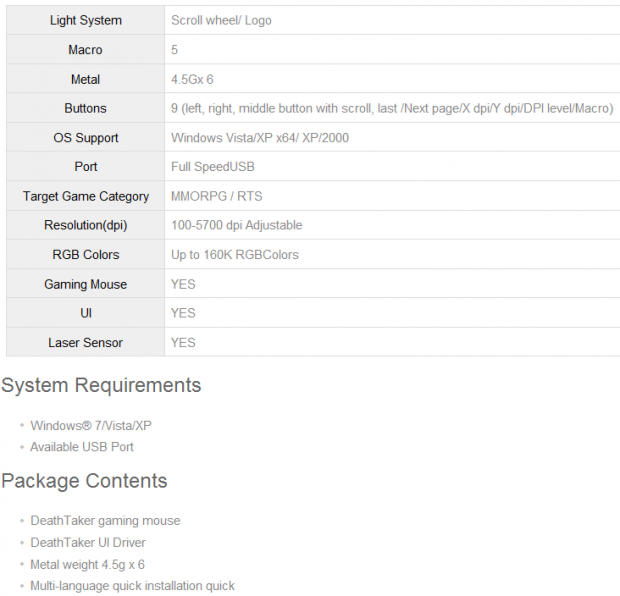
32Going through the specifications chart leaves a lot to the imagination. It tells you there are lights in the scroll wheel and the logo of this mouse; it also alludes to the Macro capability. There is a mention of 4.5g metal weights and that the DeathTaker has nine total buttons. On the inside there is a mention of the 100 - 5700 DPI sensor, but no mention of the Avago brand of sensor. It also states that there are quite a few color options for the DeathTaker, but in all of that description, you have no idea how it's laid out, what is truly included inside or even the material choices for the exterior or the use of PTFE for the feet under the mouse.
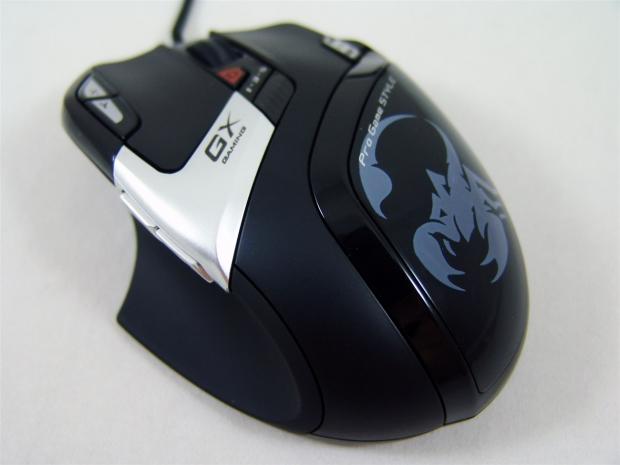
In a bit more detail, the DeathTaker is a mix of matte and shiny with the rubberized coating playing against the piano black body of the mouse that holds a grey scorpion on the palm rest. On top of that there is a mix of the black components against the matte silver section that holds the GX Gaming logo which is backlit along with the line running around the center of the scroll wheel.
There is a page forward, page back, an X, a Y, a DPI and a Macro up and a Macro down button along with the right and left click buttons and this makes a total of nine on the DeathTaker. On the inside of the DeathTaker there is an Avago ADNS-9500 laser sensor and the right/left click buttons are backed with T-MEC switches. It even includes onboard memory so that you can store up to 55 macros at a time, right on the mouse and no need to go back to the software unless your programming of the Macro has failed.
What does it cost to get a software package that offers full control of the mouse, the coloration of the LEDs and virtually unlimited Macro options, along with a smaller, more compact professional gaming mouse? Well looking around, that can differ quite a bit. I found listings from the $43 range on up to the $80 range for the DeathTaker. Most of the pricing seems to balance out around the $60 range, so that is what I will base my thought on as it pertains to the pricing and it really isn't all that bad to be honest.
As for availability, I found 16 places that will gladly take my money in a matter of seconds via Google shopping, so I have to say the Genius DeathTaker is an easy mouse to locate. At this point all we have left is to get a real close look at things and put the DeathTaker through its paces and see how a feel about it with about two weeks of use with this product.
Packaging
 32
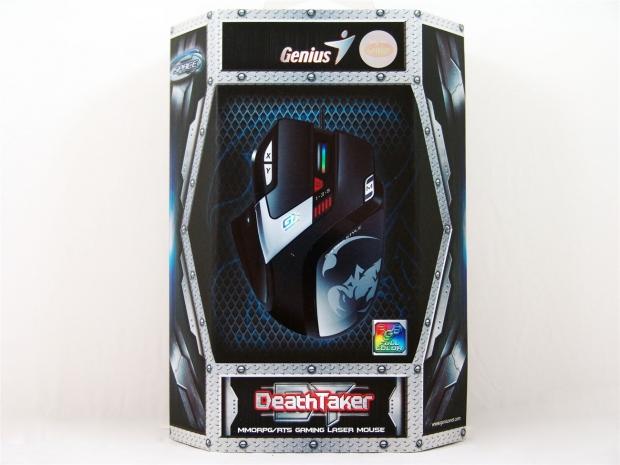
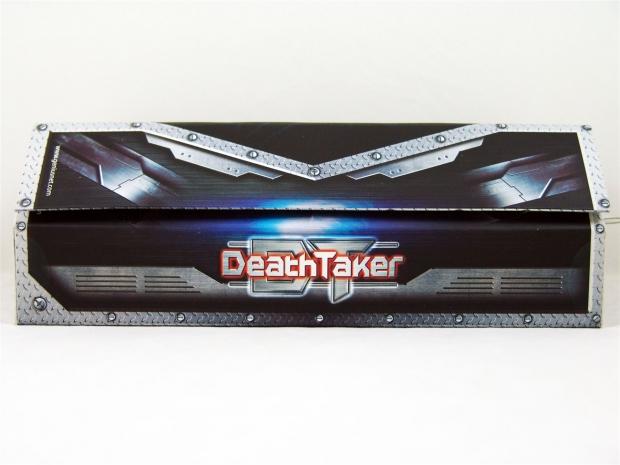
32The DeathTaker comes in a very industrial looking package. The mix of diamond plate, mesh and the steel structural bits on the edges makes this seem like more of a case than a box. There is a great image of the mouse right in the center with the notation of full RGB color adjustment of the LEDs.
 32
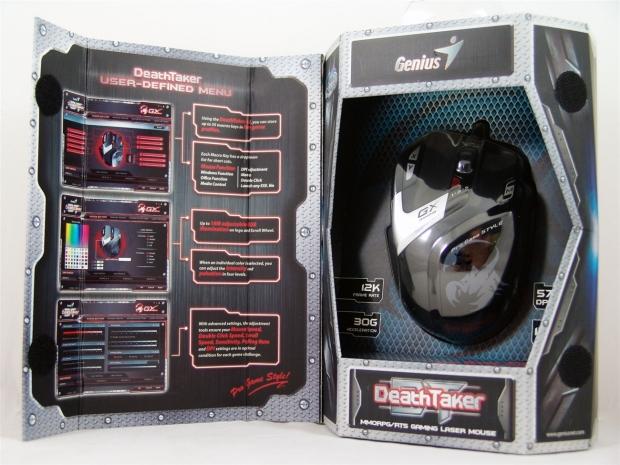
32The front of the packaging opens to reveal a look at the software and what can be done in each tab of said software. On the right is a view of the DeathTaker through its protective plastic inner packaging. There is also notes of the 12K frame rate, the 30Gs of acceleration, the 5700DPI and the 150 IPS velocity ability of the DeathTaker.
 32
32The right side of the packaging doesn't offer much information, but the design of the front panel wraps around perfectly keeping things unified.
 32
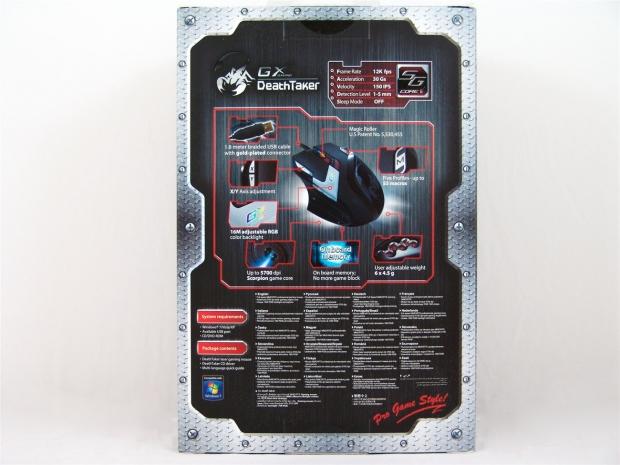
32On the back there is a list of additional specifications just above an image of the DeathTaker with seven key features placed around it. At the bottom are the system requirements and contents of this package along with a few features listed in many languages.
 32
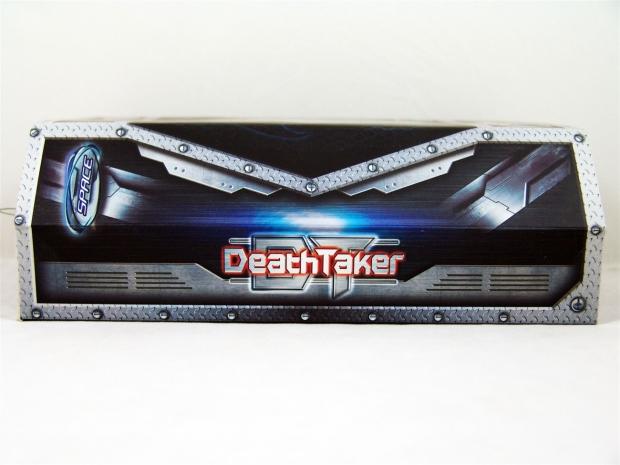
32The left side of the packaging is exactly what we got on the other side, just this time there isn't the flap being held in place with Velcro, as this is the hinge side of that.
Genius DeathTaker MMO/RTS Gaming Laser Mouse
 32
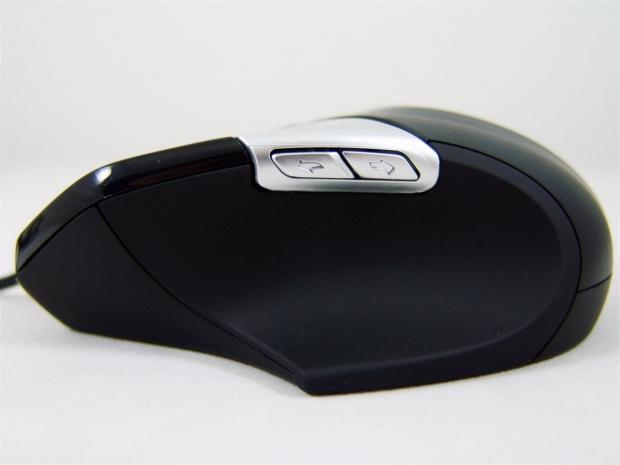
32The left side of the DeathTaker is a mix of the rubberized coating on the curved area for your thumb, the piano black at the front and the matte silver section holding the page forward and back buttons.
 32
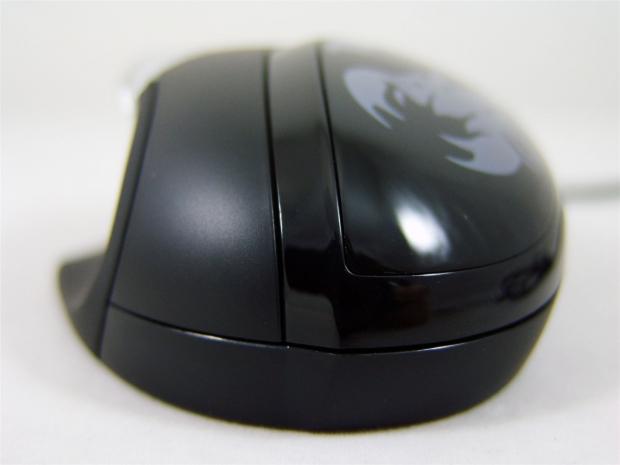
32The heel of the DeathTaker has an awkward looking pointed edge that runs along the removable weight cover, but it doesn't seem to affect the feel of this mouse. Other than that it has a high center and an almost egg shape to this end of the mouse.
 32
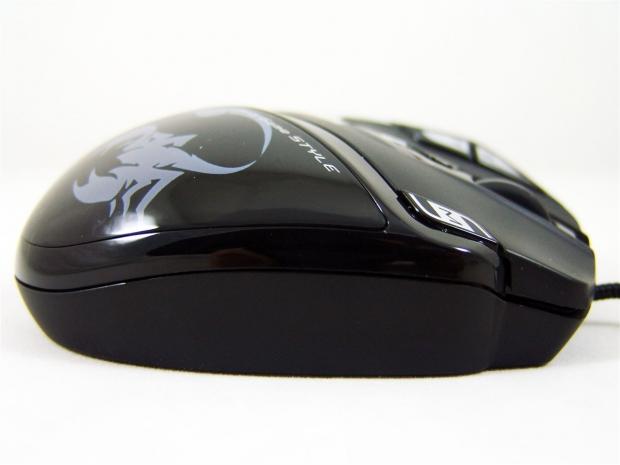
32The right side is a mix again of the piano black plastic above the rubberized coating at the bottom to allow your pinky to grip as you lift this mouse during use. In a slightly odd place is the Macro up/down selector switches. Of course you need the software installed first, but we will get to that later.
 32
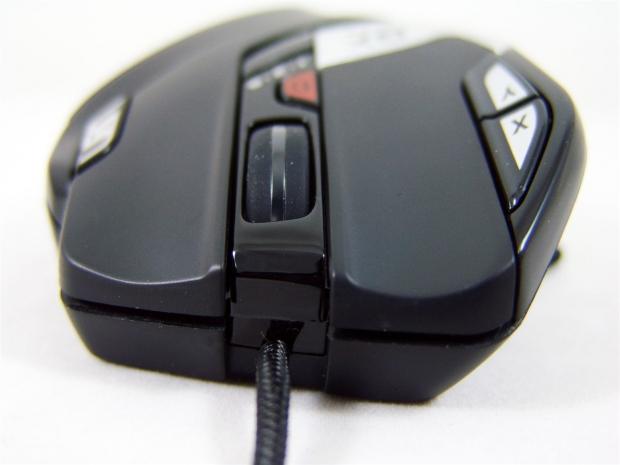
32At the front, the right click button sticks out past the left, both with that rubberized coating to give the best feel en even the sweatiest of gaming sessions. The scroll wheel between them has a very solid feel to each "œclick" of the wheel as not to overshoot the selections in games. The shiny center strip is where this will light up when it gets powered on.
 32
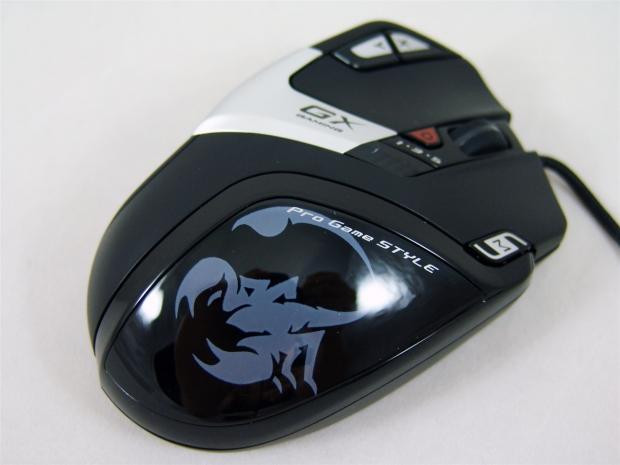
32The right side of the heel of the mouse, with the grey scorpion painted on it, is actually the cover for the removable weight system I will show in a bit, but does have the tag line "œPro Gaming STYLE" printed there as well.
 32
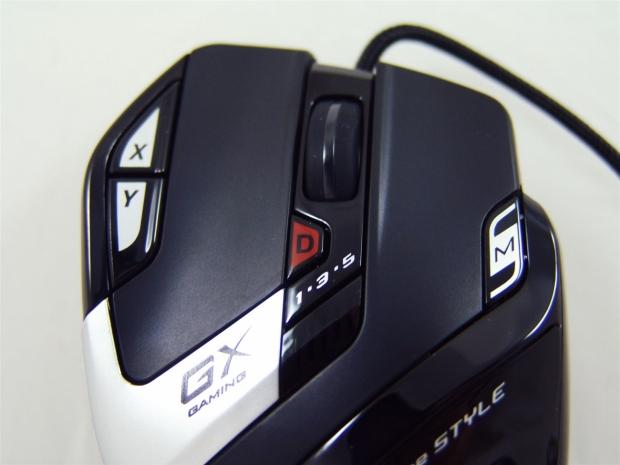
32Moving in closer for a better look at the front top section of the mouse, you can now see there is an X and a Y button on the left. Behind the scroll wheel is the DPI selector button with an LED bar to indicate which of the five settings it is currently on. Lastly there is the GX Gaming on the silver section that will also light up with whatever custom color you choose.
 32
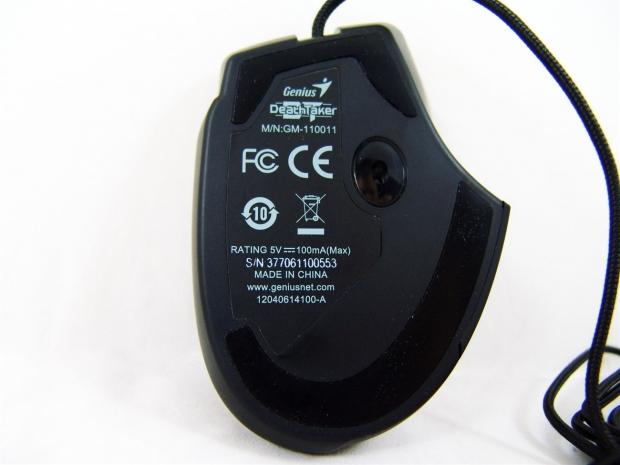
32Under the DeathTaker, Genius uses only two PTFE feet to glide this mouse on. There is a smaller foot at the front that comes back into the mouse just a bit on each side and the much larger J-shaped foot at the back to give both an easy glide, but keep the mouse stable and level at the same time.
 32
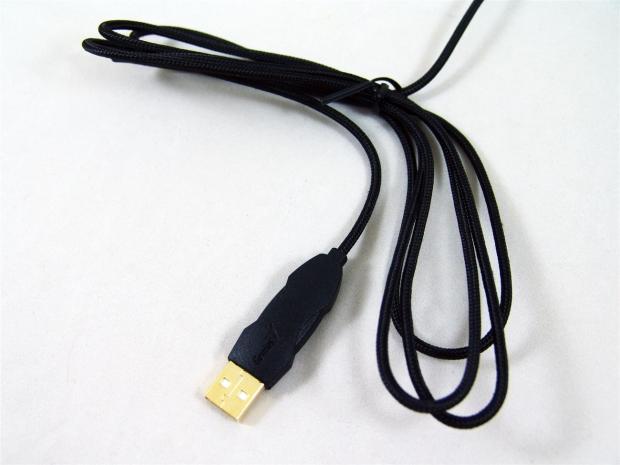
32To connect the DeathTaker to you computer, you use the gold plated, high speed, two meter, braided cable and plug it into the rear I/O panel. This cable does offer a fair bit of length and it doesn't seem to snag on the edge of my cloth mat.
Accessories and Documentation
 32
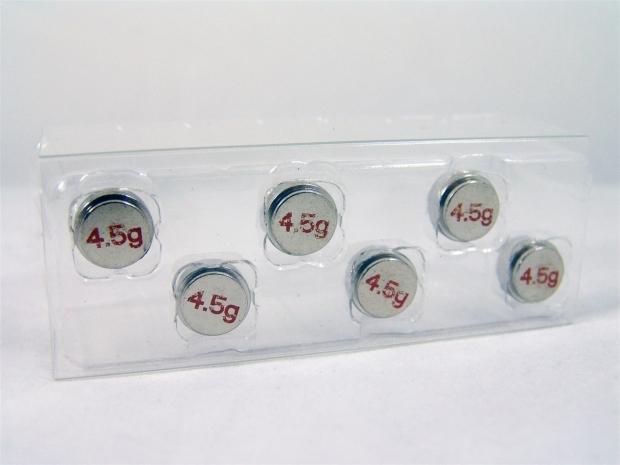
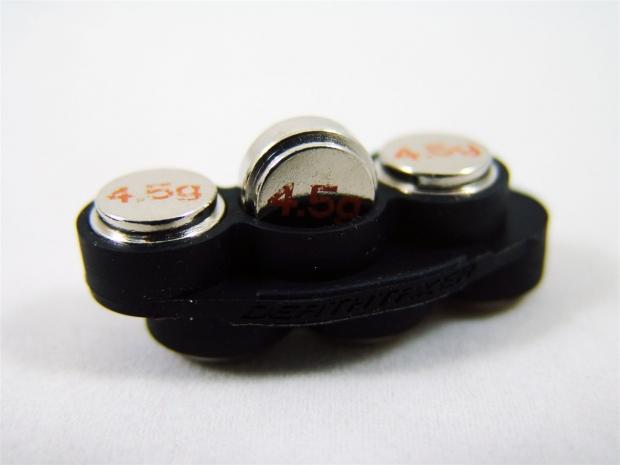
32In the bottom of the box, below the mouse, you will find a clear plastic tray with six 4.5 gram metal weights. Even though they look pretty rough, quick math says we have 27 grams worth of weight options over the stock weight of the DeathTaker.
 32
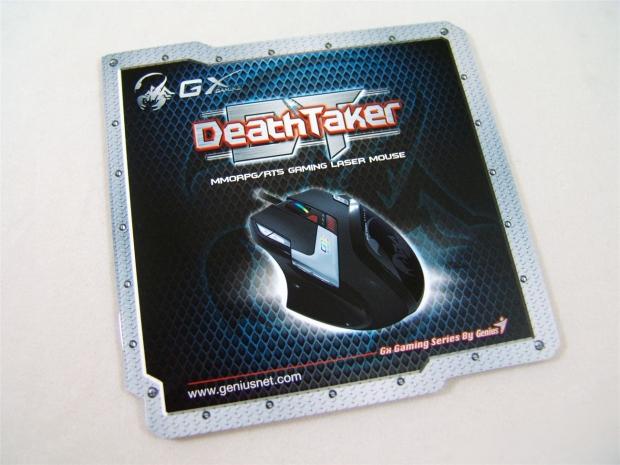
32The manual starts, in tiny print I might add, a bit about the GX Gaming series and is the first mention I caught of the Scorpion Game Technology and the SGC ii system that controls the Macro abilities and somehow overclocks your gaming experience. It then goes on to point out the buttons and what can be used in the software like what we saw inside the front flap of the packaging.
 32
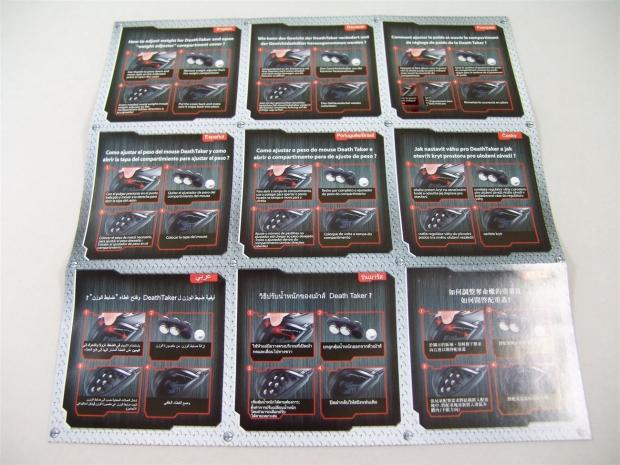
32Then there is this fold out bit of paperwork that shows how to use the hidden weight tray and get the cover back into place correctly. Of course this is the same thing repeated in nine languages.
 32
32The opposing side would almost be a cool wall hanger if it didn't have "œweight Adjuster" printed on it.
 32
32Even though I went to the site and made sure I had the latest drivers and software package, there is a disc included to get underway without an internet connection, so you too can enjoy the DeathTaker in its full form.
Inside the DeathTaker and Powering the Mouse
 32
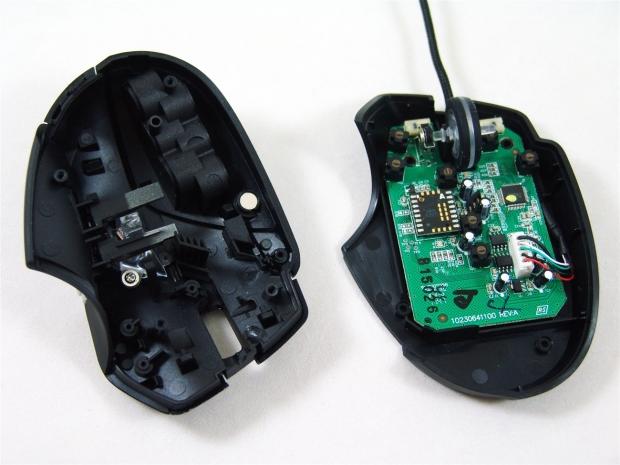
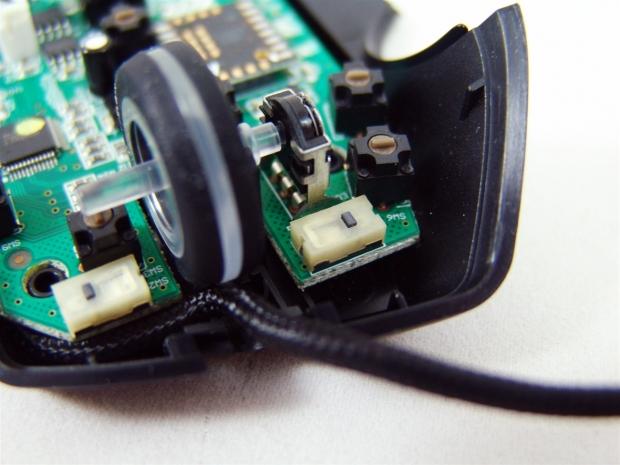
32Removing the large feet from the underside of the DeathTaker exposes four Phillip's head screws that once removed allows the mouse to split right open with relative ease. I also like that this is kept simple on the inside for those that may need to clean up a spill on the mouse or of the scroll wheel gets gummed up over time.
 32
32On either side of the scroll wheel, Genius uses T-MEC switches for the right and left click buttons and much smaller, brown, round switches for all of the other seven buttons found in the DeathTaker
 32
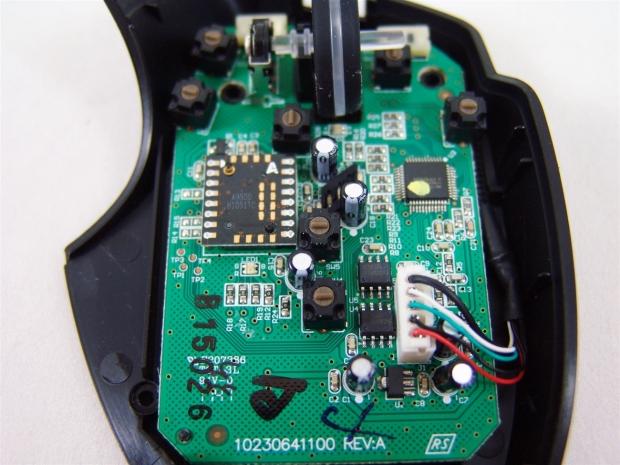
32Google the A9500 on the chip and it does in fact bring you to the Avago ADNS-9500 Sensor we have seen in other mice I have reviewed. Aside for the power management and surface mount LEDs is the memory IC that allows the storage of up to 55 Macros on the mouse.
 32
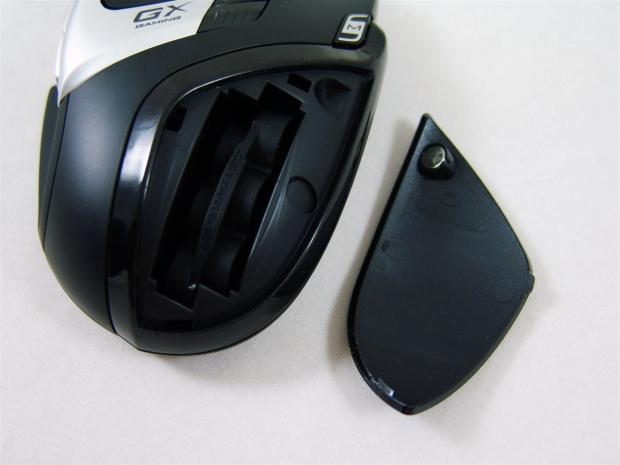
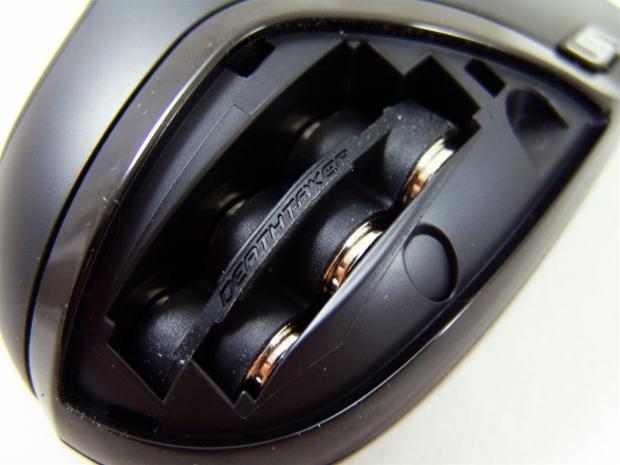
32I put the mouse back together, but since I am showing the insides, I thought it was a great time to show the removable weight system used on the DeathTaker. To remove the cover I lifted the edge nearest to us in the image and the magnet let lose allowing the cover to pop right off exposing the rubber weight tray inside.
 32
32I went ahead and installed all six of the weights into the DeathTaker at this time, I figured I can always remove them for testing later.
 32
32Things are a bit snugger for the return fit into the mouse, but that to me is a good thing. You don't want 27 grams of weight shifting around on you as you swing the mouse around in any game. Now all we have to do is snap the cover back on and power up the mouse.
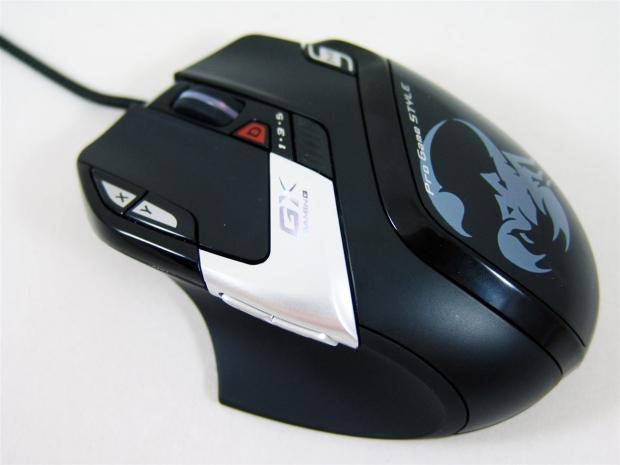 32
32On its first powering the lights were red and pulsating in a breathing mode. I had to shut down the test rig for a moment and when it powered back on I was greeted with the white backlighting you can see here. The color at the moment is just one of the options of the sixteen million color choices you can make the GX gaming logo and scroll wheel.
Software
 32
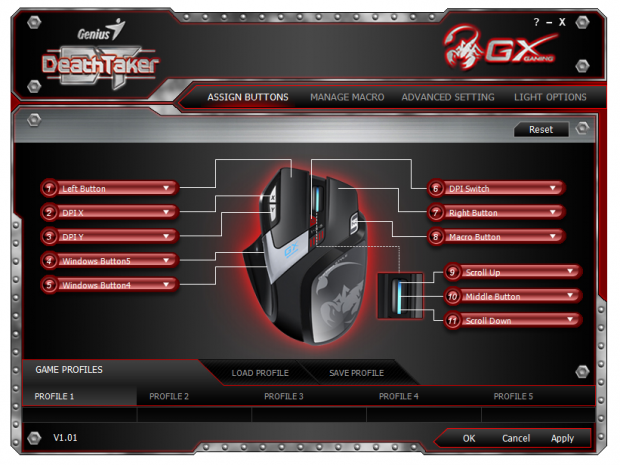
32The software starts out by giving you the option to program any of the nine buttons to do darn near anything you want via the Assign Buttons tab. Clicking on one of the buttons gives you a dropdown menu with options for other mouse button assignment, multimedia, Office functions, the list is eleven functions deep with more options in each section. These can be set separately for each of the five profiles at the bottom leaving tons of options for the DeathTaker's usage.
 32
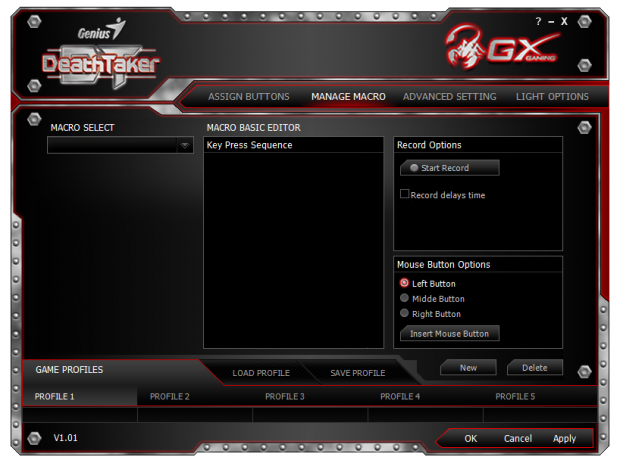
32The manage Macros tab is for exactly that, programming Macros for use with your favorite MMORPG title or any RPG really. At the left you would name the Macro and on the right you press the start record button and start inserting the key combination and there is a time delay feature as well. To create a new Macro or delete an old one, you use the buttons provided in the bottom right corner of this tab.
 32
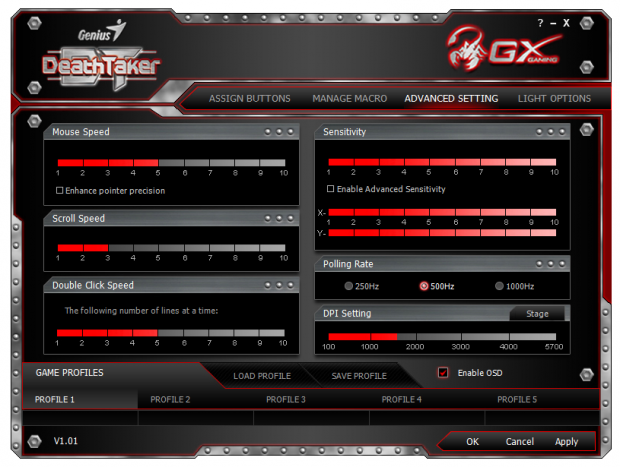
32The Advanced setting allow you to control the Mouse speed in windows on top of the DPI setting with enhanced pointer precision "œangle snapping". You can set the lines the scroll wheel moves at each click and the double click speed to open a window or start an application. On the right side you can change the DeathTaker's sensitivity and even on the X and Y axis separately if you wish. There is an adjustable polling rate and of course the DPI setting for each of the five optional settings. There is also an On Screen Display button that will show what is selected in red lettering on the screen when it is used.
 32
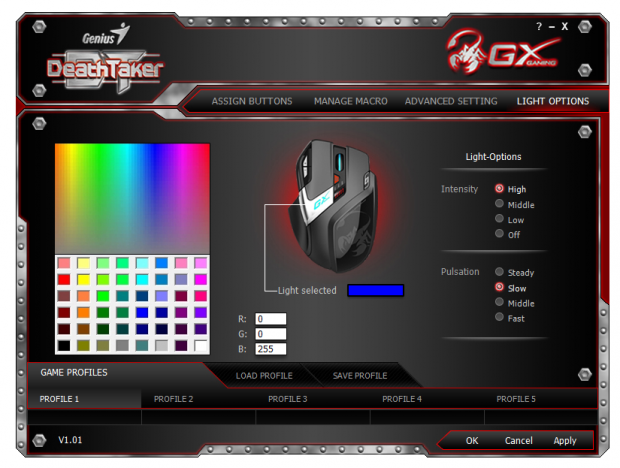
32The light options section can be a lot of fun trying to match other LEDs like the orange LEDs of my Crucial memory. I played around a bit looking for it on the left color selection pallet, but found better success inserting the actual RGB values in the middle. On the right there are options for the light intensity and the three options of pulsation or steady LED lighting.
Again with any of the four tabs, there are five profiles and nine buttons to program away to make using the DeathTaker more than just an ordinary mouse.
Final Thoughts
Let me try to hit all the major points off the top of my head. The DeathTaker has a nice feel to the hand, but it is a mid-sized mouse and may be uncomfortable for users with bigger hands. It is not left-handed optional and the smaller nature of the mouse lends better to a claw grip user than my lazy hand resting on the top use that I prefer. The feet, while only using two, gives the mouse a great surface to glide on. I did find the mouse a bit on the light side for daily use, but the additional 27 grams of weight made it feel much more solid and the mouse tended to over shoot less with the weight in it as well. I would certainly look forward to a larger version of this mouse, as the DeathTaker is just a bit too small for me to use past this testing phase.
Then we have all of the sensors, switches and software to discuss. The Avago laser sensor is very good at tracking at any speed I could deliver, at all of the DPI levels and handles lifting the mouse with very little movement of the pointer or weapon as it may be. For my tastes the buttons are in odd locations, but once I tried tinkering around with a claw grip, the buttons do feel a bit more in place than they do with the relaxed grip. One complaint I do have is that the X and Y buttons have a very muddy feel to the switch where as all of the others feel very solid and you know for sure you clicked them.
I am also not a huge Macro user, but using them for volume control make me feel icky every time I adjusted the volume. As for the software, it is up there with a lot of the better suites I have seen thus far. A ton of optional button assignments, basic and advance Macros with timing delay, full control of just about everything shy of the amount of pressure needed to move the mouse or activate a button and a lighting options list that is second to only one other mouse I have seen as far as the total number of selectable colors for the pair of LEDs that backlight the DeathTaker.
In the roughly two weeks of constant use I got to have with the DeathTaker, the only real issue I personally have with it is the size, it just isn't in my comfort zone. I will say this though, the DeathTaker has been a pleasurable experience in gaming with basic functionality and it has allowed me to simplify both the use of Office and Photo Shop, as well as having multimedia keys on the mouse, all with the simple switch of a profile. In reality I think it is the simple and easy to use nature of both the mouse and the software, along with a good feeling shape and design, even for a guy who thinks it is too small, I could deal with this mouse if I had to, but I have too many as it is and being uncomfortable in any way with a mouse is just silly to me.
For those who have smaller hands or those who prefer the claw grip, Genius delivers a laser gaming mouse worth all of the $60 pricing average to acquire your own DeathTaker MMO/RPG gaming laser mouse.

 United
States: Find other tech and computer products like this
over at
United
States: Find other tech and computer products like this
over at  United
Kingdom: Find other tech and computer products like this
over at
United
Kingdom: Find other tech and computer products like this
over at  Australia:
Find other tech and computer products like this over at
Australia:
Find other tech and computer products like this over at  Canada:
Find other tech and computer products like this over at
Canada:
Find other tech and computer products like this over at  Deutschland:
Finde andere Technik- und Computerprodukte wie dieses auf
Deutschland:
Finde andere Technik- und Computerprodukte wie dieses auf 


 LG's 32-inch gaming OLED monitor with 480Hz refresh rate is imminent, with pre-orders live now
 Google Pixel 8a leak boasts 7 years of security updates but leaves one question unanswered
 Apple has plummeted from first to fifth place in the Chinese smartphone market, analysts warn
 You can blame Tim Cook for 8GB Macs, it seems
 Apple removes three AI apps capable of creating nude images of people from the App Store
 SteelSeries Arctis Nova 4X Wireless Gaming Headset Review
 ACEMAGIC AD08 "Core i9 11900H" Mini PC Review
 Lenovo ThinkPad X1 Carbon Gen 12 Review
 ASUS ROG Swift Pro PG248QP Gaming Monitor Review - Frames, frames, and more frames
 FlexiSpot C7B-Mesh Ergonomic Office Chair Review
 Samsung G8 34-inch QD-OLED Gaming Monitor Review - 175Hz for $900
 ASRock NUCBOX-155H Mini PC Review
 NuPhy Air96 V2 Wireless Mechanical Keyboard Review
 TEAM T-FORCE Siren DUO360 RGB Liquid CPU Cooler Review
 AVerMedia Live Streamer ULTRA HD Review
 Building the Ultimate Home Entertainment Server with an ASUSTOR NAS and Viper Gaming NVMe SSDs
 Everything you need to know about the latest ASUS NUC Mini PCs - NUC 14 Pro and ROG NUC
 How to Overclock Your GPU and Boost Your PC Gaming with ASUS GPU Tweak III
 ASUS's AMD Radeon RX 7000 Series GPU lineup has something for every gamer
 ASUS OLED Premium Care defends the ROG Swift OLED PG32UCDM gaming monitor from burn-in