

Our Verdict
Pros
- Very good connectivity
- Low VRM and SSD temps
- 65W USB PD
- Attractive design
Cons
- Limited gains with X3D Turbo Mode 2.0 - YMMV
- Dated audio codec
Should you buy it?
Introduction, Specifications, and Pricing
The AM5 socket shows no signs of slowing down. All of the major manufacturers have released refreshes of their X870 and X870E models, including GIGABYTE. Its family of boards heavily focuses on X3D performance, but that's not all they have going for them. All include updated specifications and tweaks. The model we have for review is the X870E AORUS Elite X3D.
GIGABYTE heavily promotes its AI-centric enhancements that aim to extract more performance from AMD's excellent V-cache-equipped X3D processors. It's called X3D Turbo Mode 2. GIGABYTE has made some lofty performance claims, and we'll go into detail on this later in the review.
Popular Now: RTX 5090 stock dries up as prices soar past $10,000Aside from that, the X870E AORUS Elite X3D can be considered a high-end motherboard given its feature set. It's got very good connectivity options, a highly capable thermal design, and a lovely aesthetic. A white ICE option is available as well. The BIOS design has been tweaked, and it's got a 64MB BIOS ROM, which means it is well prepared to accept future Zen 6 CPUs. That gives users peace of mind for their investment.
| Item | Details |
|---|---|
| Model | GIGABYTE X870E AORUS Elite X3D |
| CPU Socket | AM5 |
| Chipset | AMD X870E |
| CPU Support | AMD 7000, 8000 & 9000 series |
| Memory | 4 x DDR5 DIMM slots, up to 256GB, up to 9000+ MT/s (OC) |
| Expansion slots | 1x PCIe 5.0 x16, 1x PCIe 4.0 x16 (x4), 1x PCIe 3.0 x16 (x2) |
| Storage | 4x M.2, 4x SATA |
| Ethernet | 1x Realtek RTL8126 5GbE |
| Wireless & Bluetooth | Qualcomm QCNCM865 WiFi 7, Bluetooth 5.4 |
| USB | Up to 2x USB4, 1x USB 20Gbps, 6x USB 10Gbps 7x USB 5Gbps, 4x USB 2.0 |
| Audio | Realtek ALC1220 |
| Form Factor | ATX |
| MSRP | $359 |
Like all X870E motherboards, the X870E AORUS Elite X3D supports AMD AM5 Ryzen 7000, 8000, and 9000 series CPUs. It supports up to 256GB of memory and comes with a range of ease-of-use features, such as toolless M.2 heatsinks, a PCIe quick-release mechanism, and a WiFi EZ-plug.
The X870E AORUS Elite X3D is currently available for $359. That's a respectable price for a well-specced X870E board, but that price puts it in among stiff competition, not the least of which is GIGABYTE's own X870E AORUS Elite (non-X3D), which can be found for well under $300, though it does give up a few things, such as 5GbE, the 64Mb BIOS, and 65W USB PD.
Packaging, Accessories, and Overview
Packaging and Accessories

Best Deals: GIGABYTE X870E AORUS Elite X3D Motherboard
Price Trend:
Prices last scanned 3 hours and 34 minutes ago

7 days ago: $309.99 USD30 days ago: $309.99 USD

7 days ago: $569.99 USD30 days ago: $309.99 USD
7 days ago: $439.99 CAD30 days ago: $430.48 CAD
7 days ago: $539.98 CAD30 days ago: $469.98 CAD
7 days ago: £294.0630 days ago: £294.77

7 days ago: $59930 days ago: $599
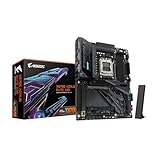
The X870E AORUS Elite X3D box is mostly free of licensing logos. The now familiar AORUS eagle is front and centre. Is that a claw? Or a fist? That's a debate for the intoxicated.

The rear of the box showcases the board's key features, including purported X3D Turbo Mode 2 benefits, a comprehensive specification rundown, and a look at the well-equipped rear I/O.
Our Latest Socket AM5 Review Coverage
- GIGABYTE B850M AORUS Stealth Ice Review - One for the cleanest of builds
- GIGABYTE B850 AORUS Elite X3D Review - B850 maxed out
- ASRock X870E Taichi White Review: a premium AM5 motherboard with 10G LAN and WiFi 7
- ASUS ROG Strix X870E-A Gaming WiFI7 Neo Review - A New Enticing Option
- GIGABYTE X870E Aero X3D Dark Wood Review - A woody goody

The board comes with a typical set of accessories. It includes setup and installation guides, two SATA cables, an AORUS case badge, stickers, a front panel header connector, and the WiFi antenna. This antenna features GIGABYTE's WiFi EZ-Plug, which is a single plug-in connector that doesn't require any screwing in.
Motherboard Overview

The GIGABYTE X870E AORUS Elite X3D is an ATX offering with a good-looking all-black design with hints of grey. There are two small banks of RGB lighting. One is placed alongside the SATA ports at the lower right of the board, and the other is the small AORUS logo atop the rear I/O area. If you're a fan of RGB, there are three ARGB headers and a single RGB header for showcase builds.
There's a good set of onboard USB headers providing up to four USB 2.0 ports, four USB 5Gbps ports, and a single Type-C 20Gbps port. The 20Gbps port supports a substantial 65W PD. You'll need to connect an 8-pin PCIe power cable to the connector next to the header to gain 65W support. There are a total of eight fan headers.
A common trend among refreshed X870E boards is the inclusion of a 64MB BIOS ROM. A larger ROM all but guarantees support for future generation Zen 6 and maybe even Zen 7 CPUs. It also gives GIGABYTE space to include a WiFi driver directly in the BIOS, providing instant WiFi access after Windows installation is complete. As someone who builds a lot of PCs, this negates the sometimes fiddly need to download a WiFi driver from another device and then transfer it to the new PC.

The rear of the board is covered by a robust backplate. It adds rigidity to the board and helps to cool the rear of the VRM subsystem.

Four DIMM slots support up to DDR5-9000+ speeds in a dual-channel, single-rank configuration. GIGABYTE doesn't specify, but such speeds are surely validated when using a monolithic 8000-series APU. You'll need a combination of a good IMC and memory to achieve such speeds with a 9000-series CPU.
Anyway, AMD still recommends memory speeds in the 6000-6400 MT/s range in 1:1 mode for the best balance of speed, latency, and compatibility (and affordability!). With Zen 6 coming, maybe that will change in the future.
You'll note the presence of an HDMI 1.4 port in this picture. It supports up to 1080p at 30Hz and is designed for use with GIGABYTE's Sensor Link panel, which would typically be mounted to a case window for monitoring and a bit of extra case bling.

The board offers a single PCIe 5.0 x16 slot. The bottom pair of x16 slots supports PCIe 4.0 x4 and PCIe 3.0 x2, respectively. I quite like this layout as it gives a very large graphics card room to breathe, while still allowing the use of one or more expansion cards.

The X870E AORUS Elite X3D includes four M.2 slots, two of which support PCIe 5.0 and include underside thermal pads. The other two slots are connected to the chipset and support PCIe 4.0. The primary slot is cooled by a chunky dedicated heatsink. The other three are cooled by a single large plate. Both heatsinks are easy to remove and reattach.
Note that the second PCIe 5.0 M.2 (M2B_CPU) slot shares bandwidth with the Asmedia USB4 controller. If it's populated, both the slot and USB4 controller drop to PCIe 5.0 x2 speeds. Bandwidth sharing is inevitable with dual PCIe 5.0 M.2-equipped boards due to CPU lane limitations.
Four SATA ports join the four M.2 slots.

The X870E AORUS Elite X3D features a solid 16+2+2-phase VRM with 80A stages. It's not the most extreme VRM we've come across, but given the relatively thrifty power requirements of AMD Ryzen processors, it's more than enough to power even an overclocked Ryzen 9 9950X with PBO or X3D Turbo Mode 2 enabled.
GIGABYTE usually includes impressive heatsinks with their mid-range and high-end boards. Though the X870E AORUS Elite X3D doesn't include the company's stellar finned heatsinks, the Elite's heatsinks have a large surface area, direct-touch heatpipes, and 7W/mK thermal pads. It proved very effective in our tests, though it inevitably will fall a few degrees behind the more expensive boards with finned heatsinks.

The rear I/O of the X870E AORUS Elite X3D is impressive. We'll begin with the USB complement, which starts with dual USB4 Type-C ports, both of which support DP 1.4a. That'll give you triple-monitor support if you use the HDMI 2.1 port. The USB4 ports are joined by six 10Gbps ports, one of which is a Type-C port. Finally, there are three 5Gbps ports. If I had to nitpick, I'd like to see a pair of USB 2.0 ports for basic things like a keyboard and mouse, but otherwise, 11 high-speed ports are sufficient for most.
GIGABYTE chose a Realtek RTL8126 controller for the single 5G LAN port. The Qualcomm QCNCM865 WiFi 7 controller supports 320MHz connections and delivers up to 5.8Gbps of bandwidth. 10G LAN is still exclusive to high-end boards, so I'd consider these to be excellent networking capabilities at this price.
Next are the audio ports, which consist of 3.5mm line-in and line-out ports and S/PDIF. These are driven by a Realtek ALC1220 codec. This codec has mostly been superseded by the ALC4080 family. ALC1220 still does the job, but it's a bit middling for a 2026 premium motherboard.
There are CMOS clear and BIOS flashback buttons. It's interesting to note that GIGABYTE placed the power and reset buttons on the rear I/O panel rather than on the PCB itself. I think this is a good thing. While the positioning of such buttons makes little difference if the board is used outside a case, placing them here lets them be used without opening a case. Quite smart. And, they are positioned away from the USB ports, so you should not accidentally press them.
UEFI, X3D Turbo Mode 2 and Test System
UEFI


GIGABYTE's Aorus-themed BIOSes haven't changed much in recent times, so their layout will remain familiar to anyone who's owned a GIGABYTE board in the past few years. It features an attractive color scheme, and most options are easy to find.
X3D Turbo Mode 2
The much-hyped X3D Turbo Mode 2 feature can be enabled on the Easy Mode or Tweaker page in the advanced section. Think of it like Precision Boost Overdrive on steroids.
According to GIGABYTE, X3D Turbo Mode 2 is an AI-powered enhancement feature designed to extract greater performance from AMD Ryzen X3D processors. It optimizes performance in real time, delivering a performance uplift of up to 25%.
The AI model is trained using the data from many X3D systems. It analyses power management, temperatures, and frequencies in conjunction with dynamic workload sensing in intervals measured in milliseconds.
There are two settings: Extreme Gaming Mode and Max Performance Mode. As the names suggest, the Gaming Mode is designed to optimize gaming performance, while the Max Performance Mode is designed to boost general workflow performance.
I usually run a 9950X for motherboard testing, but I chucked in a 9950X3D for a test. Interestingly, both modes run with an increased base clock, something which is unusual for a multiplier-unlocked processor. It gets even more interesting in Extreme Gaming Mode. In this case, the board disabled the X3D cache-less CCD entirely and also turned off multi-threading, resulting in an 8-core/8-thread configuration. Effectively resulting in a quasi 9800X3D with SMT turned off.
In Max Performance mode, my results showed very little difference in performance from a default configuration. I did see higher boost clocks, but only momentarily, and the results in Cinebench and Blender were essentially identical. I did not run these tests in Extreme Gaming mode due to the loss of cores and threads, which would more than halve performance in multi-threading tasks.
In Extreme Gaming mode, I actually did see some improvement, with a 6 percent increase in Cyberpunk 2077, but next to nothing in my other game tests. However, a GeForce RTX 4070 Ti Super doesn't have the grunt to really show off such a mode at its best. None of my four tested games showed any significant benefit outside of Cyberpunk 2077. GIGABYTE's claims of up to 25% seems very optimistic, though 'up to' is the key word. Such gains are likely only under very specific conditions and hardware configurations.
X3D Turbo Mode 2 leaves me with mixed feelings. It's very clearly beneficial with the right combination of hardware and game/app, but the loss of cores and threads in Extreme Gaming Mode, and the higher power and cooling requirements in Max Performance mode don't seem to warrant using X3D Turbo Mode outside of very specific use cases.
It also goes without saying that Extreme Gaming Mode is only beneficial to gamers with powerful graphics cards. In graphically limited scenarios with cheaper GPUs, the benefits will not be apparent.
I love the idea, but modern CPUs are so well-optimized and dynamic at default settings that X3D Turbo Mode 2 feels largely unnecessary.
Test System
- CPU: AMD Ryzen 9 9950X - Buy from Amazon
- GPU: MSI GeForce RTX 4070 Ti Super Ventus 3X - Buy from Amazon
- RAM: G.Skill Trident Z Neo RGB 2x16GB DDR5-6000 CL30 - Buy from Amazon
- Cooler: Cooler Master MasterLiquid PL360 Flux - Buy from Amazon
- OS Storage: Teamgroup T-Force Z540 2TB - Buy from Amazon
- Power Supply: Super Flower Leadex Titanium 850W - Buy from Amazon
- OS: Microsoft Windows 11 Pro - Buy from Amazon
Benchmarks - Rendering and Encoding
Cinebench 2024
Cinebench 2024 is a reliable, widely used benchmark that measures both single- and multi-threaded performance. Note that all our benchmark testing used the latest available Windows updates.

The X870E AORUS Elite X3D performed well, achieving 2,301 in the nT test and 141 in the 1T test. The 1T result is the best we've seen to date with our test configuration.
Blender
A rendering application like Blender is just one of many reasons a user might consider a high-core-count CPU, such as the Ryzen 9 9950X. We use the Whitelands demo file and record how long it takes to render the image.

A result of 430 seconds isn't bad at all, even if a few seconds over a seven-minute test is negligible.
Handbrake
Handbrake is a simple-to-use video encoding and transcoding application. Here, we convert a 4K movie trailer to 1080p. The results below show the average FPS, where a higher result indicates the task will take less time to complete.

A result of 160.1 FPS is just a fraction off the lead.
Benchmarks - File Compression and Memory Latency
7Zip
7Zip is a commonly used free file compression and decompression app. It's very sensitive to changes in memory speed and latency, and scales with the number of CPU threads.

A score of 230.67 BIPS is a strong result for the X870E AORUS Elite X3D.
AIDA64 Memory Latency
Memory latency has been an area where Intel has traditionally held an advantage. Chiplet architectures inevitably add some latency compared to monolithic chips. The real-world benefits aren't that important, though.

71.1 nanoseconds is a touch behind the ASUS boards, but the margin is less than a nanosecond.
Benchmarks - PCMark and 3DMark
PCMark 10 Productivity
We'd love to use our PCs solely for leisure, but some of us have to work too! The PCMark 10 productivity test performs a series of tests using office productivity applications.

Ultimately, all the tested boards are within a couple of percent of one another.
3DMark Storage
UL's newest 3DMark SSD Gaming Test is the most comprehensive SSD gaming test ever devised. It is superior to testing against games themselves because, as a trace, it is much more consistent than variations that will occur between runs of the actual game.

Top of the pops for the X870 AORUS Elite X3D here.
3DMark Time Spy Extreme
Time Spy Extreme has lost favor as a graphics benchmark to Speed Way and Steel Nomad, but its CPU test is still a good measure of multi-core performance.

The differences between the boards are minor, with only a few hundred points separating them when measured by CPU score.
Benchmarks - Gaming
Cyberpunk 2077
Cyberpunk 2077 is brutal on graphics cards, but when things like ray tracing are removed, it becomes more sensitive to CPU and memory performance differences.

It's no surprise that the motherboard makes little difference in graphically limited scenarios.
Horizon Zero Dawn
When using the 'favor performance' preset, Horizon Zero Dawn can achieve high frame rates with powerful graphics cards.

The differences here are negligible in percentage terms. If you're lucky enough to own an RTX 5090, the margins would be a little larger.
Metro Exodus Enhanced Edition
Metro Exodus received an update that added improved DLSS support, enhanced ray tracing features, and variable rate shading, among other things. Still, with a powerful graphics card, it is affected by CPU and memory performance at 1080p, though less so with a card like the RTX 4070 Ti Super.

Just four frames per second cover the entire field in this test.
VRM and SSD Temperatures
These tests are performed to show off the differences between each motherboard's cooling assemblies. Each board is subjected to a 20-minute Cinebench loop, while the SSD test records the peak temperature during the lengthy 3DMark Storage test.

A peak temperature of 55 degrees is a good result. GIGABYTE boards usually have high-quality VRM heatsinks.

The X870E AORUS Elite X3D's primary M.2 heatsink has less surface area than the X870 AORUS Elite, and it loses out by a couple of degrees as a result. However, 53 degrees is still a very good result, beating several boards that cost a lot more.
Final Thoughts
The GIGABYTE X870E AORUS Elite X3D offers a strong feature set for its $359 price. That's well below high-end boards, which admittedly offer a few desirable extra features, but once you cross the $400 mark, diminishing returns really set in. It will appeal to users looking for a genuinely premium motherboard without the extreme price tag.
The board is very well built, with a solid backplate, highly effective heatsinks, and a lovely aesthetic. Should you prefer white, there's also the AORUS Elite X3D Ice to consider. That one is a real looker!
Now that AM5 is a well and truly mature platform, the only reason to opt for first generation X870/E boards is pricing. I would be happy to pay extra for the X870E AORUS Elite X3D over a board like the X870E AORUS Elite, but the gap is currently $70. That will surely close in the coming weeks and months. You do get a better feature set with the X3D, but the X3D Turbo Mode 2 is not a compelling reason to buy it.
Speaking of X3D Turbo Mode 2, I don't believe it to be a particularly interesting feature. It can boost performance with the right hardware and software, but the trade-off of either increased power consumption or the loss of multithreading under Extreme Gaming mode just doesn't seem worth it. By all means, it's worth a play to see if it works well with your app or game, but I just don't see it as a killer feature.

That said, the X870E AORUS Elite X3D is an excellent, feature-rich board in its own right. It's got dual PCIe 5.0 SSD support, 65W USB PD charging, very good cooling, fast memory support, great DIY features, and very good connectivity and networking. All of that for $359 makes it an easy recommendation.
And, as with all X870E refresh boards, it will surely make an excellent host for an upcoming Zen 6 processor.