
Our Verdict
Pros
- Very good value
- Decent VRM and cooling
- Brushed metal good looks
- Three PCIe x16 slots
Cons
- Poor availability
- Cheap audio codec
- Average USB complement
Should you buy it?
Introduction, Specifications, and Pricing
Sapphire is well known as an AMD partner, primarily for its range of Radeon graphics cards. It is less known for its range of AMD motherboards, though it has released several models over the years. With AMD on a roll with its Ryzen 9000 processors, the time is right for Sapphire to renew its push into the cut-throat world of motherboards.
The Sapphire Nitro+ B850A WiFi 7 carries Sapphire's top-tier Nitro+ branding. We might have expected it to be reserved for a high-end X870 or X870E model instead of an affordable B850 model, though it's certainly a fantastic-looking board that belies its $189 price.
The competition from the traditional big four motherboard makers is tough, and Sapphire has to impress if it is to woo buyers who are less familiar with its motherboards.
The Nitro+ B850A supports AMD AM5 Ryzen 7000, 8000, and 9000 series CPUs. It supports up to 256GB of memory and has a 12+2+1-phase VRM with attractive heatsinks. It's also one of the relatively few boards to feature three PCIe x16 slots, making it a good option for those with an expansion card or two.
| Item | Details |
|---|---|
| Model | Sapphire Nitro+ B850A WiFi 7 |
| CPU Socket | AM5 |
| Chipset | AMD B850 |
| CPU Support | AMD 7000, 8000 & 9000 series |
| Memory | 4 x DDR5 DIMM slots, up to 256GB, up to 8000+ MT/s (OC) |
| Expansion slots | 1x PCIe 5.0 x16, 2x PCIe 4.0 x16 (x4 and x2 electrically) |
| Storage | 3x M.2, 4x SATA |
| Ethernet | Realtek RTL8125BG 2.5GbE |
| Wireless & Bluetooth | MediaTek MT7925BM22M Wi-Fi 7 |
| USB | Up to 4x USB 10Gbps 3x USB 5Gbps, 6x USB 2.0 |
| Audio | Realtek ALC897 |
| Form Factor | ATX |
| MSRP | $189 |
The board isn't loaded with the features you'd expect from more expensive boards, but that can be overlooked at this price. You get three M.2 slots, 2.5G LAN, and WiFi 7. It lacks USB4, and the fastest USB ports only support up to 10Gbps (USB 3.2 Gen 2), but that shouldn't matter too much if you have a single GPU and an SSD or two, and you care more about a solid base with the essentials.
The Sapphire Nitro+ B850A WiFi 7 costs $189, though at the time of writing, it was still unavailable in the US. A look at the UK market shows it is priced at £157.
Best Deals: Sapphire Nitro+ B850A WiFi 7
Price Trend:
Prices last scanned 12 hours and 29 minutes ago

7 days ago: $291.66 USD30 days ago: $287.23 USD

7 days ago: $395.85 USD30 days ago: $399.19 USD
7 days ago: $489.74 CAD30 days ago: $472.07 CAD
7 days ago: $597.95 CAD30 days ago: $599 CAD
7 days ago: £143.99

Packaging, Accessories, and Overview

The Nitro+ B850A's box is fairly simple, with few clues as to what is contained within.
Our Latest Socket AM5 Review Coverage
- ASRock X870E Challenger Wi-Fi White Review - X870E with a B850 price
- GIGABYTE B850M AORUS Stealth Ice Review - One for the cleanest of builds
- GIGABYTE B850 AORUS Elite X3D Review - B850 maxed out
- ASRock X870E Taichi White Review: a premium AM5 motherboard with 10G LAN and WiFi 7
- ASUS ROG Strix X870E-A Gaming WiFI7 Neo Review - A New Enticing Option

The rear of the box gives a good rundown of all the key features and specifications.

The list of accessories is short, consisting of a WiFi antenna, two SATA cables, a quick start guide, and a WiFi regulatory notice.
Motherboard Overview

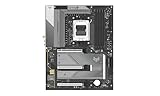
Looks are always subjective, but I believe the Nitro+ B850A looks great. The brushed metal heatsinks and graphics make the board look more expensive than it is.

The board itself is free of RGB, though there are three ARGB headers and a 12V RGB header for lighting strips.
I counted five 4-pin fan headers, which is a little underwhelming, but adequate if you use a splitter for an AIO cooler. Apart from a COM header, the board is unremarkable in terms of internal I/O.
The USB header complement comprises a single Type-C 5Gbps port, two Type-A 5Gbps ports, and two USB 2.0 ports. A 10Gbps port would be nice to see, though a 20Gbps port is rarer at this price.

Four DIMM slots support DDR5-8000+ speeds with a capacity of up to 256GB. With RAM prices as ridiculously high as they are these days, I'd be surprised if literally anyone runs 256GB on a $189 board! As has been the case since AMD introduced the AM5 platform, it is still recommended to run memory in the DDR5-6000 to 6400 range. Running faster memory means dropping the memory controller speed, which adds latency.

The Nitro+ B850A has a solid, if unspectacular 12+2+1(VCore, SoC, Misc) phase VRM with 55A stages. It's enough to handle a Ryzen 9 9950X with PBO enabled, but there are better (albeit more expensive) options if you plan to overclock heavily with an appropriate cooling system.
The brushed metal heatsinks of the Nitro+ B850A have more surface area than some competitors in its price range, and they work well, too. A 10-minute Cinebench R24 loop yielded a peak VRM temperature of 61 degrees Celsius, which is not a bad result.

The board has three M.2 slots mounted on the PCB. The primary M.2 slot supports PCIe 5.0 drives, while the other two support PCIe 4.0. The primary slot shares a cooling plate with the second slot, while the third slot at the bottom has its own cooling plate.

Both SSD heatsinks are secured with screws, making it more difficult to access the slots should a GPU be installed. SSD heatsinks with toolless quick-release mechanisms are widespread these days. However, our temperature testing results showed there's a case to be made for secure screw-in heatsinks, as they performed better than expected.
Four SATA ports join the three M.2 slots.
The Nitro+ B850A features three physical PCIe x16 slots. The primary slot supports PCIe 5.0 x16 electrically and is reinforced for heavy graphics cards. The second slot supports PCIe 4.0 x4 electrically, and the third supports PCIe 4.0 x2 electrically.
They are well-positioned if you use expansion cards, but I usually prefer to see the primary M.2 slot above the primary PCIe slot, as this allows better airflow over the SSD. Sometimes it can get a bit toasty when placed under a hot graphics card, particularly at 0% fan speed, which can dump heat onto the SSD heatsink. As long as you have good airflow in your case, this shouldn't be a problem, though.

The rear I/O of the board is reasonably equipped, though a high-speed 20Gbps port would be nice. USB4 is not expected at the board's price point.
The USB complement consists of four 10Gbps ports, one of which is Type-C. The other four ports are all USB 2.0. Honestly, I don't mind having four or more USB 2.0 ports, as these can be used for things like keyboards, mice, or gadgets that don't need high bandwidth.
It's good to see both DP and HDMI ports, meaning the board offers good multi-monitor flexibility for those who don't use a discrete graphics card.
A BIOS flashback button is a near-essential feature for AM5 boards, especially given that B850 boards are certain to support another generation of CPUs, and likely one more beyond that, too.
The networking options are about par. It includes a Realtek RTL8125BG 2.5G controller and a MediaTek MT7925 WiFi 7 controller, which supports 160MHz connections. WiFi 7 is welcome, as some cheaper boards still include WiFi 6E.
Next are the audio ports, which consist of a full set of 3.5mm line-in and line-out ports. A Realtek ALC897 codec drives these. This chip is several years old now, but it will do the job. S/PDIF is absent.
UEFI and Test System
UEFI


I went into the Nitro+ B850A's UEFI with fairly low expectations. The big motherboard manufacturers have large, experienced BIOS teams, but I was quite surprised by the board's simple layout and design.
Users with tweaking experience on other manufacturers' boards might find there's a bit of a learning curve, as there was for me, but unless you're a serious overclocker, the board has most of what you need. The basic settings, such as PBO, XMP, and fan control, worked well.
Test System
- CPU: AMD Ryzen 9 9950X - Buy from Amazon
- GPU: MSI GeForce RTX 4070 Ti Super Ventus 3X - Buy from Amazon
- RAM: G.Skill Trident Z Neo RGB 2x16GB DDR5-6000 CL30 - Buy from Amazon
- Cooler: Cooler Master MasterLiquid PL360 Flux - Buy from Amazon
- OS Storage: Teamgroup T-Force Z540 2TB - Buy from Amazon
- Power Supply: Super Flower Leadex Titanium 850W - Buy from Amazon
- OS: Microsoft Windows 11 Pro - Buy from Amazon
Benchmarks - Rendering and Encoding
Cinebench 2024
Cinebench 2024 is a reliable, widely used benchmark that measures both single and multi-threaded performance. Note that all our benchmark testing used the latest available Windows updates.

The Nitro+ B850A performed well, achieving 2,282 in the nT test and 138 in the 1T test. That's about what we'd expect to see from a Ryzen 9 9950X with our test settings.
Blender
A rendering application like Blender is just one of many reasons a user might consider a high-core-count CPU, such as the Ryzen 9 9950X. We use the Whitelands demo file and record how long it takes to render the image.

A result of 435 seconds put the Nitro+ B850A in the middle of the pack, even if a couple of seconds over a seven-minute test isn't all that significant.
Handbrake
Handbrake is a simple-to-use video encoding and transcoding application. Here, we convert a 4K movie trailer to 1080p. The results below show the average FPS, where higher values indicate the task will take less time to complete.

A result of 157.8 FPS is another middle-of-the-pack result for the Nitro+ B850A.
Benchmarks - File Compression and Memory Latency
7Zip
7Zip is a commonly used free file compression and decompression app. It's very sensitive to changes in memory speed and latency, and scales with the number of CPU threads.

A score of 225.91 BIPS is another reasonable result for the Sapphire.
AIDA64 Memory Latency
Memory latency has been an area where Intel has traditionally held an advantage. Chiplet architectures inevitably add some latency compared to monolithic chips. The real-world benefits aren't that important, though.

71.8 nanoseconds isn't a bad result. It's important to remember that the big four manufacturers each have experience with dozens of AM5 boards, so for the Sapphire to perform without any hiccups is a statement that it knows what it's doing when it comes to BIOS fine-tuning.
Benchmarks - PCMark and 3DMark
PCMark 10 Productivity
We'd love to use our PCs solely for leisure, but some of us have to work too! The PCMark 10 productivity test performs a series of tests using office productivity applications.

The differences between the boards are not large in this test.
3DMark Storage
UL's newest 3DMark SSD Gaming Test is the most comprehensive SSD gaming test ever devised. It is superior to testing against games themselves because, as a trace, it is much more consistent than variations that will occur between runs of the actual game.

A score of 4,055 is a strong result for the Sapphire!
3DMark Time Spy Extreme
Time Spy Extreme is losing favor as a graphics benchmark to Speed Way and Steel Nomad, but its CPU test is still a good measure of multi-core performance.

The differences between the boards are minor, with only a few hundred points separating them when measured by CPU score.
Benchmarks - Gaming
Cyberpunk 2077
Cyberpunk 2077 is brutal on graphics cards, but when things like ray tracing are removed, it becomes more sensitive to CPU and memory performance differences.

It's no big surprise to say the motherboard makes little difference in graphically limited scenarios.
Horizon Zero Dawn
When using the 'favor performance' preset, Horizon Zero Dawn can achieve high frame rates with powerful graphics cards.

The differences here are negligible in percentage terms. Still, the Sapphire is no slouch.
Metro Exodus Enhanced Edition
Metro Exodus received an update that added improved DLSS support, enhanced ray tracing features, and variable rate shading. Still, with a powerful graphics card, it is affected by CPU and memory performance at 1080p, though less so with a card like the RTX 4070 Ti Super.

All the tested motherboards perform essentially identically. A bee's diaphragm covers the whole lot.
VRM and SSD Temperatures
These tests are performed to show off the differences between each motherboard's cooling assemblies. In the case of VRM testing, each board is subjected to a 20-minute Cinebench loop, while the SSD test records the peak temperature recorded during the lengthy 3DMark Storage test.

A peak temperature of 61 degrees doesn't appear stunning on this graph, but bear in mind that some of these boards cost three times as much or more. This temperature is well within the range of modern VRM systems.

This result surprised me. 53 degrees is a very good result for the Nitro+ B850A WiFi 7. The large screw in plate appears to make good contact with the surface of the SSD when compared to the much more expensive boards like the ASUS X870E Hero and MSI X870E Carbon with their DIY friendly retention mechanisms.
Final Thoughts
It's good to see a respected brand like Sapphire make a return to motherboard manufacturing. The company's Nitro+ AMD graphics cards are among the best. The motherboard market is another matter, but it's easy to say Sapphire has produced a worthy competitor that delivers very good value for money.
The Nitro+ B850A WiFi 7 doesn't blow the competition out of the water when it comes to features and specifications, but that's not what it's supposed to do. Perhaps in the future, Sapphire might release a loaded-up X870 or X870E model that does that.
For $189, you get a board that delivers a solid core feature set. It's the kind of option that allows you to run a Ryzen 9 or a chip like a 9800X3D, leaving you with extra money to put towards a graphics card. You'll need memory too, and the stupid RAM market necessitates spending a lot more even on a fairly basic 2x16GB DDR5-6000 kit. Every dollar saved counts!

It has a solid VRM, WiFi 7, three PCIe x16 slots, and a lovely brushed-metal design. I was really impressed by its SSD temperature results. The UEFI is also quite mature, as it should be for a socket that has been on the market for several years now, with plenty of AMD AGESA updates over that time.
You'll have to spend more to get features such as USB4 (or 20Gbps USB), and its audio solution is under par. There's also little in the way of DIY-friendly features such as PCIe quick-release mechanisms or toolless SSD heatsinks, but if you are a general user with a single GPU and an SSD or two, you'll be happy.
Availability is a problem, though. Should you be in a country where it's available, Sapphire has presented a compelling, affordable option to consider. Let's hope Sapphire can produce some motherboards that rival the mighty Nitro+ graphics cards we've come to love in recent years.