Our Verdict
Pros
- Build quality
- Alpha Evo base feedback
- Pricing and value are excellent
- Great quick release
- Overall performance
Cons
- The front mounting option is a compromise
- Pedal plates can be painful in socks
- No console support
Should you buy it?
Introduction, Specifications, and Pricing
After recently checking out more entry-level-focused direct-drive bundles, today we are literally moving up a gear to take a look at the Simagic Alpha Evo 12Nm Bundle. Simagics' new Alpha Evo wheel bases are available in three variants: Sport (9Nm), Standard (12Nm), and Pro (18Nm). All Evo bases are only PC compatible, and all three bases feature active cooling. Simagic states that the Evo series of wheel bases is more than just a name, offering an ultra-low-inertia servo motor, zero-cogging technology, greater functionality, and wider compatibility. The Evo series also includes an all-new 21-bit encoder for the best fidelity and road feel they have ever produced.

Today, I have the Standard Evo 12Nm bundle in for review. This bundle includes the Evo base, GT Pro-R (K) Wheel Rim, and P1000-RS Pedals, with a bundle price of $1419, plus tax and shipping. Simagic also kindly sent over a set of the P-HPR GT Linear Haptic Pedal Reactors for me to take a look at, adding $147 to the overall price. Of course, all the products featured today are available separately, so if you are keen on a particular item, then it is available as a standalone option. Packaging for everything sent by Simagic is undoubtedly attractive, with full-color images and product information on every box. So, is this a bundle you should consider, whether you're starting in sim racing or moving up from something a little more entry-level?
Let's take a look at the kit and discuss this some more.
Unboxing the Simagic GTpro-R(K) Wheel Rim

Starting with the wheel rim, this is the GTpro-R(K) version. The naming could be slightly better to make it more straightforward, in my opinion. Still, if I have this right, that means we should have the GT Pro 330mm rim, with the R denoting round, and (K) telling us this includes the GT Pro Hub, K version, the difference being from the standard GT Pro is the inclusion of two extra rotaries to the faceplate. Let's open it up and find out.

Best Deals: MOZA KS Steering Wheel 300mm Butterfly Style GT Racing Wheel
Price Trend:
Prices last scanned 5 hours and 38 minutes ago


Lifting the lid, we are greeted with cardboard protection on the outer edge of the interior. Removing this, the wheel rim is presented in a plastic bag. Taking the wheel and setting it aside for now, below is the accessory box.


The accessory kit includes a USB cable for connecting the wheel rim. This can be used if the integrated connection fails for some reason, or if you want to use the rim with a third-party base. There is also an instruction sheet, some Simagic logo stickers, and the button sticker kit.


I really like the way Simagic goes about button labels. Rather than having these preinstalled, as we have seen with MOZA, for example, Simagic leaves the choice mainly to the end user. The included sticker sheet is comprehensive, covering almost everything you could want, and Simagic provides a set of tweezers to aid placement.
Our Latest Racing Review Coverage
- Simagic TB-Neo Racing Sim Handbrake Review
- Simagic Zeus Sport Steering Wheel Review
- Asetek Initium Pedal Modular Upgrades Review
- Simagic Zeus Formula Steering Wheel Review: premium build and advanced inputs for F1 racing
- Next Level Racing ERS3 Haptic Seat Review: immersive sim racing comfort with integrated haptics

This is a lovely-looking wheel! The rim is composed of two main components: the rim and the hub. Both are again available as individual items to customize your setup, given Simagics' open ecosystem.
First, let's talk a little more about the rim. In summary, the P-330R (K) (330mm) wheel rim is clad in leather. This is available in three options and depends on the attached hub. If you have the standard GT Pro hub, the center of the rim doesn't include the cutouts for the additional rotary encoders, and is available in leather or suede. If you opt for the K version of the hub, the rim includes the cutouts, but is only available in leather, not suede.

The wheel rim includes red stitching and a center stripe. Overall, the build quality is very impressive, and I am sure that this wheel will last for many years to come. There is absolutely no flex in the wheel, given its robust construction. To look after it, as with all wheels I use, a good pair of gloves is recommended to keep it looking nice and fresh.

Going around the back, the wheel rim includes indentations that sit nicely between your fingers for a comfortable grip. These are located on each side and at the top of the rim, too. 330mm is a little big for me personally; I prefer around 300mm for GT3 racing, but of course, Simagic offers other wheel rims compatible with the Evo line of wheel bases. The wheel weighs 2.1kg, making it significantly heavier than other wheels, such as the Simagic GT Sport, which measures 300mm and weighs 1.45kg.

Moving on to the hub itself, it is available in two options: with or without the centrally located rotary encoders.
The GT Pro (K) hub includes a 5mm real carbon fiber faceplate, eight backlit RGB buttons, and two seven-way multi-switches. There is a nine-segment LED rev light to the top center, and a total of 6 rotary encoders. The hub accounts for 1.25kg of the wheel's total weight, with its single piece of CNC-machined aluminum housing contributing much of that weight. Just as with the rim, it's solid and feels very well-made.
Some of the outer buttons and rotary encoders are within easy reach, while those located more centrally require you to move your hands a little more. Having a smaller-diameter rim fitted would make more buttons more easily accessible, but as it stands, it's certainly manageable. Button clicks and turning the rotary encoders feel pleasant, positive, and intentional. Simagic speaks about redesigning the buttons to reduce travel. While I don't have another offering from them to compare it to, the travel distance is minimal with a solid click. The rotary encoders feel premium with enough resistance to prevent accidental activation.
The four outer rotary encoders feature red anodized thumb wheels, while the center encoders and multi switches have black anodized caps. Apart from the center encoders, all feature knurling to provide good grip, while the center rotaries are smooth with grooves. The two multi-switches have more granular rotary positioning than the other encoders. None of the encoders have depressible buttons, and while there are more than enough buttons here already, it is something that other manufacturers do offer. I also noted that the backlit button caps only twist a small amount in place; this is good, as it means that when you install the button stickers, they won't rotate over time, leaving the wheel looking like you did an abysmal job with the sticker installation.


At the bottom left and right corners of the hub, Simagic pre-designates two of the rotary encoders for ABS and TC adjustment. When I said I mainly like how Simagic leaves the choice to the end user for sticker placement, this is what I meant. I really wish that Simagic had left these blank so I could decide where I want them.


The rear includes a mounting location for the magnetic shifters and clutch paddles. Paddles operate via Hall sensors, and both sets use aluminium housings with carbon-fiber paddles. These can be adjusted in length, so if you have small hands, they can extend out towards the rim a little more. Simagic includes the tools required to make these adjustments, too.
Gear clicks feel pleasant and positive, with around 10mm of travel, and snappy but quiet operation thanks to small, included rubber pads preinstalled next to the magnet. The clutch paddles can be combined in software if required and offer a nice, smooth, spring-based operation with around 20mm of travel. The clutch paddles don't have a rubber pad installed to reduce noise, but chances are you will only be using them for race-start launch control, and they aren't particularly noisy anyway.

The USB port is located below the clutch paddles.

Simagic uses the QR50 connection on this hub, made from aircraft-grade aluminium, with ten ball bearings within the mechanism. While some manufacturers overly complicate their QR systems, Simagic and MOZA have this dialed in. Spring-loaded pogo pins complete the wheel side connectivity.
Unboxing the Simagic Alpha Evo 12Nm Wheel Base

The following item to go over is the Simagic Alpha Evo 12Nm wheel base itself.
Both the 9Nm and 12Nm units weigh 6.23kg, while the 18Nm unit weighs 8.62kg. On dimensions, again, the 9Nm and 12Nm share the same characteristics: 130mm wide, 110mm tall, and 281mm long, with the 18Nm being marginally longer at 317mm. It also doesn't matter which wheel base you choose, as in terms of build quality, they all use the same materials and construction, so there have been no corners cut or reduced quality with the lower-priced bases. Simagic also includes a 24-month warranty from the date of purchase for any wheel base, steering wheel, or pedal sets on or after July 15th, 2023, so you have confidence that should something go wrong, Simagic will have your back. All versions of this wheel base support third-party wheels, have a 21-bit encoder resolution, operate at 180 MHz, and have a 20 kHz response rate.
As we open the box, we are greeted by Simagic stickers and a user installation guide.

Below the top layer of open-cell foam, the power supply, mounting hardware, and cables are individually packaged.

At the bottom of the box is the wheel base itself, tucked within its own bag.

Just before we look at the base, the user installation guide shows the rear inputs and outputs, and various mounting options for the Alpha Evo. For testing today, the wheel base will mount from the bottom to the Trak Racer TR120S V2.


Both sides of the base include holes for side-mounted brackets and venting towards the rear. All base variants feature active cooling, so venting allows hot air to escape and draws in fresh air. Its aluminium housing is solid and adds a nice premium feel to the unit overall.

Underneath, more mounting holes are present.


Simagic is another manufacturer that places the power button on the back of the wheel base, making it hard to find sometimes, whereas a front-mounted power button would have been more convenient for the end user. The back of the wheel base includes a plastic cover that houses the main power connector, several RJ45 CAN-BUS and USB ports for input and output, and an emergency stop button. A third-party wheel can be connected to the Simagic Alpha Evo 12NM via the rear USB interface as well.

Simagic has done away with the front-mounting holes included in the previous Alpha series, meaning you have to buy an adapter bracket that attaches to the side mounts. Around the shaft is a curved plastic shroud that houses an integrated LED ring. The LEDs here can be used in software to feed back information to the driver, and we will cover that during setup. The shaft features a slip ring for front connection, allowing the removal of cables used to connect the wheel rim. The base-side connection pad is also magnetic and spring-loaded, presumably to reduce wear when connected to a wheel rim while keeping the connection nice and tight. Spinning the shaft offers no detectable cogging or play, and overall, the base is a nicely rounded package.

Above are also connection pads for Simagics' upcoming dash display, which they recently teased. It's worth noting that if you use the front mount, this disables all magnetic connectivity, so the dash cannot be installed.

Finally, at the top is Simagic branding and a warning sticker.
Unboxing the Simagic P1000 RS Pedals

The final part of the Simagic bundle to cover, of course, is the pedals. Once again, these come in good, attractive packaging; ours arrived with a bit of damage to the corner, but nothing on the inside was affected.

The P1000 RS unboxing feels quite familiar, with instructions and stickers greeting us!

There are many options with this pedal set; the included quick guide helps you through the setup process.

Removing the first layer of open-cell foam reveals the heel plate, bar, and accessory box. More accessories sit below, so let's get everything out and take a closer look.

Now, finally, we have the pedals out and ready to be built for testing.


Simagic includes a lot to make this pedal setup truly your own, first with a brake spring pack, and then some packs of elastomers to adjust the pedal feel. Depending on how you add these and in what configuration, they will either make the brake harder or softer. Simagic and the sim racing community are giving examples online of how to pair these up, depending on what type of pedal feel you prefer, be it GT3, GT4, road car, etc.


Next, we have all the tools and hardware needed to mount, adjust, and connect the pedals to our system. There are two replacement springs for both the clutch and accelerator to once again fine-tune your experience for a softer or harder feel.


The pedals and heel plate come boxed in two parts, so my first job was to connect these using the included side attachment bars. Simagic makes this really simple, with four bolts on each side and extra side-mounting brackets included.


Let's cover the general features of the P1000 pedal set before I take you through each pedal individually.
The P1000 series is built with a full-metal structure, CNC-machined aluminum alloy, and adjustable travel, spacing, and pedal plate angle. There are several variants of the P1000 pedals, including two- and three-pedal options, an inverted setup, and a load of extra add-ons. The add-ons include RGB light bars, hydraulic brake and throttle options, a long throttle pedal plate, and much more, so you can build the most custom configuration. It can be a little overwhelming to look at the number of options available, but having so many choices is a good thing.
The P1000 pedal sets can weigh from 6.50kg to 8.50kg, depending on the options selected, with dimensions again ranging from (LXWxH) 334.8mm x 336mm x 267mm to 348mm x 489.8mm x 368.5mm. This version, the P1000-RS, includes a hydraulic brake cylinder and is paired with a 100kg load cell. All three pedals use a 12 Bit Hall sensor, so for the brake, you can choose which one to use.


Each pedal height can be adjusted by unscrewing the pedal plate and moving it up or down, while the plate angle can also be changed by releasing two screws on the side, with markings to the rear.


Underneath the pedal base are the mounting holes and wiring for the pedals and connectivity. Around the rear, a power and USB port are located, along with a power/mode button. The mode button is used when connecting the pedals directly via USB or CAN-BUS, with an LED to indicate the pedal mode. The power port, meanwhile, is for additional extras such as the pedal haptic kit or LED light bar. The midpoint of the pedal tray includes contact pads to connect to the power connector for the front under-mounted light bar accessory. Here, you can also see the mounting holes for horizontal pedal spacing.

On top, nestled between each pedal, is a power connector that connects each pedal haptic unit, or the optional Sim Ray Light Bar.


In front of the pedals is the heel bar. It can be installed in multiple positions or removed altogether if needed. This bar can also be replaced with the light-up version if you want to add extra RGB.


The throttle includes strength adjustment via a change-out hole, with a travel limit adjustment at the bottom.


Removing the throttle pedal assembly is really straightforward. Release the tension nut and push the rear of the body up towards the back of the pedal. Alternatively, you can remove a clip and pin from the pedal arm, and the body slides out completely for adjustment, cleaning, or spring changes.

The P-HYS hydraulic brake is specifically designed for the P1000 pedals, with a P1000i version available for the inverted pedal set. First, a yellow sticker on top of the cylinder asks to be removed before use and kept relatively level to prevent oil leakage. Next to this is our elastomer chamber.


Opening the elastomer chamber and removing the contents from the screw cap reveals a preinstalled set of elastomers, with the option to change them out in any order you wish. Up to 8 elastomers can be installed, with spring options available.

The brake is mounted to a ball pivot at the rear, with the pressure here activating the load cell.


Next, a look at the clutch pedal. Here, again, as with the throttle, there is an option to adjust the spring strength and preload. Pop out the rear of the assembly, and replace the spring. On the rear is a preload-adjustment nut.

The clutch pedal feel includes a bite point. If you look within the pedal structure, there is a groove that the pedal mechanism travels down when depressed. Towards the rear, this groove drops down at an angle and gives the pedal its feel.

Before testing and my thoughts on this Simagic bundle, I have the P-HPR GT pedal haptic kit to install. Simagic sent over three of these, but if you want to add a single one just for the brake pedal, you could, but you would need to purchase the control box and power supply to add to third-party pedals. The P1000-RS pedal set comes with the controls preinstalled; all you need to add is a power supply that connects to the rear of the pedal tray, as we saw earlier.


Each kit includes the haptic and all required mounting hardware.

Mounting instructions are included, and it was really easy to do so. Third-party pedals may require a bit of DIY to attach these, but it wouldn't be difficult to screw and tap the pedal arms if needed.


Following the instructions, I added each module and connected them to the power ports on the pedal base.

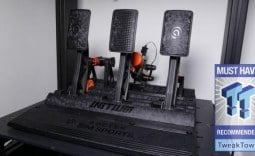
The P1000-RS, with the P-HPR GT haptic kits, looks excellent. I love the red and black look of these, and coincidentally, it will match the Trak Racer TR120S V2 rig, so let's get everything installed.
Installation & Software
My next port of call was to install these in the chassis and set up the software.


Mounting the P1000-RS pedals and the Alpha Evo base didn't throw any spanners in the works, thanks to the versatility of the Trak Racer TR120S V2. With steering angle adjusted and power hooked up, it's time to look at the Simagic SimPro Manager software.

Installed and updated, SimPro Manager looks very intuitive, with a menu on the left and our connected devices along the bottom. The first page here shows the Alpha Evo 12Nm base, with refined controls for a wide range of effects and settings. Profiles are listed at the top, with the ability to import, export, and save per-car or per-game settings, as we see across most software implementations. Some settings here are new to the Alpha Evo series, with helpful tooltips that explain clearly what each setting changes. This page also includes LED settings for the front RGB ring.


Options for the P1000-RS pedals also feel familiar from other software titles. Calibration, inversion, and pedal curves can all be adjusted as basic settings, with more specific settings available for the P1000-RS on different tabs. Feedback settings for the P-HPR GT kit can be turned on or off, and Sim-Hub also allows you to set them up. For the light settings tab, LED settings for the SIM Ray Bar and Heel Stop Bar can also be changed here. RGB options include binding to TC or ABS, but if you are looking at your pedals while driving, there's something wrong! I would assume these would be more of a peripheral vision aid.


Next, the wheel hub settings are comprehensive and straightforward to use. The clutch can be calibrated as a paddle or a button, depending on your preference. These can also be combined within SimPro Manager. Each button backlight can be set to a range of colors, as can the brightness. The same goes for the rev lights. Profiles and button mapping are all, again, options to make your setup unique.

Updates are easily handled, with a page dedicated to ensuring everything runs smoothly.

Simagic also includes guides for each sim, detection of installed titles, and a walkthrough of what needs to be set up.
Final Thoughts

Now that software is covered, it was time to play around before I decided where to add the included button stickers. Installing these was a little fiddly, but that's down to my poor eyesight! Once installed, they look good, and, as I said earlier, having these, in the most part, not preinstalled, is a nice bonus that other manufacturers should take note of and start offering too. Now I know what button to hit to flash my lights in a fit of track rage; it's time to hit the track.
Being my first time with a Simagic wheel, I have to say I am pretty blown away.
Starting with the wheel rim, it took me a while to get used to its size. I am used to smaller wheels, such as the MOZA GS V2P, so I was a little while catching up. Once I did, though, the rim felt so comfortable, and the button layout felt intuitive; I didn't have to glance down to figure out where things were placed. Button clicks were really positive, knowing I had pressed it correctly by feel without taking my eyes off the screen. I did have to move my hands around the wheel a little to reach certain buttons, but with good mapping layouts and having the most-used controls at your fingertips would be wise. The seven-way switches are excellent for pit and menu management. Once configured in-game, they make it much easier to navigate without reaching for a keyboard.
Gear changes were competent, positive, and not too noisy, while the clutch paddles didn't get much use and were more than satisfactory. During my testing, I didn't feel any flex, thanks to the fantastic build quality Simagic has delivered here. Rev lights were lovely, not too bright, with the individual LEDs having no light bleed between them.
The force feedback and overall experience I had with the Alpha Evo 12Nm base were excellent, the most detailed I have tested so far here at TweakTown. Given the prices of these bases individually, starting at just $399 for the 9Nm, $549 for 12Nm, and $699 for the 18Nm Pro version, this is outstanding given the way the 12Nm performed. I had a look around, and while pricing might be a little off at the time of writing due to the pre-Christmas sales, compared to other bases at non-discounted sale prices, the Simagic Alpha Evo, in my opinion, goes further and offers better value than its counterparts. The wheelbase is always going to be the primary focus and central to everything else you build around your setup, so naturally, making the right choice here is critical.
Its performance was way above what I expected, and it was so responsive during testing, thanks to how Simagic has implemented the motor, low inertia, and other technological characteristics of the base. There is no detectable cogging, with fantastic detail for traction, road surface, suspension, and off-road excursions. Everything felt intuitive, and while it's hard to put a feeling into words, catching slides was, for the most part, easier, with the wheel telling me precisely what was going on and what I needed to do to make up for my lack of talent. Despite its active cooling, I couldn't tell when it was active, even without headphones; I didn't notice the base being noisy during use or getting overly warm.
The P1000-RS pedals took some getting used to, again, given how custom they can be and how different they are from what I use every day. I played around with some of the elastomers until I found a suitable setup for the brake pedal, and with the included hydraulic setup, it wasn't long before I found my way here. The pedal can be set up as stiff or soft as you would like, with the SimPro software allowing you to calibrate and use only a certain percentage of the load cell, or opt for an angle sensor instead, which may suit some people more than the load cell. Within four or so laps, I soon found where I needed to be on the brakes, and muscle memory will only improve with track time.
In the future, I will likely change out the elastomer setup and tinker some more, and that's part of the beauty of this pedal set, being able to adjust as you go until you find the perfect setup. I found that when I held the pedal and watched the load value in SimPro Manager, the elastomers released some of the applied pressure, which is characteristic of them. However, maintaining the same pressure with your foot for an extended period can be difficult, too.
The clutch pedal, while rarely used, felt great with that mechanical bite point, adding an extra level to its realism. I opted for the stiffest spring here, giving a snappy response throughout its use. I went with the same for the throttle, a stiff spring, and long throw, but I may change this going forward to the shorter throw. Throttle response on quick lift off was excellent, with the pedal not lagging behind my foot at all. You may have noticed I removed the heel bar during installation. I just found it in the way, and while you have the adjustment available, it's nice to be able to remove it entirely if required. The heel rest plate I found to be a little short for my liking, but given the chassis I am using and being a detachable plate, I could always separate these a little to allow for some extra room, as long as I can keep the pedals secure to the frame.
Finally, on the pedals, the P-HRP GT haptic kit was a new sensation for me, and I love it. Do I need them on all three pedals? No, but I would say certainly go for two, brake and throttle. ABS, TC, gear changes, and going through the revs all fed back, and while they will take some refinement in software to get them how I want them, I can't see myself going back to a pedal set without them. They are powerful despite their small size, and in conjunction with the chassis-mounted haptic from Trak Racer, it's a great sensation. Given how well they integrate with the P1000-RS, too, and knowing these pedals have been designed with the haptic kit in mind, it just makes it so easy to add them.

During testing, I played with the LED lights on the Alpha Evo base. While these are a nice inclusion, with the 330mm rim, it was hard to see through the wheel cutouts, so it's a bit hit-and-miss. Simagic seems to like adding RGB wherever they can, and while some people like this, I am not a big fan. I understand why Simagic has dropped the front mounting holes, due to the upcoming display release, but having to buy extra brackets to accomplish front mounting feels like a step backwards, and should be included in the base package. Pair this with not being able to use the dash if you add the front mounts, and it feels like a compromise that Simagic could have maybe worked around a little better. If the dash connection had maybe been implemented on the top, I don't know, but it's the one area of the Alpha Evo that just drops a couple of marks for me.

One other thing I really didn't like is the pedal plates. While they are grippy and do the job perfectly well, having the bolt holes so recessed leaves an imprint on the bottom of your foot, and can get a bit sore when racing in just socks. I own a pair of cheap surf shoes that I use for racing, but if you don't have something on your feet, then you are certainly going to notice this, especially when you're trying to drop 100kg on the brake pedal.
Despite these little gripes, when separated into the individual components, or as it's presented here, as a bundle, I can hardly say a bad word about this Simagic setup. I am keen to try the Alpha Evo with their new dash when it is released, and perhaps a smaller wheel rim, such as the GT Neo, so I can see the wheelbase RGB a little better, and see how a more compact wheel performs. The Sigma Cortex isn't an option here at this time, but if Simagic can add native console support, that would be a game-changer and open up this ecosystem to an entirely new world of customers.
As it stands, though, to cover a range of racing disciplines, GT, road cars, rally, or even drift, the bundle, as reviewed, certainly ticks so many boxes. With great value, performance, and build quality all bundled into an easy-to-use package, I can highly recommend you take a look at what Simagic is offering here.