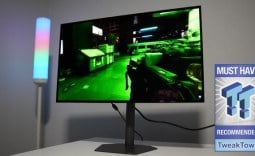
Our Verdict
Pros
- Great motion performance
- 400Hz refresh rate
- Build quality
Cons
- Colors aren't great
- Price vs competition
- Image clarity
Should you buy it?
Introduction & Specification Details and Close-up
It's undeniable that OLED monitors are the best for gaming, but what if you didn't want to cash out on the price tag, but still wanted premium-level gaming performance? It's possible, but you will have to look toward extremely high-refresh-rate TN panels curated for one thing only: competitive gaming.

In general, OLED gaming monitors are considered the best performers for gaming, thanks to their exceptional motion clarity and low input lag, which make them fantastic for competitive gaming. Their infinite contrast ratio and rich, milky colors also make them a phenomenal choice for cinematic titles. The only downside is the price.
However, if you know what you are after and are willing to make some concessions when it comes to features, you can still get a fantastic gaming monitor for a reasonable price. For example, competitive gaming monitors require two non-negotiable specifications: a low response time and a high refresh rate.
Today, we are taking a look at a monitor attempting to fit that description, and it's the BenQ Zowie XL2566X+, a 25-inch 1920 x 1080p display with a 1ms (GtG) response time and a 400Hz refresh rate. Additionally, it's priced at $649 on Amazon.
Specifications
| Item | Details |
|---|---|
| Model | BenQ Zowie XL2566X+ |
| Size | 25-inch |
| Resolution | 1920 x 1080 |
| Pixels Per Inch (PPI) | 91PPI |
| Panel Type | Fast TN |
| Refresh Rate | 400Hz |
| Response Time | 1ms (GtG) |
| Brightness | 400 nits |
| Contrast Ratio | 320nits |
| Aspect Ratio | 16:9 |
| Color Coverage | 1000:1 |
| HDR Support | None |
| Video Ports | 3x HDMI 2.0, 1x DisplayPort 1.4, 1x headphone jack |
| USB Ports | None |
| VESA Mounting | 100 x 100 |
| Adjustments | Height, Tilt, Swiverl, Pivot, Swivel |
| Warranty | 1 year |
Close-up


Best Deals: BenQ Zowie XL2566X Gaming Monitor
Price Trend:
Prices last scanned 1 hour and 52 minutes ago

7 days ago: $649.99 USD30 days ago: $649.99 USD
7 days ago: $899.99 CAD30 days ago: $749.99 CAD


Design
BenQ's gaming line of monitors is branded Zowie, and the physical design of the XL2566X+ embodies competitive gaming, dropping some of the typical features seen in gaming monitors, such as the flashy RGB lighting, metal accents, or ultra-thin bezels. Instead, the XL2566X+ is angled toward competitive gaming first, and aesthetics second.

The monitor is starkly simple, with it being constructed of matte black plastics and very minimal branding. Looking front on, the XL2566X+ appears quite square or boxy, especially given that it has quite thick bezels that actually make it look like a picture frame. I gather the idea behind such thick bezels is to let users focus on the game rather than the surrounding peripherals.

The stand is one of the more impressive stands that I have come across. It feels very sturdy in the hand and offers great height and adjustability. Additionally, the XL2566X+ has height, tilt, and swivel ergonomics, all of which are extremely smooth when adjusting. The stand also features precise measuring points indicated by the numbering system on the spine. The stand footprint is also extremely small, making the XL2566X+ ideal for the majority of desk spaces, measuring just 23cm across from the widest part. Located on the rear of the stand is a built-in cable management O-shaped hook.
Our Latest Monitors Review Coverage
- ASUS ROG Strix OLED XG34WCDMS Review: Tandem OLED Takes Ultrawide Gaming Further
- GIGABYTE MO27Q2A Gaming Monitor Review: 1440p, 280Hz, and QD-OLED is a winning combination
- ASUS ROG Strix XG129C Review: A $199 Gaming Monitor You Don't Play Games On
- KTC H49S66 5K2K (5120x1440) 49-inch 180Hz Gaming Monitor Review
- GIGABYTE GO27Q24G Gaming Monitor Review: Glossy OLED Gaming at 240Hz

Moving to the back of the XL2566X+, BenQ has maintained the simplicity that is on the front of the display with a continuation of the matte black plastic. However, where the stand connects to the back of the display, there is some design flair in the form of indented dots spreading out from the center of the connection. Above that is the Zowie logo in red. Other than that, there is no prominent branding at all.
Keeping to the back of the display, BenQ has placed a headphone holder on the rear of the display, which is a nice quality-of-life feature for competitive gamers who don't want to leave their headphones on their desk and run the risk of them being knocked onto the floor. Moving down to the connectivity options, BenQ has equipped the XL2566X+ with 3x HDMI 2.0 ports, 1x DisplayPort 1.4, and 1x headphone jack.

Additionally, there is the S-Switch port, which connects a small controller that is used to switch presets or adjust settings. The controller mimics a typical mouse with its scroll wheel that can be pressed directionally and down. The idea behind the controller is to provide ease of access to the monitors' On-Screen Display (OSD) options for users who are constantly changing between profiles depending on the title they are playing.

Moving back to the connectivity options, the 3x HDMI ports are limited to 240Hz since they are HDMI 2.0. For the full 400Hz, you will need to use the DisplayPort. The HDMI ports are intended for console use, which the PS5 and Xbox Series X top out at 120Hz in select titles anyway, so HDMI 2.0 is more than fine. What the XL2566X+ lacks is any form of USB hub, which I would have liked to see, even if it were a single USB-C port for charging purposes. Competitive gamers still have other devices that need charging.
Panel Breakdown
The XL2566X+ uses a Fast TN panel that concentrates on one thing only: speed. TN panels aren't fantastic at producing the richest or most vibrant colors, nor have wide viewing angles, both of which are easily achieved by an OLED panel. However, since the technology has matured substantially over the years, engineers have managed to push refresh rates to impressively high levels, with the fastest refresh-rate displays now exclusively TN panels.

When hitting these high refresh rates, there are trade-offs I mentioned previously: a reduction in native resolution, color reproduction, and overall image clarity. What you get in return is extremely smooth motion performance, with very minimal ghosting and smearing. The XL2566X+ features a panel designed for competitive gaming, offering extremely low latency and very high refresh rates.
The XL2566X+'s Fast TN panel measures at 24.1 inches, with a 1920 x 1080p resolution, 400Hz maximum refresh rate, and 1ms (GtG) response time. At 24 inches and a 1080p resolution, the XL2566X+ has a reasonable pixel density, measuring at 91 PPI. At this PPI, users can expect moderate image clarity, with gameplay looking clear enough to maintain aim on targets. However, it isn't suitable for any productivity or media watching, especially considering the 1000:1 contrast ratio, which means blacks are leaning toward more of a grey color.
Furthermore, since it's a TN panel, it can be used by only one person at a time due to its extremely limited viewing angles. If you view the display from any angle other than directly in its center, the colors begin to wash out.
Performance
So, how does the XL2566X+ fare in what matters most - games? Firstly, with every monitor I test, I like to include several different genres of games to see where the monitor performs the best and to hopefully inform a gamer what their experience will be like if they played their favorite type of game on the display under the spotlight.

For the XL2566X+, I tested the following games: League of Legends, Apex Legends, Overwatch 2, Black Myth: Wukong, Cyberpunk 2077, The Witcher 3, God of War Ragnarok, Valorant, DOOM: The Dark Ages, Age of Mythology: Retold, Borderlands 4, Counter-Strike, and Battlefield 6.
The XL2566X+ kicked ass in every competitive title I threw at it, providing great motion performance and extremely high in-game frame rates. Titles such as League of Legends, Overwatch 2, Battlefield 6, Apex Legends, Valorant, and DOOM: The Dark Ages all felt buttery smooth to play and extremely responsive to my fast flicks and camera movements.
In titles such as Cyberpunk 2077, God of War Ragnarok, The Witcher 3, Age of Mythology: Retold, and Black Myth: Wukong, the XL2566X+ was extremely lacklustre. The main issue here was the color reproduction, as many of the aforementioned games can have quite dark areas, which turned to a grey hue on the XL2566X+. Additionally, the lack of vibrancy and richness of the colors in each of those worlds made them all feel less immersive, which is really the antithesis of what you want when playing an RPG.
These points highlight how the XL2566X+ is intentionally purpose-built for one thing only, competitive gaming, and using it for anything else outside of that, while the monitor will work, the experience highlights how it's designed for competitive-based titles that benefit speed, accuracy, and responsiveness.
Final Thoughts
So, should you buy the Zowie XL2566X+ from BenQ? Unfortunately, one of the biggest problems I have with the XL2566X+ is the price-to-performance ratio. While the XL2566X+ does perform respectably in the titles it's designed to, it falls incredibly short in almost any other aspect when compared to other gaming monitor options on the market.

For example, a simple search on Amazon for an OLED gaming monitor yields several results that I would recommend to the average gamer over the XL2566X+. The Samsung 27-inch Odyssey G6, which is a 1440p 240Hz refresh rate gaming monitor, beats the XL2566X+ in every specification besides refresh rate, and is currently priced at $529.99. There is also the LG 27GS93Q3, another 1440p 27-inch 240Hz OLED gaming monitor that's priced at $499.
While both of those gaming monitors are larger displays and have higher resolutions, if you are running 1920 x 1080p at 400Hz, your PC is likely capable of running 1440p at 240Hz with a reduction in in-game settings. With that in mind, I would be choosing the 1440p OLEDs every single day of the week.
However, if refresh rate is all you care about, and you're not fussed about below-average image clarity, the XL2566X+ does the job.