










Our Verdict
Pros
- Groundbreaking glasses-free 3D tech
- Beautiful 4K IPS panel
Cons
- Visual fidelity in the 3D experience is lackluster
- 3D can be disorientating
- Intense price
- 3D rendering is done on the GPU
- No USB-C port
Should you buy it?
AvoidConsiderShortlistBuyIntroduction & Specification Details and Close-up
Samsung has released a groundbreaking 27-inch 4K gaming monitor that pushes the boundaries of what is possible with a gaming monitor, as it introduces an immersive 3D gaming experience without the need for glasses.

The Samsung Odyssey 3D G90XF is a 27-inch 4K IPS panel that comes with a 165Hz refresh rate and 2D/3D modes. The 3D mode is powered by a lenticular lens and advanced eye-tracking technology that creates a stereoscopic 3D experience without the need for cumbersome glasses. Notably, the 3D mode can be used in most games and doesn't require the developer to have integrated a compatibility layer with the display.
The Odyssey 3D is truly a step in next-generation display technology, and I consider it to be the bleeding edge of display technology, as there is simply nothing else like it on the market. With any kind of generational push into a new area of technology, there is a significant price differential between the new product and everything else that is on the market, and the Odyssey 3D is no different, priced at $1,999. This is an enthusiast-level gaming monitor, and a complete outlier.
Specifications
| Item | Details |
|---|---|
| Model | Odyssey 3D G90XF |
| Size | 27-inch |
| Resolution | 3840 x 2160 |
| Panel Type | IPS LCD with lenticular lens |
| Refresh Rate | 165Hz |
| Response Time | 1ms GtG |
| Brightness | 350 nits |
| Contrast Ratio | 1000:1 |
| Aspect Ratio | 16:9 |
| Viewing Angle | Horizontal Viewing Angle: 178° / Vertical Viewing Angle: 178° (2D) |
| Color Coverage | 99% sRGB / 90% DCI-P3 |
| HDR Support | HDR10+ (2D mode only), 3D mode = not supported |
| Video Ports | 2x HDMI 2.1, 1x DisplayPort 1.4 |
| USB Ports | 1x USB-B upstream, 2x USB-A downstream |
| VESA Mounting | 100 x 100mm |
| Adjustments | Height: 0 - 120mm, Tilt Range: From -3° (slightly forward) to +15° (tilt back), Pivot: Full ±92° rotation for portrait, Swivel: Minimal |
| Warranty | 3 years |
| Net Weight (Kg) | Weight with Stand: 7.5 kg (16.5 lbs), Weight without Stand: 4.7 kg (10.4 lbs) |
Close-up



Best Deals: Samsung Odyssey 3D G90XF Gaming Monitor
Price Trend:
Prices last scanned 23 hours and 59 minutes ago

7 days ago: $899.99 USD30 days ago: $899.99 USD
7 days ago: $1259.99 CAD30 days ago: $1263.74 CAD

7 days ago: $109930 days ago: $1099


Design
Samsung let me spend an afternoon with the Odyssey 3D monitor, and throughout that time, I was able to sit down with the monitor and digest what Samsung considers to be the future of gaming display. Firstly, the physical design of the Odyssey 3D embodies the design language of the current Odyssey line-up of gaming monitors, with the display arriving in an elegant Mercury Silver on the front, rear, and stand. Personally, I love this housing on the display as it gives it a clean, modern look that differentiates it from the typical gaming monitor, which is traditionally black with varying degrees of integrated RGB lighting.

The build quality of the Odyssey 3D is superb, with each part of the monitor being constructed of high-grade plastics and a metal-reinforced stand for durability. Each part of the monitor feels extremely premium, and throughout my time testing the display, I didn't notice any obvious points of failure or hear any creaking when it was moved. The Odyssey 3D embodies "premium" in every sense of the word when it comes to its physical design, and it met my expectations for a pricey $1699 monitor.
Moving to the back of the display, the matte finish is smooth with subtle angular lines that match the overall Odyssey aesthetic. There aren't any RGB lighting zones, which speaks to the mature design Samsung is targeting, and means the Odyssey 3D could be comfortably used in almost any office setting. Moving down to the connectivity options, Samsung has equipped the Odyssey 3D with 1x DisplayPort 1.4, 2x HDMI 2.1 ports, 2x USB-A 3.1 Gen 1 ports, and 1x USB-B upstream port. Considering the price of the monitor, I would have liked to see Samsung include a USB-C port with power delivery charging, and also a headphone jack.
Notably, the USB-B port and included cable are needed to enable the 3D mode, which we will get into in the performance section of the review. Keeping to the physical design, the Odyssey 3D comes with two integrated 5W stereo speakers, 100 x 100mm VESA mounting support, subtle ventilation slots for passive cooling, and a wide stand that features a hole located about halfway up for cable routing.
Our Latest Monitors Review Coverage
- KOORUI 34E6UC Gaming Monitor Review - UltraWide Gaming at 180Hz on a Budget
- AOC U27G4 Gaming Monitor Review - Affordable Dual-Mode 4K and 320Hz Gaming in One Display
- MSI MPG 272QRF X36 Review - NVIDIA Pulsar Powers the Peak of 1440p Esports Gaming Monitors
- ASUS ROG Swift PG32UCDM3 Gaming Monitor Review - Unbeatable OLED Just Got Even Better
- ASUS ROG Strix Pulsar XG27AQNGV Review - The Bleeding Edge of 1440p Gaming Monitors is Here
Panel Breakdown
3D Mode
Moving to the front of the Odyssey 3D, the star of the show is the camera system located within the top bezel of the display. These cameras are powered by the USB-B cable I mentioned earlier and enable the 3D, glasses-free mode. The cameras follow the users' eyes in real-time and are designed to dynamically adjust the 3D experience. Here's how the 3D mode works. Two infrared cameras embedded in the lower bezel of the monitor are tracking both of the users' eyes independently in real-time, capturing positional data such as eye location, gaze direction, head tilt, and rotation.

That data is then fed into a proprietary AI-based rendering system that dynamically adjusts how the left-eye and right-eye images are projected onto the panel. The lenticular lens array enables the direction of different pixels to each eye, which, when combined with the real-time eye tracking, ensures the image is correctly aligned and reduces the likelihood of ghosting or double images. This whole process creates the stereoscopic 3D effect that changes as the user moves, and removes the need for traditional 3D glasses.
Software
The 3D mode is powered by Samsung's Reality Hub, which users have to download to access the 3D mode. The Reality Hub is also a game launcher, and to use the 3D mode, the game needs to be launched through the Reality Hub. Notably, users who have purchased titles through Steam, the Epic Games Store, or elsewhere will still be able to access their titles through the Reality Hub, depending on their compatibility.

As for game compatibility, Samsung has differentiated titles that work with the 3D mode, and those it has co-developed alongside the developer of the game itself. For example, The First Berserker: Khazan has been co-developed alongside Samsung for the 3D mode and has been marked with a gold ribbon to inform the user of the collaboration. Samsung has informed me it's currently working with more developers to integrate 3D modes into their games, but at the moment, there aren't very many at all, especially with mainstream titles.
Games that are co-developed by Samsung will have 3D settings within the game's settings menu. Those games offer different levels of 3D compared to games that are simply just "compatible," which offer a reduced number of customizable settings and general 3D performance. Unfortunately, during my testing period with the monitor, I found the Reality Hub to be extremely annoying, as it would open up in full-screen, making any alt-tabbing difficult. When I alt-tabbed, it caused the 3D mode to crash.
The software seemed somewhat unstable during my time testing the display, and unnecessarily convoluted for what it is. I hope Samsung refines the experience with future updates.
Performance
I was unable to run the Odyssey 3D through my typical suite of games I test on monitors, as I only had a limited amount of time with the monitor and no access to my library of titles. However, I was able to test The First Berserker: Khazan, Palworld, and SpongeBob SquarePants: The Cosmic Shake extensively.

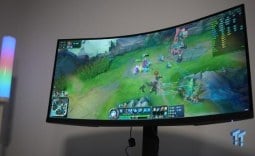
My initial impressions of the 3D experience in The First Berserker: Khazan were that the 3D mode was disorientating, but that feeling went away after a few minutes of use. Unfortunately, there is no way to capture the 3D effect to show you in this review, as it's a phenomenon that occurs with your eyes and the technology.
The detail of the 3D image is certainly impressive and didn't take as much of a hit in terms of visual fidelity as I was anticipating. Each of the 3D images retained adequate levels of detail and, more importantly, motion clarity, which I was particularly concerned about prior to beginning my review process.
Not having smooth motion clarity on the 3D image would result in a blurring effect and the user potentially feeling sick. I tested The First Berserker: Khazan extensively, swapping between the 3D and 2D modes. My experience, if I were to condense it, would be that the 3D experience is technically impressive, but not practical to enable full immersion of the game.

I found the 3D mode to be too distracting to the gameplay, as spinning the camera fast resulted in the 3D image in front of me changing extremely fast, which caused my eyes to draw to the fast-changing pixels in front of my face. This resulted in a somewhat cross-eyed effect happening, as I was now looking down my nose at the 3D image and not at the screen in front of me.
Unfortunately, I found this happened far too often for me to be able to fully lock into the game and experience the world in 3D. However, I do note that this could just be a problem exclusive to myself, and that another user may have no problems with the 3D experience. I think it just isn't for me, and especially considering the price tag, I could never find myself buying this display for anything other than a technical showpiece.
Moreover, the 3D mode does impact the average FPS in-game, as the processing for the 3D is being done on the GPU, and not on the monitor itself. How much does it impact? I did some basic FPS testing in The First Berserker: Khazan and found that with the 3D mode enabled and the game running at 4K resolution, the GeForce RTX 3090 was able to achieve 57FPS.
When disabling the 3D mode and just running the game in normal 2D at the same resolution, the average FPS jumped up to 65. There is a 13% performance hit when switching to the 3D mode, which isn't a small amount considering we are operating with lower framerates. Notably, these are just estimations and not objective testing, as I was unable to implement any software measurement during my testing time at Samsung HQ.
Final Thoughts
So, should you buy the Odyssey 3D? I can only recommend the Odyssey 3D to a user who wants the absolute bleeding edge, regardless of its shortcomings.

There isn't really a reason I can think of to recommend buying the Odyssey 3D for its practical application. For me personally, the 3D experience, while certainly technically impressive, is disorientating and not worth the exorbitant $1,999 price tag Samsung has slapped on it. For $1,099, a user could buy an MSI MPG 272URX QD-OLED, a 27-inch 4K 240Hz gaming monitor, and with the remaining $900, a second QD-OLED to go alongside it. In my opinion, that setup would be much more versatile and immersive than the Odyssey 3D.
However, the Odyssey 3D is a niche product, possibly the nichest gaming monitor I have ever come across. There really isn't anything else quite like it, and when comparing the Odyssey 3D to other 3D gaming monitor experiences, there isn't anything that really comes close to Samsung's latest model, at least out of the 3D monitors I have used in the past.
The Odyssey 3D is a spectacle of a display; it does something that is totally different than your typical gaming monitor, and while it is certainly an impressive feat, I'm not sure it's the direction we are headed with gaming monitor technology. With that being said, I definitely don't want Samsung to stop developing the technology, as one day it could reach a breaking point where it is the next step in gaming monitor technology. But for now, I just don't think we are there yet.


 KOORUI 34E6UC Gaming Monitor Review - UltraWide Gaming at 180Hz on a Budget
 AOC U27G4 Gaming Monitor Review - Affordable Dual-Mode 4K and 320Hz Gaming in One Display
 MSI MPG 272QRF X36 Review - NVIDIA Pulsar Powers the Peak of 1440p Esports Gaming Monitors
 ASUS ROG Swift PG32UCDM3 Gaming Monitor Review - Unbeatable OLED Just Got Even Better
 ASUS ROG Strix Pulsar XG27AQNGV Review - The Bleeding Edge of 1440p Gaming Monitors is Here
 Report: Sony saved Bungie in 'emergency acquisition,' studio may have closed otherwise
 Xbox may 'dissolve into Windows,' ex-Sony exec Shuhei Yoshida says
 Xbox first-party studio closures target Compulsion Games, Double Fine and more, studios negotiating for independence
 Xbox may soon let players buy a console and pay it off over 24 months
 AMD marketing chief brags on X about dominating Amazon's best seller CPU list, top 15 slots solely include Ryzen CPUs
 Humanoid robot becomes the first of its kind to climb 20,000 feet up a volcano
 Xbox loses studio lead ahead of impending layoffs, chief of staff also departs
 Apple's first foldable iPhone gets new rumored launch date and an astonishing price point
 GEEKOM A8 Mini PC now 20% off, lower than Prime Day pricing as huge storewide sale begins
 Anthropic's own $13 billion investor helped get the White House to ban the world's most powerful AI model
 Speed Racer (2008) 4K Ultra HD Blu-ray Review: a stunning remaster of the cult classic
 MOAIPLAY ORA PRO G1 850W ATX 3.1 PSU Review: high efficiency and 10-year warranty for $119.99
 Navman MiVue Smart True 4K Surround Dashcam Review - Seeing In All Directions At Once
 IQUNIX Magi96 Pro Aluminum Low Profile Mechanical Keyboard Review - Premium Build, Satisfying Sound
 Asetek Forte S-Series Racing Simulator Bundle Review
 Razer Pro Type Ergo Wireless Split Ergonomic Keyboard Review - Built for Comfort and Support
 ASUS ROG Strix Morph 96 Wireless Gaming Keyboard Review - Great Performance, More Affordable
 SAPPHIRE Radeon RX 9070 GRE PULSE OC Review - A New 1440p Challenger Has Arrived
 NZXT H6 RGB+ Compact Dual-Chamber Chassis Review
 ASRock Radeon RX 9070 GRE Steel Legend Review - The RDNA 4 Mid-Range Reshuffle
 8 Critical Warning Signs You Should Never Ignore in Windows 11
 This Windows security feature protects Documents from ransomware, but it is off by default
 Windows 11 already has a voice typing tool, and it is the one most people are not using
 Quick Assist is the only remote-support tool I open when a relative calls about their PC
 The PowerToys utilities I keep enabled on every Windows 11 PC, and the ones I turned off within a week
 TweakTown's Best of Computex 2026 Awards - The Best Hardware, Gaming Gear, and AI
 Phison E37T SSD Controller Exclusive Preview - The Fastest DRAMless SSD Platform Yet
 USB Ports Not Working in Windows 11? Try These Fixes
 ASUS WiFi Routers and Networking Solutions Deliver Long-term Security and Reliability with No Additional Cost
 Second Monitor Not Detected in Windows 11? Try These Fixes