












Before headlines turned to the Steam Machine's red line issue and its $1,000-plus price tag, much of the conversation centred on Valve's vision for the hardware. From the start, the company framed it as an open PC rather than a locked-down console. Owners would be free to install any operating system or storefront they wanted, and Valve's latest move reflects that same philosophy.
Valve has published official Windows drivers for the Steam Machine, giving owners the files needed to install Microsoft's operating system on the device. The driver package covers the essentials: graphics, Wi-Fi, Bluetooth, and SD card reader, enough to get Windows running with full hardware functionality on the cube.
However, it's worth noting that installing Windows currently requires wiping SteamOS entirely. Dual-boot support is not yet available, even though the hardware itself is fully capable of it. Valve says the SteamOS installer's dual-boot wizard is not ready yet and will ship alongside a future SteamOS update. Anyone hoping to switch between SteamOS and Windows on the same machine should wait rather than jump in now.
- Read more: The dreaded Steam Machine 'Red Line of Death' was fixed after a simple CMOS reset
- Read more: Linux gamers can now use NVIDIA Reflex and AMD Anti-Lag 2 on any GPU thanks to a new open-source project
- Read more: EmuDeck's Playnix console is stealing the Steam Machine spotlight with a Ryzen 5 and RX 9060 XT 16GB

Valve is also upfront that these drivers come as-is, with no official Windows on Steam Hardware support if something goes wrong. There are also a few installation notes worth knowing. Users need to enter the boot menu by powering down and tapping Escape while booting, and an Ethernet connection is required during Windows installation since Wi-Fi drivers are not available at that stage.

Frequently Asked Questions
TweakBot answers common questions about this news using TweakTown's own coverage from this page and related content from our archive. All answers are generated from TweakTown content and not outside sources. Tap a question to reveal the answer, or type your own below related to this content.
When Valve enables the SteamOS dual-boot wizard, will existing SteamOS installations be preserved or require reinstallation?
Are there any known hardware features on the Steam Machine that remain unsupported by the published Windows drivers?
What steps are required to prepare a Steam Machine for Windows installation, including BIOS/UEFI settings?
If Ethernet is required during installation, can users install Wi‑Fi drivers later from within Windows without reinstalling?
Have a question about this content not listed here? Ask below and TweakBot will answer it.

For most Steam Machine owners, SteamOS will likely remain the obvious choice. Microsoft has been working hard to make Windows 11 the "best place to play" PC games, with initiatives like Project K2 moving the operating system closer to SteamOS, but it still has some catching up to do. Regardless, giving users an official path to Windows definitely sets Valve's hardware apart from traditional consoles.


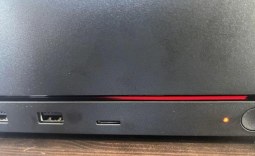 The dreaded Steam Machine 'Red Line of Death' was fixed after a simple CMOS reset
 Windows 11 tested on Steam Machine, provides nearly identical gaming performance to SteamOS
 MetaPCs launches first SteamOS 3 prebuilt gaming PC with Ryzen 5 9600X, RX 7600 and 16GB of RAM
 Valve is working with NVIDIA to make GeForce GPUs compatible with SteamOS
 The Steam Frame could be priced at $1,500 at launch, according to insider
 Giveaway: 12 Winners Will Score MONTECH NX400 and NX600 CPU Coolers
 Dave Bautista officially cast as Kratos in Amazon's 'God of War' TV Series, replaces Ryan Hurst
 Take-Two begins the hunt for GTA 6 leaker CyberLeek, subpoenas Microsoft and Discord
 PlayStation 6 handheld not expected to stay under $600, warns leaker
 AMD confirms the Radeon RX 9050 4GB will have a tiny 64-bit bus and just 16MB Infinity Cache
 Intel 'Nova-Lake-S' 28-core CPU with bLLC reportedly draws 296W at PL2
 FSR 4 Frame Generation suffers from frame pacing issues causing the tech to be borderline unusable
 STALKER 2 receives massive performance boost with new 2.0 update, game gets upgraded to Unreal Engine 5.5.4
 Sandisk NAS 800 NVMe SSD delivers PCIe Gen5 speeds for demanding NAS environments
 RayNeo announces new iO Smart Glasses and GT Series with 'cinema-grade' display
 IQUNIX launches premium EC75 Hall Effect keyboard with 0.01mm Rapid Trigger
 Cooler Master MasterFan A120 Fan Review
 GIGABYTE MO27Q2A Gaming Monitor Review: 1440p, 280Hz, and QD-OLED is a winning combination
 Cooler Master V8 ACE 3DHP BLACK CPU Cooler Review
 ASUS ROG Strix XG129C Review: A $199 Gaming Monitor You Don't Play Games On
 Cooler Master HAF II 500 Mid-Tower Chassis Review
 Corsair HS35 v3 Wireless Gaming Headset Review - An Affordable Winner
 D-Link F518 5G Wi‑Fi 6 AX1800 Mobile Hotspot Review: All-Day Mobile Hotspot
 Bose Lifestyle Ultra Speaker Review - Impressively Detailed Room-Filling Sound
 MSI Z890 Gaming Plus WIFI6E Review - Z890 for under $200
 Mortal Kombat (1995) 4K Ultra HD Blu-ray Review
 Using Multiple Monitors? Change these Windows settings for a Better Experience
 Windows Sandbox is The Windows Security Feature Most People Never Use
 I ditched the Windows 11 context menu for this open-source tool, and here's why
 Windows 11 may be encrypting your drive already, and I checked where my recovery key went
 GIGABYTE's 40 Days of INFINITY celebrates 40 Years of Innovation with stunning GeForce RTX graphics cards and rewards
 I swapped File Explorer for this free file manager and finally got the layout I wanted
 How to tell if someone has been using your Windows PC without your permission
 6 Task Manager tips for troubleshooting Windows performance problems
 ASUS ROG's 20th Anniversary Line-up of Premium PC Gaming Gear has Arrived - Here's Everything You Need to Know
 Six File Explorer tips every Windows user should know