










Something I never thought I'd be doing a few years ago would be charging my smart devices wirelessly. I mean, I knew it was in our future - wireless charging - but when it's sitting on your desk, it's just... glorious.
TYLT's Vu Wireless Charger is a wireless charger for your Qi compatible smartphone, so you'll have to check if your device is compatible first by checking out the compatibility list. There are a bunch of devices compatible with it, with some of the biggest devices supported such as the LG Nexus 4, ASUS Nexus 7, Motorola DROID devices (MAXX, Bionic, Mini and more), some Nokia devices, and Samsung's Galaxy S III, S4 and Note II smartphones.
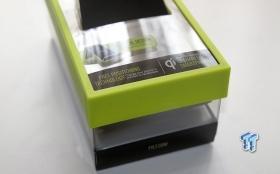
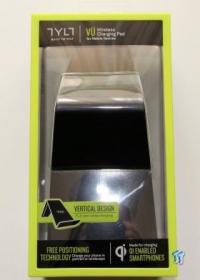
Taking a look at the box, it comes in a gorgeous container that has some very slick TYLT packaging around it.
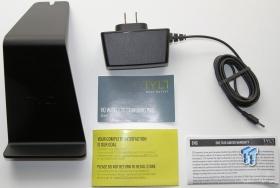
Opening the box, we find the Vu Wireless Charger, its power adapter, a User Guide, and some warranty information.
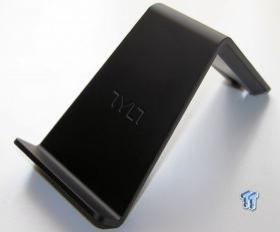
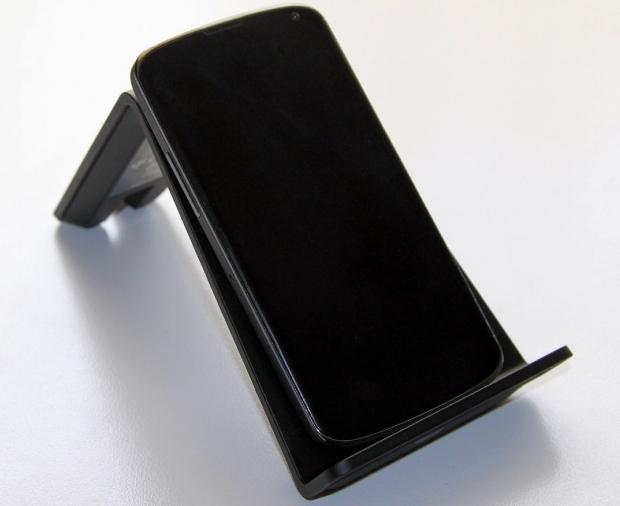
Moving on, we have the TYLT Vu Wireless Charger itself, which looks very slick. It's made from a nice rubber-feel material, and slants your phone on an angle so that you can view it, or still use it while it's charging.
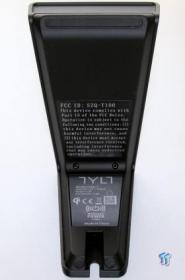
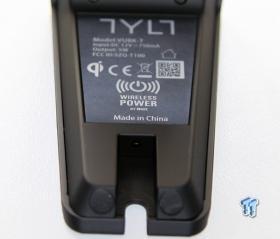
Flipping the Vu Wireless Charger onto its back, we find some FCC information, and down the bottom, we have the tiny socket to plug the power adapter into.
We used an LG Nexus 4 smartphone over a period of a week, charging it exclusively with the TYLT Vu Wireless Charger. As you can see in the image above, it sits on the device very comfortably, and is on an angle that allows it to be used very easily.
Our Latest Portable Chargers Review Coverage
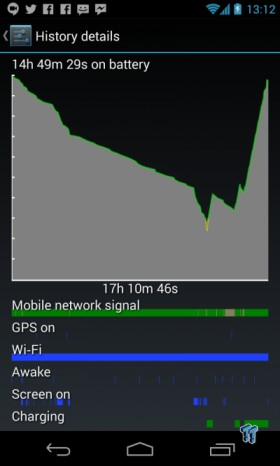
Now, let's talk about how the TYLT Vu Wireless Charger performs. I was able to charge my Nexus 4 from 15% charge to full 100% charge in a little under two hours, which is amazing. Considering this thing is charging it magically through Qi wireless technology, it's quite the feat without using a cable.
I found myself charging my phone more often, which kept it at 100% all the time. Instead of having to move from my desk, taking my phone, to only plug it in when I return, it becomes annoying. Using a wireless charger on the other hand, every time I sit down at my desk, I can just gently drop it onto the TYLT Vu Wireless Charger, and it charges. When I walk away from the desk, simply grab it - no cables holding it back.
There's not much to the TYLT Vu Wireless Charger, apart from plugging it in and chucking your device on top for some wireless charging. I also used an ASUS-made 2013 Nexus 7, which charges only when sitting on the TYLT Vu charger in portrait - this isn't a huge problem, but something that you'll have to remember when charging a tablet.
Overall, I absolutely have converted over to being a wireless charging fanatic and now want multiple of TYLT's Vu Wireless Charger's around my house. One in my bedroom next to my bed, one on my desk and another one in my car.
Wireless charging is the future, and TYLT is on the bleeding edge with its Vu Wireless Charger.


 Navman MiVue Smart True 4K Surround Dashcam Review - Seeing In All Directions At Once
 Samsung Galaxy Fold 7 Review - A $2000 Pocketable Two-in-One Smartphone-Tablet
 Apple Intelligence - a full breakdown of Apple's AI features in iOS 18.1
 Aura Smart Sleep Mask Review - Much more than 100% blackout sleep
 Fitbit Charge 4 Special Edition Advanced Fitness Tracker Review
 DSX v3.2 Beta adds native PlayStation DualSense haptic feedback over Bluetooth on PC
 NVIDIA fixes frame pacing issues with G-Sync monitors and RTX 40 series GPUs with GeForce driver 610.62
 Steam Machine benchmarks spotted on Geekbench, as early reviews might be underway
 EU delivers verdict on Stop Killing Games initiative
 'Welcome to the Internot' - Commodore launches anti-doom-scrolling Callback flip phone that ditches social media and browsers
 Panther Lake Arc B390 iGPU on SO-DIMM memory performs worse compared to using LPDDR5X, 16% slower in 3DMark
 EA opens new program to put more ads into its games before it goes private in $55 billion deal
 Game Pass isn't sustainable and needs changes as analyst finds continued evidence of sales cannibalization
 Tesla Cybercab specs spotted in official EPA filing: battery, total range, weight
 Xbox employees offered Microsoft's first-ever retirement program amid studio closures
 Speed Racer (2008) 4K Ultra HD Blu-ray Review: a stunning remaster of the cult classic
 MOAIPLAY ORA PRO G1 850W ATX 3.1 PSU Review: high efficiency and 10-year warranty for $119.99
 IQUNIX Magi96 Pro Aluminum Low Profile Mechanical Keyboard Review - Premium Build, Satisfying Sound
 Asetek Forte S-Series Racing Simulator Bundle Review
 Razer Pro Type Ergo Wireless Split Ergonomic Keyboard Review - Built for Comfort and Support
 ASUS ROG Strix Morph 96 Wireless Gaming Keyboard Review - Great Performance, More Affordable
 SAPPHIRE Radeon RX 9070 GRE PULSE OC Review - A New 1440p Challenger Has Arrived
 NZXT H6 RGB+ Compact Dual-Chamber Chassis Review
 ASRock Radeon RX 9070 GRE Steel Legend Review - The RDNA 4 Mid-Range Reshuffle
 Low Sound Volume on Windows 11? How to fix audio issues and restore normal volume
 8 Critical Warning Signs You Should Never Ignore in Windows 11
 This Windows security feature protects Documents from ransomware, but it is off by default
 Windows 11 already has a voice typing tool, and it is the one most people are not using
 Quick Assist is the only remote-support tool I open when a relative calls about their PC
 The PowerToys utilities I keep enabled on every Windows 11 PC, and the ones I turned off within a week
 TweakTown's Best of Computex 2026 Awards - The Best Hardware, Gaming Gear, and AI
 Phison E37T SSD Controller Exclusive Preview - The Fastest DRAMless SSD Platform Yet
 USB Ports Not Working in Windows 11? Try These Fixes
 ASUS WiFi Routers and Networking Solutions Deliver Long-term Security and Reliability with No Additional Cost