Introduction
You may not realize it, but the SSD market is making the network attached storage market heat up. As more of us move from mechanical storage in our computers, the need for additional storage capacity rises. In desktops where several storage products can reside side-by-side the limited capacity from flash based storage isn't much of an issue, but in notebooks the issue becomes complicated.
For years, direct attached storage (DAS) played a double role. The technology mainly designed for portable storage became the add-on, quick fix for main storage drives that filled with data. Two years ago, the buzzword was connected devices and now it's difficult to buy any piece of technology that isn't connected. When manufacturers talk about connected they mean two things, the internet and storage devices designed to distribute content. With DAS, if you want to connect your connected devices you need your computer on and configured for another client connection. There are two inconveniences in that, the first is the massive power draw your desktop uses and the second is running downstairs to turn your computer on when you just want to watch a damn movie upstairs in your bedroom. The solution to all of these problems and more is a low power device that can hold large amounts of data and do so in a manner that keeps your data safe. The solution is NAS.
Network attached storage products have grown up and are now more than just black boxes for storing your important documents. With new high capacity HDDs you can store all your documents, pictures, movies and music and play the content back on just about any device with a network connection. This includes your cell phone and tablet while you're on the go.
GIGABYTE is a company we all know and trust. They produce some of the very best motherboards and video cards on the market, products we've all purchased in the past. The NAS market is one filled with several companies, none of which you've heard of unless you take a deep dive into the market before spending your hard earned dollar. Although not as public as GIGABYTE's other ventures, GIGABYTE has produced server and high performance computing components for several years. Now the company is using that knowledge to bring a network attached storage product to the consumer and small business segment.
Specifications, Availability and Pricing
There are two significant categories for NAS products, the hardware and the software. Let's take a look at the hardware GIGABYTE chose to use in the GR-EZI04H 4-Bay NAS and on the next page we'll dive into the software.
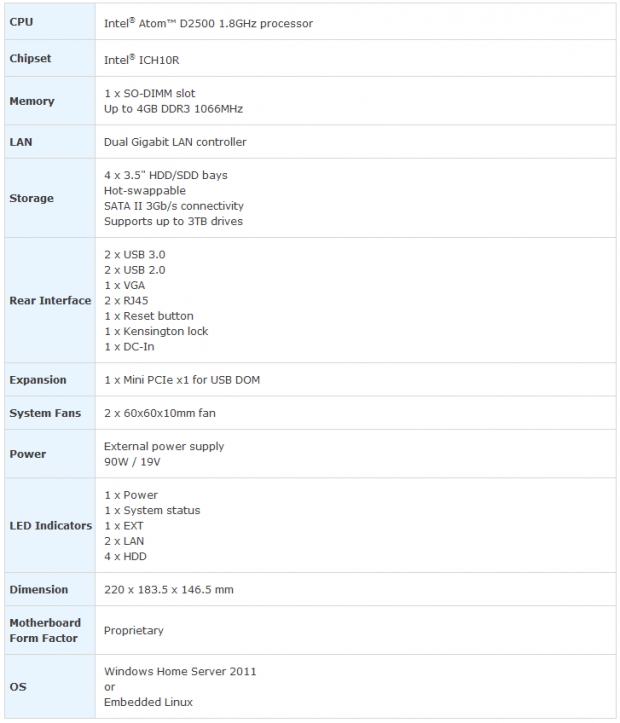
The GIGABYTE GR-EZI04H is a 4-bay NAS that uses an Intel Atom D2500 processor running at 1.8GHz. The dual-core Atom is a low power processor that is faster than you might imagine. Since our NAS shipped with an embedded version of Linux that was slimmed down for NAS use, there is very little overhead for the processor and RAM to run in the background. Paired with the 1.8GHz processor is a 2GB DDR3 SODIMM form factor stick of RAM. This can be removed and a 4GB stick used instead. 2GB is a solid choice for the GR-EZI04H and twice as much capacity as many other products in this price class.
As we mentioned the GR-EZI04H is a 4-bay unit and with 4TB HDDs you can achieve up to 16TB of storage internally. The NAS also has four USB ports (dual 3.0 and dual 2.0), and you can even attach your DAS storage devices to expand the overall storage capacity.
Our Latest SOHO NAS/DAS Review Coverage
- UGREEN NASync DXP4800 GT Review: powerful 4-bay NAS with AMD Ryzen and dual 10GbE ports
- ASUSTOR Lockerstor 2 Gen2+ AS6702T v2 NAS Review - Fast Performance
- TERRAMASTER D4 SSD 4-Bay NVMe DAS Enclosure Review - Superior Portable DAS
- ASUSTOR AS5402T 2-Bay NAS Review - Fast 2-bay NAS performance
- UGREEN NASync DH2300 Review - Simple NAS at a low price
Connecting to your NAS is possible through dual gigabit Ethernet ports that can run on their own to separate networks.
At the time of writing, the GIGABYTE GR-EZI04H wasn't available in Google Shopping, but we were told the NAS has an MSRP of around $700. As we all know MSRP is rarely internet prices and in this case it's a good thing.
The $700 price point is above that of the Thecus N4800, one of the best 4-bay NAS units on the market today and possibly one of the best bang for the buck NAS products of all time.
Software Features
NAS products are an equal balance between hardware specifications and software features. Together, one compliments the other and a well-rounded product immerges.
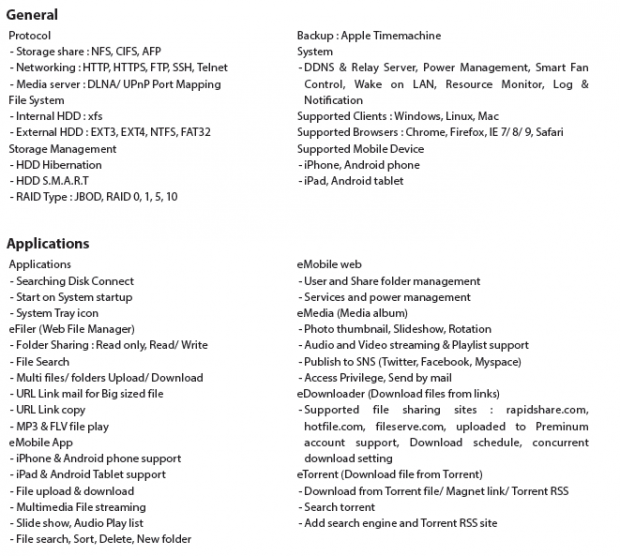
The GIGABYTE GR-EZI04H ships with a solid core of software features. The applications list is large as you can see; the unit doesn't leave much off the table for most users. In our testing, we didn't find a way to add new features through modules like we can with many other top NAS products. That means you'll need to rely on GIGABYTE to update the NAS firmware with new features you may want. Since this is a new product, we can't speculate on how frequently GIGABYTE will update the firmware/software or how they'll handle additions.
For me personally, I would like to see a Usenet client built in, but we didn't find one. GIGABYTE did include support for personal cloud services, the hot application for the NAS market. With a personal cloud your NAS becomes your cloud based storage through the internet for your mobile devices.
Packaging
Our sample arrived double boxed with the inner box being just a brown box package design. We're really early on life cycle of this product and if GIGABYTE brings this product to the retail market we'll more than likely see some informal stickers on the package to spruce things up.

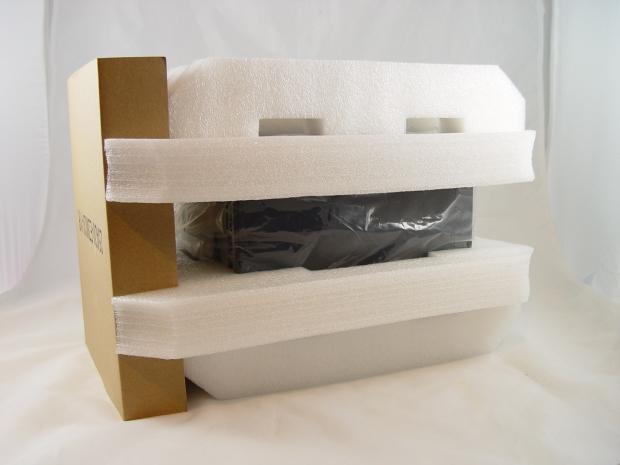
The inner packaging is really good with more than two inches of foam around the NAS. It would be very difficult to damage the NAS during shipping.
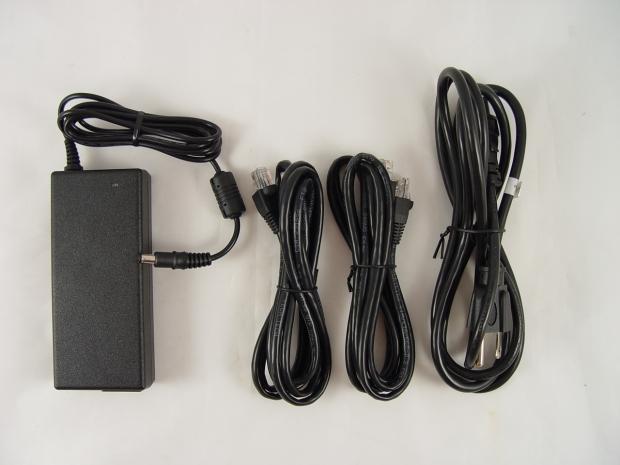
Inside we found an external power brick. By putting the power on the outside of the NAS you don't have to use cooling power to cool the power components. We also found two Ethernet cables and the power cable for the power brick.
GIGABYTE GR-EZI04H 4-Bay NAS
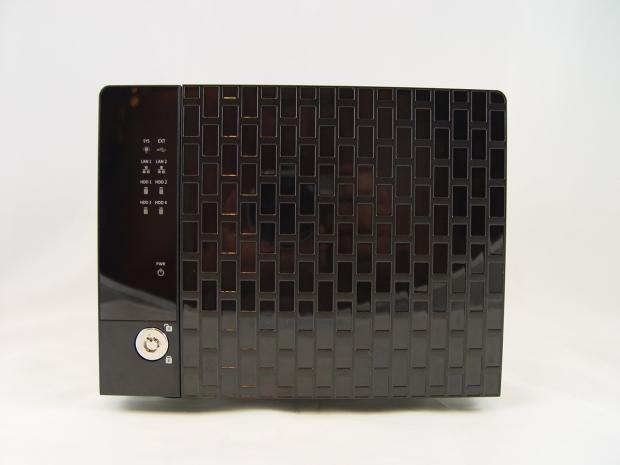
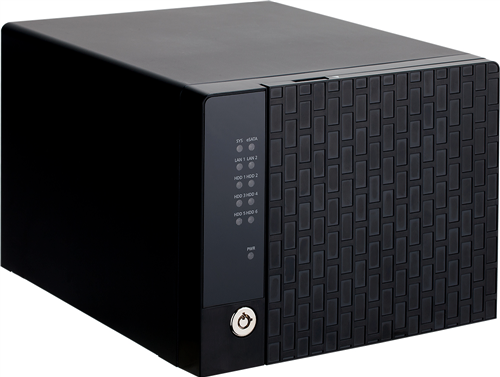
Here we get our first look at the GIGABYTE GR-EZI04H 4-Bay NAS. The front door locks to help keep your drives secure. The front door is plastic, but this unit is designed for your home or small office so we don't expect CIA level security.
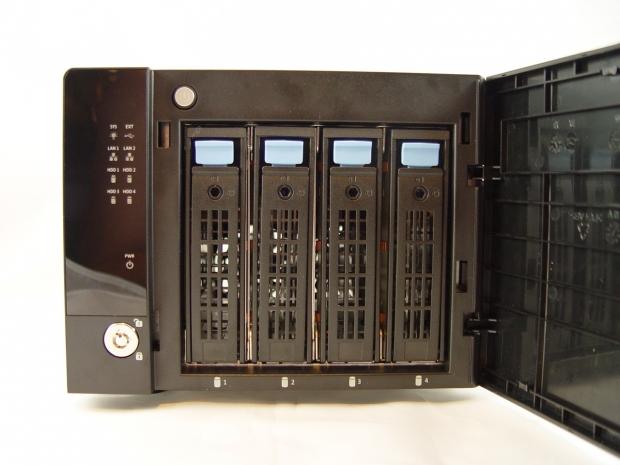
With the door open, we have easy access to the four drive sleds.
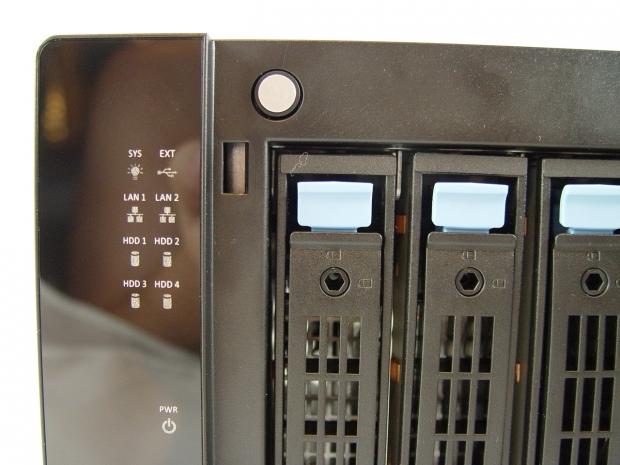
The power button is at the top and hides behind the door. This is important for security since you don't want others coming long and turning your NAS off. There are a number of status LEDs on the unit, eight in two rows and a power status light in the middle of the NAS on the left side.
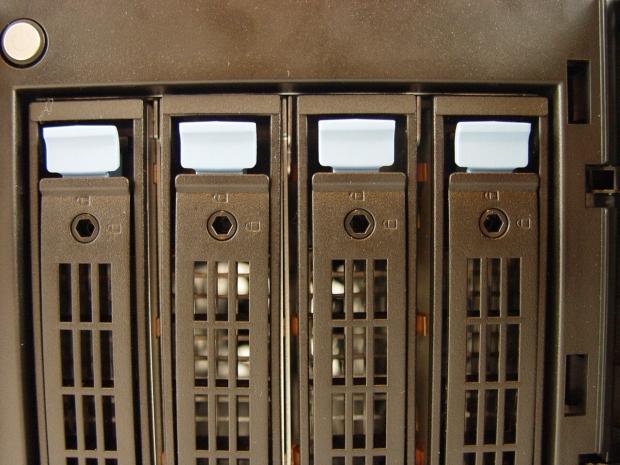
Each drive sled has a locking mechanism on it so you can add another layer of security to the storage components.
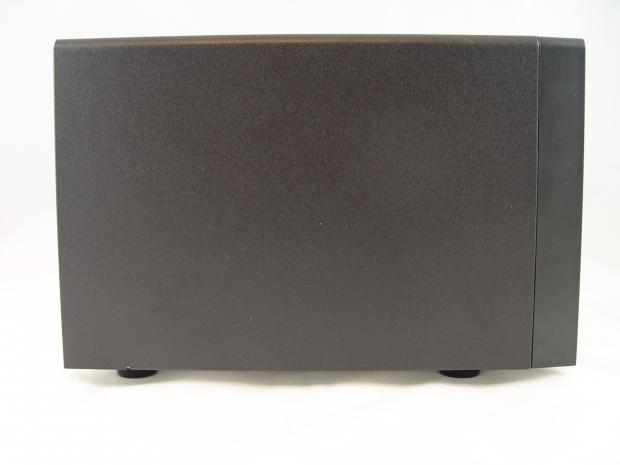
The NAS has a small footprint and uses a closed cover design so all of the airflow passes over the HDDs.
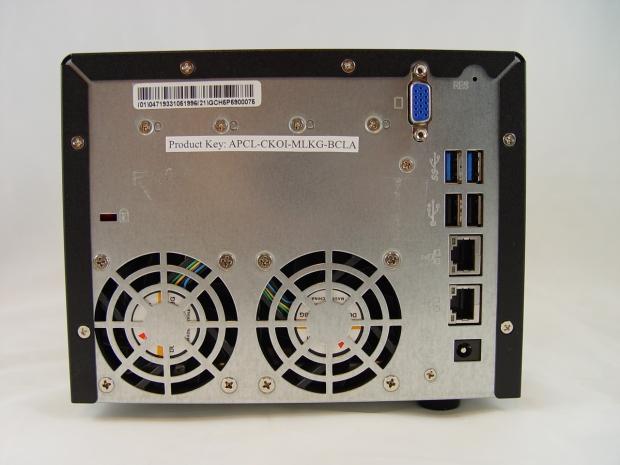
Cooling comes from dual 80mm low speed fans. The system is quiet at all times, a must for a home NAS.
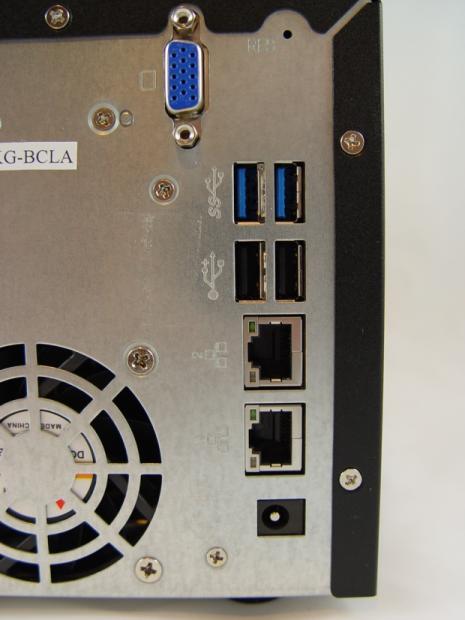
Here we have the connection panel. At the top is a VGA display port. Further down we found dual USB 3.0 ports, two USB 2.0 ports and then the dual gigabit Ethernet.
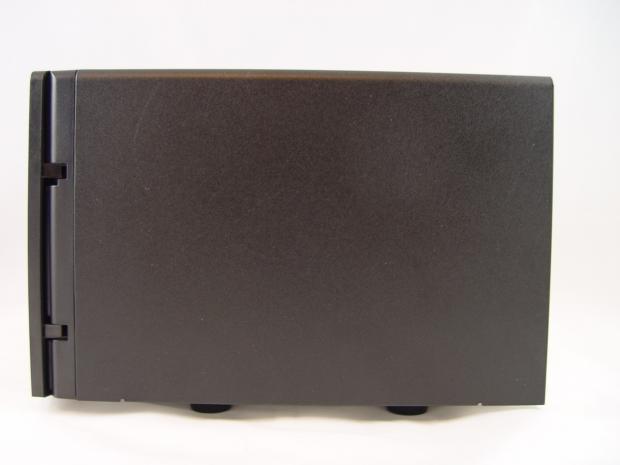
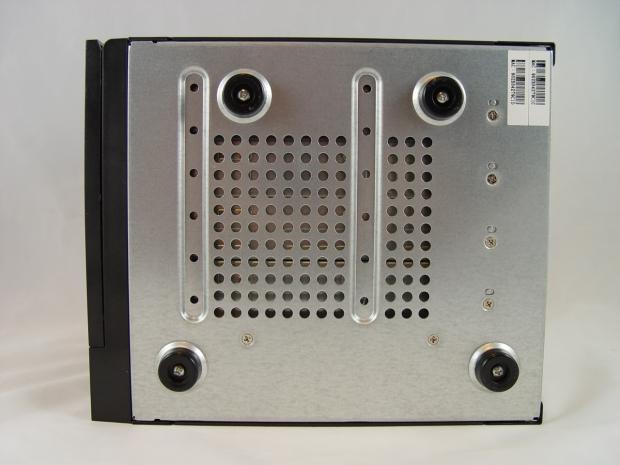
You may not realize how important the bottom of a NAS is, but when you have a unit without rubber feet, you learn really fast. Vibration can transfer from the drives to the desk and vibrate everything including items off your desk. GIGABYTE did a good job and the GR-EZI04H 4 and we couldn't hear the Western Digital RED HDDs even when seeking random data.
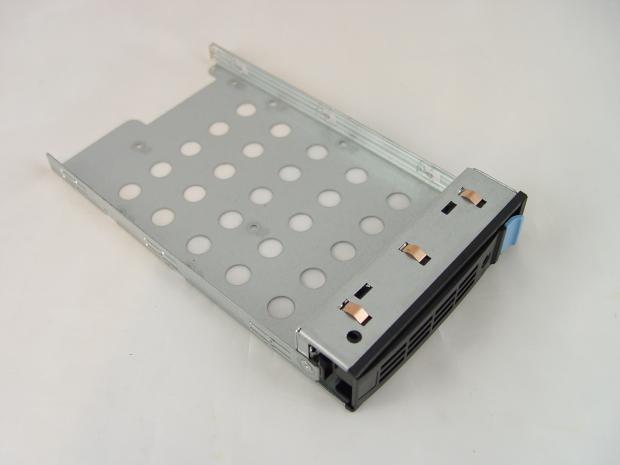
The drive bays are solid and can hold both 3.5" and 2.5" form factor drives.
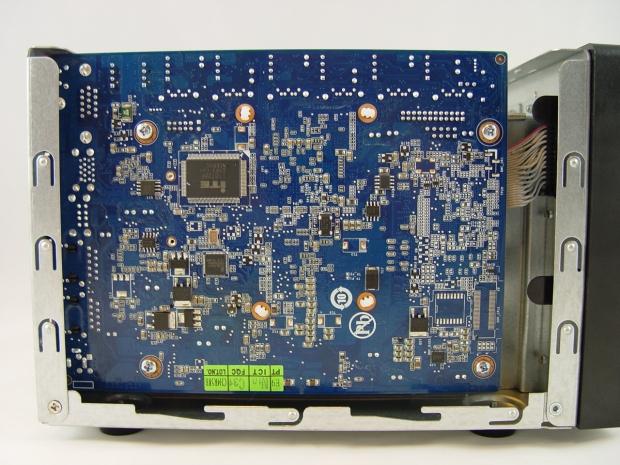
We popped the top to have a look around the NAS. Sadly, the SODIMM slot wasn't located on this side of the board, so user upgrades aren't as easy as they could have been.
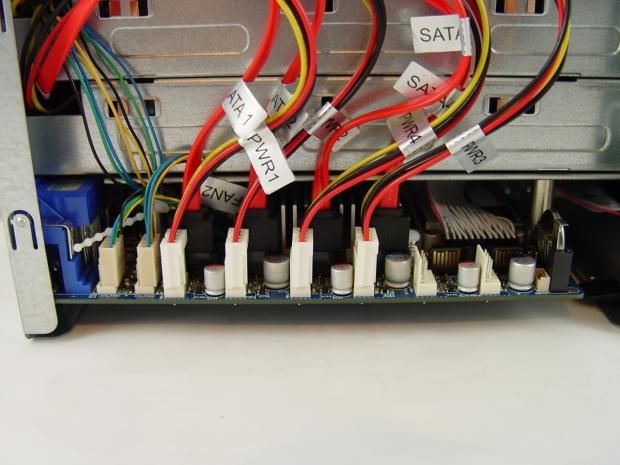
Here you can see how tightly packed everything is inside the NAS. This is how GIGABYTE managed to keep the overall size reduced to such a small footprint on your desk or shelf.
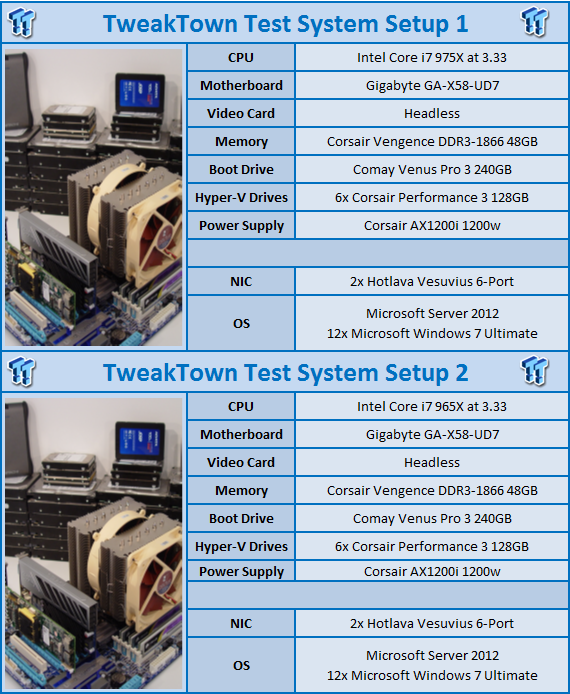
Test System Setup
Intel NASPT
The Intel NAS Performance Toolkit (NASPT) is a file system exerciser and analysis tool designed to enable direct measurement of home network attached storage (NAS) performance. Designed to emulate the behavior of an actual application, NASPT uses a set of real world workload traces gathered from typical digital home applications. Traces of high definition video playback and recording, office productivity applications, video rendering/content creation and more provide a broad range of different application behaviors.
TweakTown Custom 48-Client Enterprise Test
The TweakTown Custom 48-Client Enterprise Test uses NetBench 7.03 with two custom workstations running 24 Hyper-V installs of Windows 7 to simulate small office multiuser performance. Both throughput (in Mbits per second) and latency (in milliseconds) are measured. We conducted the tests in RAID 6 mode with the maximum number of HDDs installed.
- RAID Level Description
JBOD: Combine multiple drives and capacities into one drive.
RAID 0: Normally used to increase performance and useful for setups such as large read-only NFS servers where mounting many disks is time-consuming or impossible and redundancy is irrelevant.
RAID 1: Create an exact copy (or mirror) of a set of data on two or more disks. This is useful when read performance or reliability are more important than data storage capacity.
RAID 5: Use block-level striping with parity data distributed across all member disks.
RAID 6: Extend RAID 5 by adding an additional parity block; thus it uses block-level striping with two parity blocks distributed across all member disks.
RAID 10: A Stripe of Mirrors. Multiple RAID 1 mirrors are created and a RAID 0 stripe is created over these.
RAID 50: Combines the straight block-level striping of RAID 0 with the distributed parity of RAID 5.
RAID 60: Combines the straight block-level striping of RAID 0 with the distributed double parity of RAID 6.
Western Digital RED - The NAS HDD
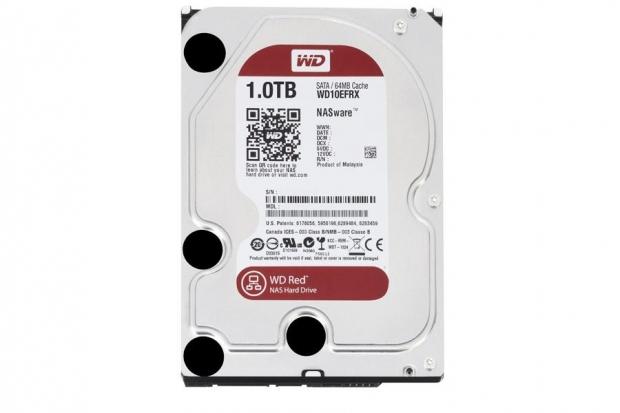
TweakTown uses Western Digital RED 1TB hard drives for all of our NAS server tests. You can read our full review of the Western Digital RED 1TB in this article.
Benchmarks - HD Playback
HD Video Play - 720p HD stream from Windows Media Player* 256kB reads
2HD Video Play - 2x playback
4HD Video Play - 4x playback
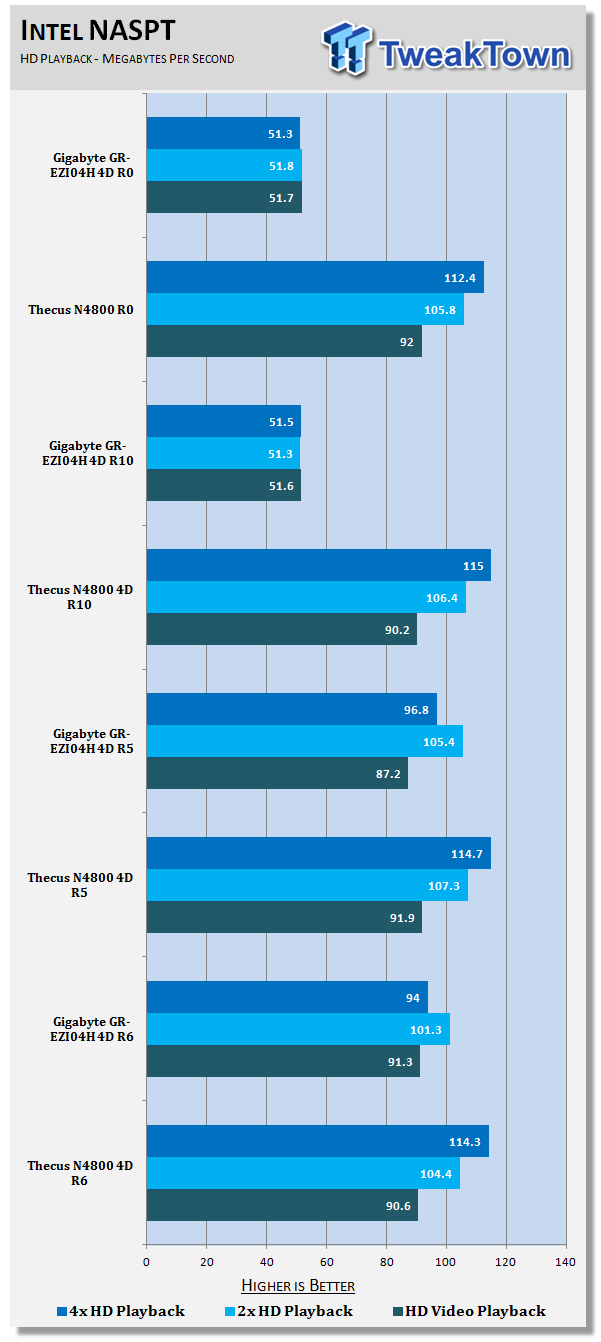
Most users running the GIGABYTE GR-EZI04H will choose to use RAID 5 as it gives you the best balance of data security, user capacity and performance. The GIGABYTE GR-EZI04H seems tuned for RAID 5 and RAID 6, the RAID 0 and RAID 10 performance isn't really that great, but with only four drives, most will not run RAID 10 and running RAID 0 isn't redundant.
Looking at the RAID 5 numbers towards the bottom of the chart we see the GIGABYTE NAS delivers solid performance that is comparable to that found on the Thecus N4800 also when in RAID 5.
Benchmarks - HD Record
HD Video Record - 720p HD stream, 256kB writes
HD Video Play & Record - 1 playback, 1 record simultaneously
2x HD Video Play & 2x Record - 2 playback, 2 record simultaneously
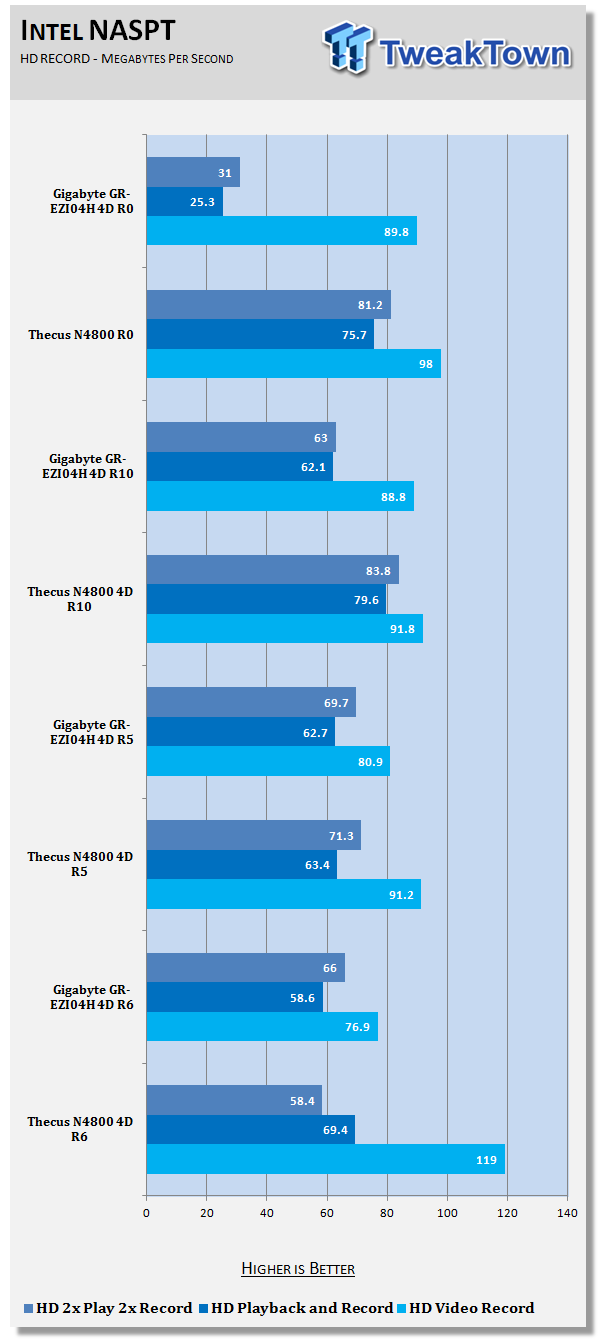
Sticking with RAID 5 in a new set of tasks, the GIGABYTE is again just behind of the N4800. The GR-EZI04H is still a new product and it doesn't have the optimizations Thecus has yet. With firmware refinements, GIGABYTE could get to the same performance levels in the future.
Benchmarks - Content
Photo Album - All reads - wide distribution of sizes
Office Productivity - Reads and writes, 1kB & 4kB reads; Mostly 1kB writes
Content Creation - 95% writes; 1k, 4k & little reads; Writes up to 64kB
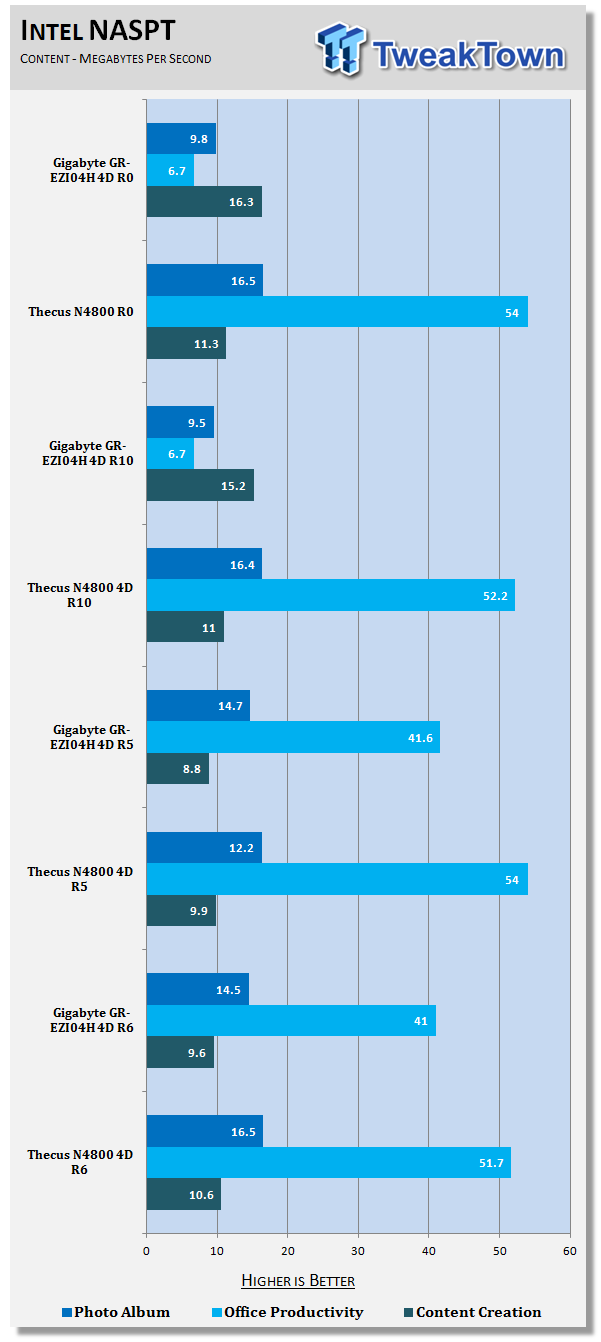
Content creation and small photo work are the most difficult areas for NAS servers to handle since the data sets are small and there are so many of them. The GIGABYTE NAS actually outperforms the Thecus in the Photo Album test in RAID 5 this round. The content creation test is very close, but the N4800 shows its might in the office productivity test.
Benchmarks - Copy
Directory Copy From NAS - 64kB reads
Directory Copy To NAS - Predominantly 64kB writes, wide scattering under 16kB
File Copy From NAS - 4GB file copy, 64kB reads
File Copy To NAS - 64kB writes
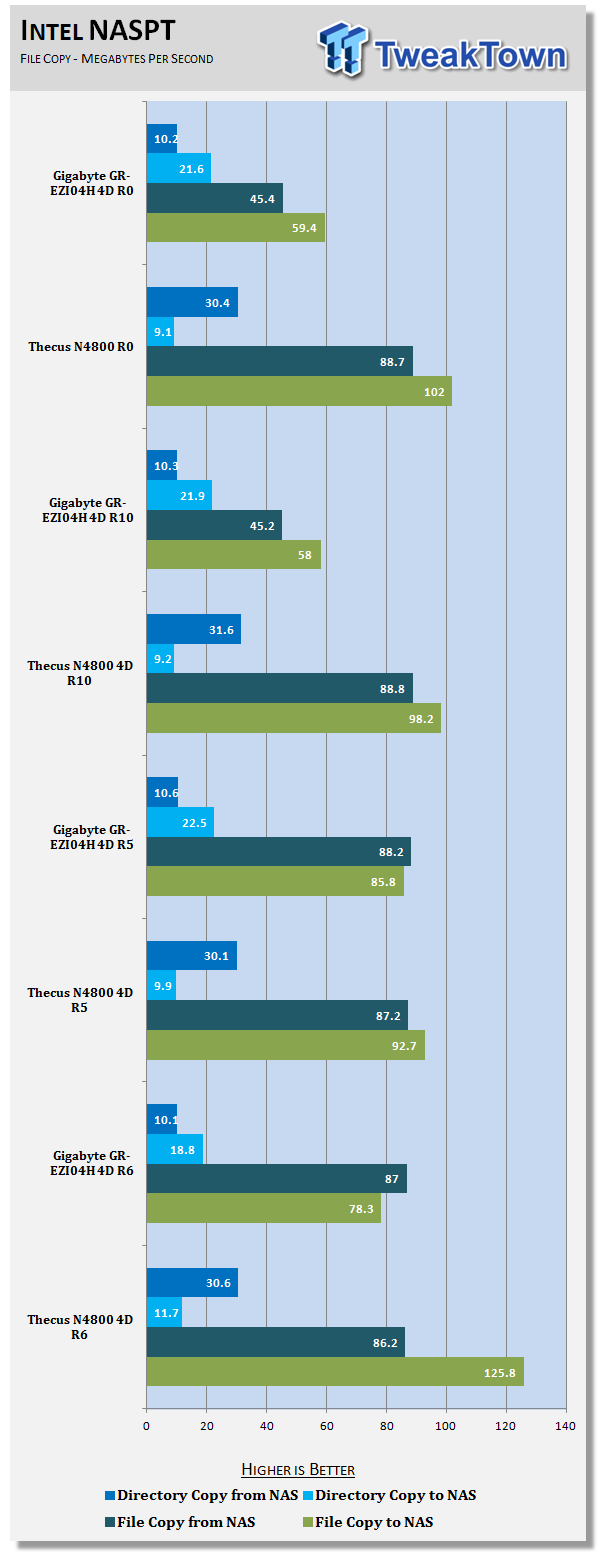
Most users still only use their NAS for file storage and moving files to and from it is by far the number one use. In these tests the two NAS trade blows with each winning two of the tests.
Benchmarks - Multi Client Environment
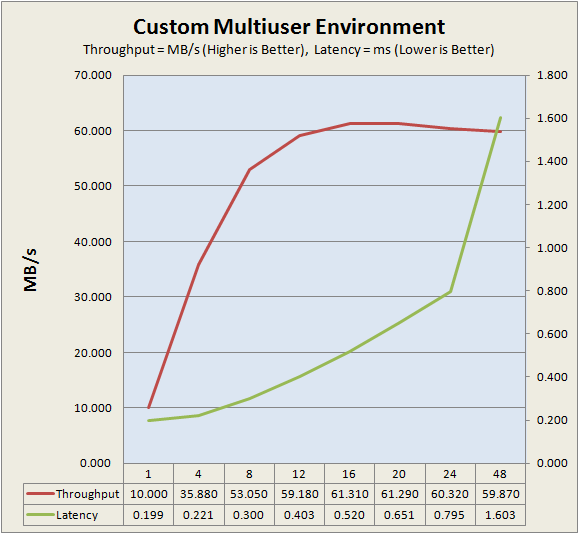
On the small business side with heavy office software reading and writing to the NAS by multiple users the GIGABYTE GR-EZI04H does really well. Here we see the throughput increasing rapidly and the latency staying very low until we get to 48 users.
Final Thoughts
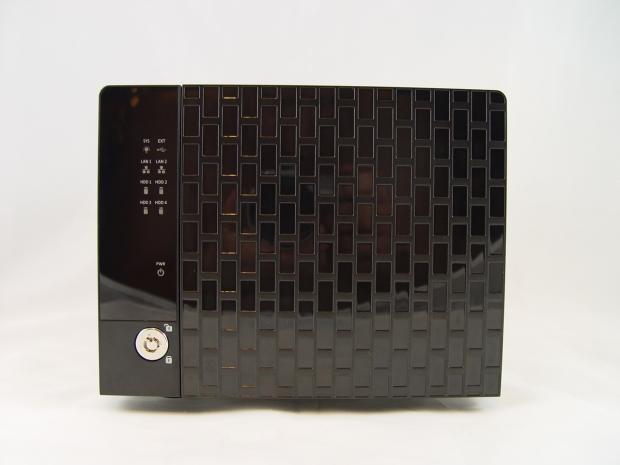
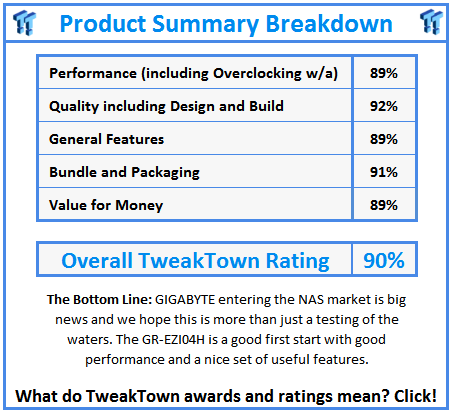
We're glad to see GIGABYTE entering the NAS market, but its initial product takes aim at the most saturated segment. This is sort of like deciding you want to be a professional bull rider and the next day mounting your first bull whose name is Bone Crusher. The truth is though, if GIGABYTE would of started off with a 2-bay NAS, we would have asked, "Why didn't you release a 4-bay NAS since it's the largest market?" It's tough being a manufacturer.
Let's break the GIGABYTE GR-EZI04H down into separate pieces. The first is the price, around $700 MSRP. We know that is a price that isn't going to work because several other manufactures have 4-bay units of equal processing power and more robust software features. A $500 to $600 price point would be much better and at the low-end of that span GIGABYTE has a product that would sell really well.
The next is performance. This is an area that can change as soon as GIGABYTE releases a firmware/software update. With the initial firmware the GIGABYTE GR-EZI04H performs very well, but we think the NAS has more to offer with refinements. Any NAS that's able to outperform the Thecus N4800 in any test is doing well and in the charts today we saw that happen in a few of our tests.
The weakest point of the GIGABYTE GR-EZI04H is the software features on the NAS. GIGABYTE includes several, more than what anyone would use, but there are several now standard features not on the list. We'd like to see GIGABYTE add more features in a progressive manner like many of the other NAS makers, with software module packs that the user can install if the software is needed.
Finally we have support and how GIGABYTE handles any issues with compatibility. GIGABYTE has a good track record of providing quality support with its other products and we expect that same high level of attention to go to the GR-EZI04H too.
Hopefully it won't be long before GIGABYTE ships the GR-EZI04H to Newegg and other well-known e-tailers. On GIGABYTE's site they list its NAS server in the B2B (business to business) section with the servers and workstation/server motherboards. You can still buy these products on the open market, but they aren't as common as say a GIGABYTE video card.